Protect your database backups against TDE attacks with Narbulut Backup Now.
Data Security Solution
Silent Ransom: TDE Attack
An attacker switches on your database’s own legitimate encryption feature (Transparent Data Encryption) with a key only they control; your backups are silently poisoned for months. Narbulut Backup Now detects this threat before the backup is even taken.
Your backup system confirms the backup was taken intact — not that the data inside can still be opened. Encrypted data gets marked as a "successful backup" too.

The Backup Gets Encrypted Too
Backups copy your files just as they are. If a file is encrypted, its backup is encrypted as well — and the backup software never notices the difference.

Security Tools Don’t Notice
The attacker uses the system’s own everyday operations. Since no malicious software runs, security tools raise no alarm.
Real-Time TDE Detection on the Desktop
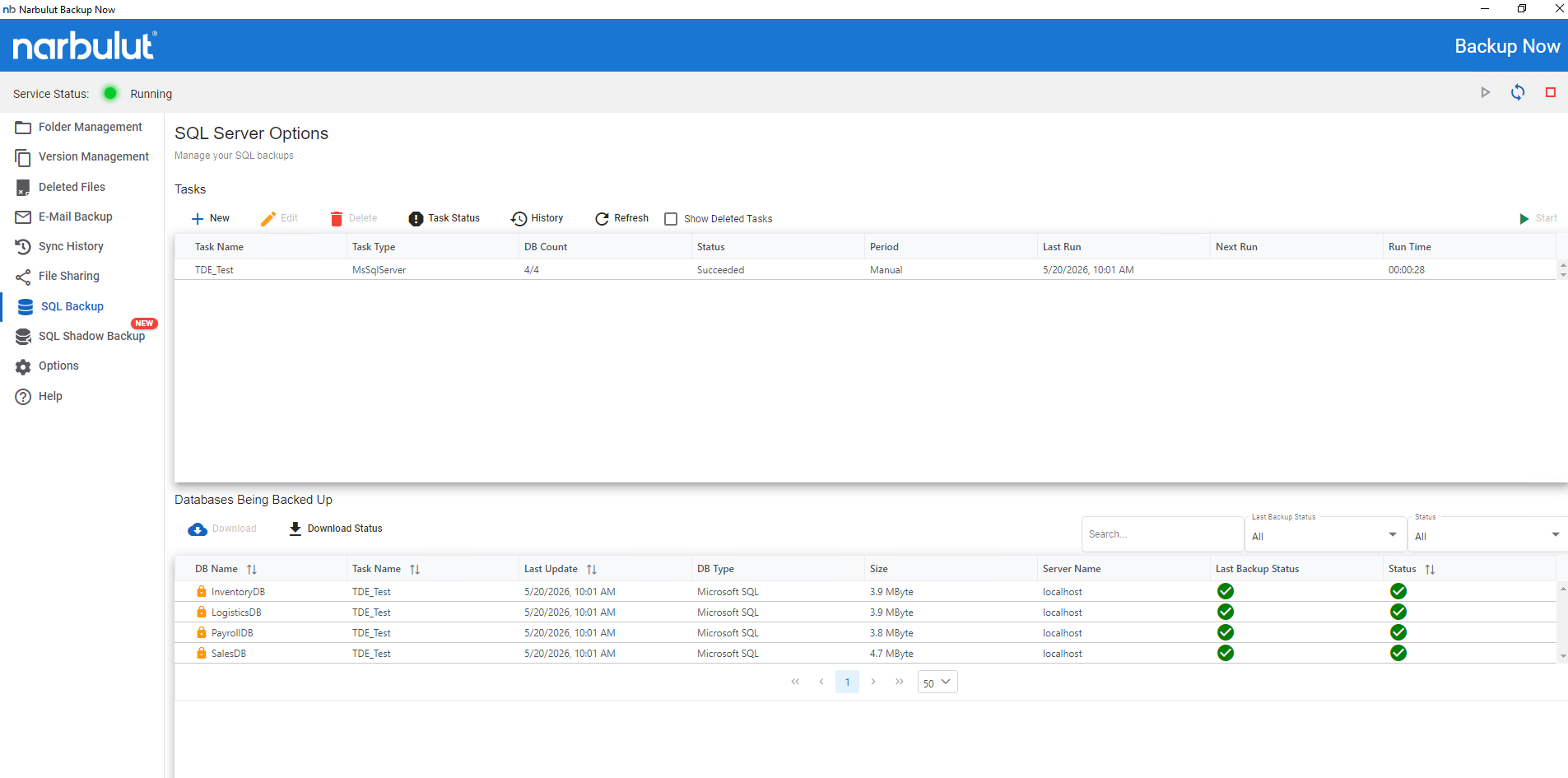
The Narbulut Backup Now desktop app flags TDE-encrypted databases with a lock icon. Any unexpected encryption becomes visible in the very first backup cycle.
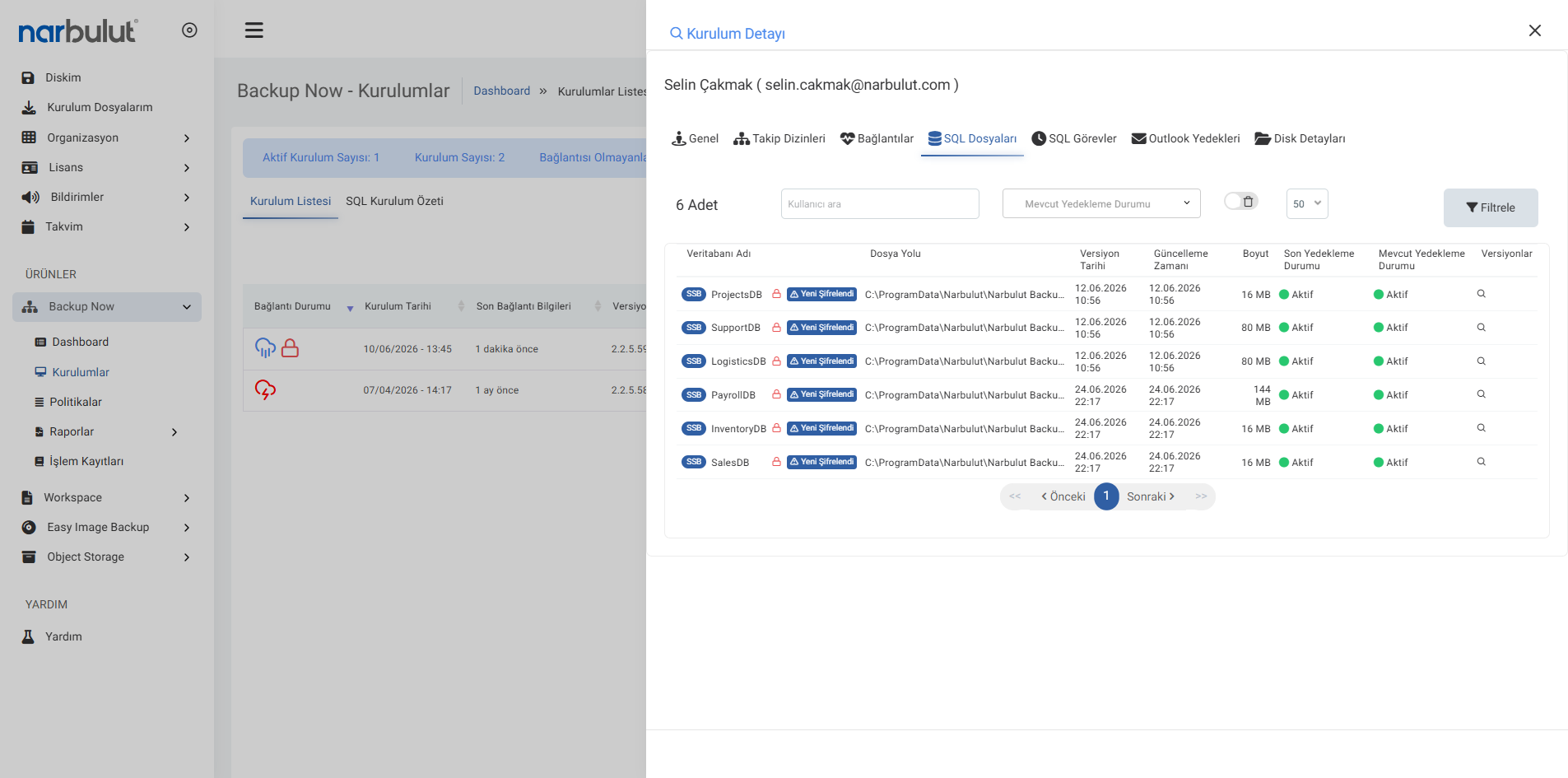
Control all your users’ installations from a central panel; drill into each installation to review encryption status database by database. Pinpoint exactly which source a suspicious TDE encryption comes from.
Visibility in the Web Panel
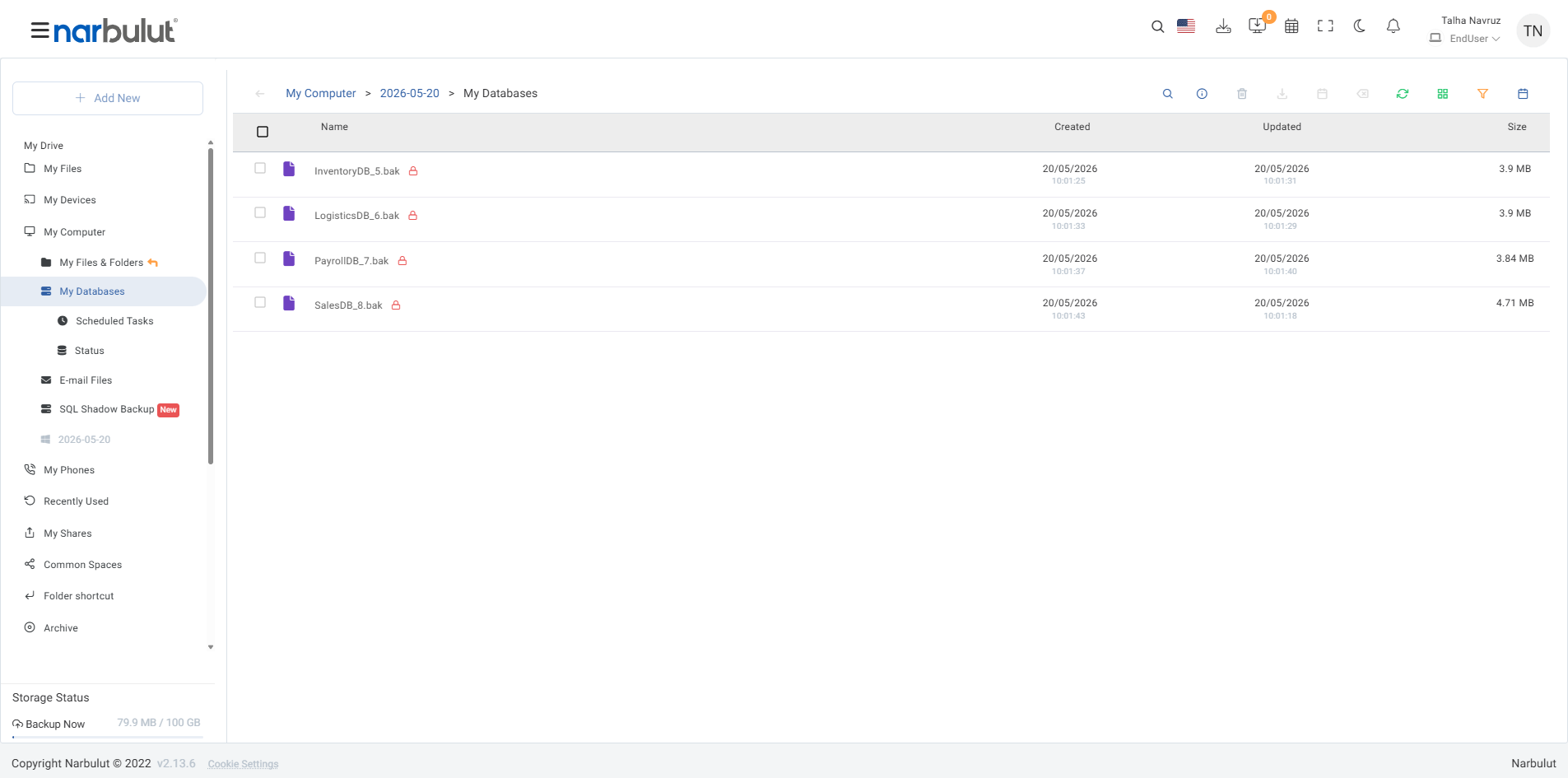
Backed-up TDE-encrypted .bak files are listed with a red lock in the web panel; monitor the encryption status of your entire fleet from a single screen.
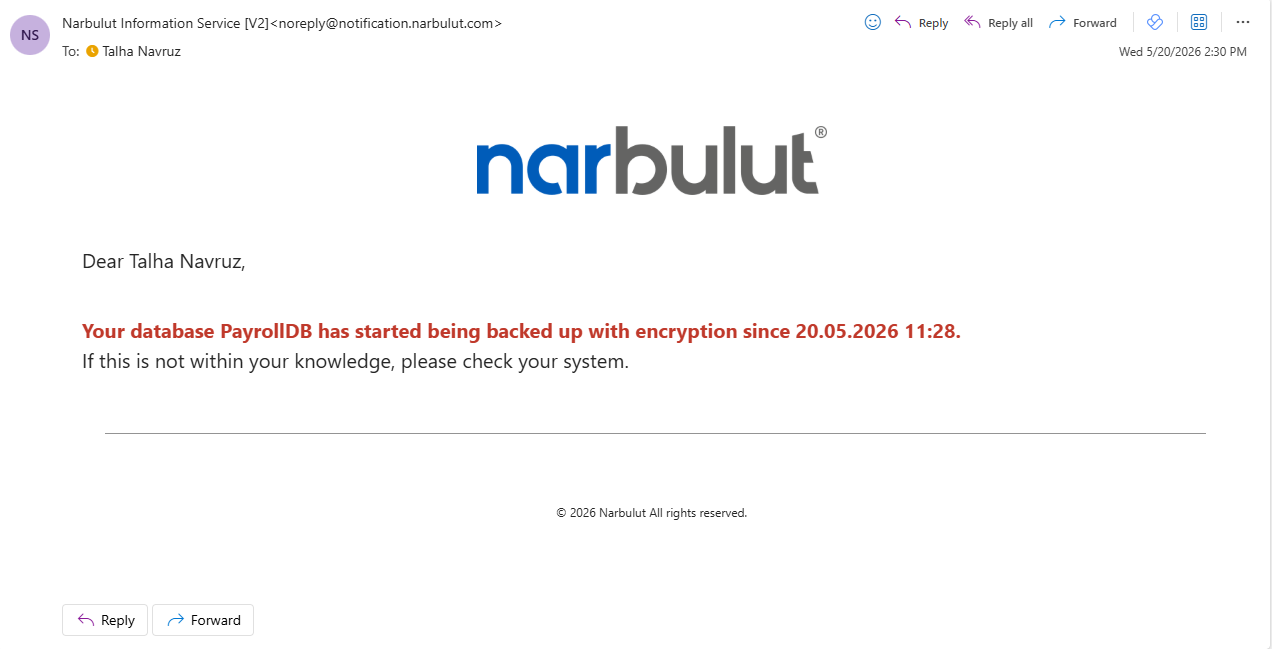
When encryption is detected, an automatic warning email is sent to the system administrator: "This database is encrypted — is this a configuration you expected?"
Protect Your Data Against Ransomware Attacks
Verified, secure backup against insidious threats like TDE abuse. Test Backup Now Pro right away with a free trial license.
It is when an attacker enables the database’s legitimate Transparent Data Encryption with their own certificate and steals the key. The data stays encrypted and cannot be opened without paying the ransom.
Backup verification only checks integrity (checksum), not readability. Encrypted data is stored as a "successful backup."
Before every backup it checks the encryption status of your databases; if it finds unexpected TDE encryption it warns the administrator with a lock icon and an email.
All major SQL engines with encryption capability are at risk, including MSSQL, Oracle, MySQL/MariaDB and PostgreSQL.
Yes. In our blog post we share a ready-to-use TDE status query you can run via SSMS or sqlcmd.
Narbulut Product Analysis
Step 1/12
What area of technological improvement are you planning for your company?
Data Security & BackupRansomware, deleted files and disaster recovery.
Cloud Server (IaaS)Website, ERP, CRM or application hosting.
Team CollaborationSecure file sharing and remote work.
Object Storage (S3)Object Storage for developers.
What industry does your company operate in?
Healthcare / MedicalPatient data (GDPR critical).
Finance / AccountingSensitive financial data.
Manufacturing / EngineeringCAD drawings and production plans.
Other / General ServicesOffice documents and general data.
What type of devices need to be protected?
Employee ComputersLaptop and desktop end-user devices.
Physical / Virtual ServersDatabase, Active Directory or File Server.
What should your backup strategy be?
File & Folder BasedOnly important business files (XLS, PDF, SQL) should be backed up.
Full Disk ImageBack up "Everything" including the operating system.
What is your upload speed for cloud backup?
Fiber / High SpeedI can send large data quickly.
Standard / ADSLMy speed is limited, compression is important.
Is ransomware a threat?
Yes, Very CriticalWe have experienced it before or are at risk.
Standard Protection is SufficientBasic backup measures are enough.
How long would you like to keep versions?
30 - 90 DaysTo fix recent errors.
1 Year and AboveLegal requirements or archiving.
What will be the primary purpose of the server?
E-Commerce / WebsiteHigh uptime and speed required.
ERP / Accounting SoftwareDatabase performance is important.
Software DevelopmentFlexible resource management.
What infrastructure do you need?
Windows ServerASP.NET, MSSQL, RDP.
Linux (Ubuntu/CentOS)PHP, Python, MySQL, Docker.
What is the estimated user traffic?
Low / MediumEntry level or new project.
High TrafficHeavy campaigns or many users.
Who will manage the server?
I Will Manage ItI have a technical team, root access is enough.
I Need SupportManaged Services required.
How many people will work in the shared workspace?