narbulut

Narbulut Easy Image Backup

Automatically back up the disk image of your servers and computers. Instantly restore data when you lose it

OVERVIEW

Reduce Risks with Disk and Volume Backup

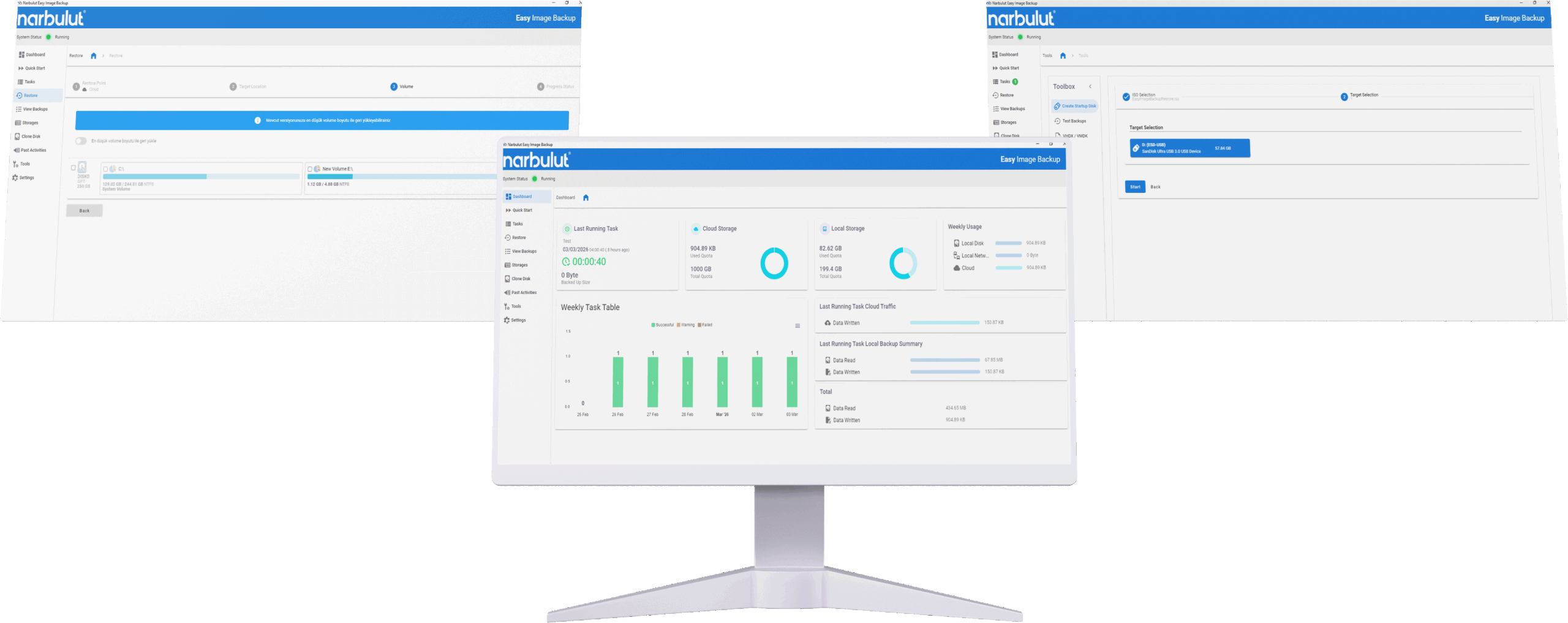
Narbulut Easy Image Backup securely protects all your data by taking disk or volume backups of computer and server systems. Take strong precautions against disaster scenarios with hybrid storage support, central management panel and scheduled backup options.

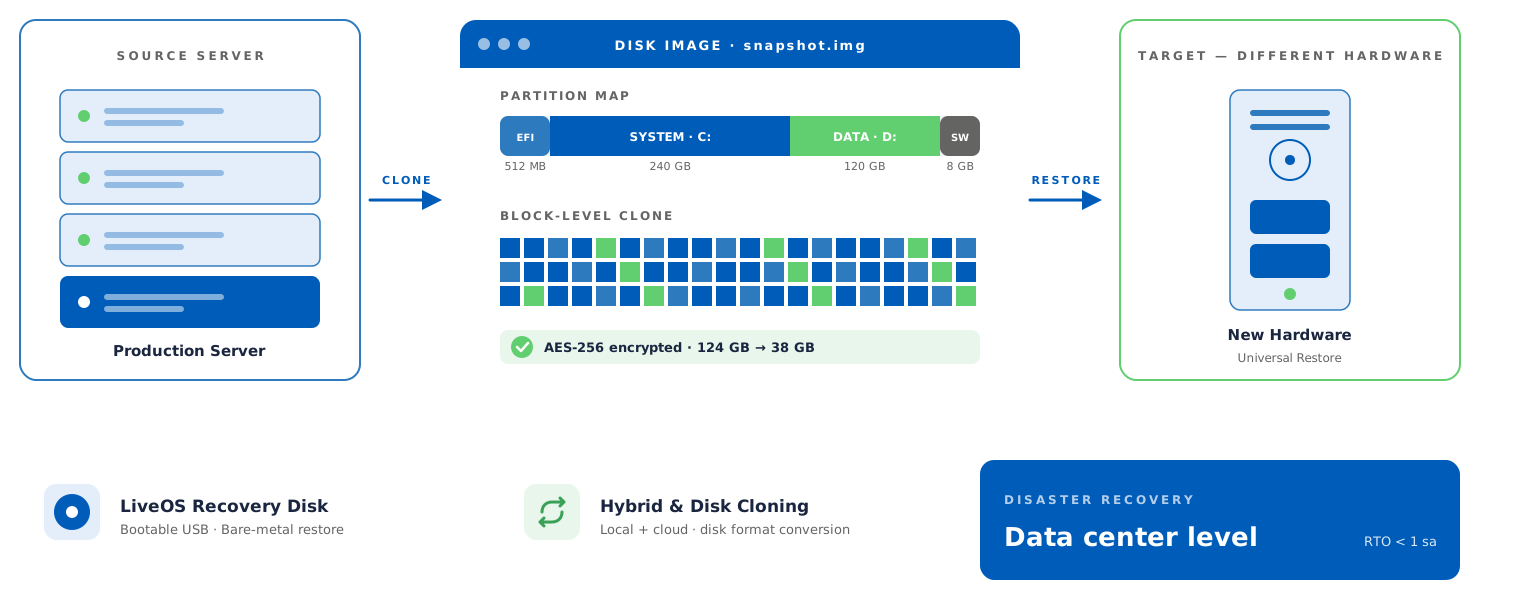
Back up the entire disk of your computer and servers quickly and securely as a single image file.

Back up volume areas on your disk drives quickly and safely as image files.

Clone disks or partitions to other disk drives quickly and securely with one click.

You can back up your computer and server systems with full, incremental and differential backup methods.

Lock your objects to prevent modification or deletion for a specified retention period.

Safely restore your backup to devices with physical or virtual hardware configuration.

Restore the files or folders you select from the image files you backed up.

Convert your disk image backups to VMDK, VHD, VHDX formats and add them as a hypervisor disk.

Start your device with Narbulut LiveOS. Restore your image backup from local or cloud storage.

Add NAS, SAN, disks and Narbulut storage areas and back up all infrastructures.

Determine how many days of backups you will keep with data retention policies.

Define NAS, SAN, and external drives as storage targets and keep your backups on your local infrastructure.

Automatically clean up old backups that exceed your defined retention period to optimize storage space.

Manage backup operations of your computers and servers remotely without connecting to your devices.

Manage your computers and servers more efficiently with different backup policies.

Be instantly informed about your backup operations and user transactions.

Manage all your business's data loads and user transactions from your private panel.

Protect your data and account against malicious people with two-factor identity management.

Your disk images are protected with AES-256 encryption before being transferred to the secure cloud environment.

Your backups are securely stored on redundant infrastructure in Tier-3 certified data centers in Turkey.

Narbulut bulut yedekleme

Eliminate downtime with enterprise backup and recovery.

Narbulut Easy Image Backup minimizes labor and data loss by quickly and reliably backing up and restoring the operating system of your devices.

DOWNLOAD THE APP

For all your devices Easy Image Backup

Using industry-leading products and solutions, ensure your organization's data security
prevent data loss, and grow your business.

Windows Workstation

Windows 7 Service Pack 3, Windows Server 2008 R2 and above

Physical Server

Windows Server 2012, 2012R2, 2016, 2019, 2022

Windows Virtual Machine

Windows 10, 11, Windows Server 2012, 2012R2, 2016, 2019, 2022

Narbulut güvenlik çözümleri

Is your data safe?

80% of companies that experience data loss realize that they have lost data while trying to restore from backup. They experience an average of 6 months of workforce loss to compensate for these losses.

Narbulut güvenlik çözümleri

How Does It Work?

Safely back up your disk image in 3 simple steps

01

Sign Up

Start using Easy Image Backup right away, click to sign up

02

Configure Backup

Select the disks or volumes you want to back up and determine the timing and storage area

03

Your System is Safe

Your disk images are automatically backed up with AES-256 encryption. Restore whenever you want

EASY IMAGE BACKUP'I EXPLORE

Get your systems back up in minutes — without losing a single byte.

Uninterrupted business continuity through disk backup, volume backup, disk cloning and disaster recovery.

Discover the superior features of Easy Image Backup!

NARBULUT EASY IMAGE BACKUP is the best solution for your operating system and disk backup needs

Disk Backup

Back up the entire disk of your computer and servers quickly and securely as a single image file.

Volume Backup

Back up volume areas on your disk drives quickly and safely as image files

Disk/Volume Klonlama

Clone disks or partitions to other disk drives quickly and securely with one click

Backup Methods

You can back up your computer and server systems with full, incremental and differential backup methods

Hybrid Backup

Back up disk or volume image files hybridly to local and/or cloud storage

Universal Restore

Safely restore your backup to devices with physical or virtual hardware configuration

File Restore

Restore the files or folders you select from the image files you backed up,

Disk Converter

Convert your disk image backups to VMDK, VHD, VHDX formats and add them as a hypervisor disk

Storage Management

Add NAS, SAN, disks and Narbulut storage areas and back up all infrastructures

Data Storage Policy

Determine how many days of backups you will keep with data retention policies

Remote Management Panel

Manage backup operations of your computers and servers remotely without connecting to your devices

Backup Policies

Manage your computers and servers more efficiently with different backup policies

Startup Disk (LiveOS)

Start your device with Narbulut LiveOS. Restore your image backup from local or cloud storage

2FA Identity Management

Protect your data and account against malicious people with two-factor identity management

Notification and Reporting

Be instantly informed about your backup operations and user transactions

Central Government

Manage all your business's data loads and user transactions from your private panel

Narbulut Cloud Server altyapı

Protect Your Servers with Complete Coverage!

Take full disk images of your servers and computers with Easy Image Backup. Recover in minutes, even after a complete system failure.

PLANS AND PRICING

Check out Easy Image Backup plans that are right for you

Back up your important data with Narbulut Easy Image Backup application and solve your organization's business continuity with full protection without risk.

Easy Image Backup
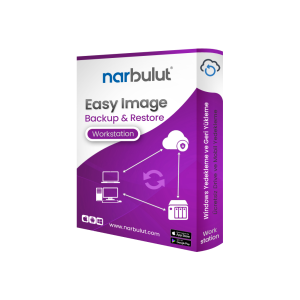
Workstation

İş istasyonları için disk ve volume yedekleme çözümü.

Easy Image Backup
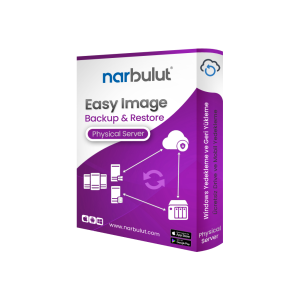
Physical Server

Fiziksel sunucular için tam imaj yedekleme çözümü.

Easy Image Backup
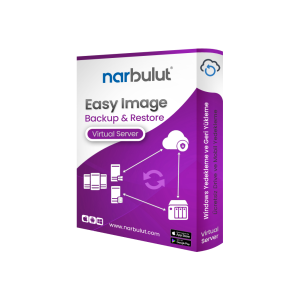
Virtual Server

Sanal sunucular için esnek imaj yedekleme çözümü.

Easy Image Backup
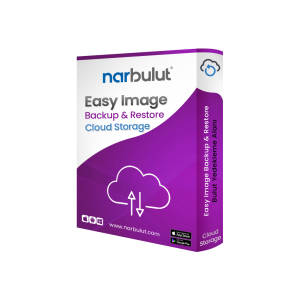
Cloud Storage

Scalable backup solution for cloud environments. You need this license to back up to the cloud.

Easy Image Backup
Workstation

İş istasyonları için disk ve volume yedekleme çözümü.

Easy Image Backup
Physical Server

Fiziksel sunucular için tam imaj yedekleme çözümü.

Easy Image Backup
Virtual Server

Sanal sunucular için esnek imaj yedekleme çözümü.

Easy Image Backup
Cloud Storage

Scalable backup solution for cloud environments. You need this license to back up to the cloud.

Download the Free Narbulut
Mobile App!

Back up your mobile device for free with Narbulut Mobile App and manage the backup operations of all your devices from anywhere. Create, edit and share your documents with 5GB of free Drive space.

NEXT STEPS

Explore Narbulut's other products.

Experience Narbulut products for free. You can safely protect all your business's data loads with Narbulut products and manage them from anywhere. Discover now!

CONTACT US

Contact us for more information!

Contact us for more information. Please fill out the form below completely. Our expert team will call you right away.

    Contact Us

    Contact Information
    I accept the processing of my personal data within the scope of PDPL.
    FREQUENTLY ASKED QUESTIONS

    Do you have questions?

    Do you have questions about working from anywhere? Check out the frequently asked questions. Contact us for more information.

    Yes. Depending on your needs, you can back up your entire disk as an image or by selecting only specific disk volumes such as C: or D:.

    Your data is stored within the borders of Türkiye. Our data center is in the master location in Istanbul. It is backed up more simultaneously in different locations, which is a disaster scenario in itself.

    Narbulut supports hybrid backup architecture. You can back up your data to Narbulut's secure cloud areas, to local disks or NAS devices in your office, or to both at the same time.

    Narbulut "Startup Disk Creation Tool" saves lives. You can convert any USB memory into a startup disk (Bootable USB) with Narbulut recovery software. Even if your computer crashes, you can start the system with this USB and restore all your data and operating system.

    Yes. Thanks to our "Universal Restore" (Hardware Independent Restore) technology, you can seamlessly install the image backup you have taken on a new computer whose brand, model or hardware components are completely different.

    Narbulut Product Analysis

    Step 1/12
    What area of technological improvement are you planning for your company?
    Data Security & BackupRansomware, deleted files and disaster recovery.
    Cloud Server (IaaS)Website, ERP, CRM or application hosting.
    Team CollaborationSecure file sharing and remote work.
    Object Storage (S3)Object Storage for developers.
    What industry does your company operate in?
    Healthcare / MedicalPatient data (GDPR critical).
    Finance / AccountingSensitive financial data.
    Manufacturing / EngineeringCAD drawings and production plans.
    Other / General ServicesOffice documents and general data.
    What type of devices need to be protected?
    Employee ComputersLaptop and desktop end-user devices.
    Physical / Virtual ServersDatabase, Active Directory or File Server.
    What should your backup strategy be?
    File & Folder BasedOnly important business files (XLS, PDF, SQL) should be backed up.
    Full Disk ImageBack up "Everything" including the operating system.
    What is your upload speed for cloud backup?
    Fiber / High SpeedI can send large data quickly.
    Standard / ADSLMy speed is limited, compression is important.
    Is ransomware a threat?
    Yes, Very CriticalWe have experienced it before or are at risk.
    Standard Protection is SufficientBasic backup measures are enough.
    How long would you like to keep versions?
    90
    30 - 90 DaysTo fix recent errors.
    365+
    1 Year and AboveLegal requirements or archiving.
    What will be the primary purpose of the server?
    E-Commerce / WebsiteHigh uptime and speed required.
    ERP / Accounting SoftwareDatabase performance is important.
    Software DevelopmentFlexible resource management.
    What infrastructure do you need?
    Windows ServerASP.NET, MSSQL, RDP.
    Linux (Ubuntu/CentOS)PHP, Python, MySQL, Docker.
    What is the estimated user traffic?
    Low / MediumEntry level or new project.
    High TrafficHeavy campaigns or many users.
    Who will manage the server?
    I Will Manage ItI have a technical team, root access is enough.
    I Need SupportManaged Services required.
    How many people will work in the shared workspace?
    1 - 10 UsersSmall teams.
    10 - 50+ UsersDepartment-based permissions required.
    Is remote access required?
    Yes, DefinitelyField team needs to upload files from mobile.
    No, Office OnlyAccess only from company computers.
    Analyzing Your Responses...
    BEST SOLUTION FOR YOU

    Product Title

    Description

    Explore Product Now

    Product Information Request

    Fill out the form so our solution experts can contact you.

    Size uygun Narbulut Cloud Server planlarına göz atın

    Narbulut Cloud Server ile ihtiyaçlarınıza en uygun sunucuları yapılandırın.

      SUNUCU TEKLİF & YAPILANDIRMA FORMU

      1. KURUMSAL KİMLİK & İLETİŞİM
      2. TEKNİK GEREKSİNİMLER
      3. LİSANS YÖNETİMİ

      Check out Narbulut Cloud Server plans that suit you

      Configure the servers that best fit your needs with Narbulut Cloud Server.

        SERVER QUOTE & CONFIGURATION FORM

        1. CORPORATE IDENTITY & CONTACT
        2. TECHNICAL REQUIREMENTS
        3. LICENSE MANAGEMENT

        Narbulut Mobile’ı İndirin

        Uygulamayı indirmek istediğiniz platformu seçin

        Download Narbulut Mobile

        Select the platform you want to download the app

        ×