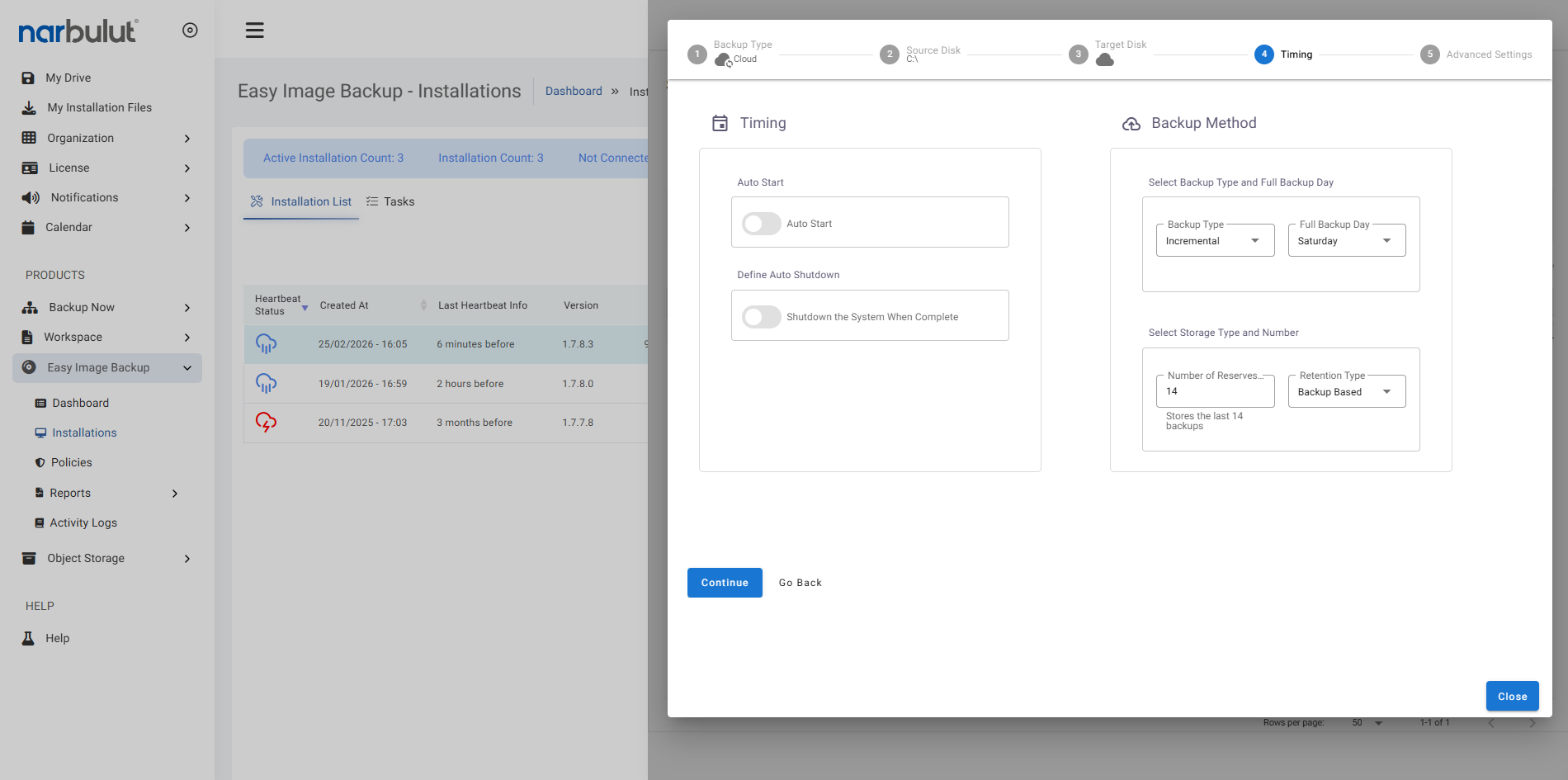
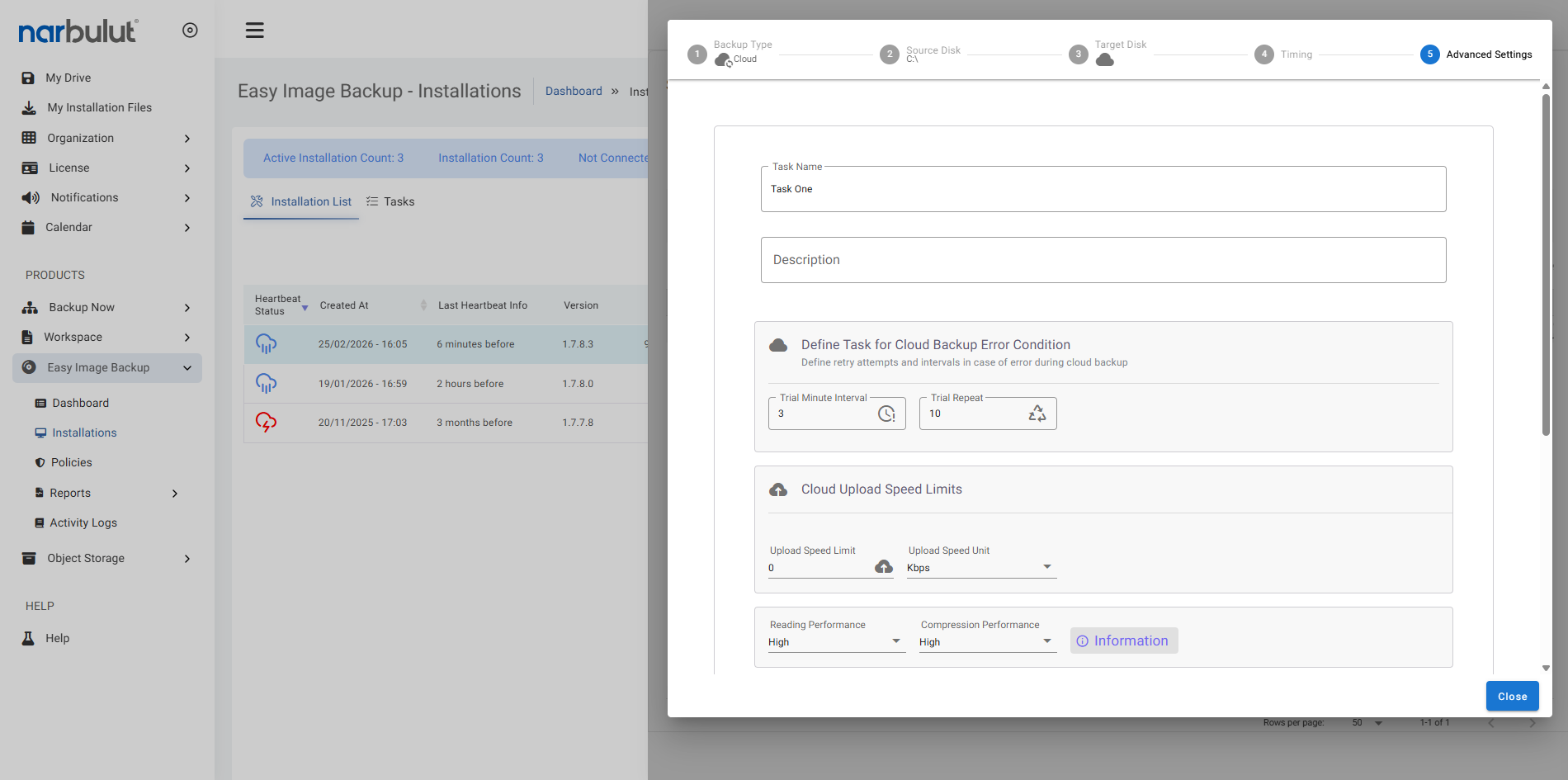
Easy Image Backup allows you to define customized policies for different backup scenarios. In this way, develop the most appropriate strategy according to different workloads, departments or data types. Maximize resource usage by individually determining backup duration, frequency and targets with policies. Thus, create a continuous and secure backup infrastructure without manual intervention
Comprehensive Management
Create customized policies for different data types, device groups, and prioritized workloads. Check your backup processes in detail
Flexible Scheduling
Minimize the risk of data loss by determining backup frequency according to policies. Thus, keep data security at the highest level
Central Monitoring
View and report all backup policies on a single panel and intervene quickly when necessary. Manage all processes from a single screen
Determine Your Backup Needs
Create your backup policy according to data type, importance and business criticality. Thus, the appropriate frequency, retention period and target are determined for each backup task
Set backup policies for devices.
Configure settings such as disks and volumes to back up, backup frequency, and bandwidth usage.
Focus on priority workloads to reduce system load.
Create and Implement Your Policies
Define device-based backup policies via panel and agent. Thus, the backup process is automated and business continuity is guaranteed
Select policy-based scheduling and backup type.
Set separate rules for different devices.
OTHER FEATURES
Discover other features of Easy Image Backup.
Explore all features of Easy Image Backup to manage and protect your data most efficiently. Discover now!