Keep Your Data Safe Both Locally and in the Cloud!
With hybrid backup, transfer your image backups to both local disks and the cloud environment at the same time, protecting your data against all conditions
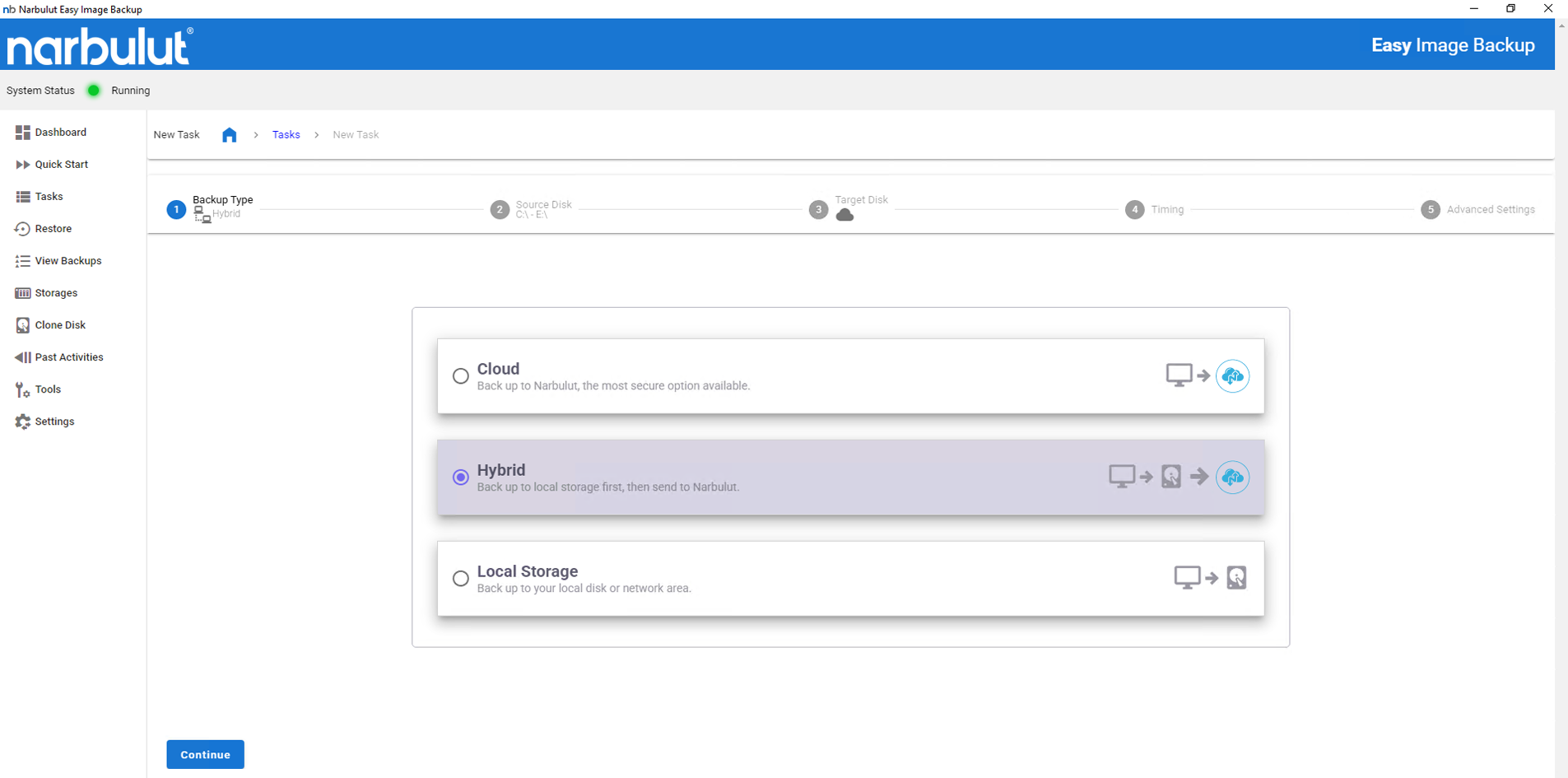
Easy Image Backup provides double-layer protection by simultaneously transferring your disk and volume image backups to both physical devices on your local network and Narbulut's secure cloud infrastructure. While you gain the advantage of fast access with local storage, you create a second shield against physical threats such as hardware failure, theft, and natural disasters with cloud storage. Customize this structure as you wish: Shape your backup strategy with local only, cloud only or hybrid scenario
Double Layer Protection
Minimize the risk of data loss by storing your backups both locally and in the cloud, and be prepared for disaster scenarios
Flexible Configuration
Determine where and how to take backups. Choose local only, cloud only, or both
Instant Synchronization
When the backup process is completed, synchronization between local and cloud storage occurs automatically, eliminating manual workload
Determine Storage Tiers
In the first step, identify the storage areas you want to include in your hybrid backup plan
For local storage, choose one or more NAS, external disk, or internal server drives.
Use Narbulut infrastructure as cloud storage; All image backups are end-to-end encrypted and transferred securely.
Optimize both access speed and disaster resilience by combining both domains.
Create Your Hybrid Backup Strategy
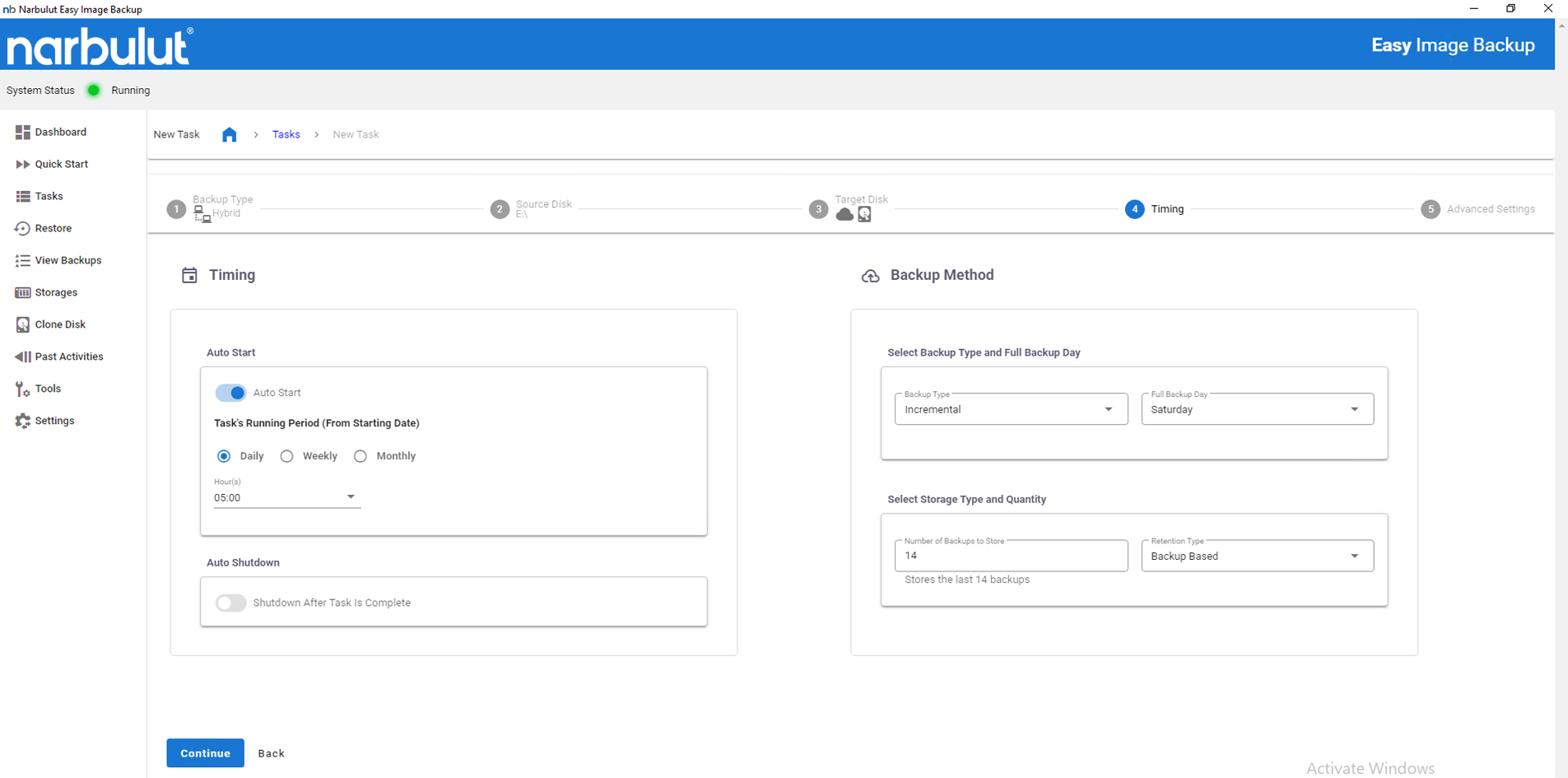
When creating your backup tasks, plan your configurations for both local and cloud targets
Determine timing and frequency.
Balance network and resource usage using advanced settings such as delayed loading, bandwidth limiting, etc.
Manage storage quotas and data retention time by target.
Ensure Security and Monitoring
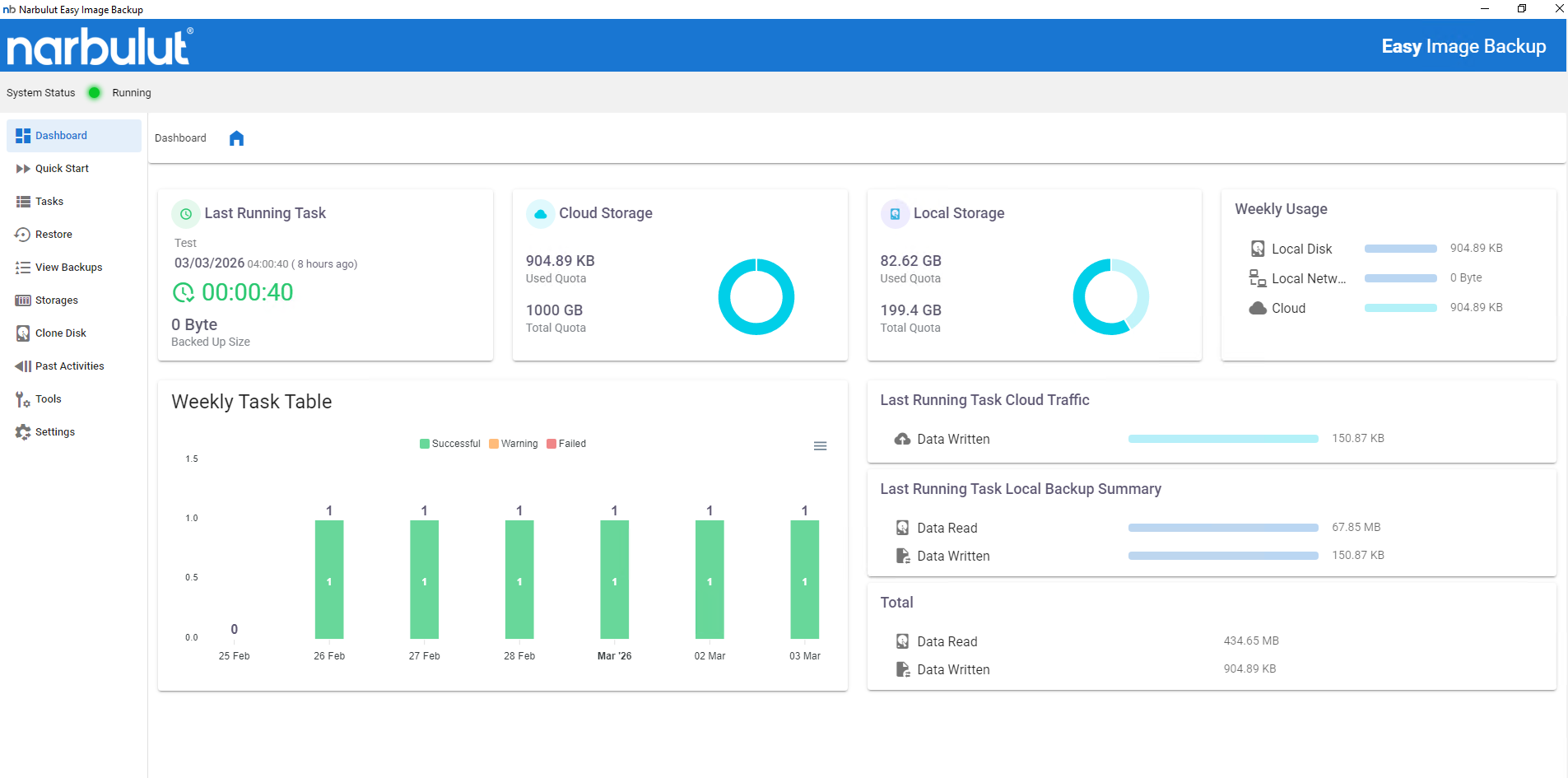
Ensure the hybrid architecture is running smoothly by constantly monitoring the security and consistency of backups
The integrity of the backups taken in both environments is checked by the system, and you will receive a warning in case of inconsistency.
Monitor all backup history from a single point thanks to log records, notification system and central panel.
Only when necessarylocal backupor justcloud backupSelect to perform the restore operation.
OTHER FEATURES
Discover other features of Easy Image Backup.
Explore all features of Easy Image Backup to manage and protect your data most efficiently. Discover now!
Hybrid backup is the process of backing up data to both local and cloud environments simultaneously.
Backup files are transferred to two different predefined destinations in parallel or sequentially. The system carries out these operations automatically.
Yes. Local disks, NAS/SAN and Narbulut cloud infrastructure can be used simultaneously.
External disk, local disk, network disks (NAS/SAN) and Narbulut cloud environment are supported.
According to storage policies, old backups are deleted, and if deletion is not being performed, the system automatically informs you.
Yes. All data is protected with 256-bit AES encryption and transmitted via the TLS protocol.
Yes. If the physical device is encrypted, data backed up in the cloud remains accessible without damage.
Yes. Narbulut cloud infrastructure complies with PDPL standards.
No. Easy Image Backup optimizes data transfer with minimal impact on system performance.
Yes. Backup can be done to two different targets in the same operation
For a failed target, a warning is received, the operation is retried or manual intervention is requested.
It is suitable for corporate users, data center managers and all businesses that require high preparedness against a disaster scenario.
Thanks to local storage, you can access files much faster in case of emergency restore.
Yes. The same system can be restored to another device using the image file in the cloud.
Narbulut Product Analysis
Step 1/12
What area of technological improvement are you planning for your company?
Data Security & BackupRansomware, deleted files and disaster recovery.
Cloud Server (IaaS)Website, ERP, CRM or application hosting.
Team CollaborationSecure file sharing and remote work.
Object Storage (S3)Object Storage for developers.
What industry does your company operate in?
Healthcare / MedicalPatient data (GDPR critical).
Finance / AccountingSensitive financial data.
Manufacturing / EngineeringCAD drawings and production plans.
Other / General ServicesOffice documents and general data.
What type of devices need to be protected?
Employee ComputersLaptop and desktop end-user devices.
Physical / Virtual ServersDatabase, Active Directory or File Server.
What should your backup strategy be?
File & Folder BasedOnly important business files (XLS, PDF, SQL) should be backed up.
Full Disk ImageBack up "Everything" including the operating system.
What is your upload speed for cloud backup?
Fiber / High SpeedI can send large data quickly.
Standard / ADSLMy speed is limited, compression is important.
Is ransomware a threat?
Yes, Very CriticalWe have experienced it before or are at risk.
Standard Protection is SufficientBasic backup measures are enough.
How long would you like to keep versions?
30 - 90 DaysTo fix recent errors.
1 Year and AboveLegal requirements or archiving.
What will be the primary purpose of the server?
E-Commerce / WebsiteHigh uptime and speed required.
ERP / Accounting SoftwareDatabase performance is important.
Software DevelopmentFlexible resource management.
What infrastructure do you need?
Windows ServerASP.NET, MSSQL, RDP.
Linux (Ubuntu/CentOS)PHP, Python, MySQL, Docker.
What is the estimated user traffic?
Low / MediumEntry level or new project.
High TrafficHeavy campaigns or many users.
Who will manage the server?
I Will Manage ItI have a technical team, root access is enough.
I Need SupportManaged Services required.
How many people will work in the shared workspace?