narbulut

Easy Image Backup

Strengthen Your Data Security with Two-Factor Authentication!

Protect your account and backup operations from unauthorized access with two-factor authentication (2FA)

FEATURES

Easy Image Backup Two-Factor (2FA) Identity Management

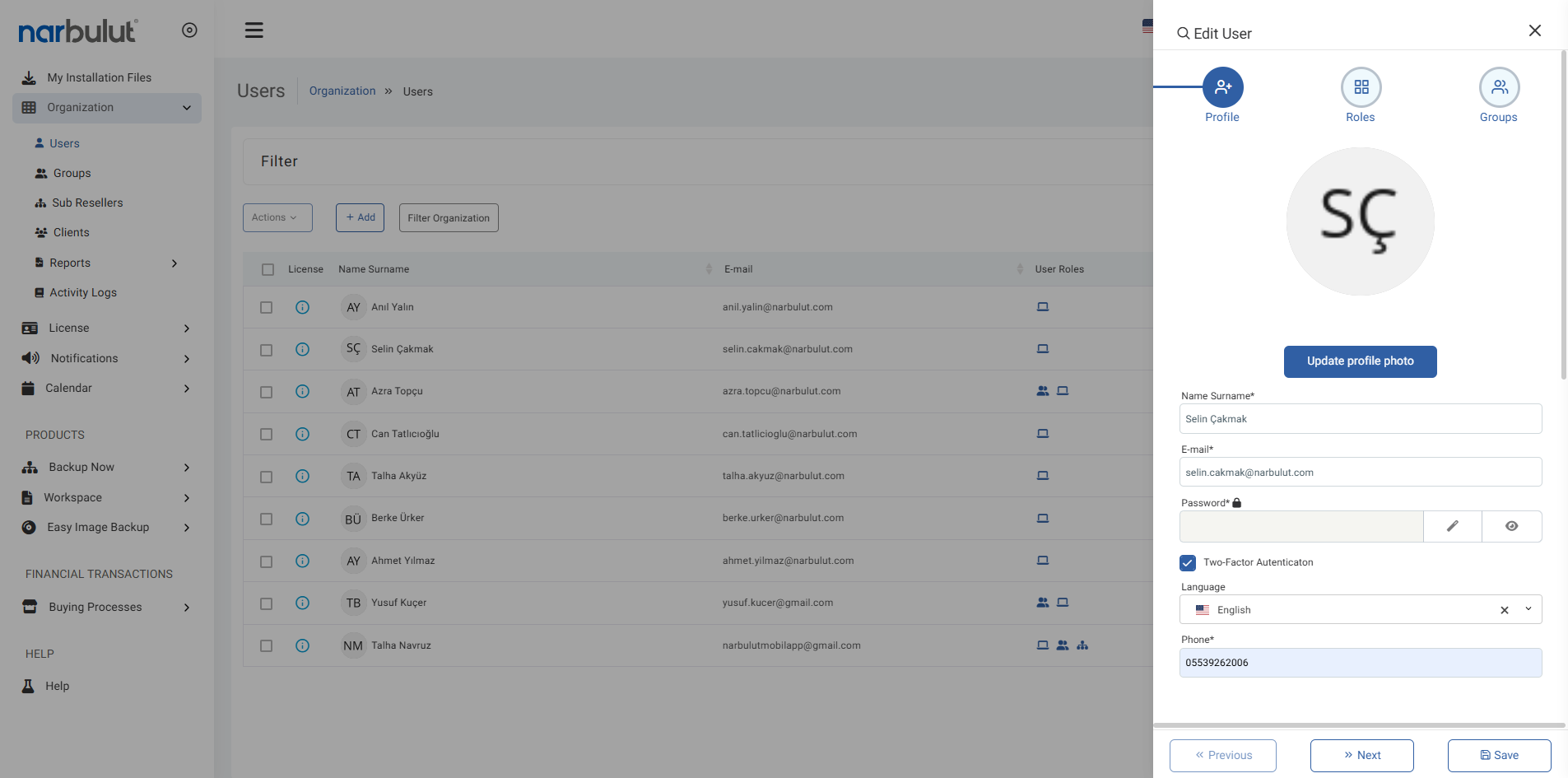
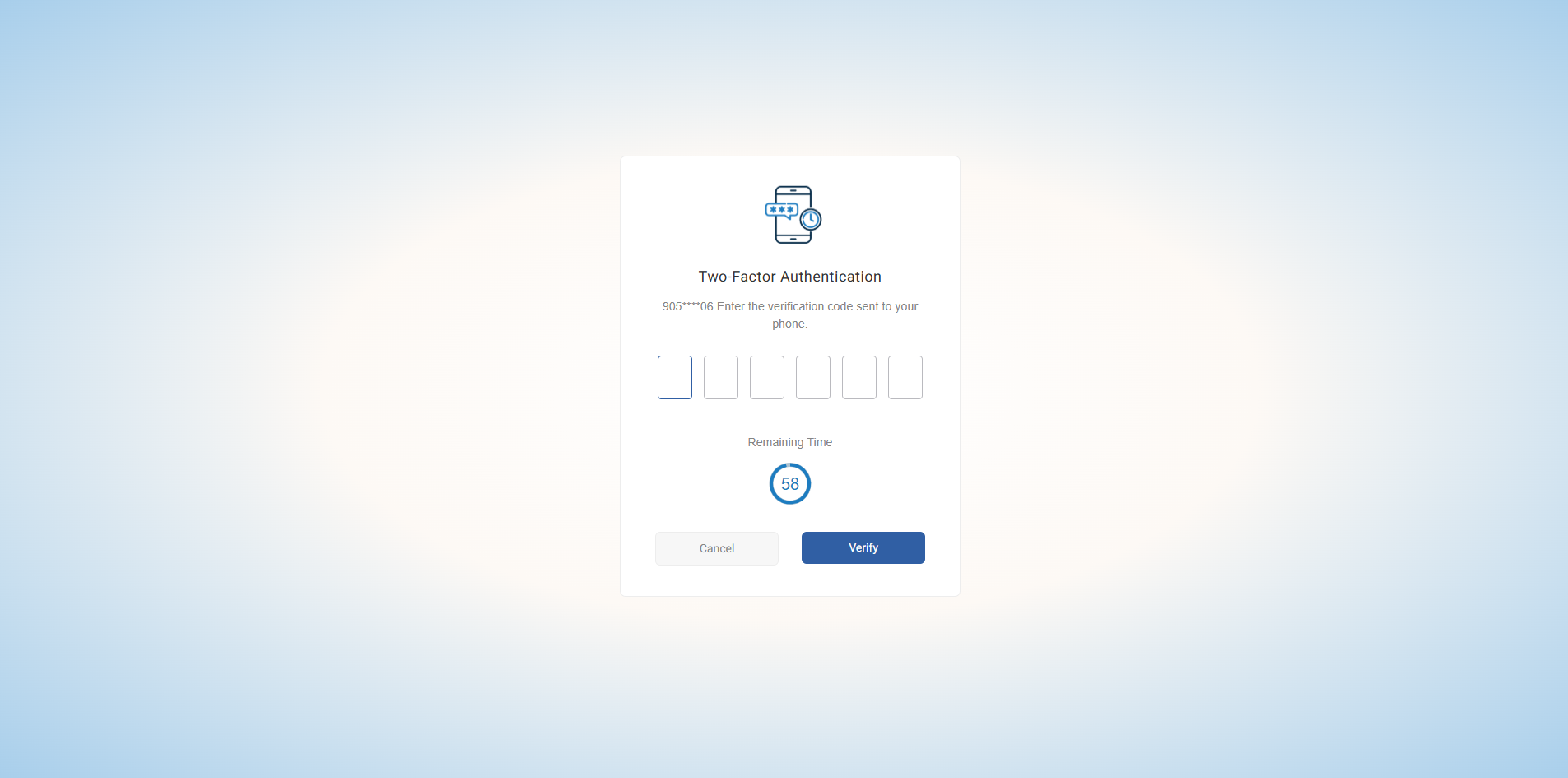
Easy Image Backup protects your backup processes with double-layer security against unauthorized access with its two-factor authentication feature. 2FA; In addition to username and password information, it provides an additional layer of security with SMS or mobile application-based verification codes. Thanks to this feature, only authorized users can access the backup panel. Enable 2FA to manage all your backup tasks securely and seamlessly

Double Layer Security

Protect your account with a second verification step beyond password information. Thus, eliminate the risk of account takeover

Flexible Verification Methods

Different 2FA methods are supported, such as authentication via SMS or mobile app (Authenticator App OTP). Customize access security by choosing the method that best suits the user

Account Management and Authorization

Define the 2FA feature on a user-based basis. Strengthen your data protection strategy by streamlining authorization processes

Choose Your Verification Method

Choose which method users prefer and test the verification process. Thus, 2FA integration works smoothly

Secure User Access

Once the 2FA feature is activated, all login and authorization operations are secured. A double verification step is activated at each login, preventing unauthorized access

OTHER FEATURES

Discover other features of Easy Image Backup.

Explore all features of Easy Image Backup to manage and protect your data most efficiently. Discover now!


FREQUENTLY ASKED QUESTIONS

Do You Have Questions?

Do you have questions about Narbulut Easy Image Backup? Check out the frequently asked questions. Contact us for more information.

Dual-factor authentication is a method that increases access security by adding a second additional verification step to the password.

Even if your account password is compromised, access cannot be achieved without the second verification step.

A second verification (SMS or Mobile App OTP) step is added after the username/password.

The system denies access and logs unauthorized attempts.

Yes. All logins and attempts are logged on the panel.

Yes. All past accesses and attempts can be reported.

SMS, email and mobile application (OTP) are supported.

You can activate it from the user settings in the Narbulut panel.

No. It can be activated separately for all user accounts.

Yes. You can easily switch to different methods from the panel.

Narbulut Product Analysis

Step 1/12
What area of technological improvement are you planning for your company?
Data Security & BackupRansomware, deleted files and disaster recovery.
Cloud Server (IaaS)Website, ERP, CRM or application hosting.
Team CollaborationSecure file sharing and remote work.
Object Storage (S3)Object Storage for developers.
What industry does your company operate in?
Healthcare / MedicalPatient data (GDPR critical).
Finance / AccountingSensitive financial data.
Manufacturing / EngineeringCAD drawings and production plans.
Other / General ServicesOffice documents and general data.
What type of devices need to be protected?
Employee ComputersLaptop and desktop end-user devices.
Physical / Virtual ServersDatabase, Active Directory or File Server.
What should your backup strategy be?
File & Folder BasedOnly important business files (XLS, PDF, SQL) should be backed up.
Full Disk ImageBack up "Everything" including the operating system.
What is your upload speed for cloud backup?
Fiber / High SpeedI can send large data quickly.
Standard / ADSLMy speed is limited, compression is important.
Is ransomware a threat?
Yes, Very CriticalWe have experienced it before or are at risk.
Standard Protection is SufficientBasic backup measures are enough.
How long would you like to keep versions?
90
30 - 90 DaysTo fix recent errors.
365+
1 Year and AboveLegal requirements or archiving.
What will be the primary purpose of the server?
E-Commerce / WebsiteHigh uptime and speed required.
ERP / Accounting SoftwareDatabase performance is important.
Software DevelopmentFlexible resource management.
What infrastructure do you need?
Windows ServerASP.NET, MSSQL, RDP.
Linux (Ubuntu/CentOS)PHP, Python, MySQL, Docker.
What is the estimated user traffic?
Low / MediumEntry level or new project.
High TrafficHeavy campaigns or many users.
Who will manage the server?
I Will Manage ItI have a technical team, root access is enough.
I Need SupportManaged Services required.
How many people will work in the shared workspace?
1 - 10 UsersSmall teams.
10 - 50+ UsersDepartment-based permissions required.
Is remote access required?
Yes, DefinitelyField team needs to upload files from mobile.
No, Office OnlyAccess only from company computers.
Analyzing Your Responses...
BEST SOLUTION FOR YOU

Product Title

Description

Explore Product Now

Product Information Request

Fill out the form so our solution experts can contact you.

Size uygun Narbulut Cloud Server planlarına göz atın

Narbulut Cloud Server ile ihtiyaçlarınıza en uygun sunucuları yapılandırın.

    SUNUCU TEKLİF & YAPILANDIRMA FORMU

    1. KURUMSAL KİMLİK & İLETİŞİM
    2. TEKNİK GEREKSİNİMLER
    3. LİSANS YÖNETİMİ

    Check out Narbulut Cloud Server plans that suit you

    Configure the servers that best fit your needs with Narbulut Cloud Server.

      SERVER QUOTE & CONFIGURATION FORM

      1. CORPORATE IDENTITY & CONTACT
      2. TECHNICAL REQUIREMENTS
      3. LICENSE MANAGEMENT

      Narbulut Mobile’ı İndirin

      Uygulamayı indirmek istediğiniz platformu seçin

      Download Narbulut Mobile

      Select the platform you want to download the app

      ×