Point the domain you will use with your brand to the server address provided to you via DNS settings
SSL Certificate
Obtain an SSL certificate for your domain. Send the certificate and private key file to ssl@narbulut.com
Reseller Panel Login
Log in to your reseller panel with your admin account and click the "Create Your Brand" button to complete the steps below
STEP A
Brand Settings
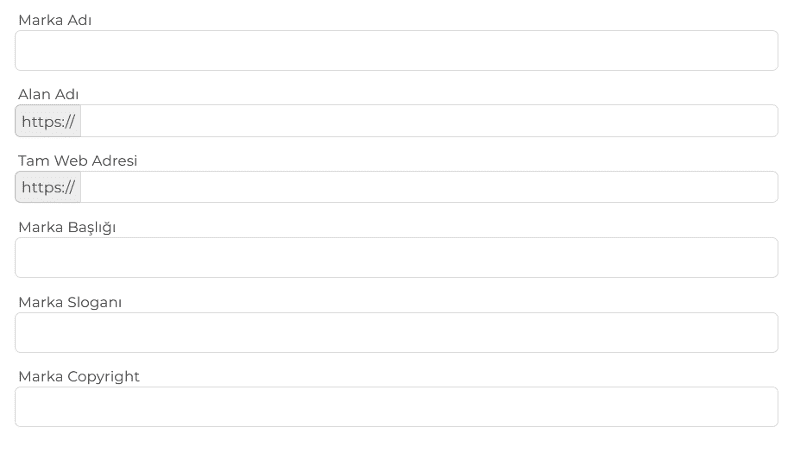
Fill out the form in this section completely to use the Narbulut web panel with your own brand title and slogan. Enter your company name, slogan, and brand color codes to fully customize the panel appearance
STEP B
Brand Logo Settings
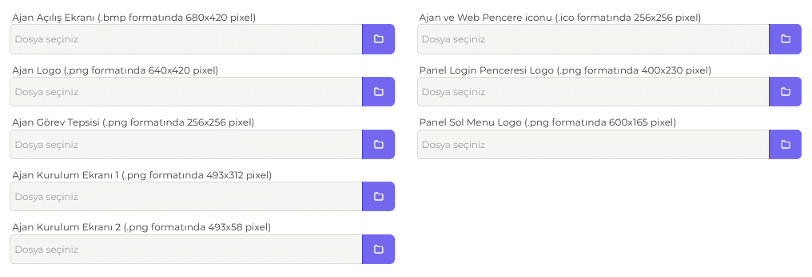
Upload your logo file in the format and dimensions specified in this section to use the Narbulut web panel and application with your own brand logos
STEP C
Brand SMTP Settings
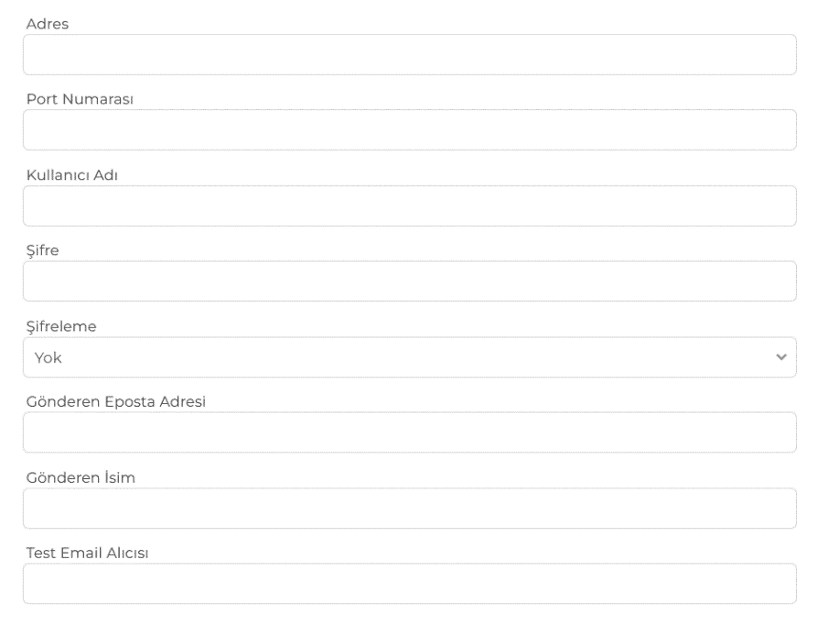
Fill in the "Brand SMTP Settings" section completely so that email notifications sent to your customers come from your own email addresses. If you do not configure these settings, alerts and notifications cannot be sent via email
STEP D
Brand SMS Settings
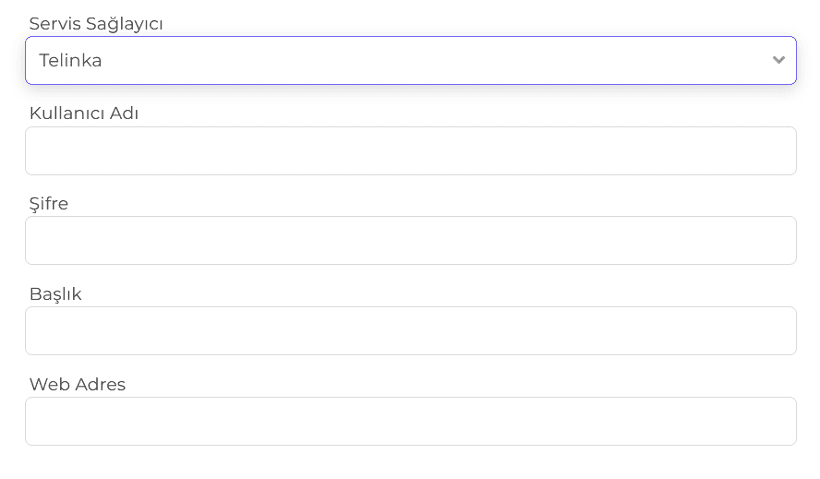
Select a service provider in the "Brand SMS Settings" section and enter your account details so that SMS notifications sent to your customers are branded with your name. To use SMS notifications under your brand, please request the BTK approval form. Note: After completing these steps, please inform your account representative
FREQUENTLY ASKED QUESTIONS
Have any questions?
Browse our frequently asked questions. Contact us for more information.
With the Narbulut White-Label program, you can offer a reliable cloud backup solution under your own brand without investing in your own infrastructure. Save on infrastructure, development, and maintenance costs while providing competitive pricing to your customers.
Yes. It is mandatory to obtain an SSL certificate for the domain you will use for White-Label.
No. Thanks to the White-Label feature, your customers will only see your brand. The panel, applications, email notifications, and SMS messages are all sent under your brand. The Narbulut infrastructure remains completely in the background.
Narbulut Product Analysis
Step 1/12
What area of technological improvement are you planning for your company?
Data Security & BackupRansomware, deleted files and disaster recovery.
Cloud Server (IaaS)Website, ERP, CRM or application hosting.
Team CollaborationSecure file sharing and remote work.
Object Storage (S3)Object Storage for developers.
What industry does your company operate in?
Healthcare / MedicalPatient data (GDPR critical).
Finance / AccountingSensitive financial data.
Manufacturing / EngineeringCAD drawings and production plans.
Other / General ServicesOffice documents and general data.
What type of devices need to be protected?
Employee ComputersLaptop and desktop end-user devices.
Physical / Virtual ServersDatabase, Active Directory or File Server.
What should your backup strategy be?
File & Folder BasedOnly important business files (XLS, PDF, SQL) should be backed up.
Full Disk ImageBack up "Everything" including the operating system.
What is your upload speed for cloud backup?
Fiber / High SpeedI can send large data quickly.
Standard / ADSLMy speed is limited, compression is important.
Is ransomware a threat?
Yes, Very CriticalWe have experienced it before or are at risk.
Standard Protection is SufficientBasic backup measures are enough.
How long would you like to keep versions?
30 - 90 DaysTo fix recent errors.
1 Year and AboveLegal requirements or archiving.
What will be the primary purpose of the server?
E-Commerce / WebsiteHigh uptime and speed required.
ERP / Accounting SoftwareDatabase performance is important.
Software DevelopmentFlexible resource management.
What infrastructure do you need?
Windows ServerASP.NET, MSSQL, RDP.
Linux (Ubuntu/CentOS)PHP, Python, MySQL, Docker.
What is the estimated user traffic?
Low / MediumEntry level or new project.
High TrafficHeavy campaigns or many users.
Who will manage the server?
I Will Manage ItI have a technical team, root access is enough.
I Need SupportManaged Services required.
How many people will work in the shared workspace?