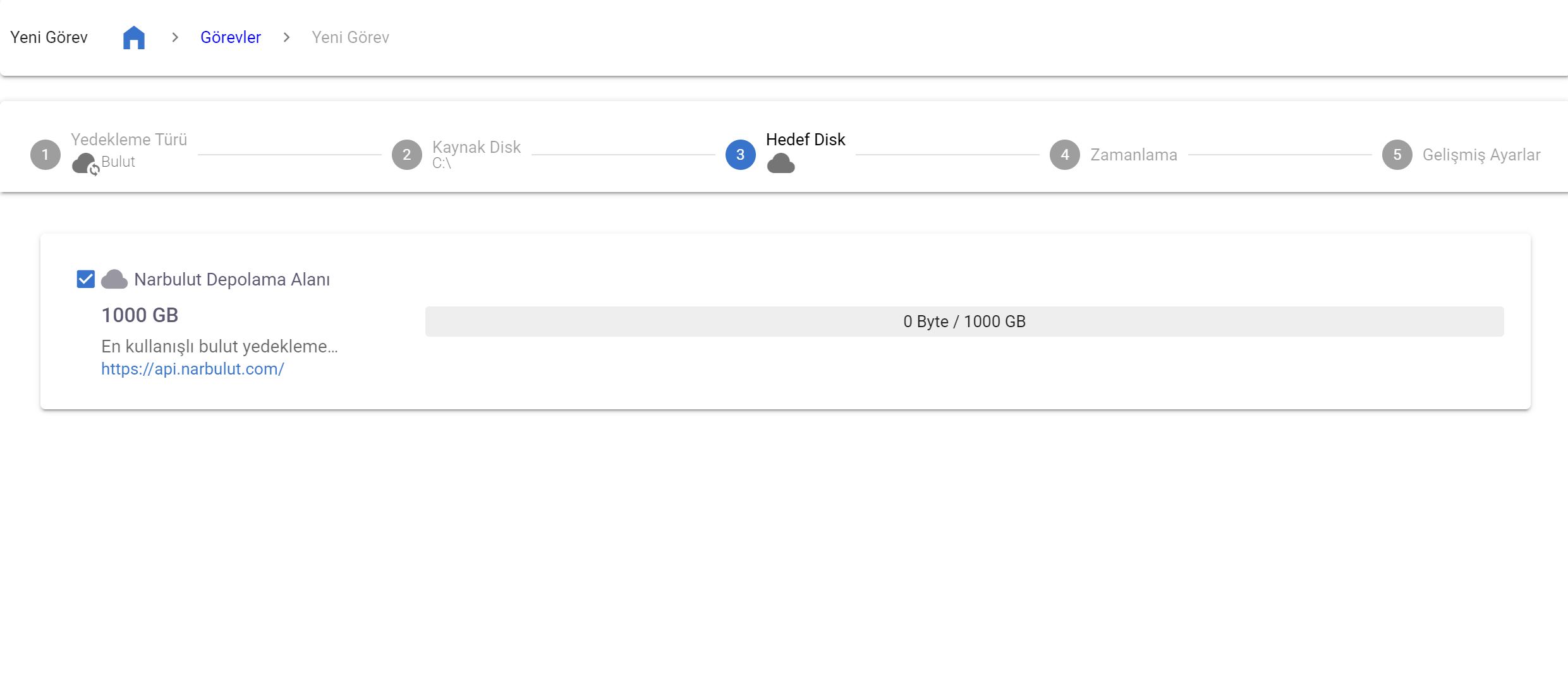
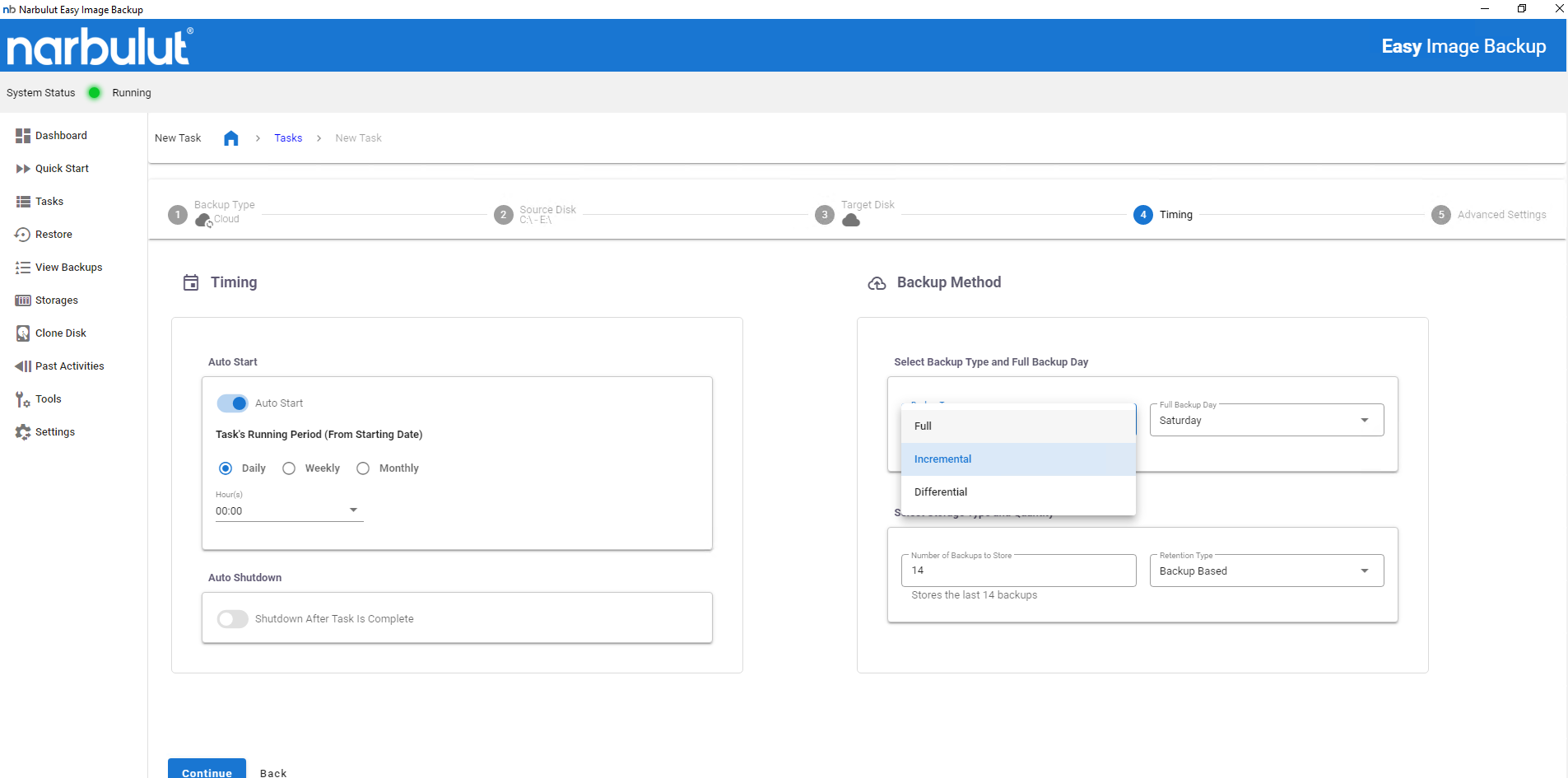
To increase the security of your systems, determine which of the full, incremental or differential backup methods is most suitable for you, and prevent data loss by using your resources effectively
Easy Image Backup offers different backup methods on the same platform while backing up your operating system and data. Secure the entire system with full backup; save time and space by keeping only changed data with incremental backup; Preserve all changes made since the last full backup with differential backup. In this way, reduce data loss to zero and optimize restoration processes with flexible strategies
Full Backup
Save the entire system in a single backup. Restore processes are simple and fast, especially ideal for critical system backups
Difference Backup
Collect all data changed since the last full backup in one package. It both preserves data integrity and optimizes processing times during restoration
Incremental Backup
Keep only data that has changed since the last backup. It allows regular and frequent backups while minimizing storage space and network traffic
Evaluate Your Goals and Risks
In the first step, clarify what you want to protect the system against in order to determine the backup method
Analyze scenarios such as server crash, ransomware attack or user error.
Consider the frequency of data changes in the system, frequency of backups, and network connection speed.
These evaluations are the most accurate way to show which backup method is suitable for you.
Choose the Appropriate Backup Method
Integrate it into your business processes by choosing the most appropriate method among full, incremental or differential backup
Protect the entire system at once with a full backup, ideal for critical restore scenarios.
Speed up daily backups and reduce resource consumption by keeping only changed data with the incremental backup option.
With differential backup, preserve all changes made since the last full backup in one step and get a simpler restoration process.
After determining the backup method, your tasksautomaticmake it available and check it periodically.
Maintain Continuity with Automated Tasks
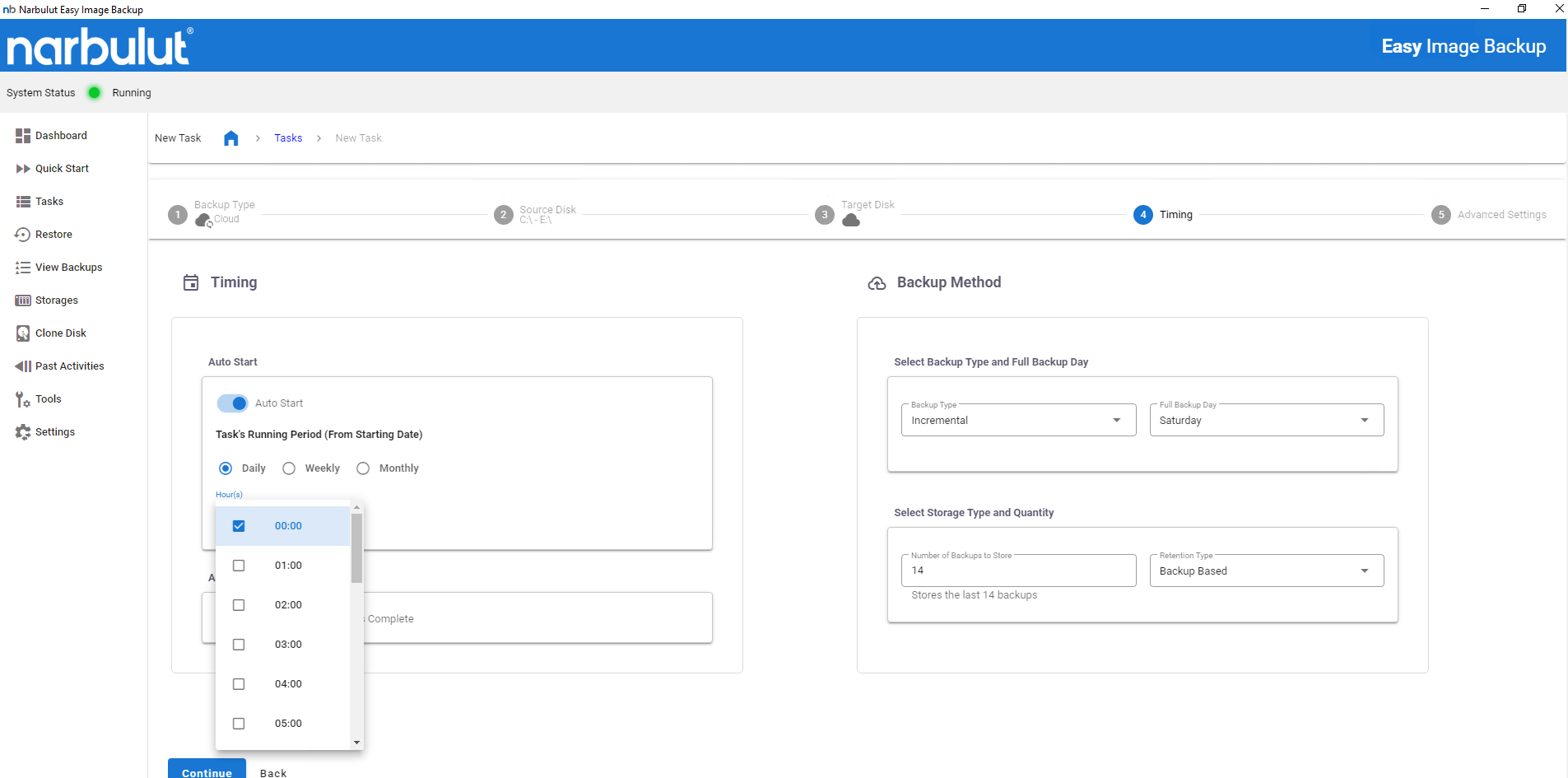
Automate the chosen backup method and ensure that the system protects itself regularly
Define automatic backup tasks daily, weekly or at special times.
Get notifications as tasks are completed and follow the status of the system in real time.
Easily view which backups were taken and which were skipped with advanced reporting.
Instead of following processes manually, turn the system into a self-functioning security structure.
OTHER FEATURES
Discover other features of Easy Image Backup.
Explore all features of Easy Image Backup to manage and protect your data most efficiently. Discover now!
Full, incremental and differential backup methods are available.
This varies depending on the structure of your system and the frequency with which you will backup.
Incremental backup backs up data that has changed since the last backup, while Differential backs up all changes made since the last full backup.
Yes. Detailed notification and log are provided after each transaction.
You can start the process in a few steps by selecting the desired backup from the panel.
Yes. Restoration can be done with full, incremental and differential backup methods. Narbulut Easy Image Backup automatically performs chain merging operations in incremental and differential backup methods.
Narbulut Product Analysis
Step 1/12
What area of technological improvement are you planning for your company?
Data Security & BackupRansomware, deleted files and disaster recovery.
Cloud Server (IaaS)Website, ERP, CRM or application hosting.
Team CollaborationSecure file sharing and remote work.
Object Storage (S3)Object Storage for developers.
What industry does your company operate in?
Healthcare / MedicalPatient data (GDPR critical).
Finance / AccountingSensitive financial data.
Manufacturing / EngineeringCAD drawings and production plans.
Other / General ServicesOffice documents and general data.
What type of devices need to be protected?
Employee ComputersLaptop and desktop end-user devices.
Physical / Virtual ServersDatabase, Active Directory or File Server.
What should your backup strategy be?
File & Folder BasedOnly important business files (XLS, PDF, SQL) should be backed up.
Full Disk ImageBack up "Everything" including the operating system.
What is your upload speed for cloud backup?
Fiber / High SpeedI can send large data quickly.
Standard / ADSLMy speed is limited, compression is important.
Is ransomware a threat?
Yes, Very CriticalWe have experienced it before or are at risk.
Standard Protection is SufficientBasic backup measures are enough.
How long would you like to keep versions?
30 - 90 DaysTo fix recent errors.
1 Year and AboveLegal requirements or archiving.
What will be the primary purpose of the server?
E-Commerce / WebsiteHigh uptime and speed required.
ERP / Accounting SoftwareDatabase performance is important.
Software DevelopmentFlexible resource management.
What infrastructure do you need?
Windows ServerASP.NET, MSSQL, RDP.
Linux (Ubuntu/CentOS)PHP, Python, MySQL, Docker.
What is the estimated user traffic?
Low / MediumEntry level or new project.
High TrafficHeavy campaigns or many users.
Who will manage the server?
I Will Manage ItI have a technical team, root access is enough.
I Need SupportManaged Services required.
How many people will work in the shared workspace?