
- Company
-
Products
Products
New ProductCloud Server
Fully managed virtual server infrastructure. Setup in minutes, hourly billing and expert support so you can focus on your business.
Try Now -
Solutions
Backup & Security
Data SecurityRansomware & encryptionSilent Ransom: TDEProtection against TDE abuseCloud BackupSecure backup to data centersImage BackupFull disk image + fast recoveryOff-Site BackupOff-site disaster recoveryMobile BackupiOS & Android photos/contactsRansomware ProtectionAgainst ransomware attacksTwo-Factor Auth2FA account security - Plans
- Resources
- Partners
- Blog
The 3-2-1 Backup Rule: A Practical Guide
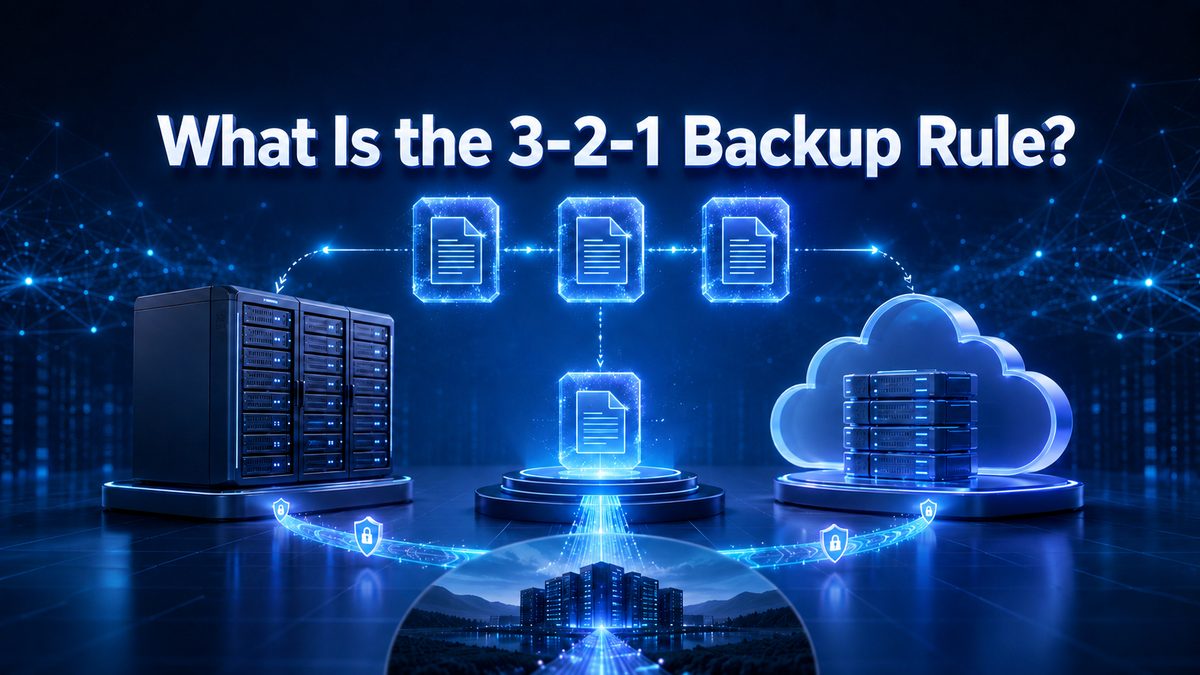
What is the 3-2-1 backup rule?
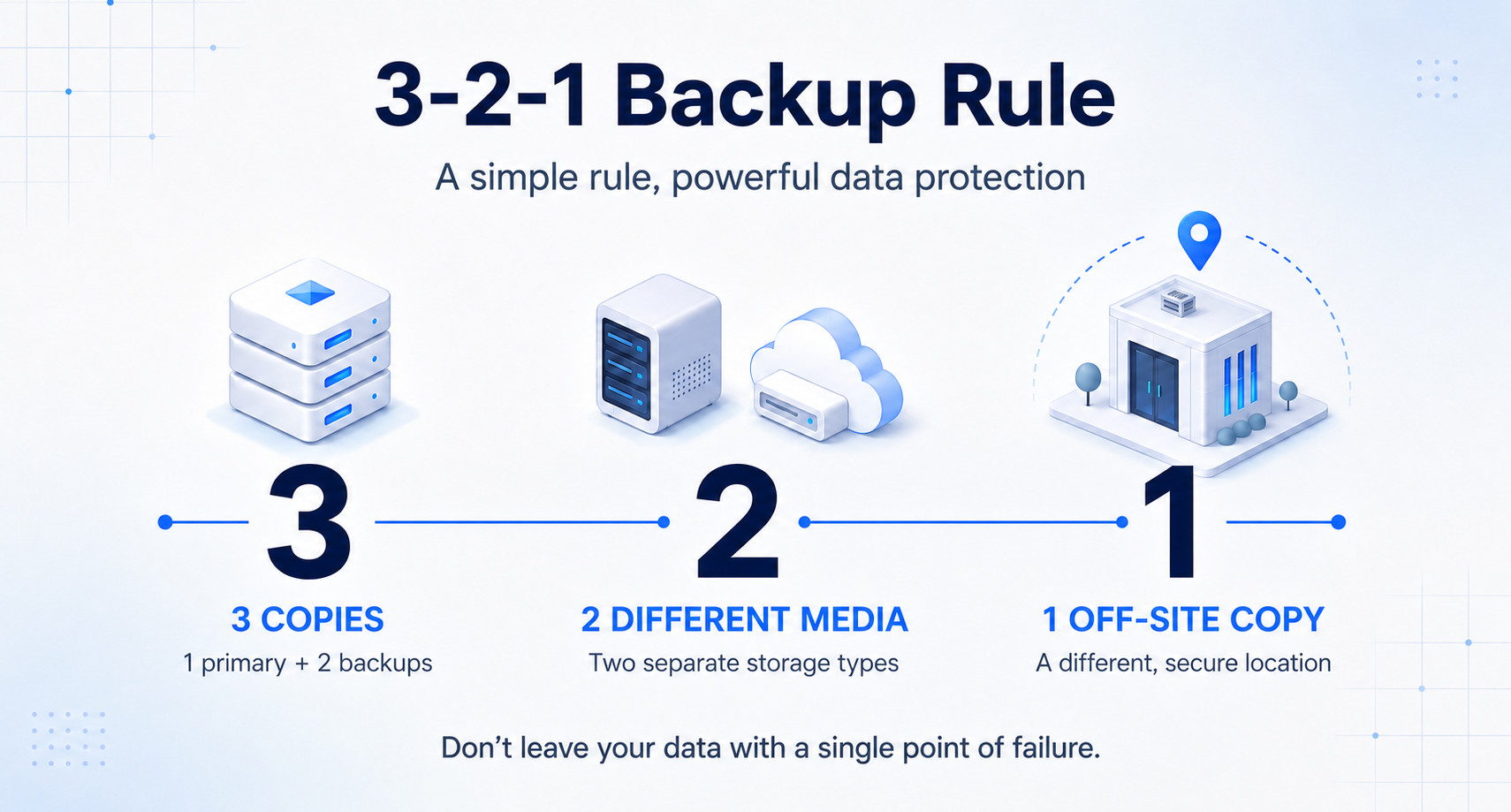
Dozens of backup methods get written about, but the principle underneath all of them fits into a single sentence: keep at least three copies of your data, store those copies on two different types of media, and keep at least one of them outside your building. The rule depends on neither the software you use nor your budget; it works the same way in a five-person accounting office and in a manufacturing plant with a hundred users.
- 3 — Three copies: The live data you work on, plus two separate backups taken from it.
- 2 — Two different media: The copies are not kept on the same type of hardware, but on two independent kinds of storage.
- 1 — One copy off-site: At least one backup lives outside the building that holds the original data.
The strength of the rule does not come from its complexity. It works because it makes a single event destroying all three copies close to impossible.
The math of a single copy: why your backup protects less than you think
The external drive next to the server, the NAS in the same room, a second computer on the same network. All of these count as a backup, yet none of them counts as independent.
Copies that are not independent share the same weakness: the event that destroys them is the same event that destroys the original. Fire, flooding and theft take everything in the room together. A power surge damages two devices on the same line at once. Ransomware is the most insidious of all: in a single night it encrypts every share it can reach on the network, every external drive left connected, and every synced folder.
The rule’s answer to this problem is simple: spread your copies across different risks. We covered why cloud backup occupies its own place in this picture in our guide to cloud backup.
3 copies: the original and two backups
Here is what most people skip when they count: the live data is one of the three copies. Three copies means “the original plus two backups” — you do not need to take three separate backups.
You take the second backup against the possibility that the first one turns out to be broken. Backup files also get corrupted, end up incomplete, or get deleted by accident. The second copy is your insurance for the day the first one refuses to open.
Two widespread misconceptions are worth clearing up here:
- RAID is not a backup. RAID keeps the system running when a disk fails; it is an availability solution. It will not bring back a file you deleted by mistake, a folder that got encrypted, or a corrupted database, because a deletion is reflected on every disk instantly.
- Synchronization is not a backup. Sync folders carry every change to the other side immediately, and that includes deletions and encryption. The one thing that turns synchronization into a backup is version history. If you can go back to earlier states of a file, your copy is a backup; if you cannot, it is only a mirror.
2 different media: why backing up twice to the same disk does not count
Two disks of the same model, often from the same production batch, have a similar lifespan and a similar tendency to fail. Two disks sitting side by side, exposed to the same heat and the same power supply, do not fail independently of one another.
“Two different media” therefore means a change of type, not a change of brand. In practice the most common and best-balanced combination is this: one copy on site (server disk, external drive or NAS) and one copy in the cloud.
Why those two? The local copy is fast; restoring a handful of files takes minutes. The cloud copy is independent; whatever happens at the office does not affect it. One gives you speed, the other resilience, and when you run them together you do not have to give up either.
If you want to protect an entire server as a single unit, with the operating system and installed software included, you need an image backup alongside the file backup. Easy Image Backup targets exactly that layer.
1 copy off-site: the most critical leg of the rule
This is the clause most often skipped, and the one whose cost is heaviest when it is. You may well have three copies on two different media; if they all sit in the same building, a single fire wipes out all three at once.
Keeping a copy outside the building used to be a physical chore: a tape or a disk carried to another branch at the weekend. Because it was tedious it was rarely done on schedule, and the off-site copy was usually weeks out of date. Cloud backup automated this leg and so changed how practical the rule is. The copy now leaves the office by itself, every night.
When choosing a provider, always ask where that copy is kept. The country your data is stored in makes a difference to your own data protection obligations. Narbulut Backup Now moves your file, e-mail and database backups to the cloud on scheduled jobs, putting this third leg in place without manual work.
Five steps to putting 3-2-1 in place at your company
Rather than trying to apply the rule completely in one go, it is healthier to build it up in order. The five steps below show the typical flow of a backup setup built from scratch.
- List what is critical. Instead of backing up everything, pick the data whose loss would stop the business: accounting and ERP databases, the e-mail archive, contract and project folders, server configurations. In Backup Now you make this selection on the “Folder Management” screen using “Add Folder”.
- Decide how much data loss you can accept. This question sets your backup frequency. If you back up once a day, the worst case costs you a day’s work; the window that is acceptable for accounting may not be acceptable for an order-heavy system.
- Set up the local copy. Keep the first backup on site so restores are quick. This copy resolves almost every everyday “I deleted it by accident” case.
- Bring the cloud copy online. Confirm the folders you picked and start the first backup with “Prepare and Backup”. Then set it to run at a time that does not disrupt your workload and define the retention period.
- Put a restore test on the calendar. Once a quarter, genuinely restore a few files you pick at random and, where possible, a database. An untested backup does not count as a backup.
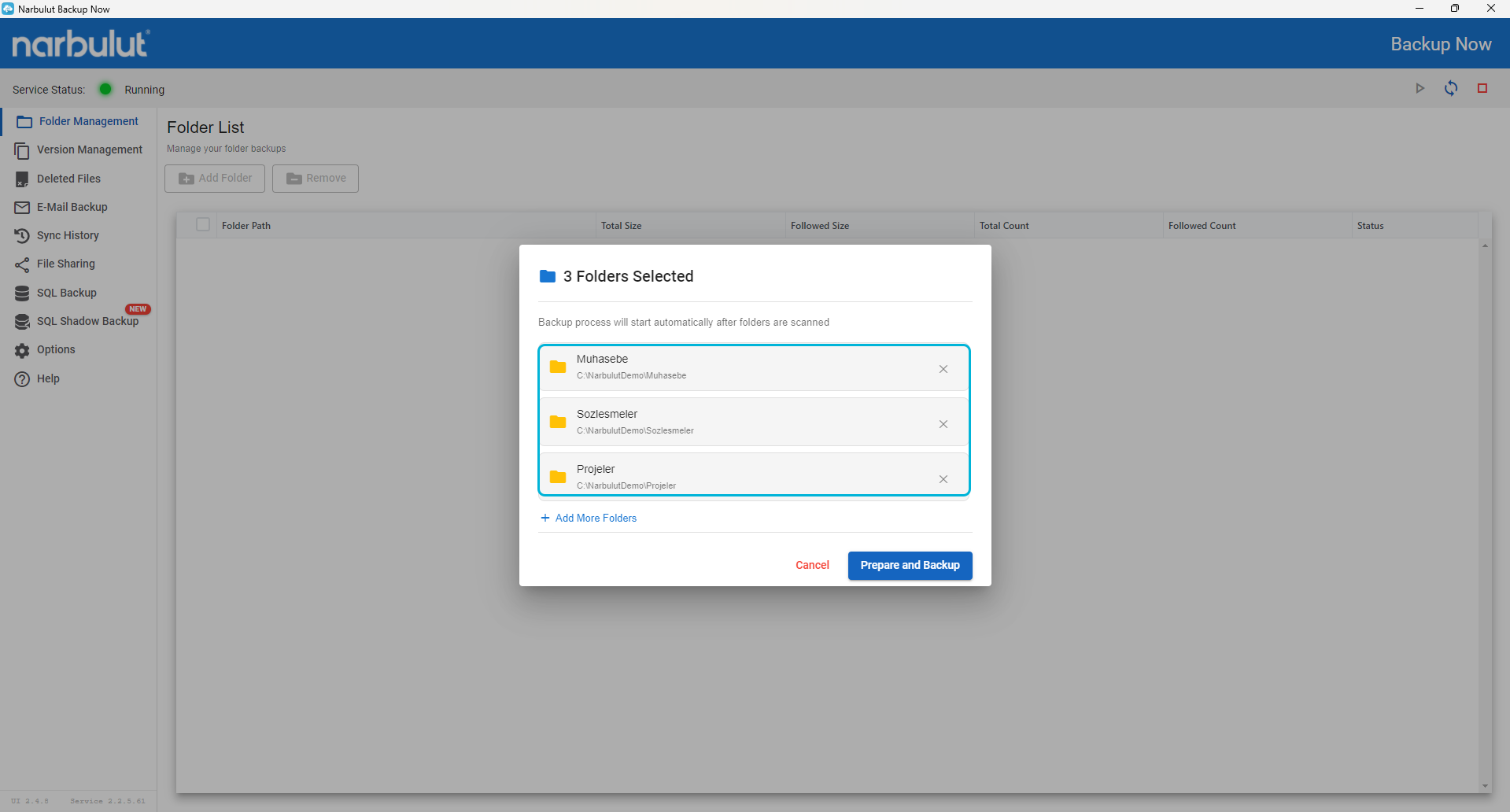
When you set the retention period in step four, take deleted files into account as well. With Backup Now, versioning is unlimited for 30 days; the last version of each month is kept for a year going back, and deleted files are retained for 60 days. You can follow both from the “Version Management” and “Deleted Files” screens.
The modern form of the rule: 3-2-1-1-0 and the most common mistakes
As ransomware became widespread, two more digits were added to the rule. 3-2-1-1-0 means: three copies, two media, one off-site copy, one immutable or offline copy, and zero errors in restore tests.
The added “1” aims to stop an attacker who has taken over an administrator account from deleting the backups as well. That copy has to be unchangeable for a defined period, or kept entirely disconnected from the network; for archive copies meant to be kept for a long time, object-based storage is a fitting layer for this role. The “0” is the plainest clause of all: without regular restore testing, every other digit is just an assumption.
In practice these five mistakes come up most often:
- Keeping two of the three copies physically in the same room.
- Mistaking a sync folder for a backup. No version history means no backup.
- Leaving the backups reachable from the administrator account used for everyday work.
- Copying a running database as a flat file. A database needs a consistent backup.
- Trusting that a backup works purely on the strength of its “success” notifications. You can find sound backup habits collected in our article on the 7 golden rules of backing up.
Narbulut Backup Now
Move your file, e-mail and database backups to the cloud on scheduled jobs, and put the off-site leg of 3-2-1 in place without the manual work.

