
- Company
-
Products
Products
New ProductCloud Server
Fully managed virtual server infrastructure. Setup in minutes, hourly billing and expert support so you can focus on your business.
Try Now -
Solutions
Backup & Security
Data SecurityRansomware & encryptionSilent Ransom: TDEProtection against TDE abuseCloud BackupSecure backup to data centersImage BackupFull disk image + fast recoveryOff-Site BackupOff-site disaster recoveryMobile BackupiOS & Android photos/contactsRansomware ProtectionAgainst ransomware attacksTwo-Factor Auth2FA account security - Plans
- Resources
- Partners
- Blog
How to Use Narbulut Transfer? Up to 20 GB, Free and Secure Transfer
Whether it is a high-resolution video, a multi-page CAD drawing or a weekly database backup, the job usually stalls in the same place: the email attachment will not go through. Gmail typically blocks attachments over 25 MB, and Outlook around 20 MB. That leaves carrying a USB drive, splitting the file into compressed parts, or sharing some random link you are not sure is safe.
But today there is a far more practical, fast and secure way to send large files. In this article we explain, step by step, how to send your large files with Narbulut Transfer — up to 20 GB, free of charge and without registration.
Why do the classic ways of sending large files fall short?
The usual ways of sharing a large file often slow your workflow down instead of making it easier:
- Email attachments: The most common method, but the one with the strictest limit. Even a few high-resolution photos easily exceed what an email attachment allows.
- USB drives or external disks: Relying on a physical carrier is not a practical way to reach a business partner in another city. Add to that the risk of loss and malware.
- Randomly shared links: Creating a public link and sharing it looks fast; but you cannot control who the link reaches. When corporate data is involved, that becomes a serious security and data-protection risk.
What you actually need is simple: a solution where you set the size limit yourself and the data is transmitted in encrypted form.
Sending large files with Narbulut Transfer
Narbulut Transfer is a free Narbulut service that lets you share your files and folders quickly. Without signing up, you send your files straight to the recipient’s email address, with a generous daily limit of 20 GB.
From documents to videos, from presentations to compressed archives, you can deliver any type of content in one go. Once the transfer is complete, the download link that is generated reaches only the recipient you specified and stays valid for 3 days. This way, both the size limitation and the security concern are eliminated.
Step by step: how do you send a large file?
By following the five steps below, you can send your large file within a few minutes.
Step 1: Go to the transfer page
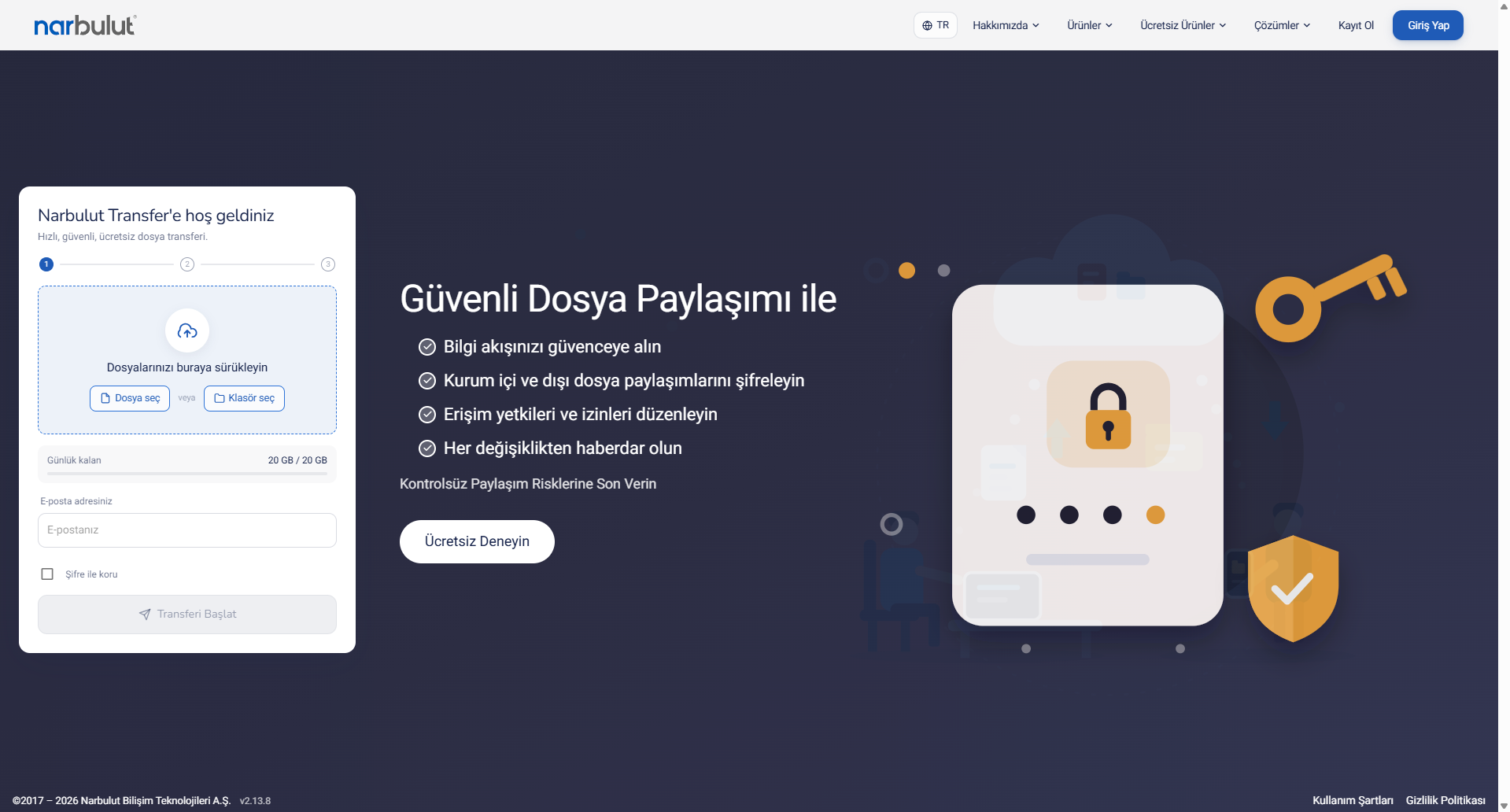
From your browser, go to transfer.narbulut.com/transfer. The screen that appears is a clean interface where you can start uploading your files. No membership or sign-in is required.
Step 2: Select the files and folders you want to send
In the “Upload your files” section, select the files and folders you want to send. If you prefer, you can also add files by dragging and dropping them directly onto the window. Since the system supports folders and compressed archive files, you can gather several files into a single archive and send them together.
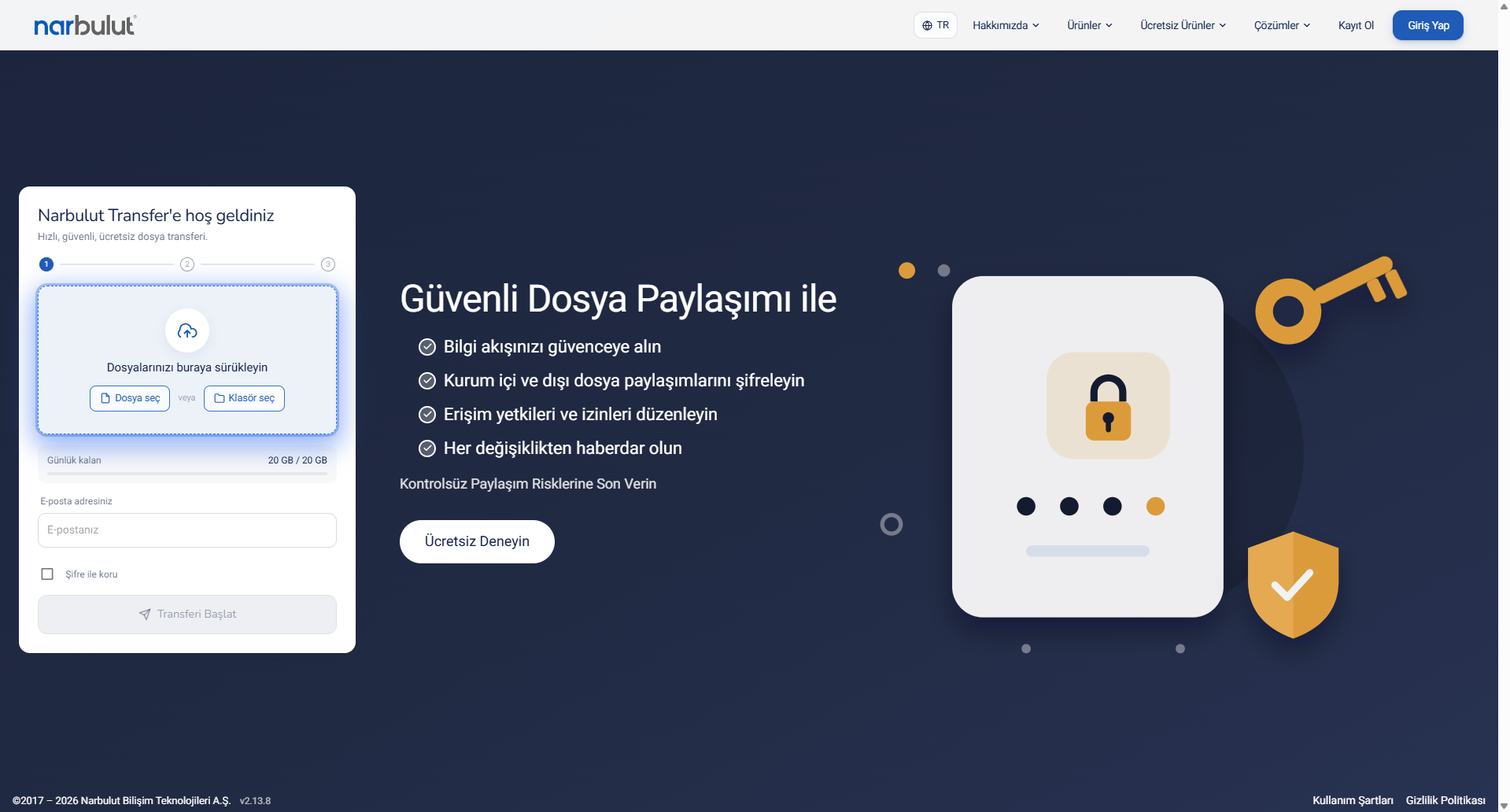
Before sending, you can review the files you added in the list and easily remove any file you added by mistake.
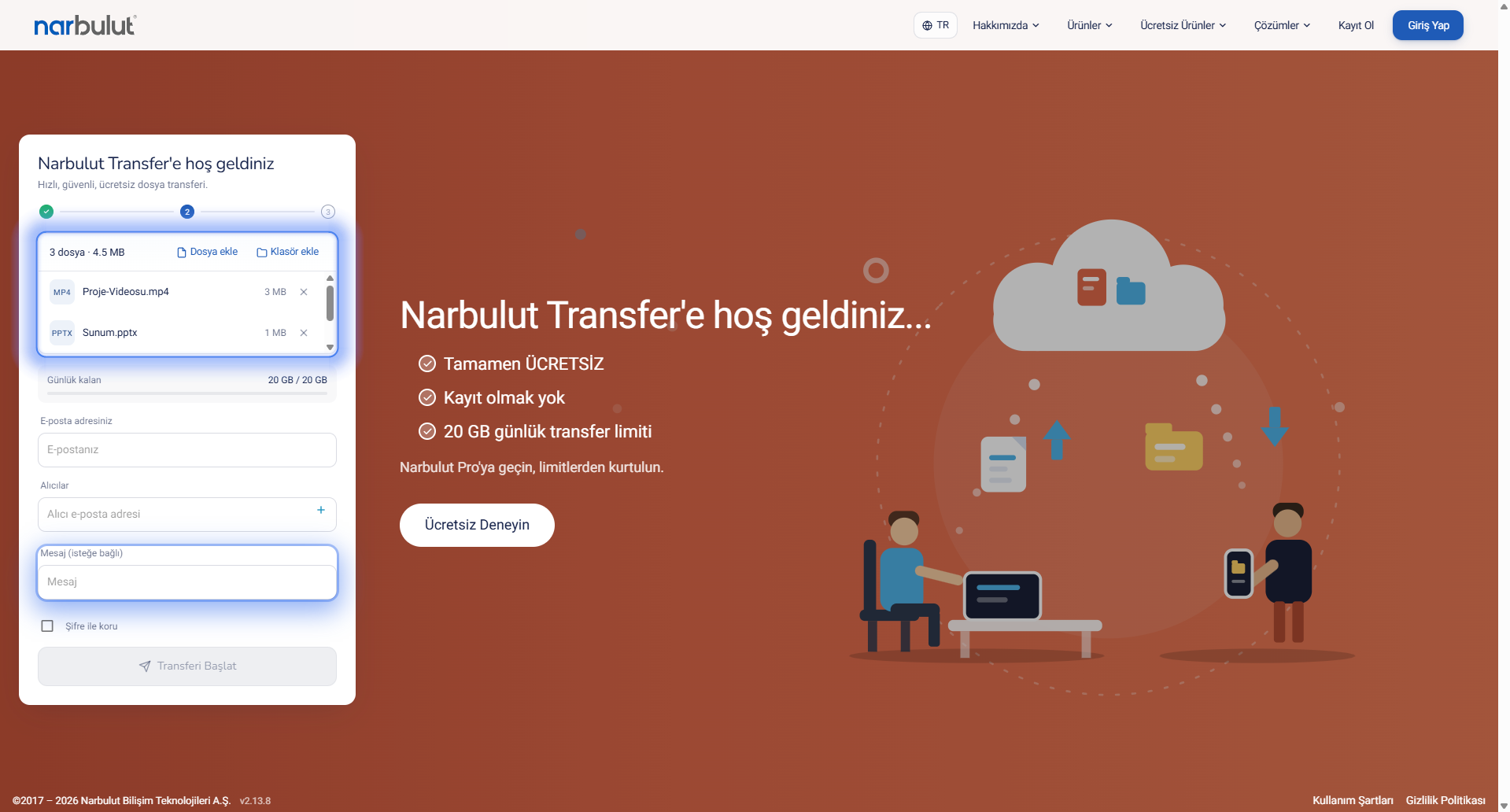
Step 3: Enter the sender and recipient email addresses
Enter your own email address and the email address of the recipient you want to deliver the file to. If you want to send to more than one recipient at once, you can add multiple email addresses. Using the optional message box, you can add a short note or description to the file; you may also leave this field empty.
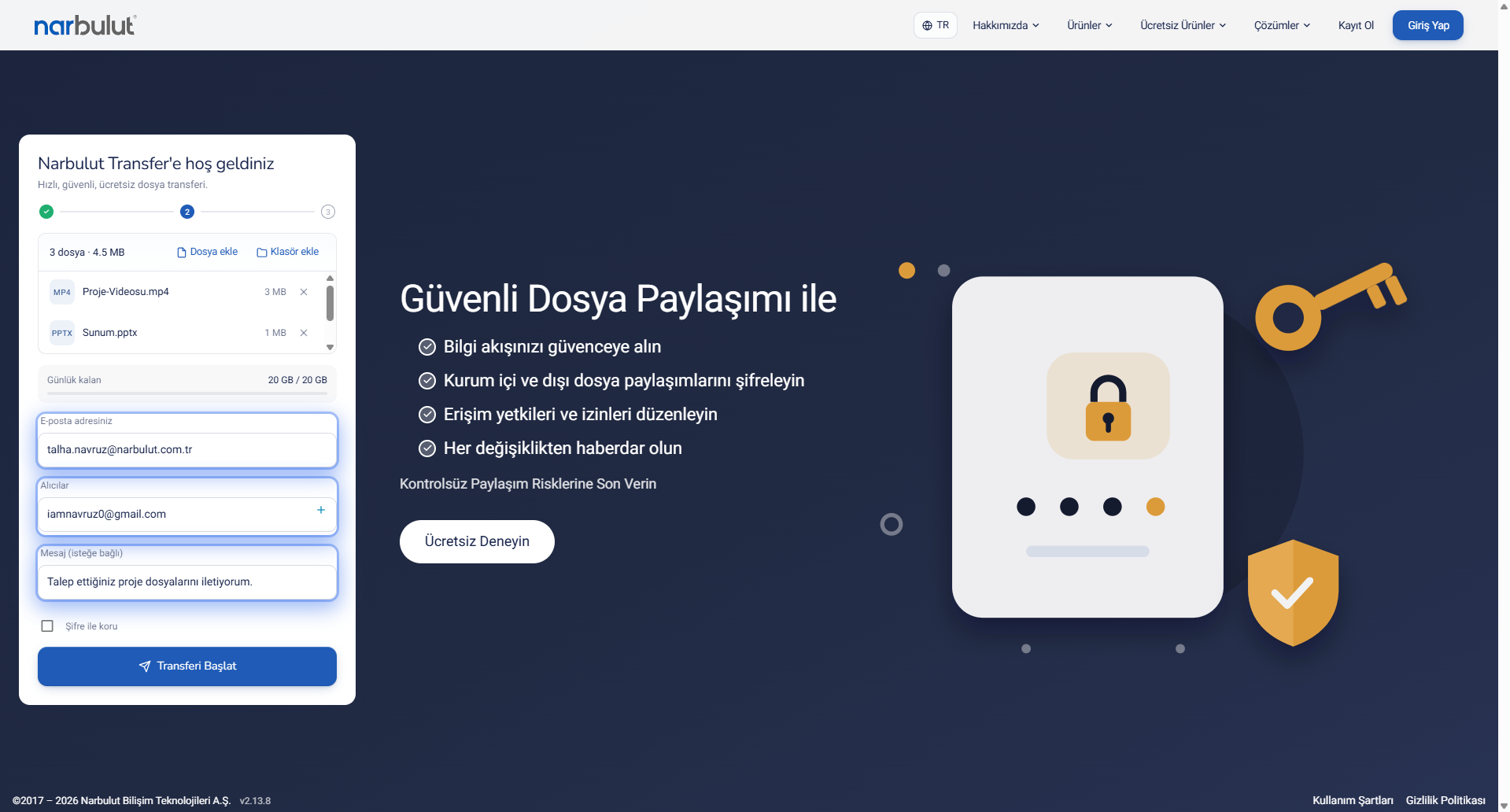
Step 4: Start the transfer and enter the confirmation code
After entering the information, click the “Start Transfer” button. For security, your email address is verified first: after the “Send verification code” step, you enter the confirmation code that arrives in your inbox into the relevant field. This step ensures that only the genuine owner of the email address can start the transfer.
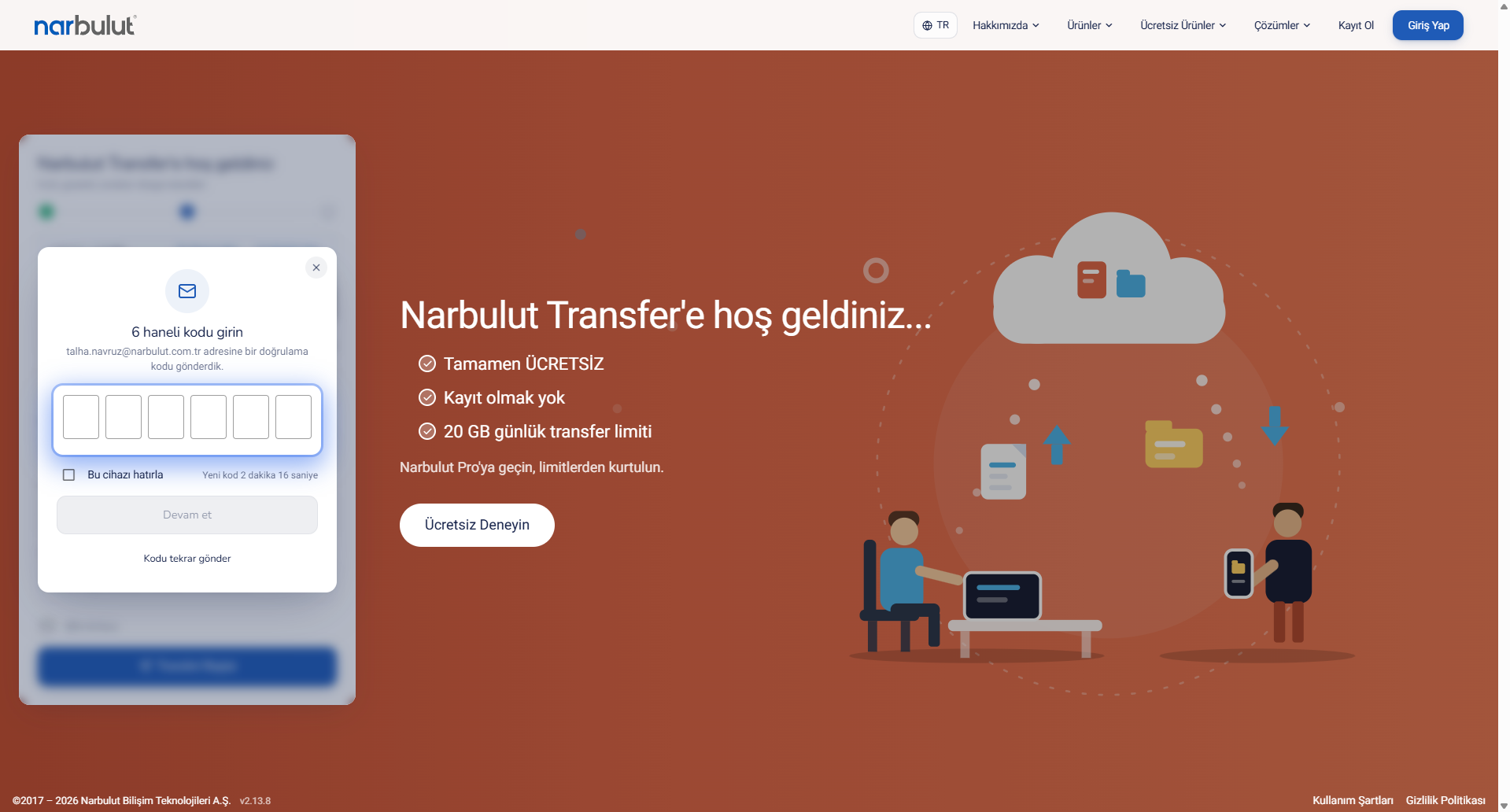
Once you enter the confirmation code correctly, the upload continues in the background.
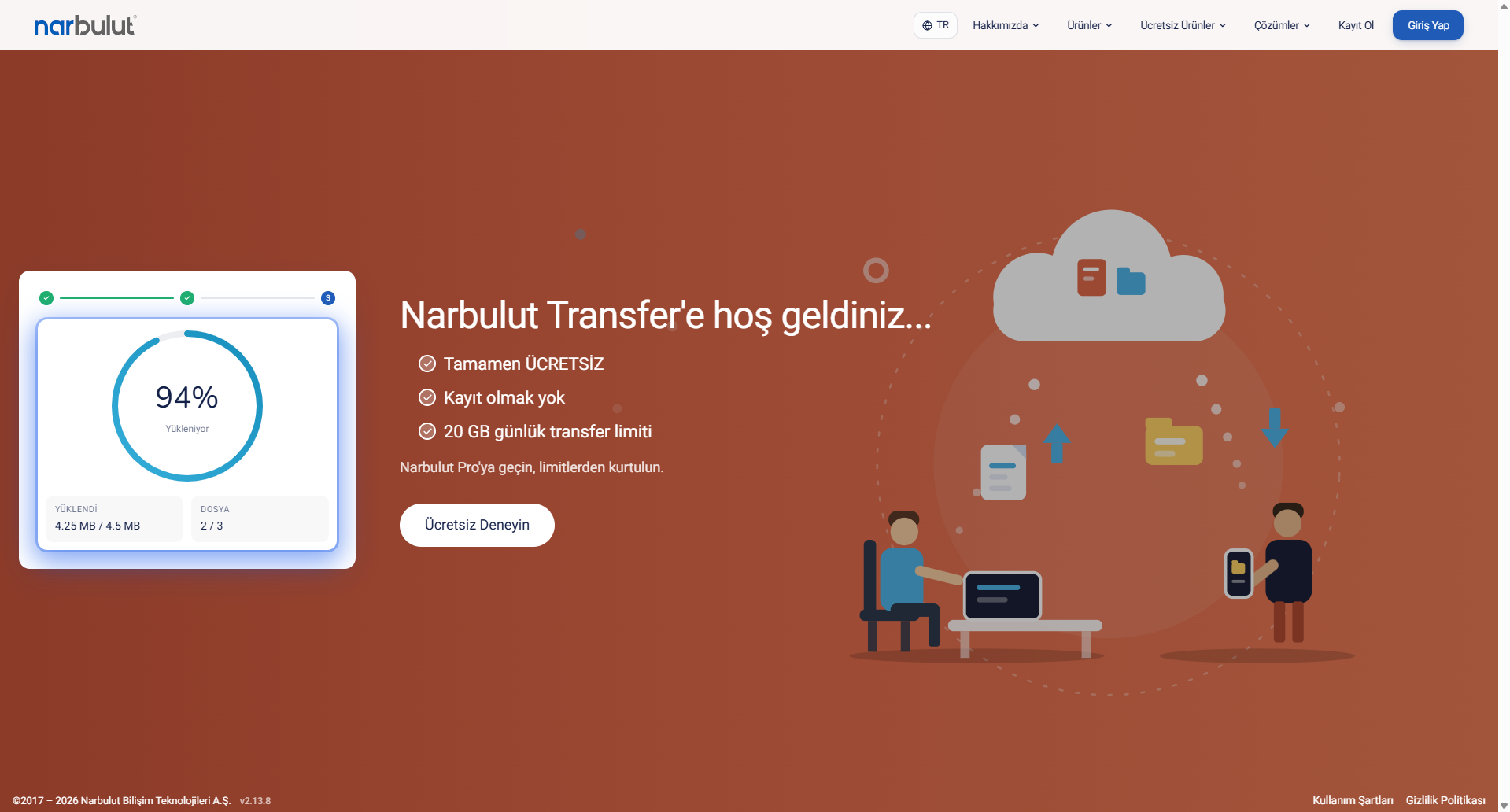
Step 5: Transfer complete — the recipient downloads the file
When the process is finished, you see a notification that your files were sent successfully. At the same time, a confirmation email about the completed transfer arrives in your inbox.
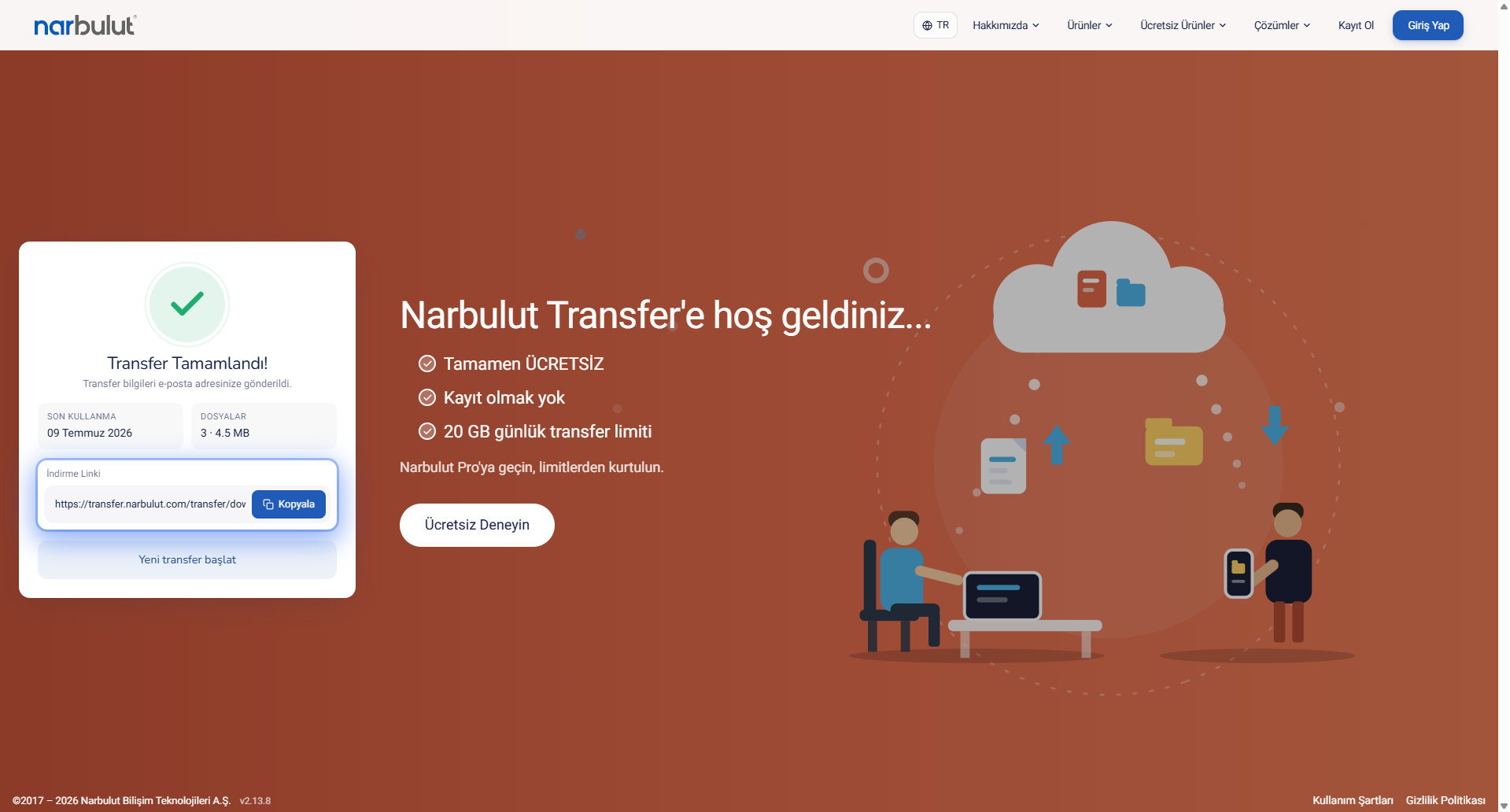
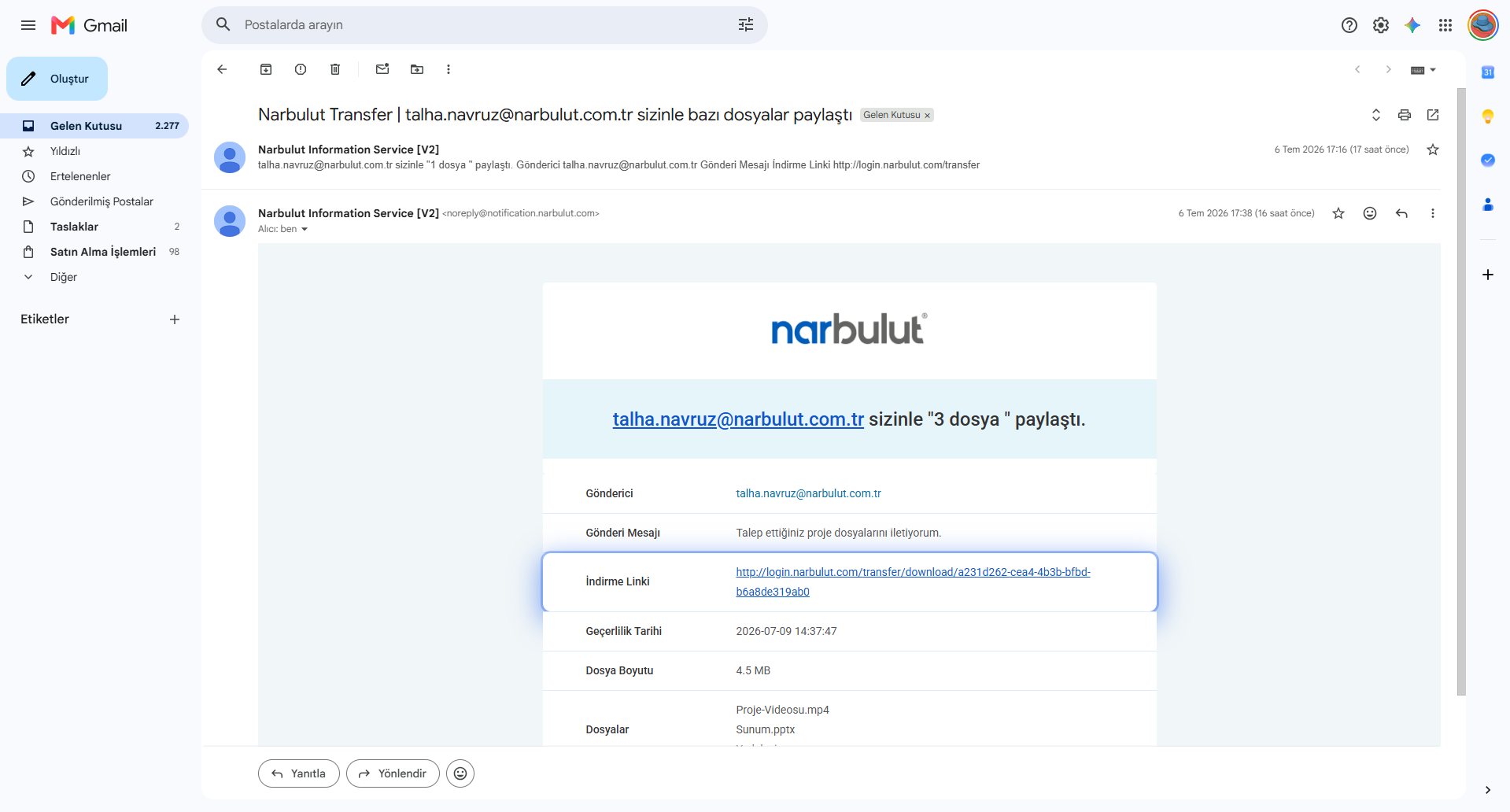
Your recipients access your files through the email they receive, which contains the download link.
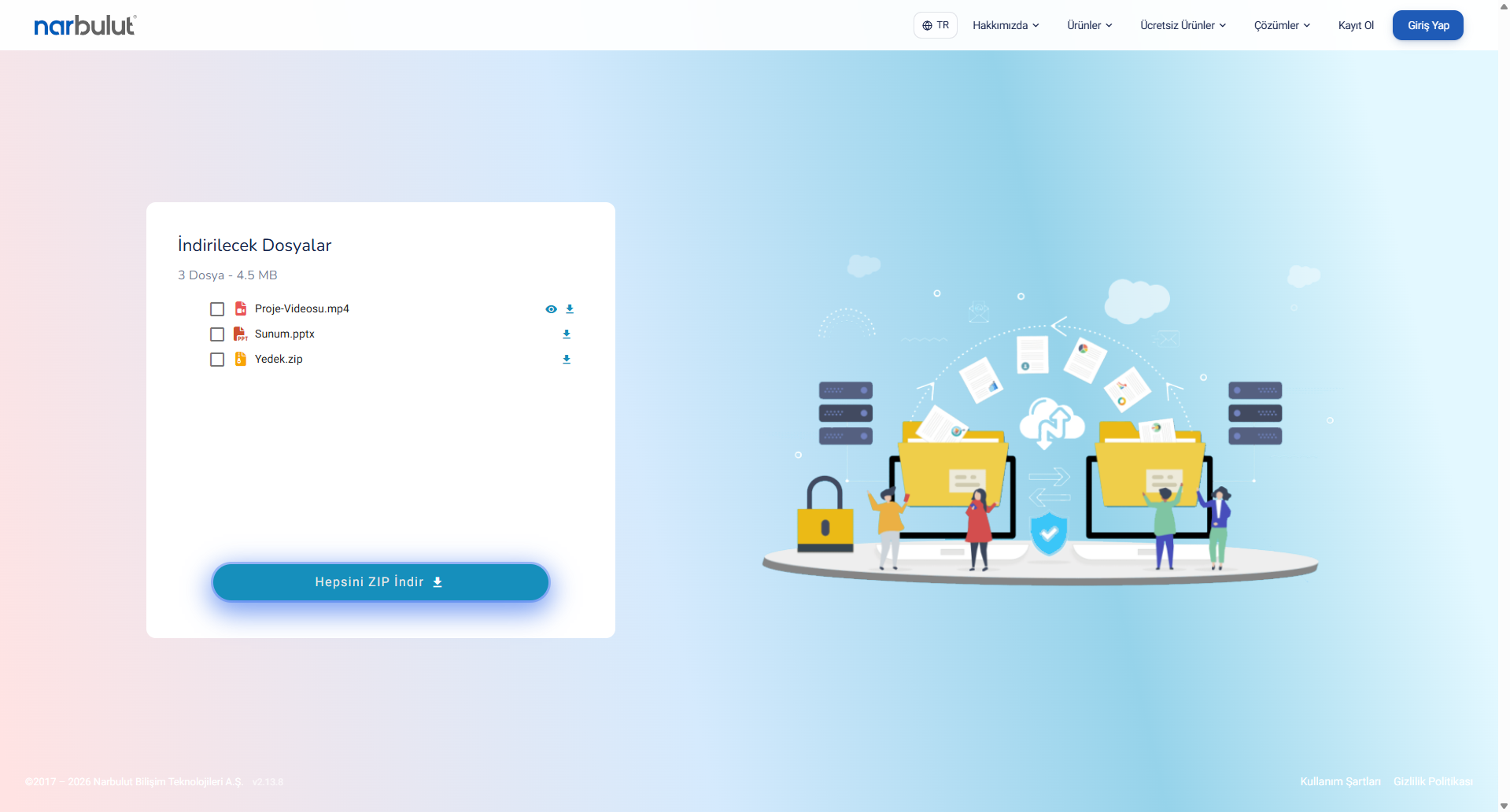
When the recipient clicks the link, they can preview and download the files.
And when your files are downloaded, you are notified by email — so you never have to guess whether your content reached the other side.
How secure are the large files you send?
With large file sharing, the real issue is security as much as speed. Narbulut Transfer protects this side with several layers:
- Only the recipient you specify has access. The generated link is not shared randomly or with third parties; only the recipient email address you entered can reach the file.
- End-to-end encryption. Shared files are protected with AES-256 encryption, and links are secured with SSL.
- Limited link lifetime. The download link expires after 3 days; there is no risk of a link staying open indefinitely.
- Data on secure infrastructure. Your files are processed on secure, dedicated infrastructure with strong data-protection measures — an important advantage for corporate use.
This way, a file sent by a field team and a sensitive financial document shared by accounting are protected to the same security standard.
Tips and frequently asked questions
Can I send to more than one person at once?
Yes. By adding multiple email addresses to the recipient field, you can send the same file to several people in a single operation.
Can I send a folder or a compressed file?
Yes. The system supports folders and archived files (such as ZIP); you can gather several files into a single archive.
What is the daily limit?
With Narbulut Transfer you can send up to 20 GB of files per day.
I sent the file — how do I know whether it was downloaded?
You are notified by email when your files are downloaded.
How long is the link valid?
The generated download link stays valid for 3 days.
Send large files securely, store your data safely
Sending large files no longer means wrestling with email attachment size limits or security worries. With Narbulut Transfer, in just a few steps, you can deliver your files up to 20 GB — free and encrypted — to the right recipient.
If you want to not only send your files but also store them safely for the long term and protect them against possible data loss, you can benefit from Narbulut’s backup and data-security solutions. With Narbulut Backup Now, you can automatically back up all your organization’s critical data and manage it from anywhere. Try your large file transfer today with Narbulut Transfer.
Narbulut Transfer
Free, encrypted file transfer up to 20 GB. No sign-up — send files straight to your recipient’s inbox.

