Narbulut Backup Now Admin Panel Getting Started Guide
Narbulut Backup Now Admin Panel Getting Started Guide
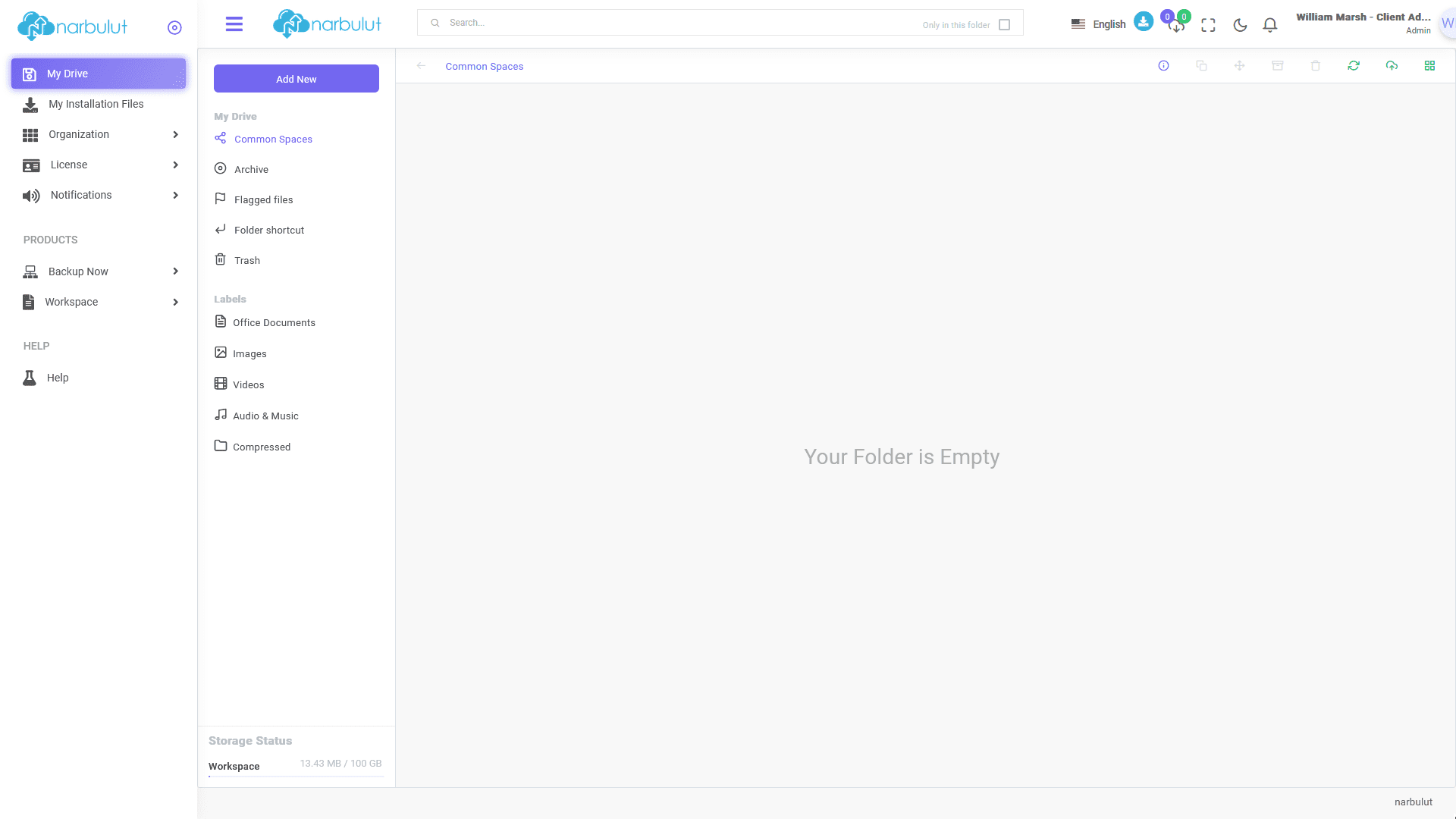
This guide explains step by step the basic features and usage of Narbulut Backup Now Admin Panel. After logging in to the panel, the “My Disk” page welcomes you.
login.narbulut.com
My Disk
In this menu, you can manage your “Common Areas” provided by the “Narbulut nDocs Workspace” product. (For more information, you can review the nDocs Workspace guide in the Help menu.)
login.narbulut.com
My Installation Files
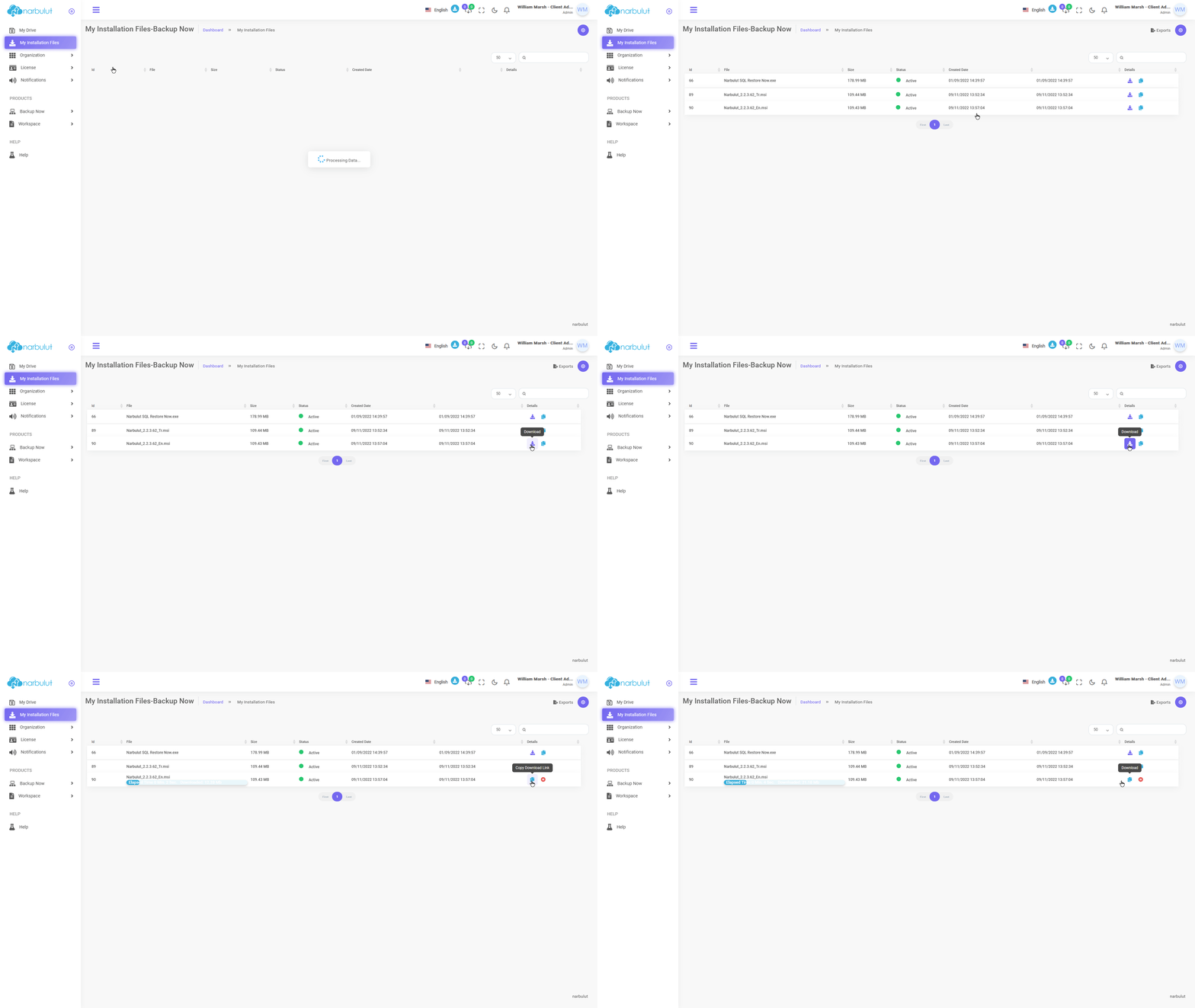
In this menu, you can download the installation file of the “Narbulut Backup Now” application. Click the “Download” button. You can copy the download link using the “Copy Download Link” button next to it.
login.narbulut.com
Organization
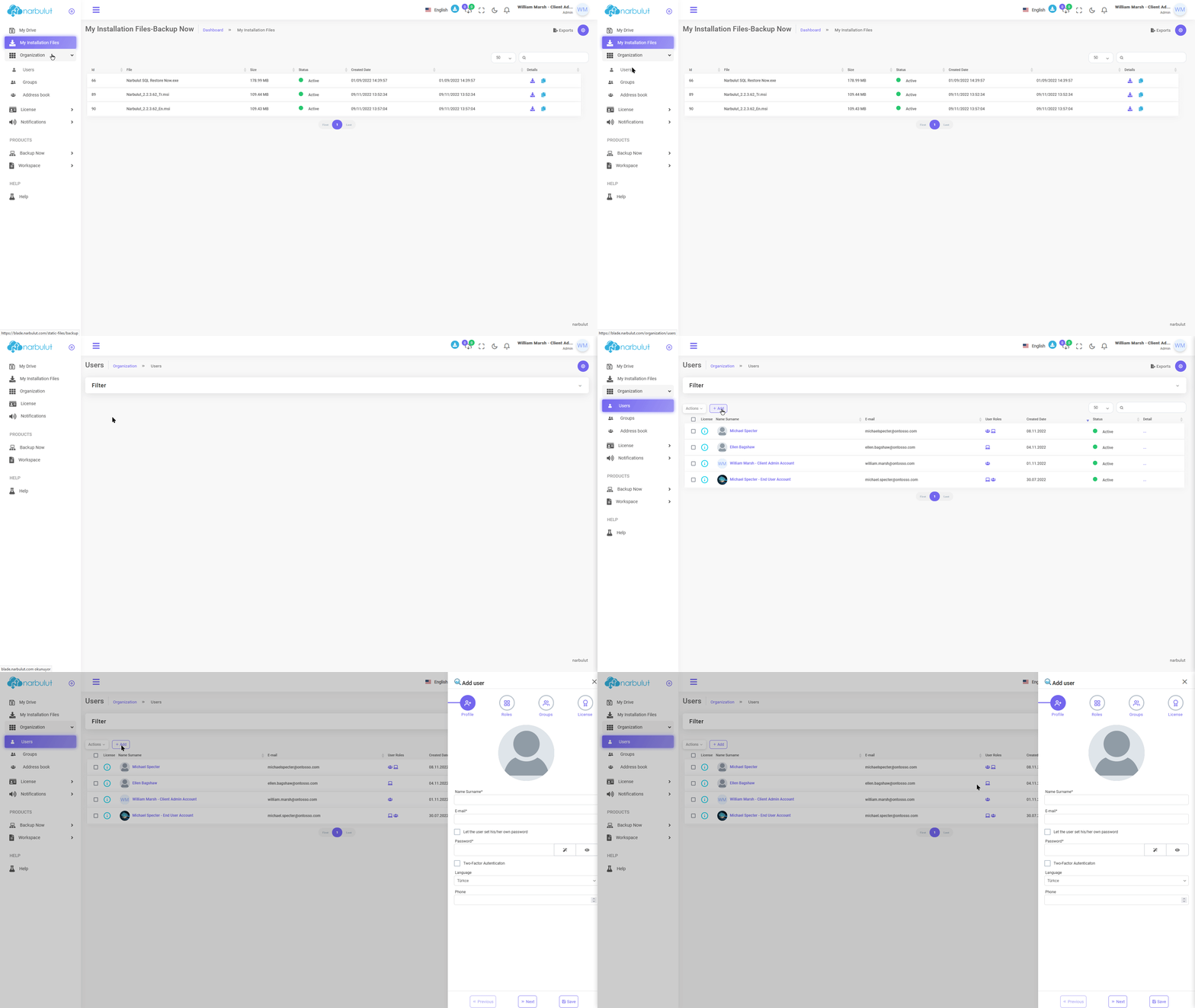
This menu has 3 submenus: Users, groups and address book. This guide will cover users and groups.
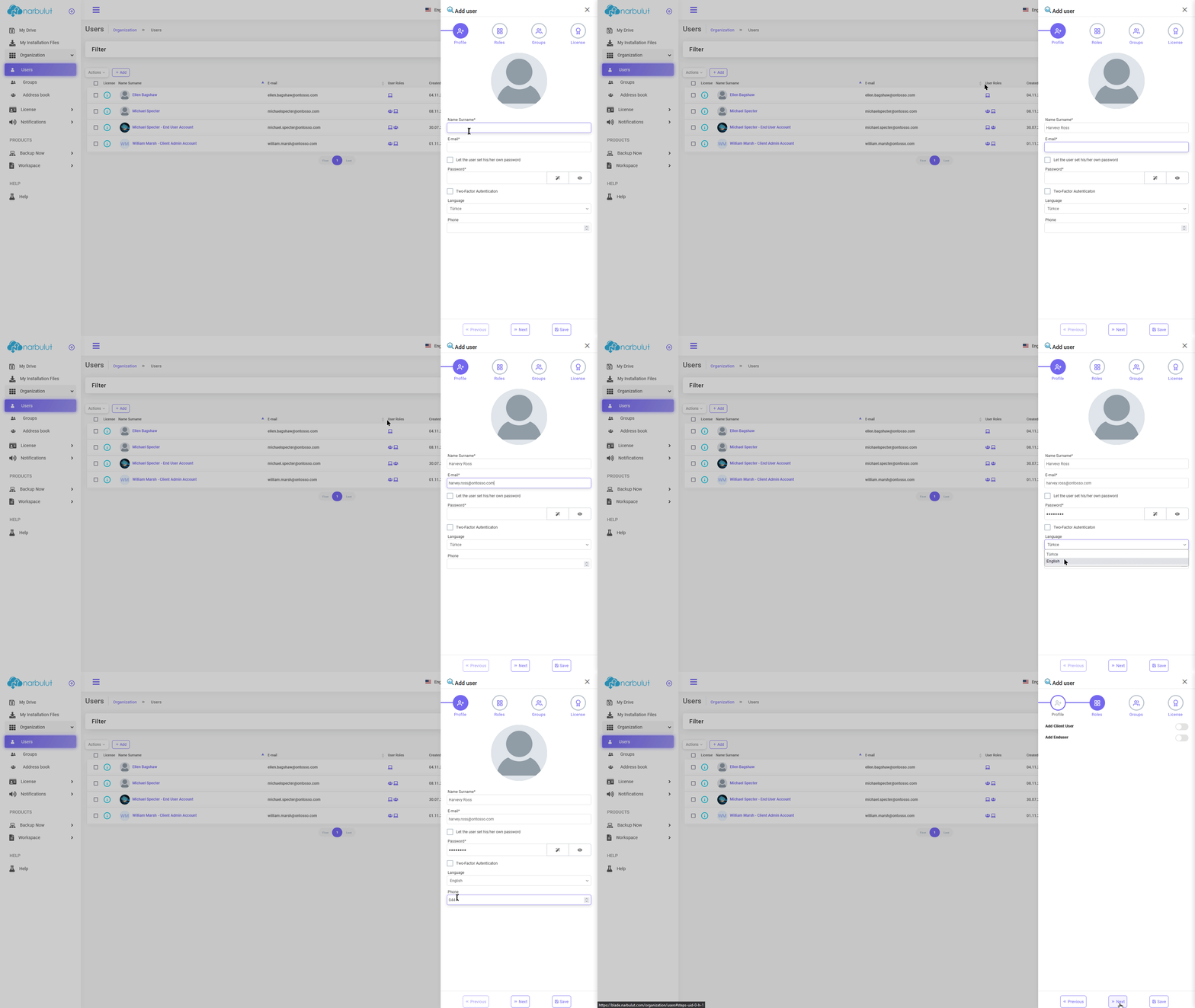
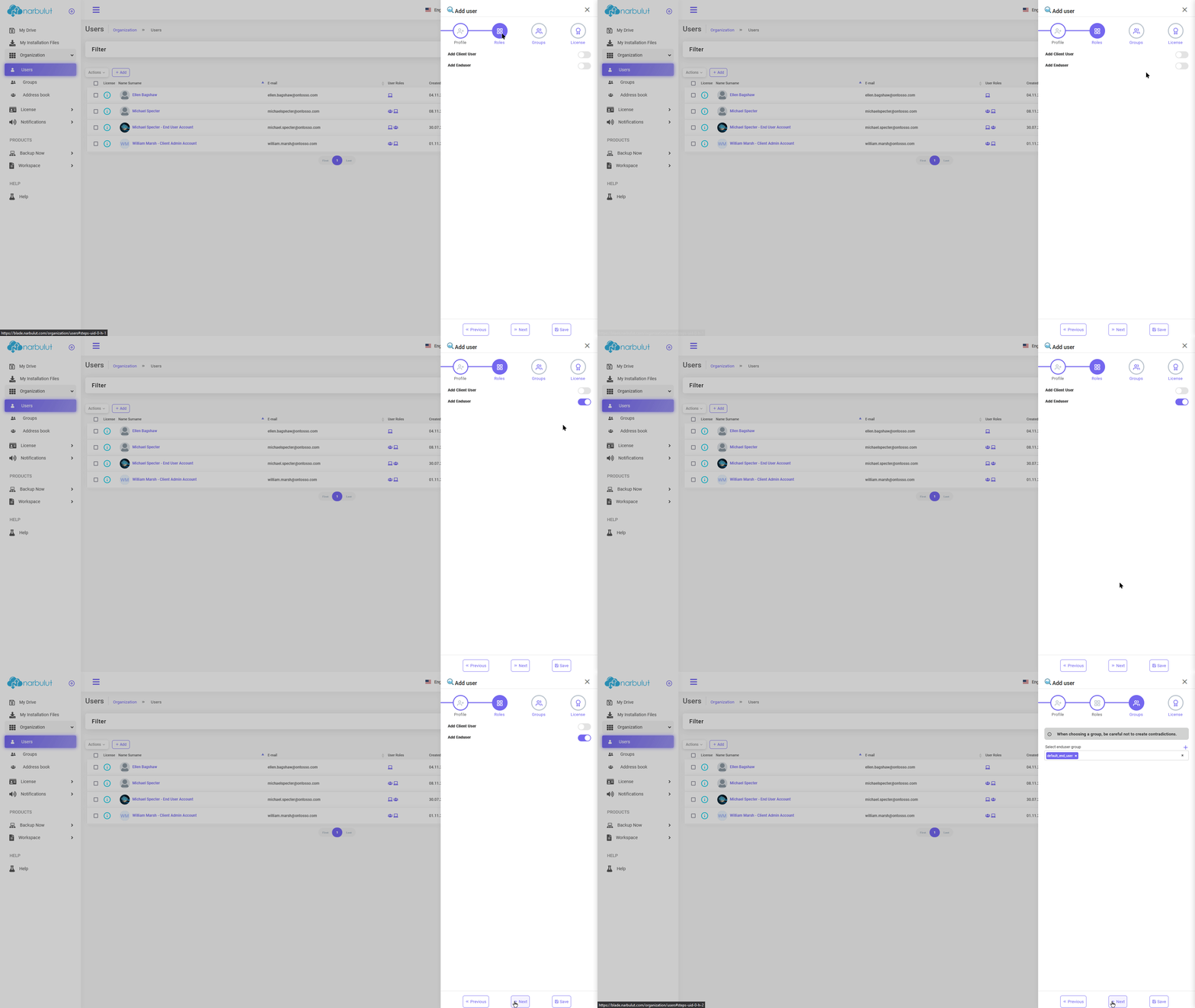
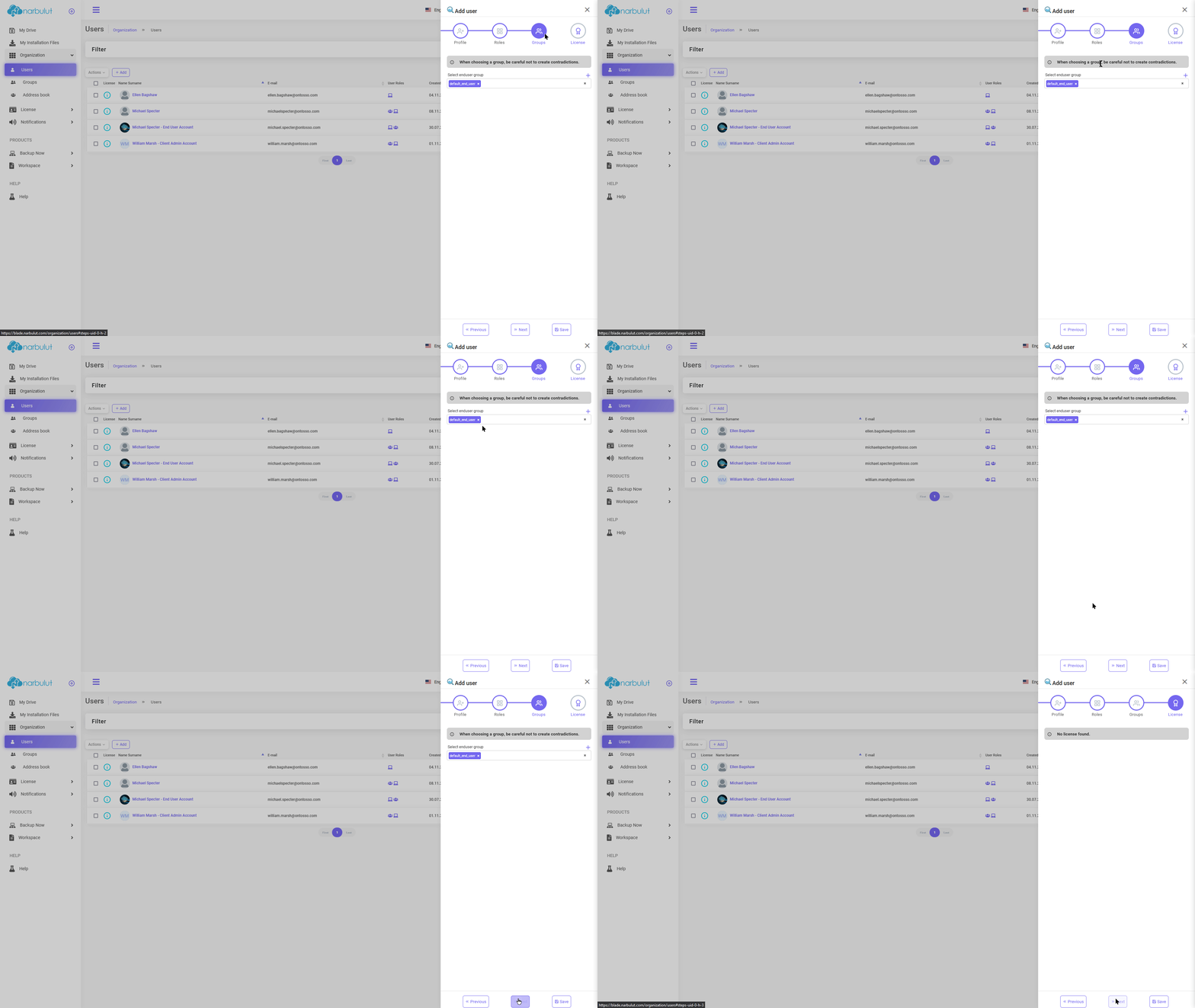
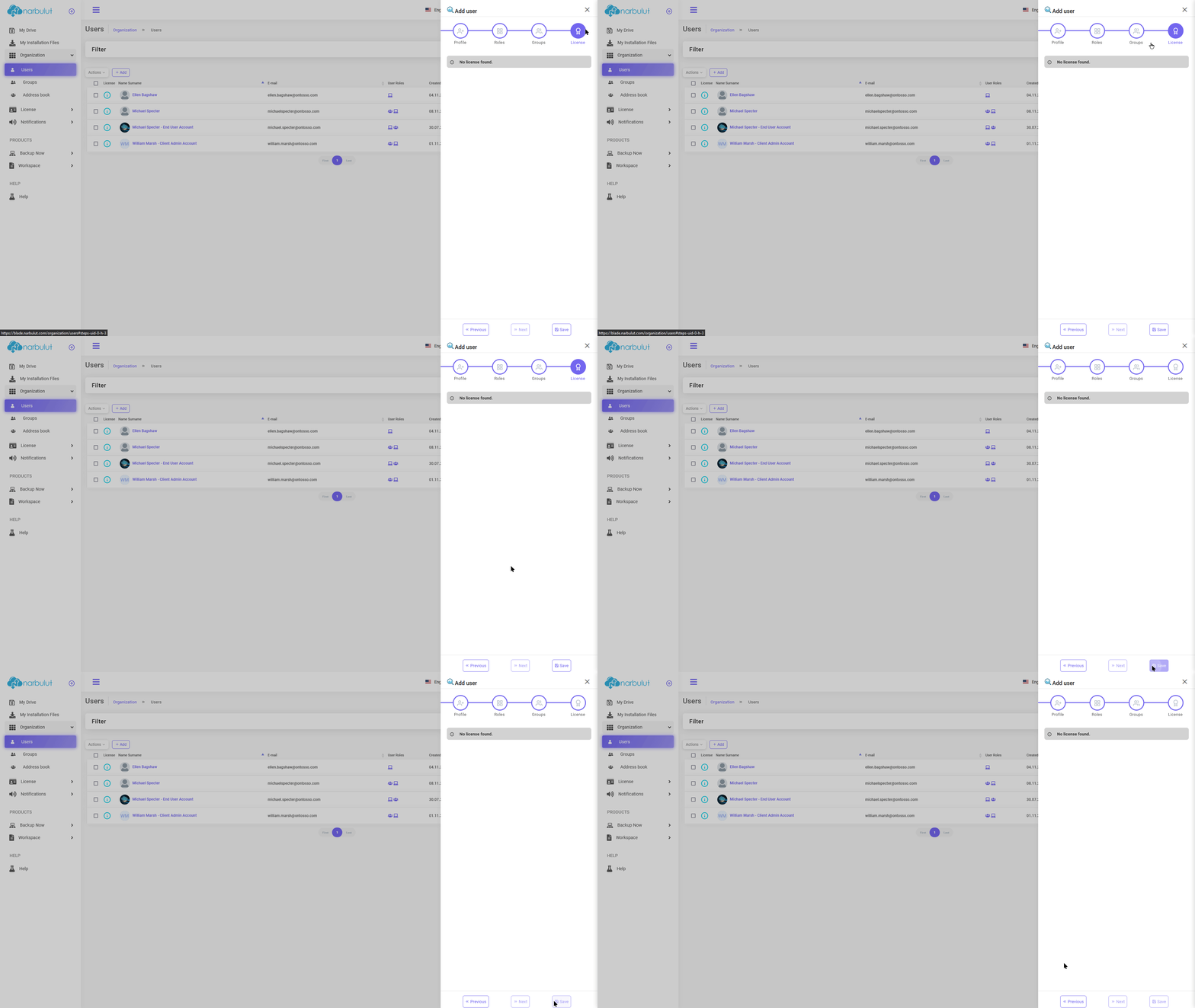
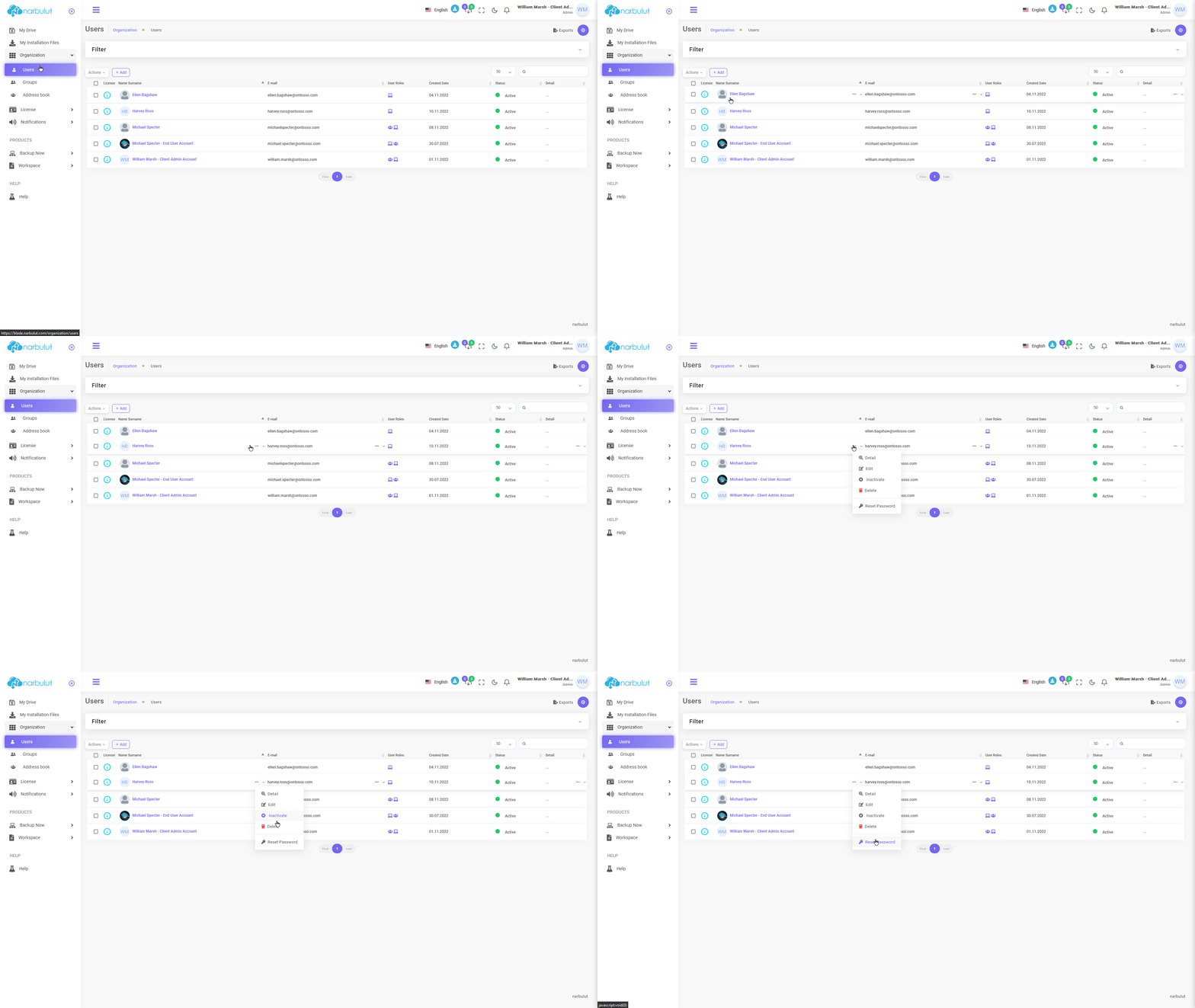
A. Users — You can add new users and manage your existing users using this page.
Click the “Add” button to add a new user.
login.narbulut.com
login.narbulut.com
login.narbulut.com
login.narbulut.com
login.narbulut.com
To edit an existing user, click on the user to go to their detail page.
login.narbulut.com
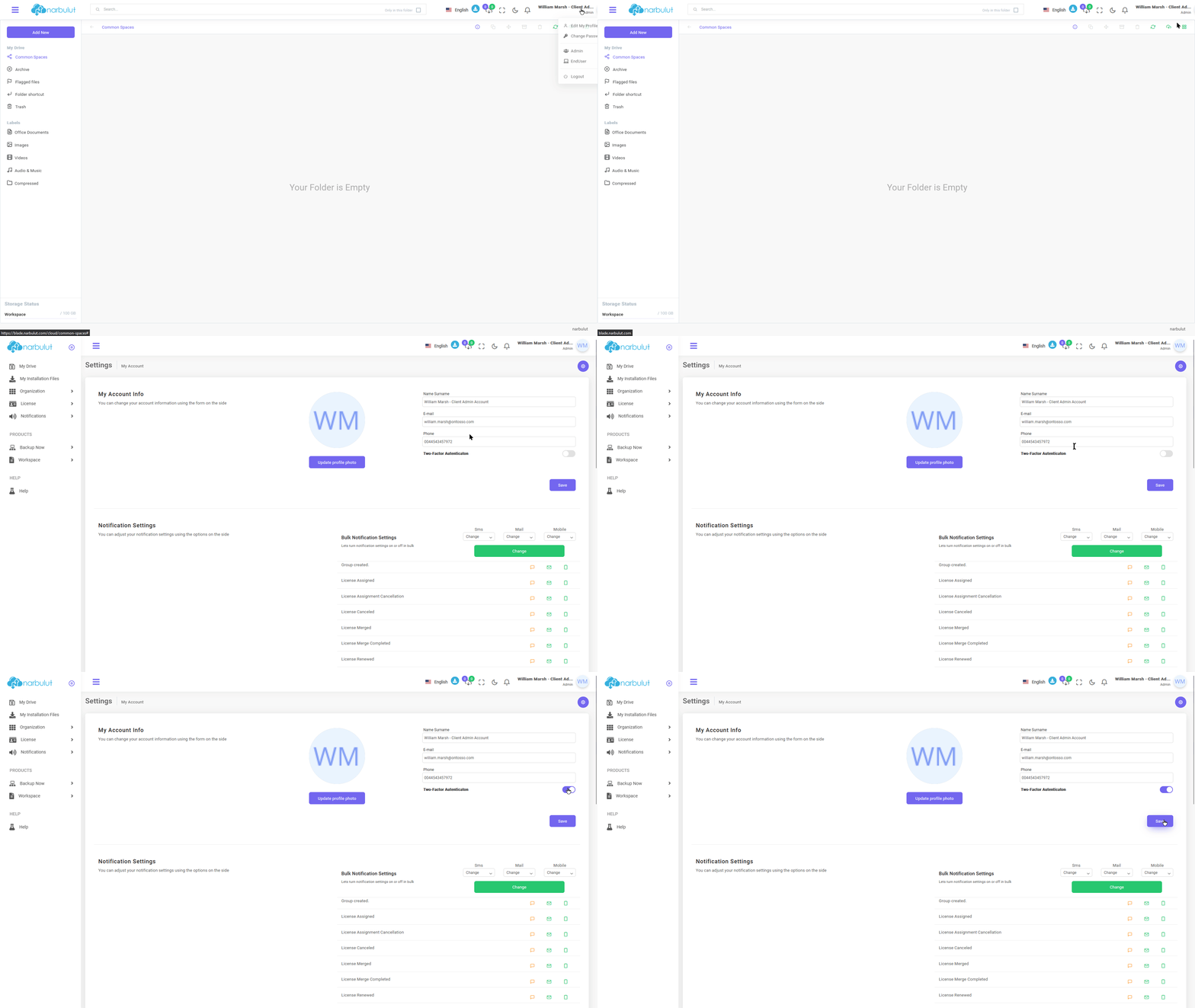
Two-Factor Authentication (2FA)
If you want to use two-step verification (2FA) for your own account, click on your account name in the top right and then click “Edit My Account.” You will see the two-step verification feature, you can activate two-step verification by scanning the QR code with the one-time password creation application.
login.narbulut.com
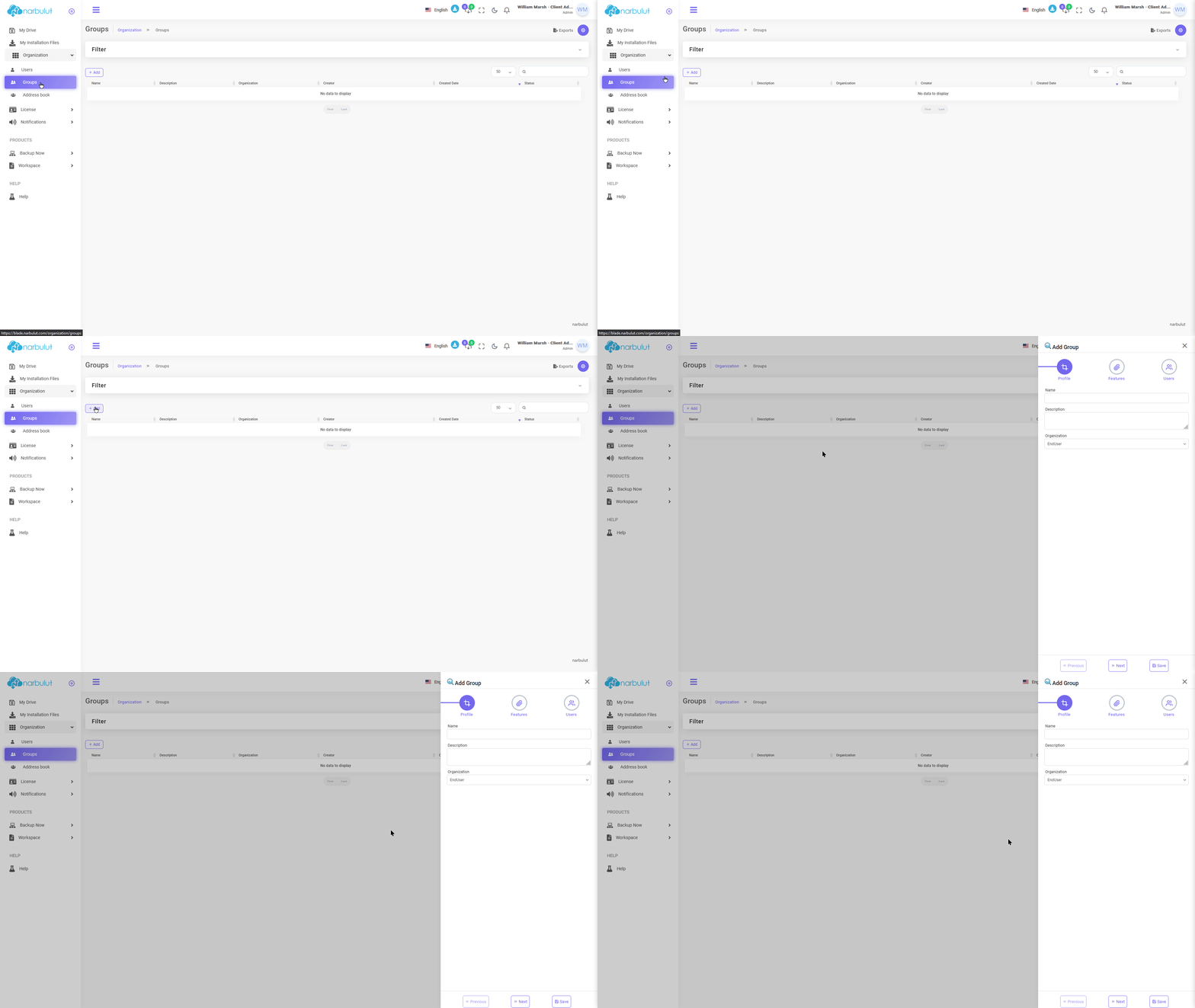
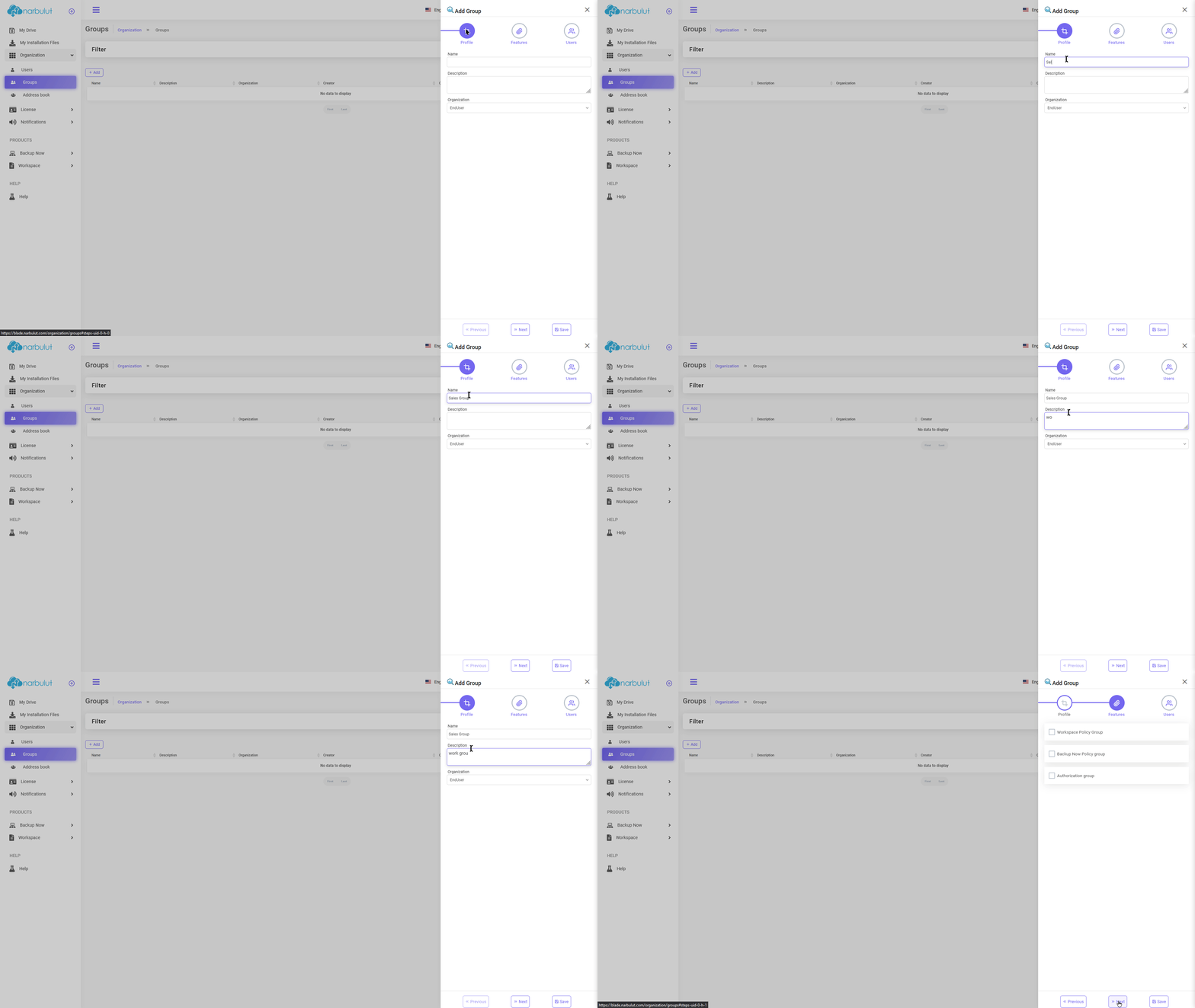
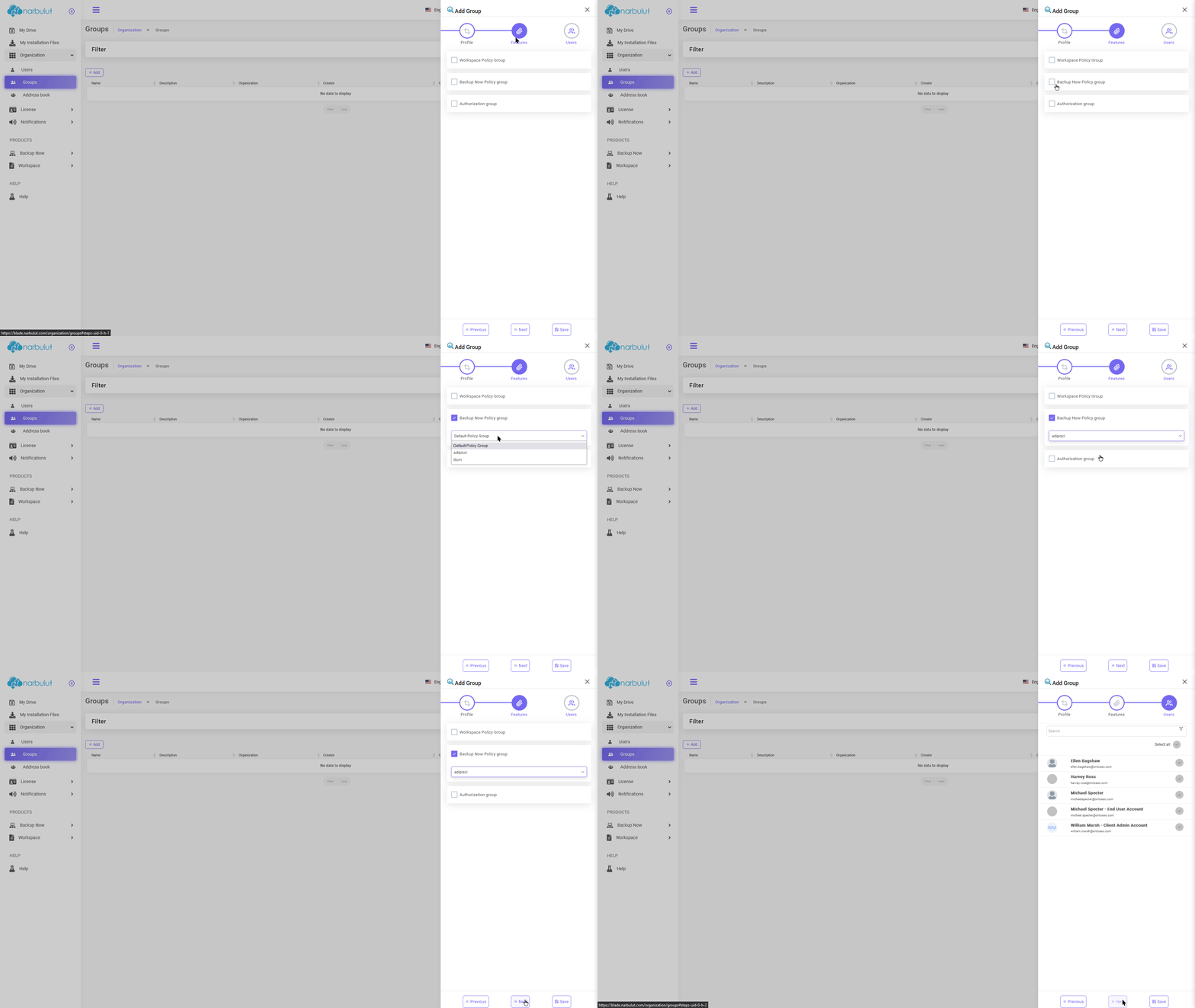
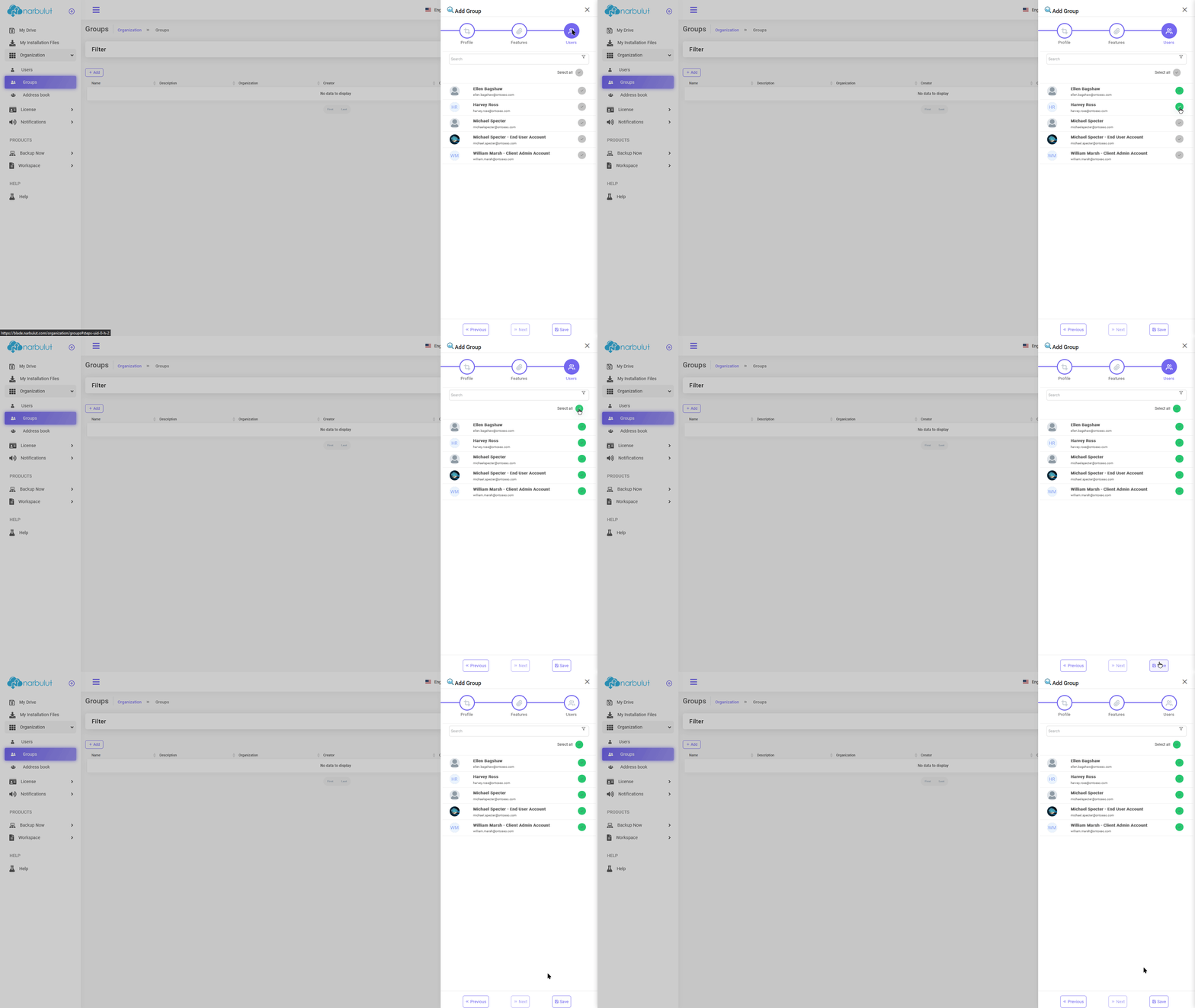
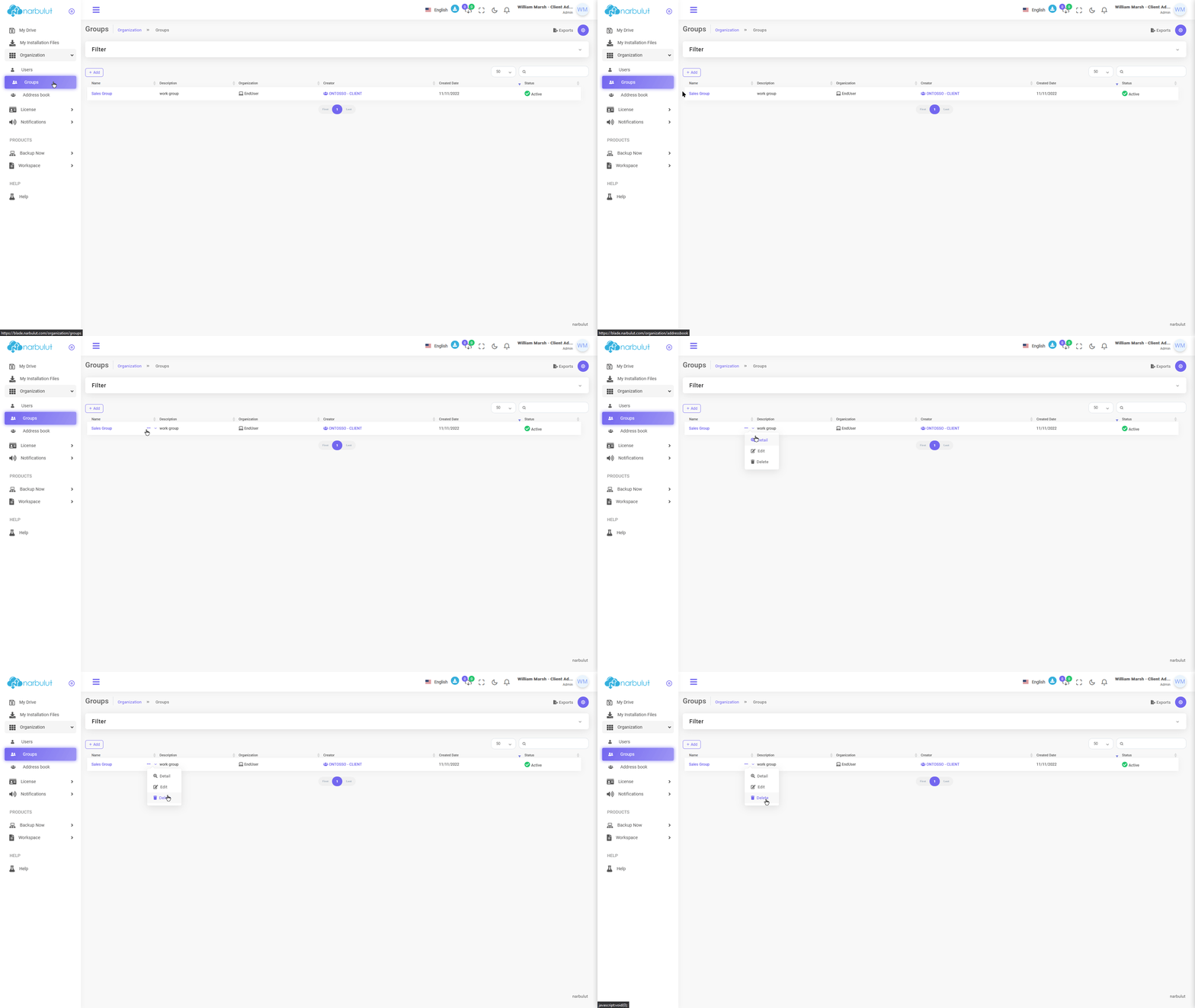
B. Gruplar — In this menu you can create and manage end user groups. Groups are useful for assigning specific policies to end users.
Click the “Add” button to create a new group.
login.narbulut.com
login.narbulut.com
login.narbulut.com
login.narbulut.com
To edit an existing group, click on the group to go to its detail page.
login.narbulut.com
License
There are 4 submenus in this menu: Dashboard, license transactions, license history and reports. This guide covers the dashboard and licensing operations menus.
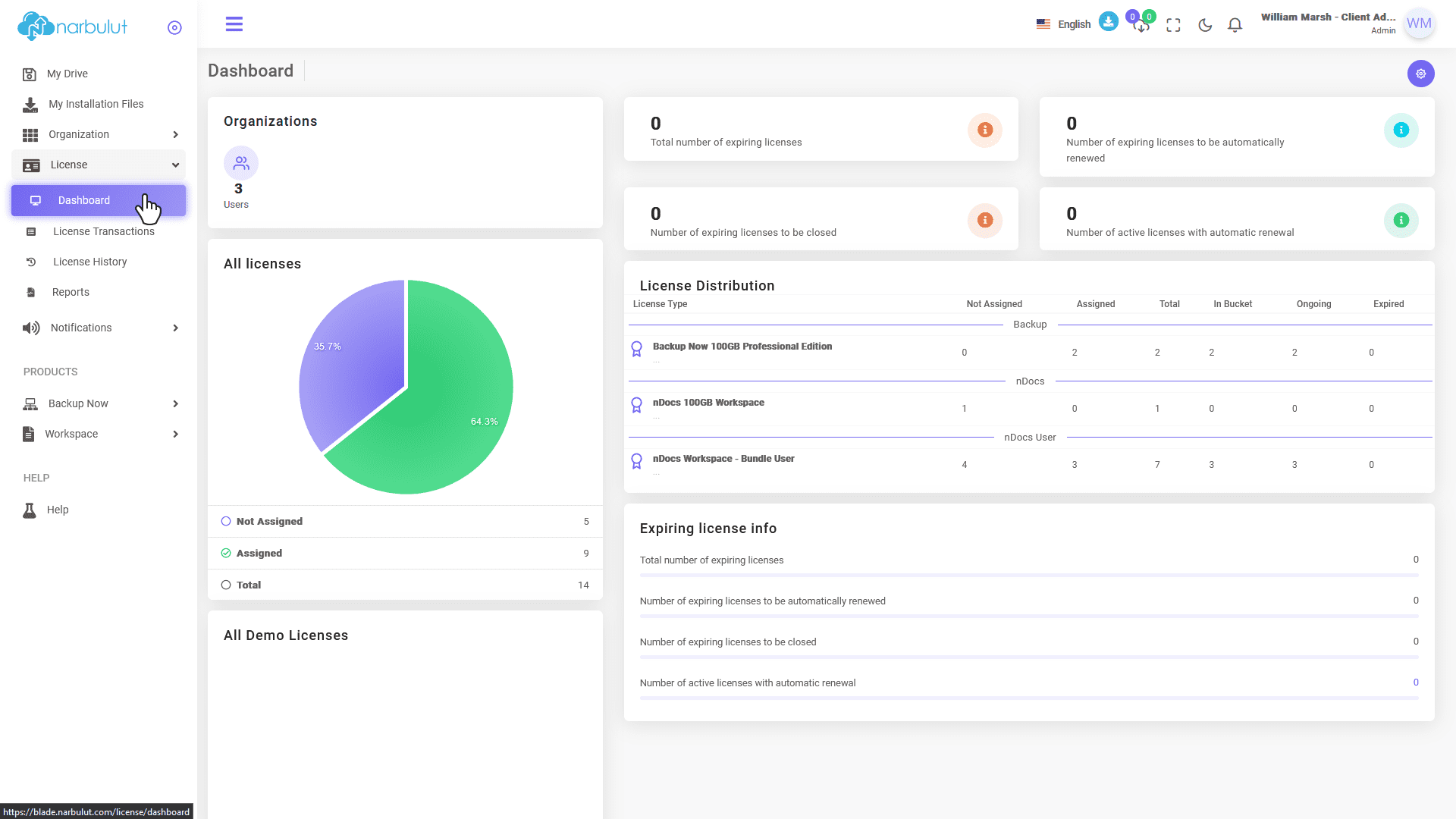
A. Dashboard — On the Dashboard page, you can view your licenses and see statistics about them.
login.narbulut.com
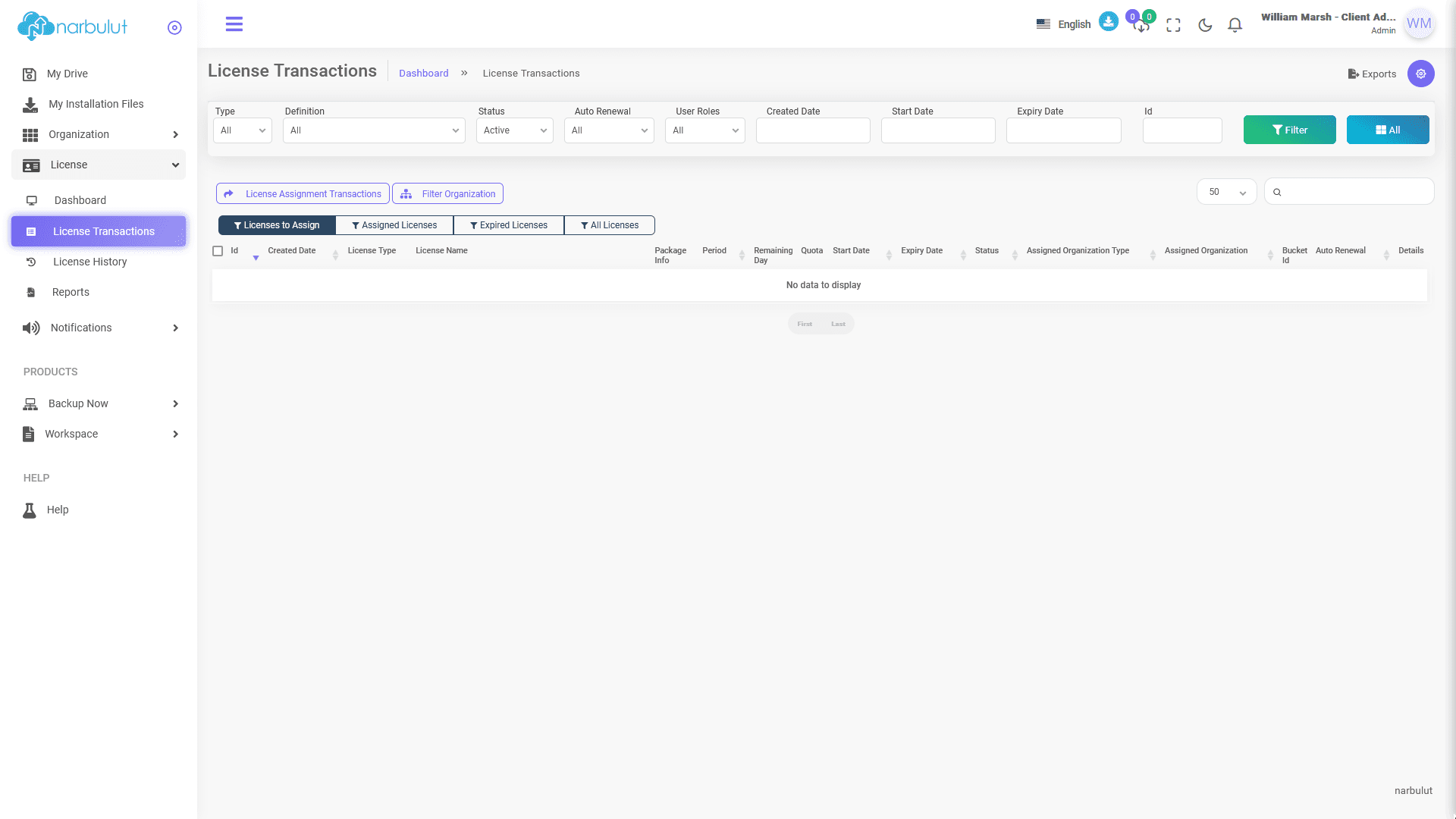
B. Licensing Procedures — Through this page, you can view the licenses you have, assign them, and manage the licenses you have assigned.
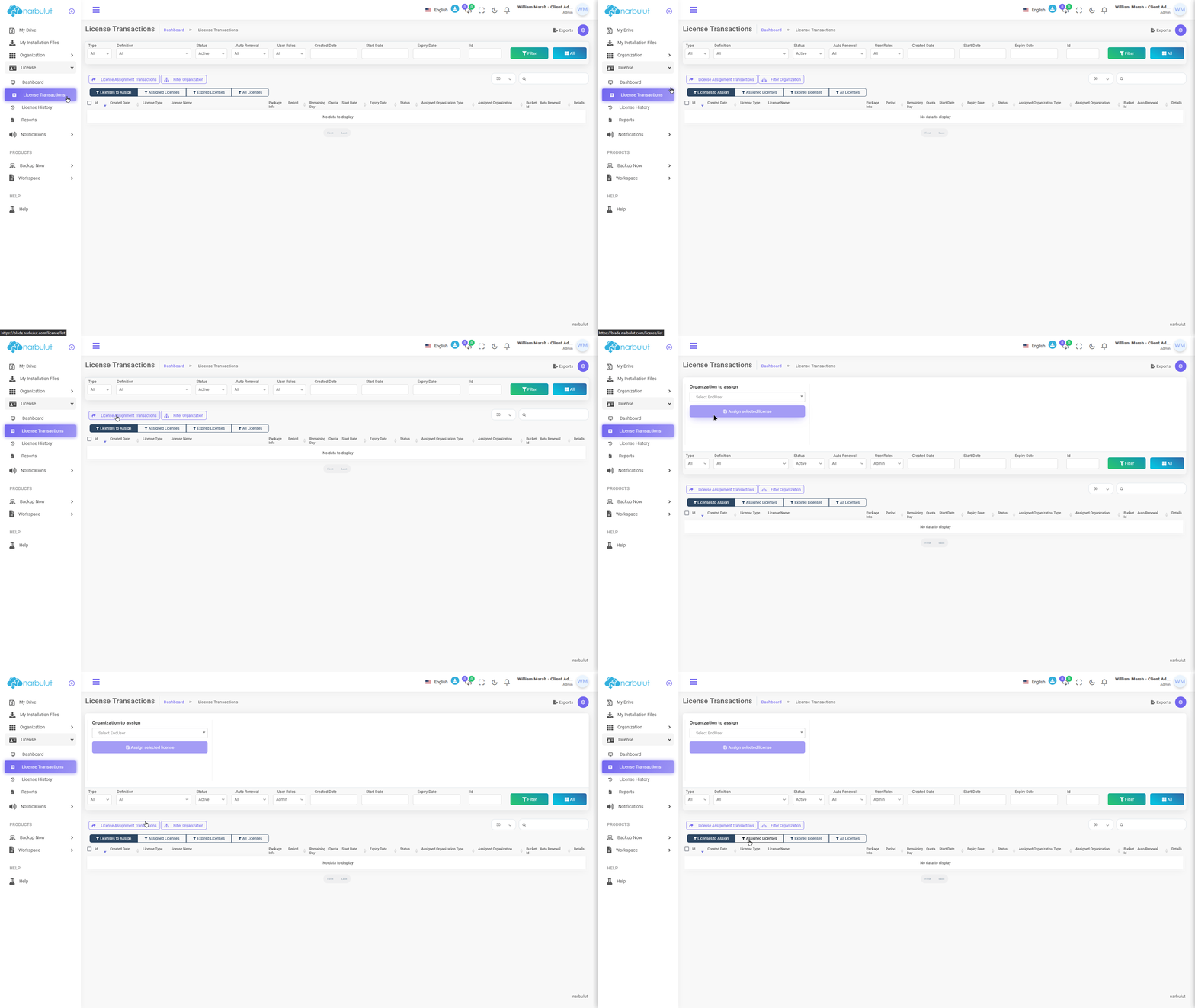
To assign a license, click the “License Assignment Procedures” button.
login.narbulut.com
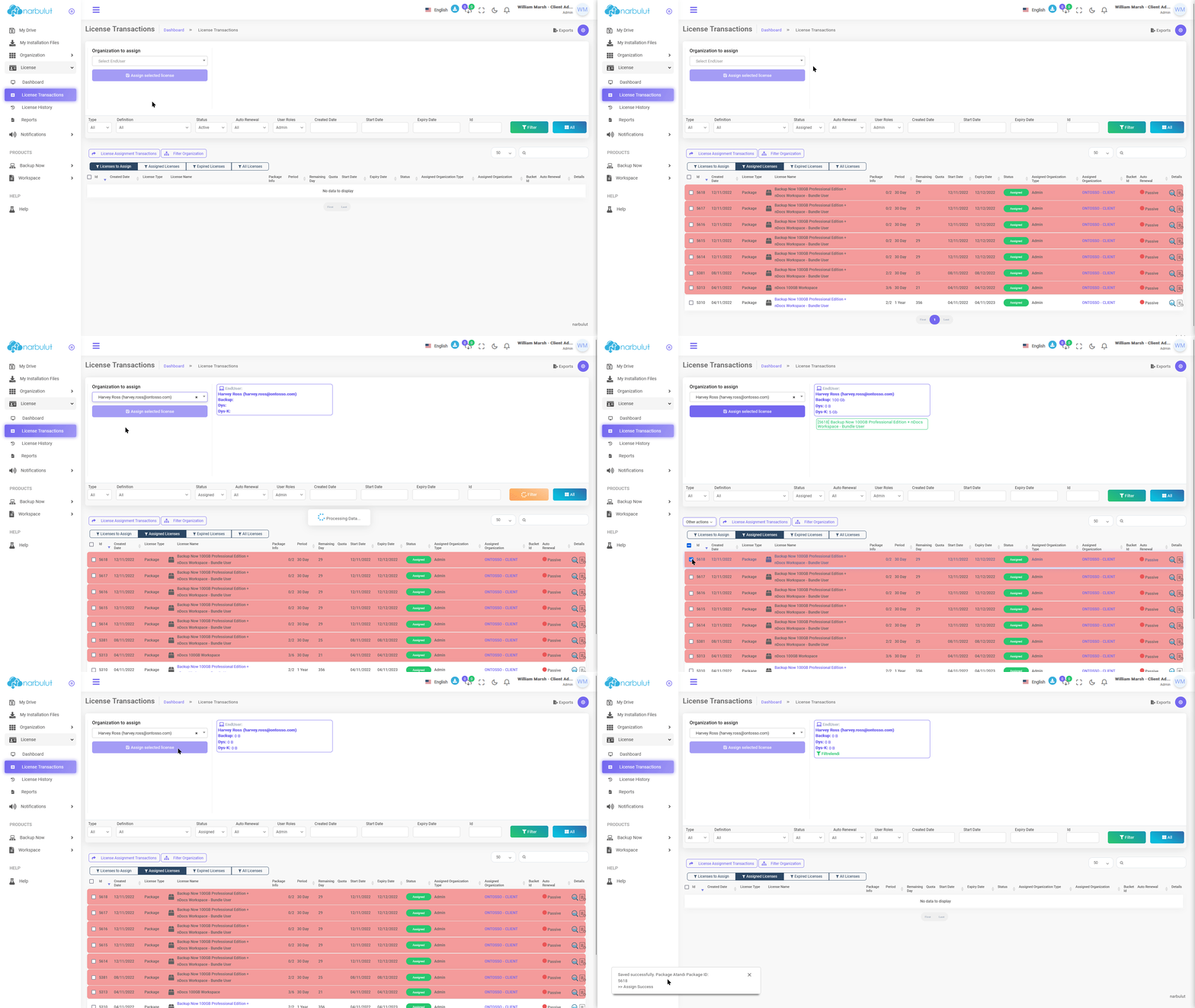
Step 1:Click the “Assigned Licenses” button to view your licenses. Step 2:In the “Organization to Assign to” section, select the organization to which you want to assign a license. Step 3:Select the license(s) you want to assign from the “Assigned Licenses” section.
login.narbulut.com
Not: The licenses in the Manager are displayed in the "Assigned Licenses" tab as they have been activated and their expiration date has begun. You can assign the licenses that you want to assign to the end user by selecting them under this tab.
Backup Now
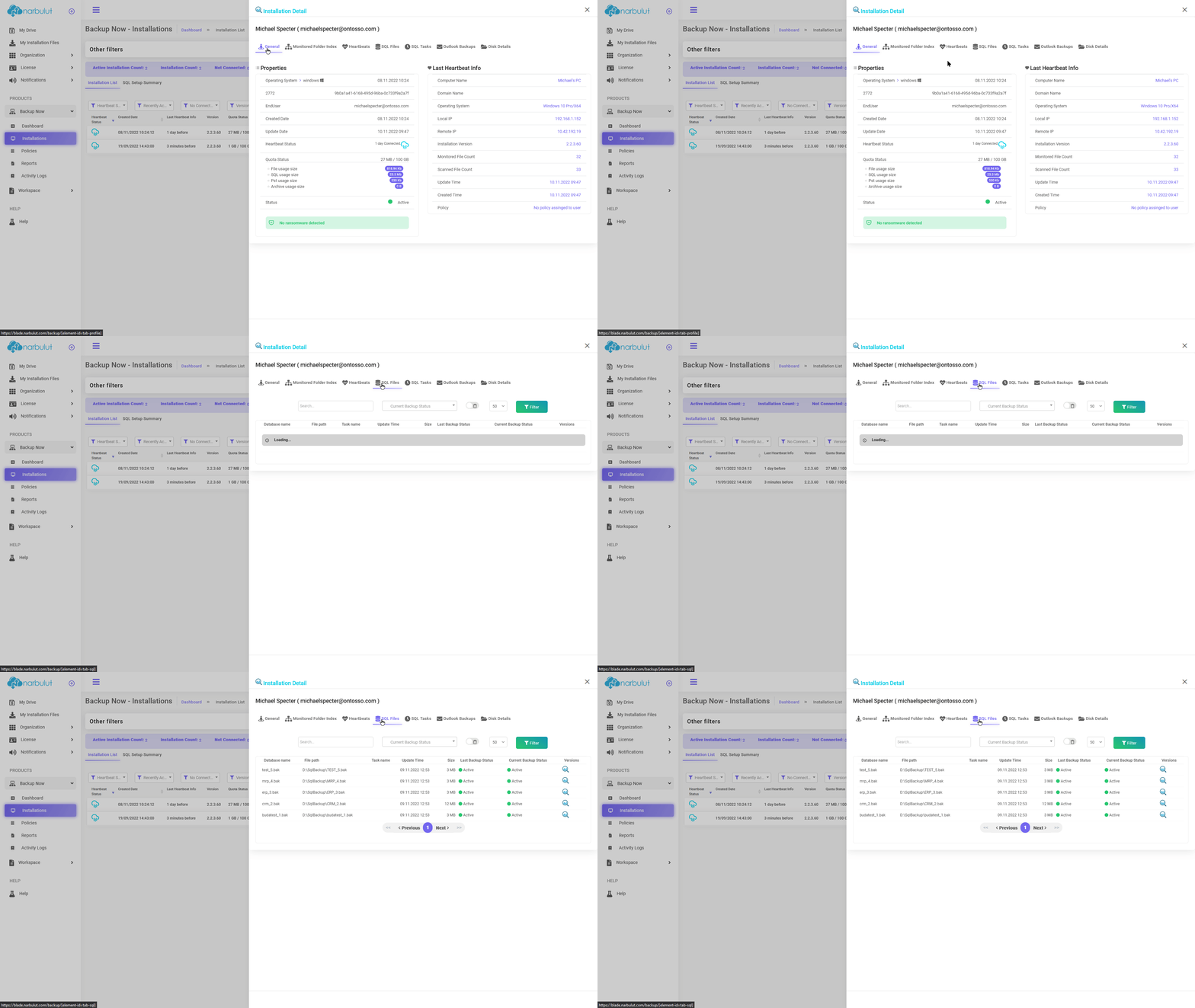
This menu is directly related to the Narbulut Backup Now application and has 5 submenus: Dashboard, installations, policies, reports and transaction records. This guide covers the installations and policies menus.
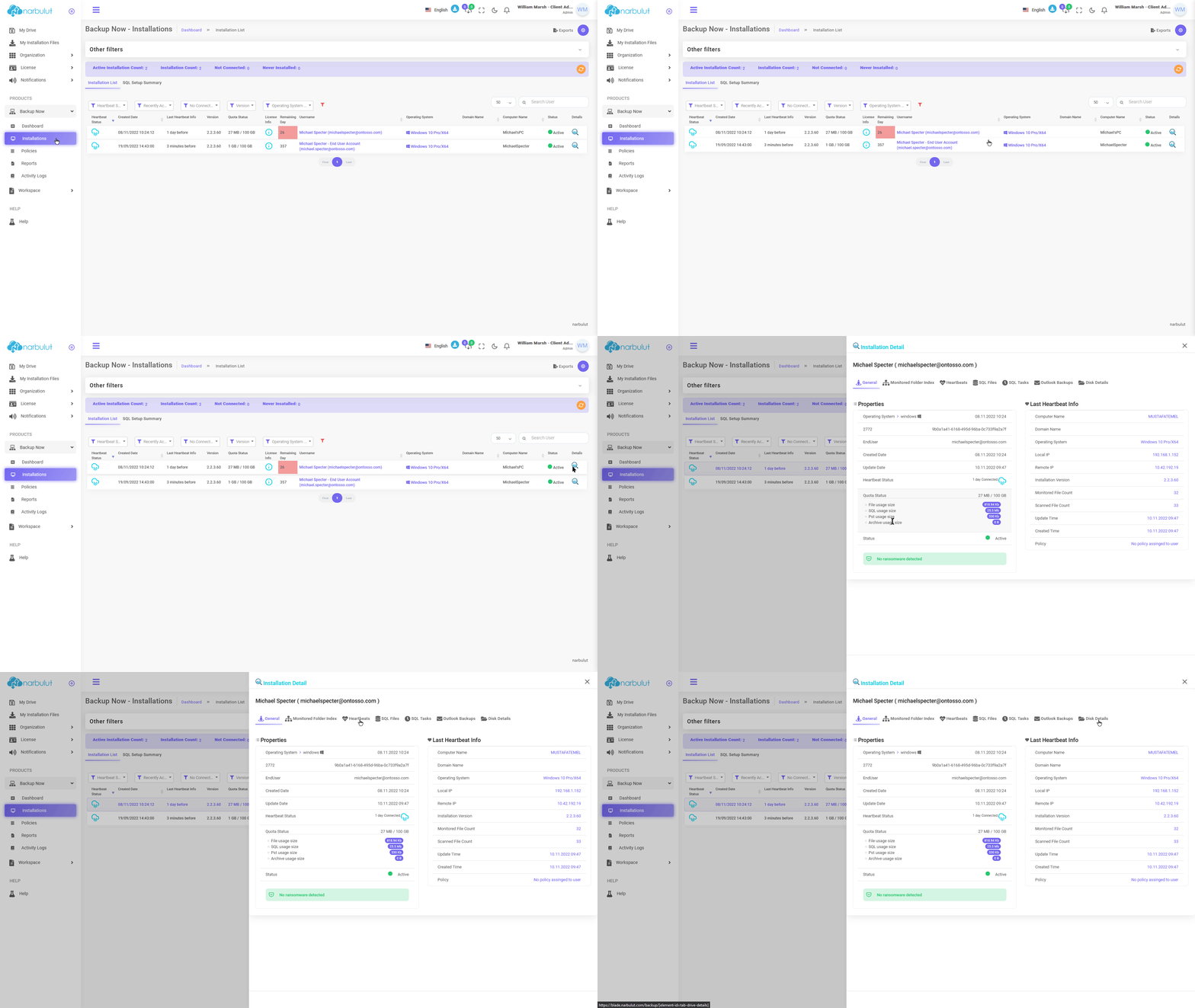
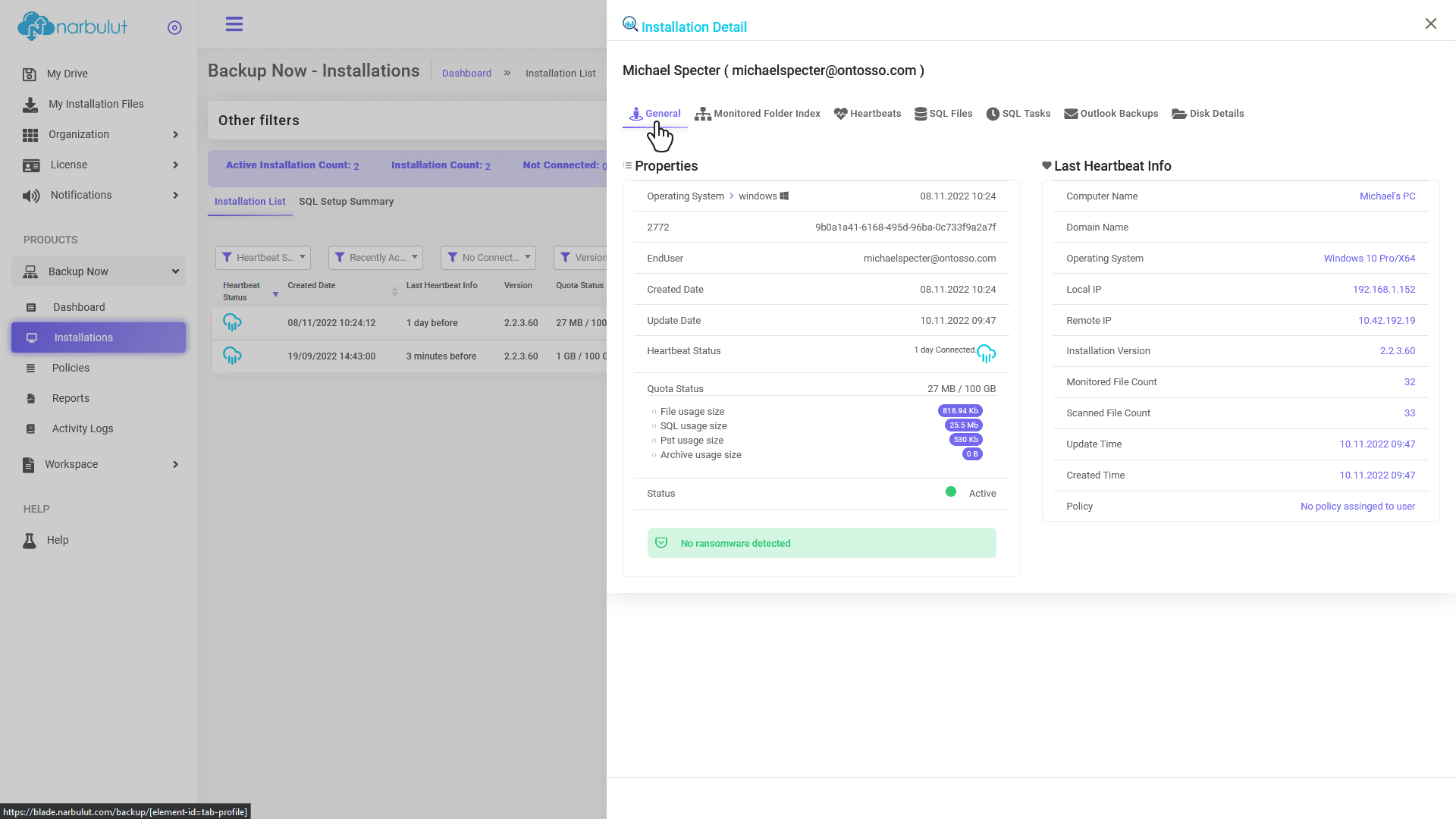
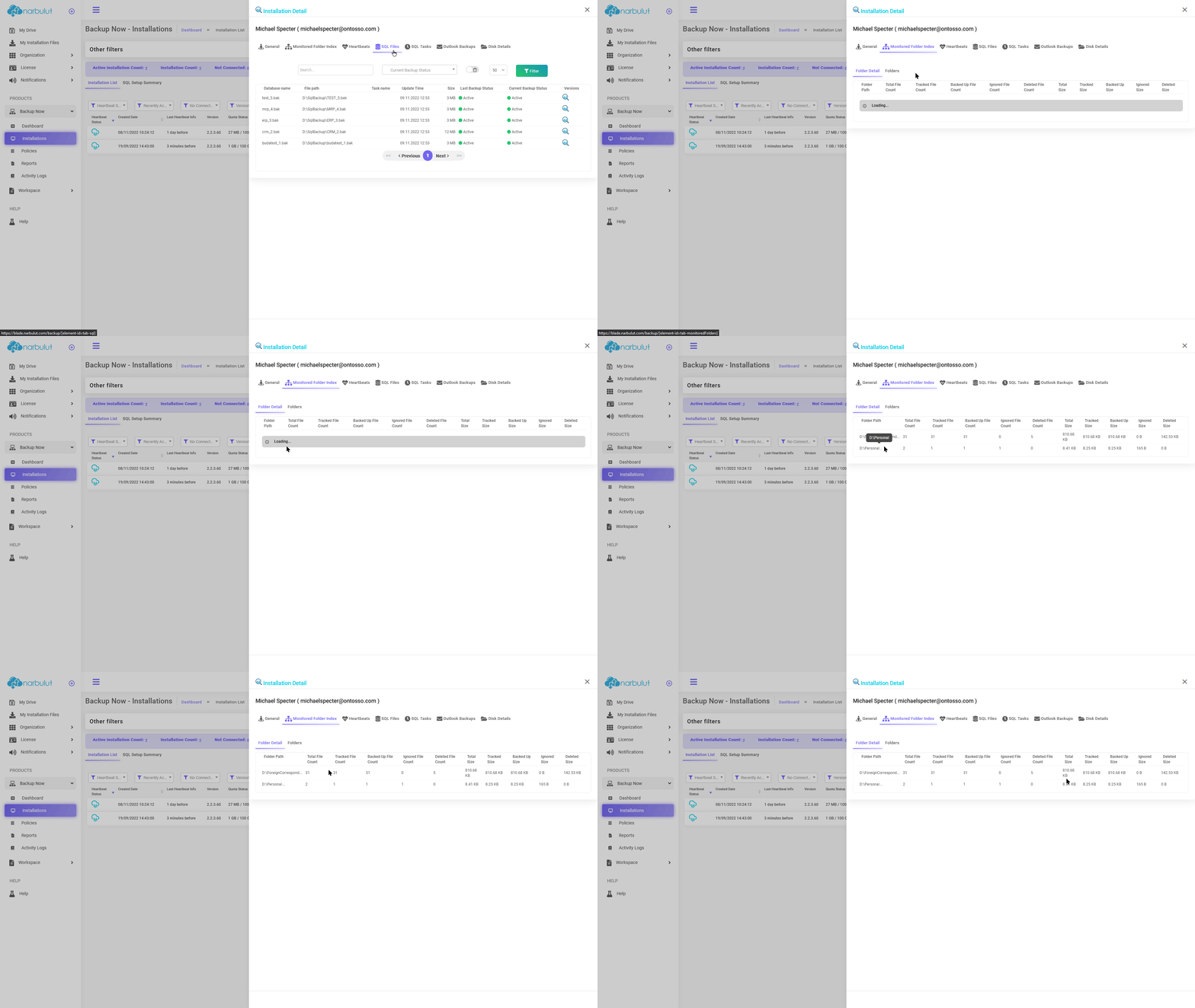
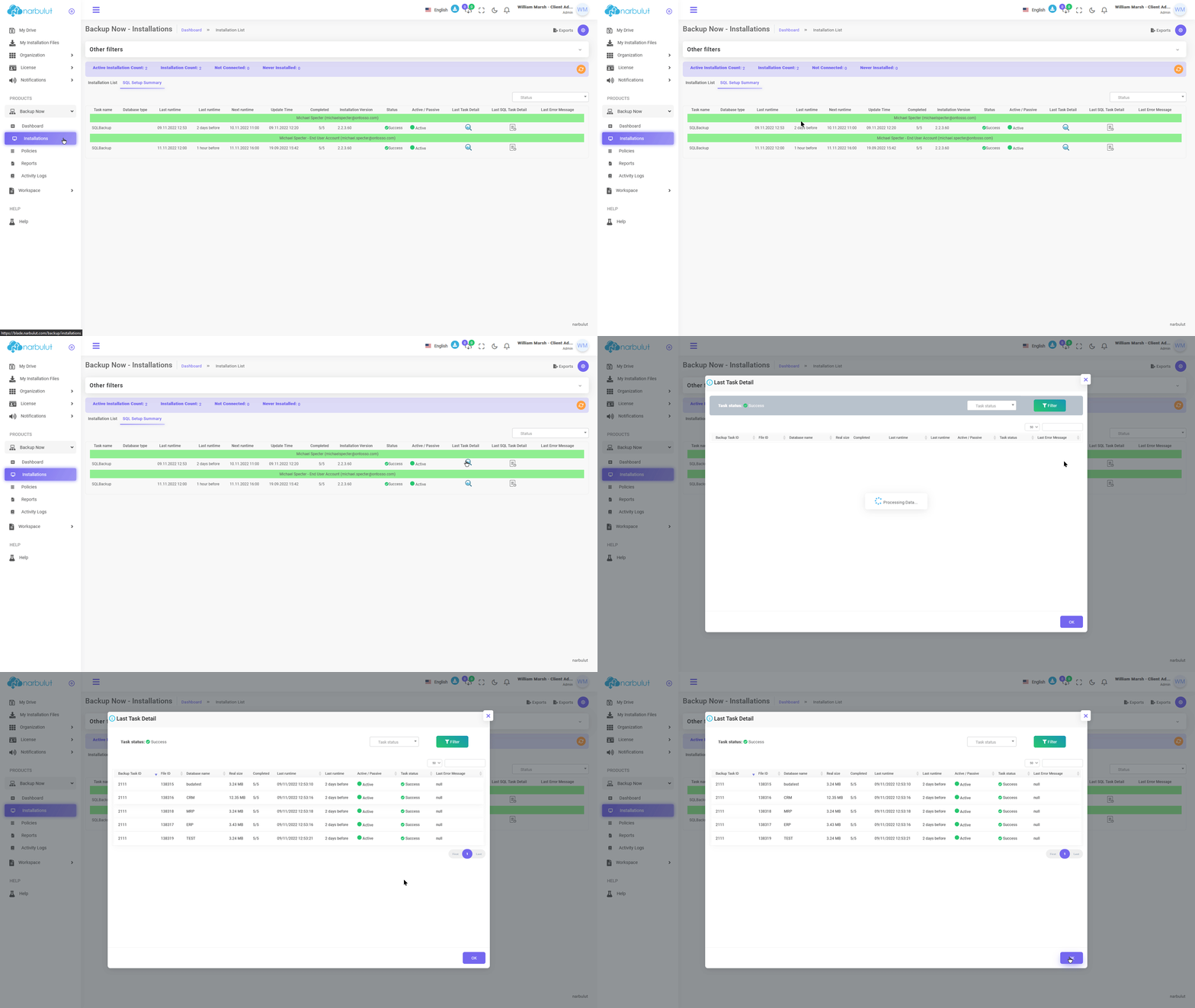
A. Kurulumlar — On this page, you can view Narbulut Backup Now installations and installation details made by the end users of your organization.
login.narbulut.com
login.narbulut.com
login.narbulut.com
login.narbulut.com
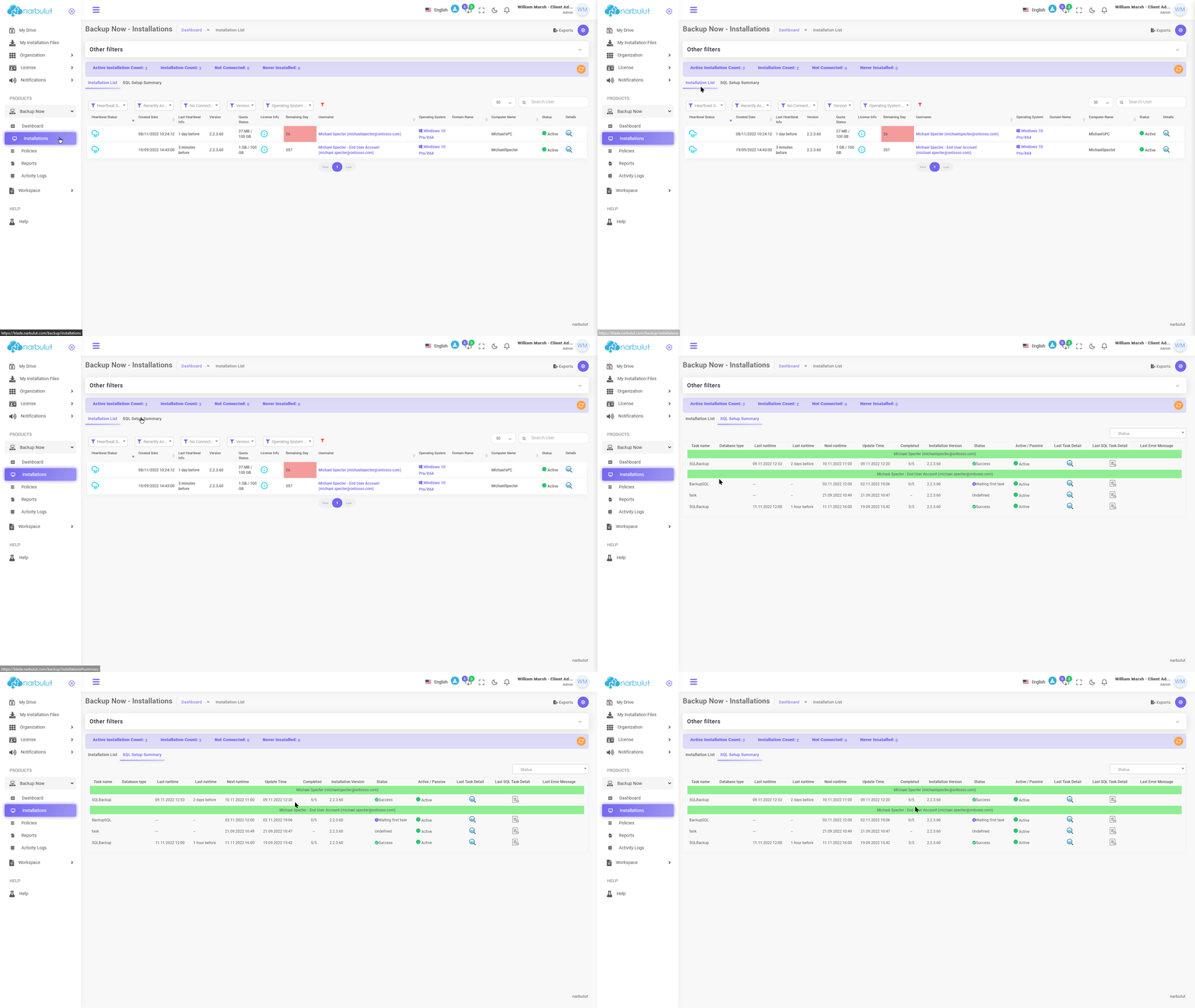
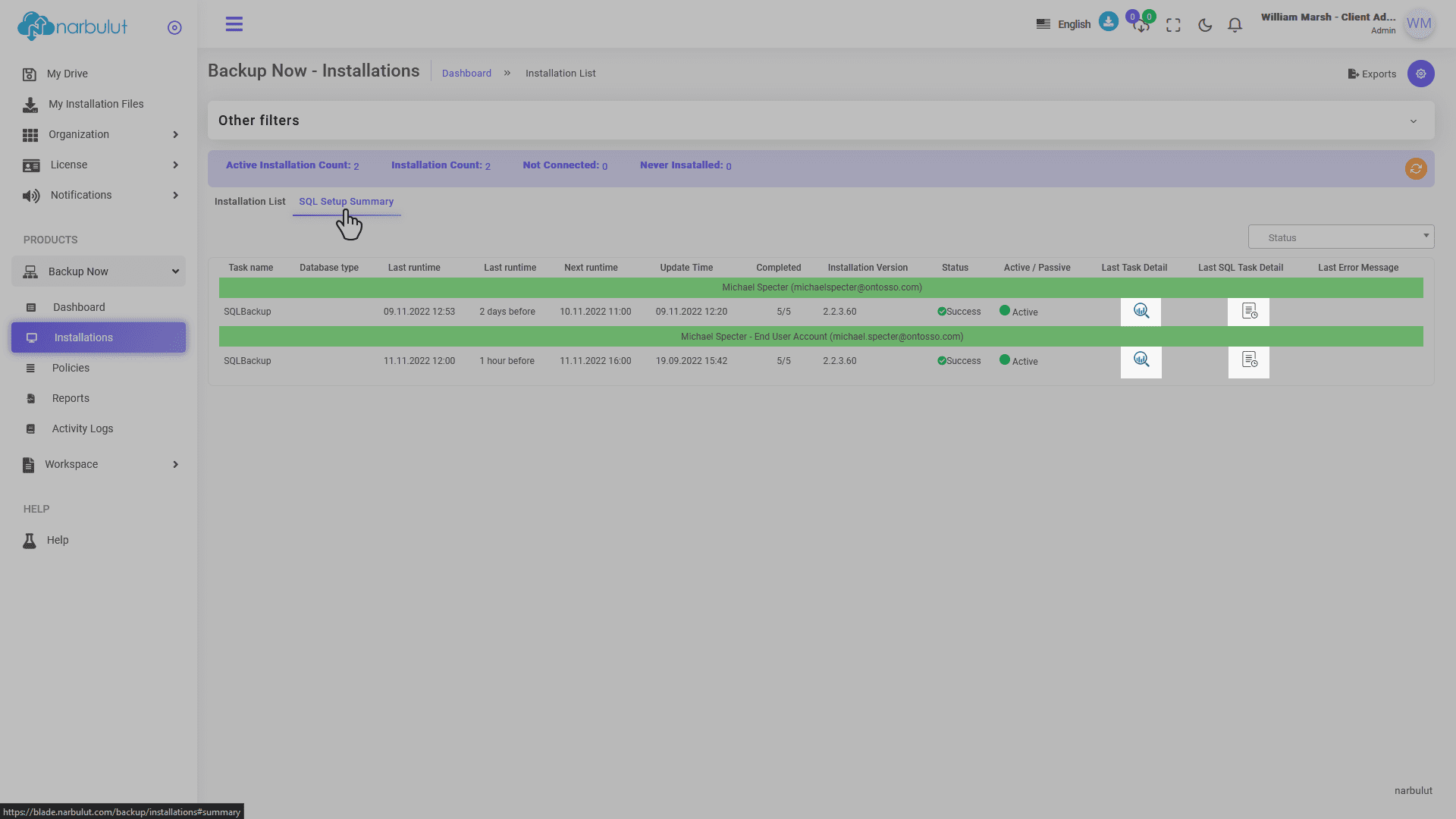
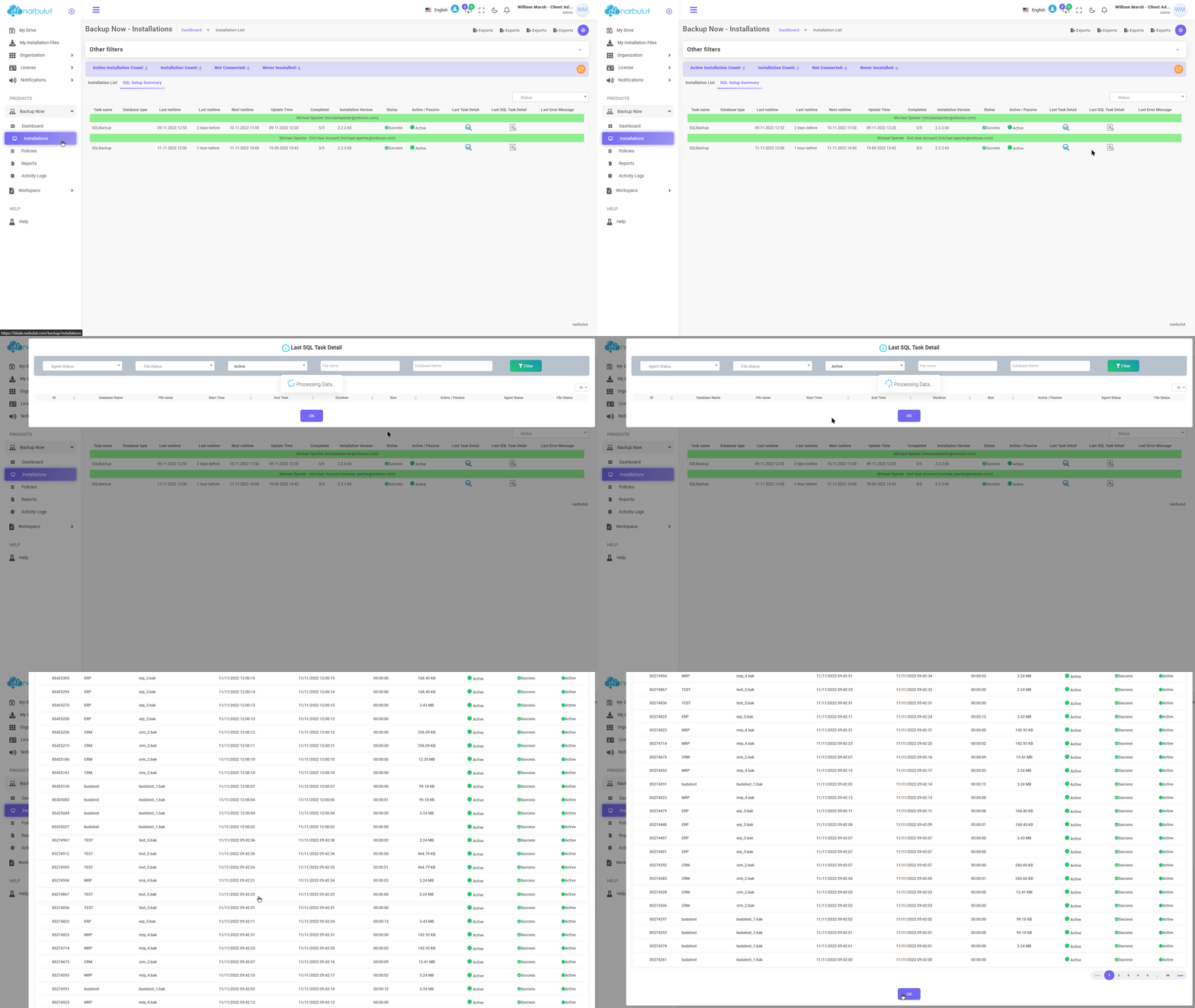
SQL Installation Summary
Through this section, you can see details about the SQL tasks of the installations. Click the “SQL Installation Summary” button.
login.narbulut.com
login.narbulut.com
login.narbulut.com
login.narbulut.com
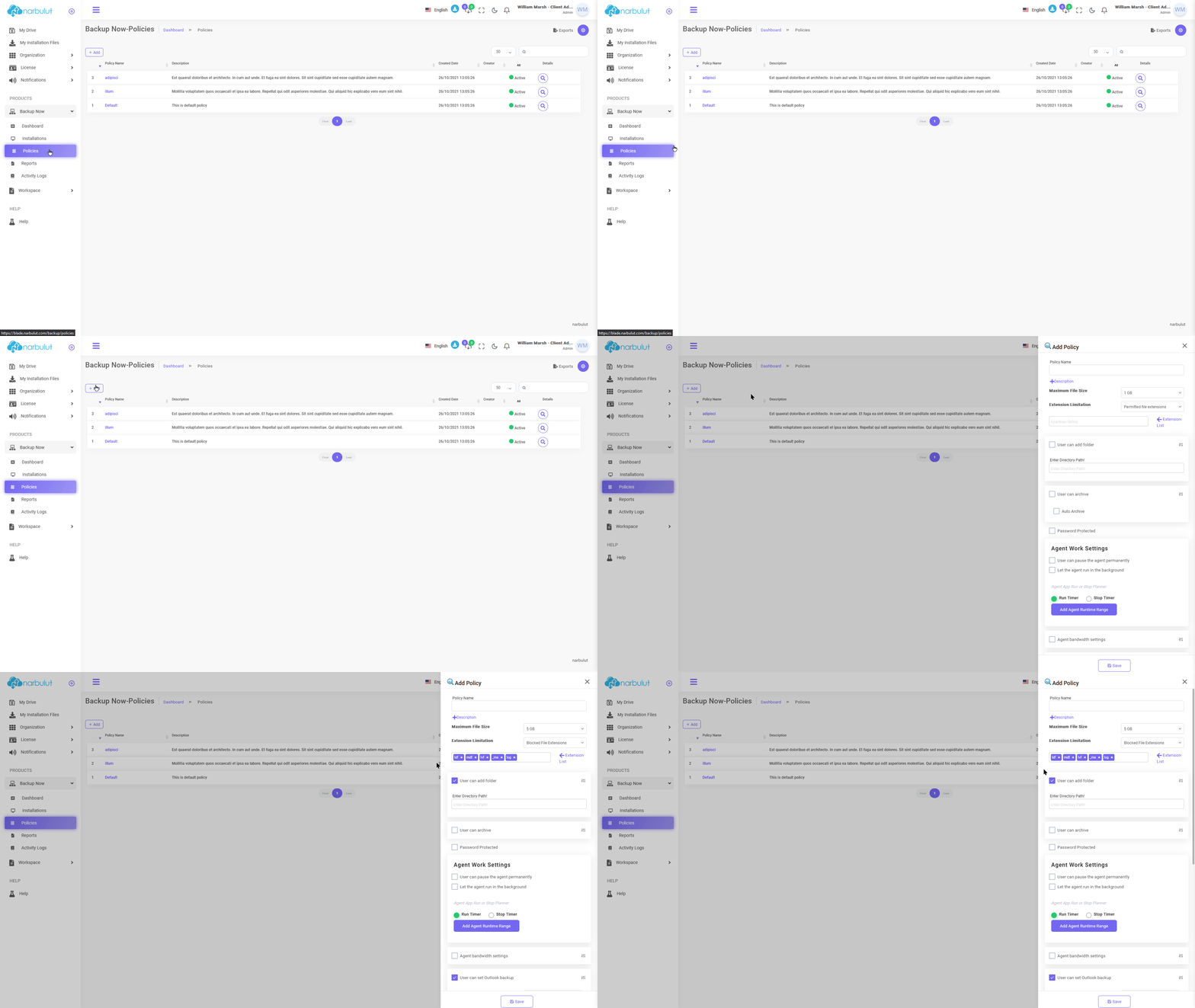
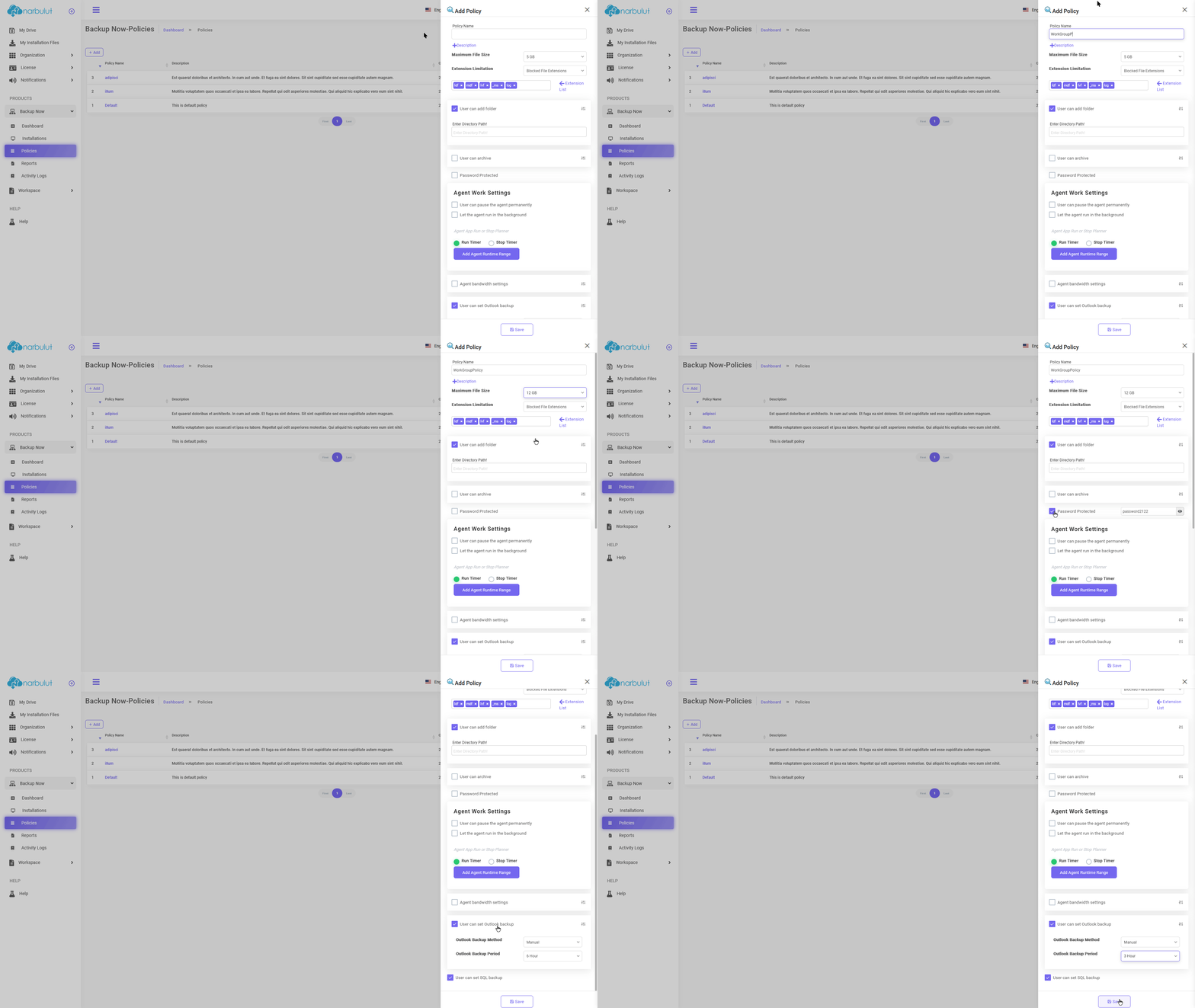
B. Politikalar — On this page, you can create policies that will affect your end users.
Click the “Add” button to create a new policy.
login.narbulut.com
login.narbulut.com
Narbulut Product Analysis
Step 1/12
What area of technological improvement are you planning for your company?
Data Security & BackupRansomware, deleted files and disaster recovery.
Cloud Server (IaaS)Website, ERP, CRM or application hosting.
Team CollaborationSecure file sharing and remote work.
Object Storage (S3)Object Storage for developers.
What industry does your company operate in?
Healthcare / MedicalPatient data (GDPR critical).
Finance / AccountingSensitive financial data.
Manufacturing / EngineeringCAD drawings and production plans.
Other / General ServicesOffice documents and general data.
What type of devices need to be protected?
Employee ComputersLaptop and desktop end-user devices.
Physical / Virtual ServersDatabase, Active Directory or File Server.
What should your backup strategy be?
File & Folder BasedOnly important business files (XLS, PDF, SQL) should be backed up.
Full Disk ImageBack up "Everything" including the operating system.
What is your upload speed for cloud backup?
Fiber / High SpeedI can send large data quickly.
Standard / ADSLMy speed is limited, compression is important.
Is ransomware a threat?
Yes, Very CriticalWe have experienced it before or are at risk.
Standard Protection is SufficientBasic backup measures are enough.
How long would you like to keep versions?
30 - 90 DaysTo fix recent errors.
1 Year and AboveLegal requirements or archiving.
What will be the primary purpose of the server?
E-Commerce / WebsiteHigh uptime and speed required.
ERP / Accounting SoftwareDatabase performance is important.
Software DevelopmentFlexible resource management.
What infrastructure do you need?
Windows ServerASP.NET, MSSQL, RDP.
Linux (Ubuntu/CentOS)PHP, Python, MySQL, Docker.
What is the estimated user traffic?
Low / MediumEntry level or new project.
High TrafficHeavy campaigns or many users.
Who will manage the server?
I Will Manage ItI have a technical team, root access is enough.
I Need SupportManaged Services required.
How many people will work in the shared workspace?