Narbulut Backup Now End User Panel Getting Started Guide
Narbulut Backup Now End User Panel Getting Started Guide
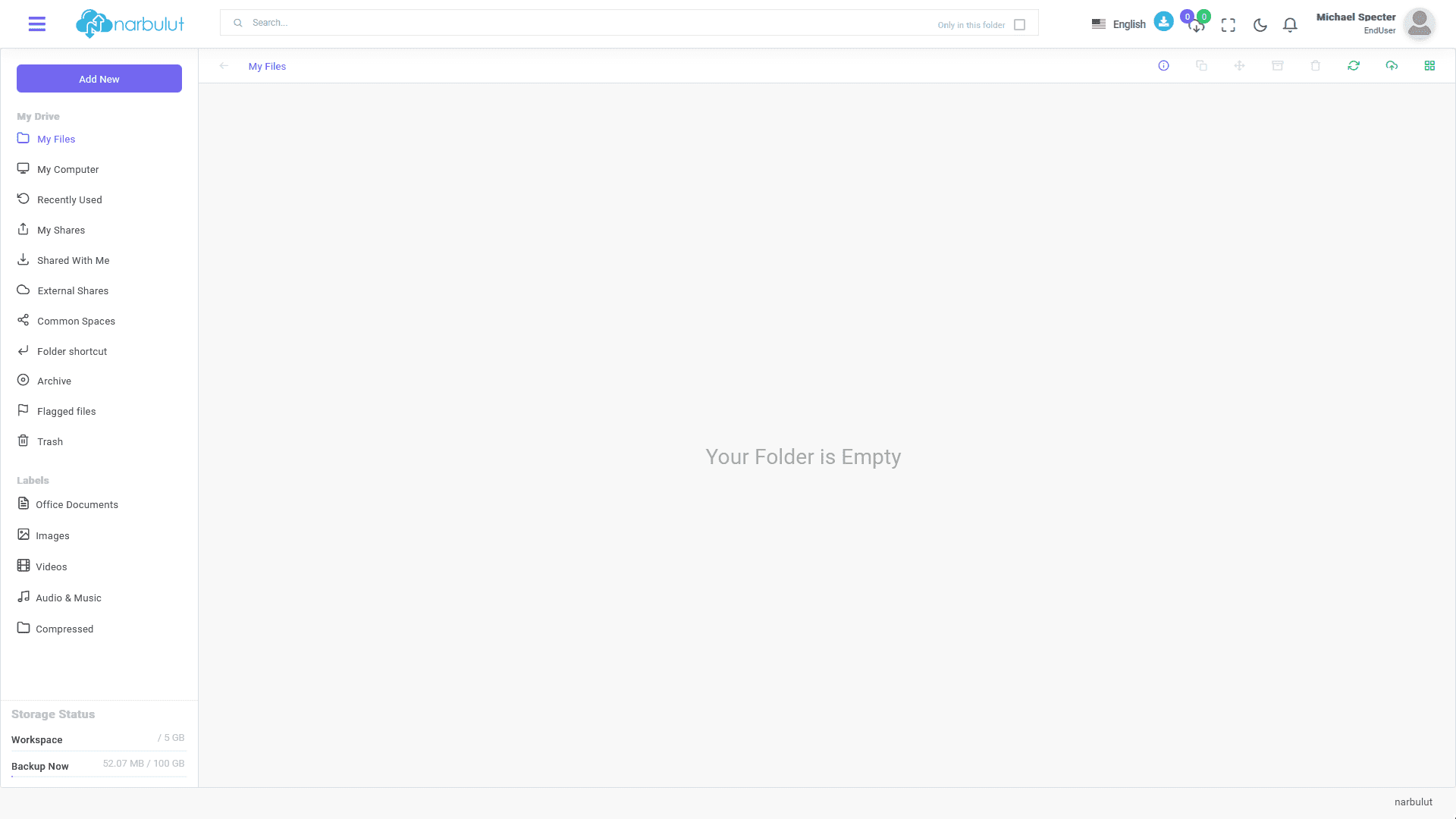
This guide explains step by step the basic features and usage of Narbulut Backup Now End User Panel. After logging in to the panel, the “My Disk” page welcomes you.
login.narbulut.com
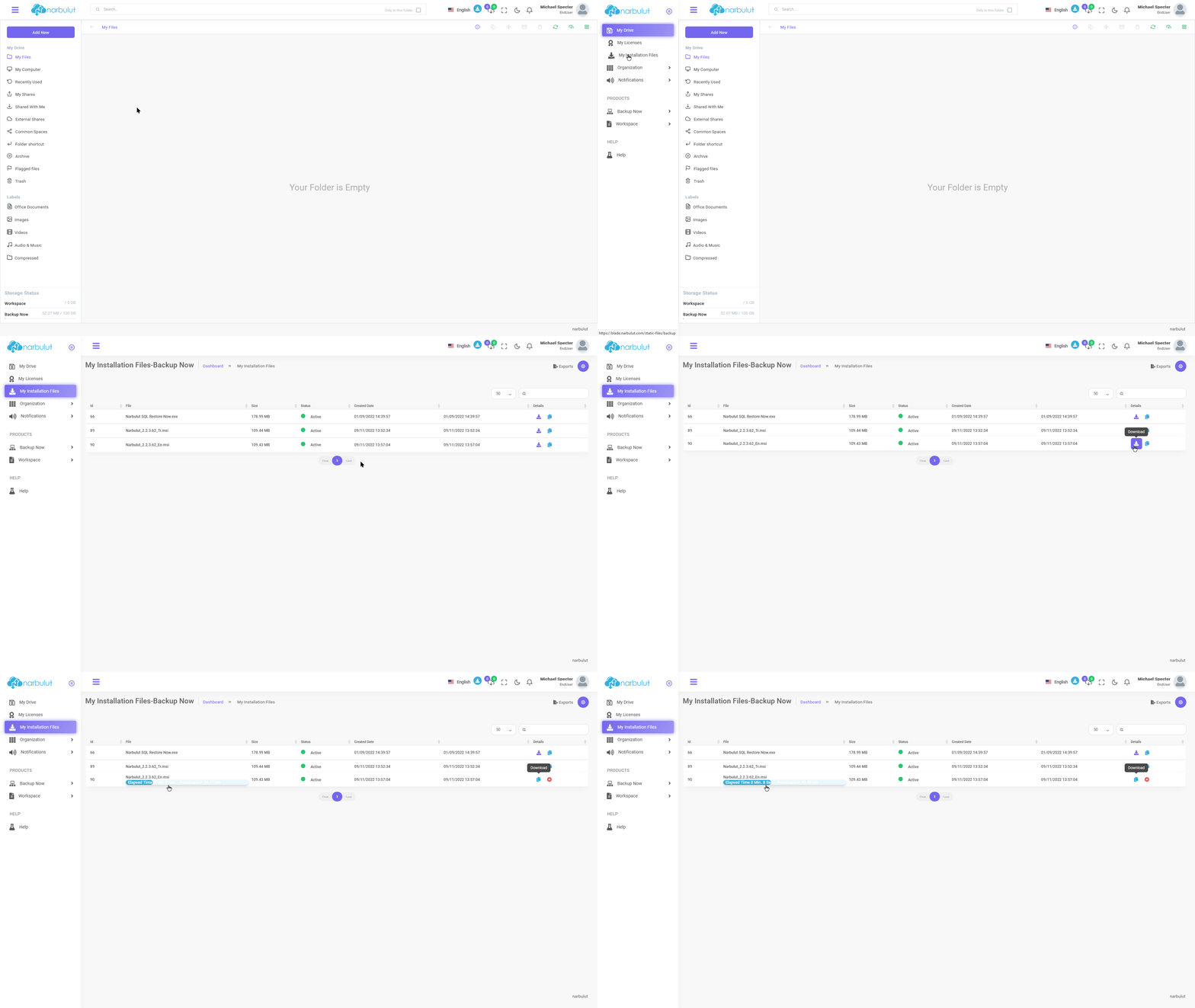
My Installation Files
In this menu, you can download the installation file of the “Narbulut Backup Now” application. Click the “Download” button. You can copy the download link using the “Copy Download Link” button next to it.
login.narbulut.com
My Disk
On this page, you can upload files to your domain and manage the files you upload. You can also view and download your backup files using this menu. You can also download backed up Outlook files from the “My Outlook Files” submenu in this menu.
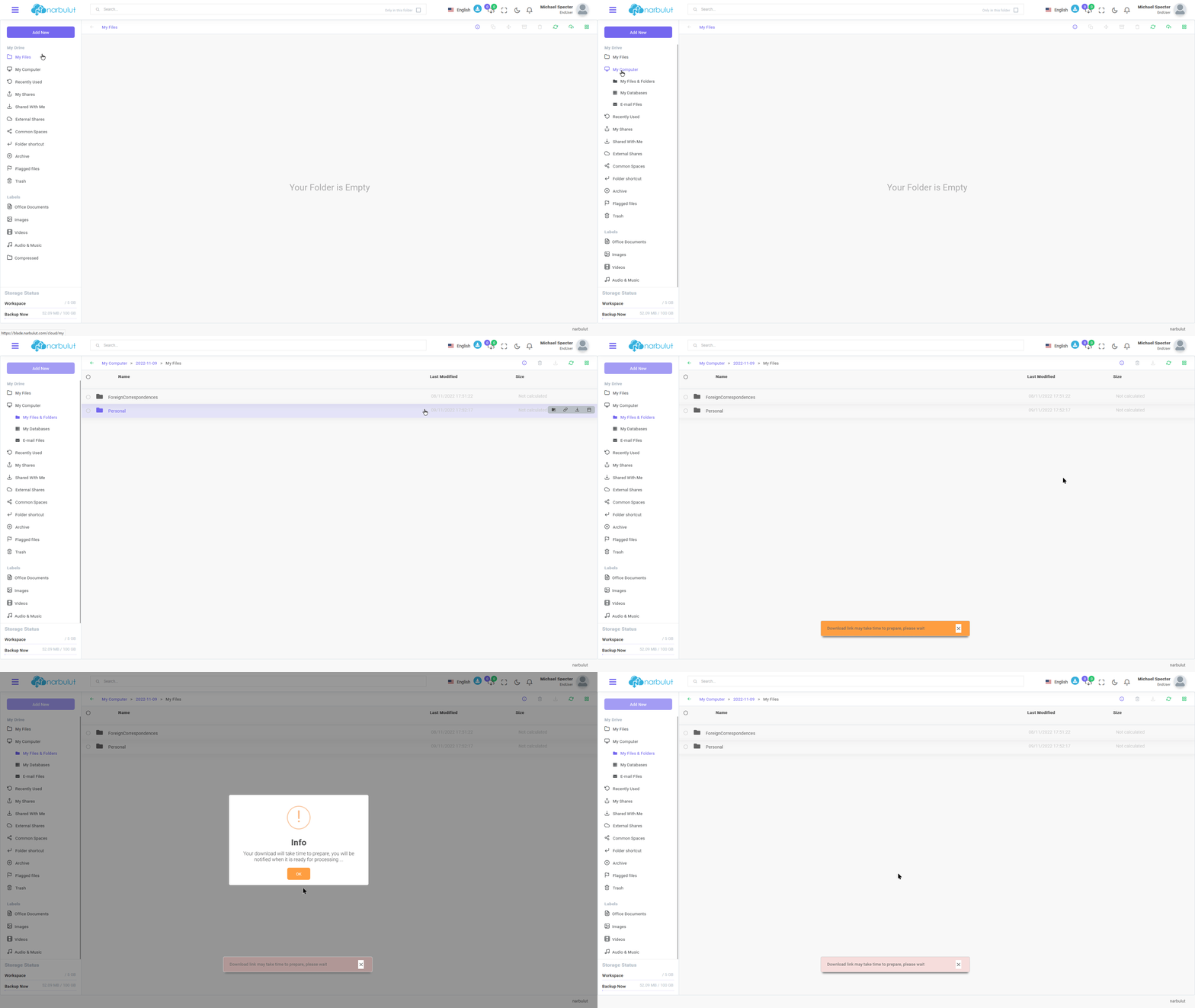
my computer
This menu has 3 submenus: “My Files”, “My Databases”, “My Outlook Files”. This guide will cover it all.
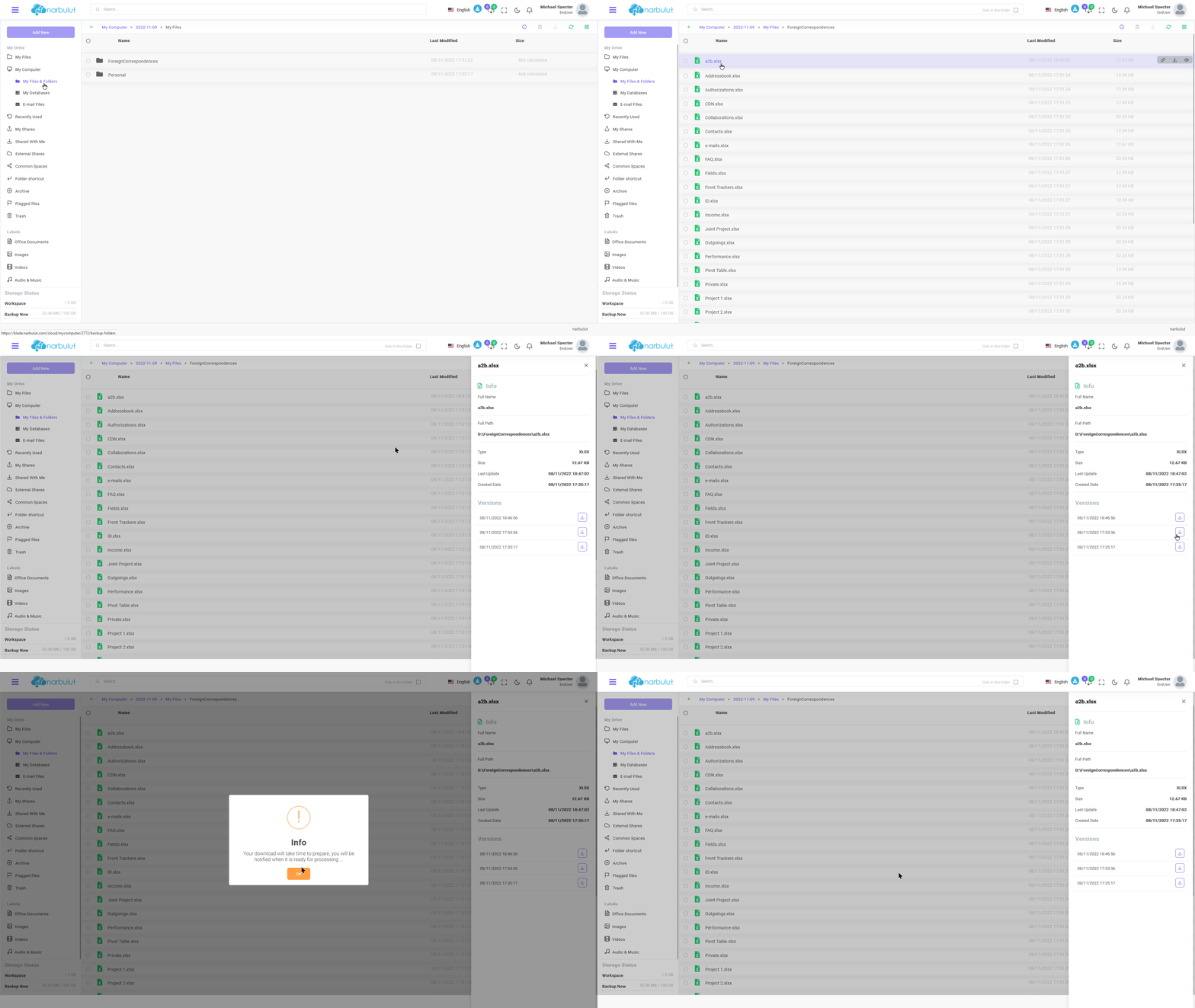
A. My files — On this page, you can find the folders you backed up using the Narbulut Backup Now application.
You can download the folders by clicking the “Download” button.
login.narbulut.com
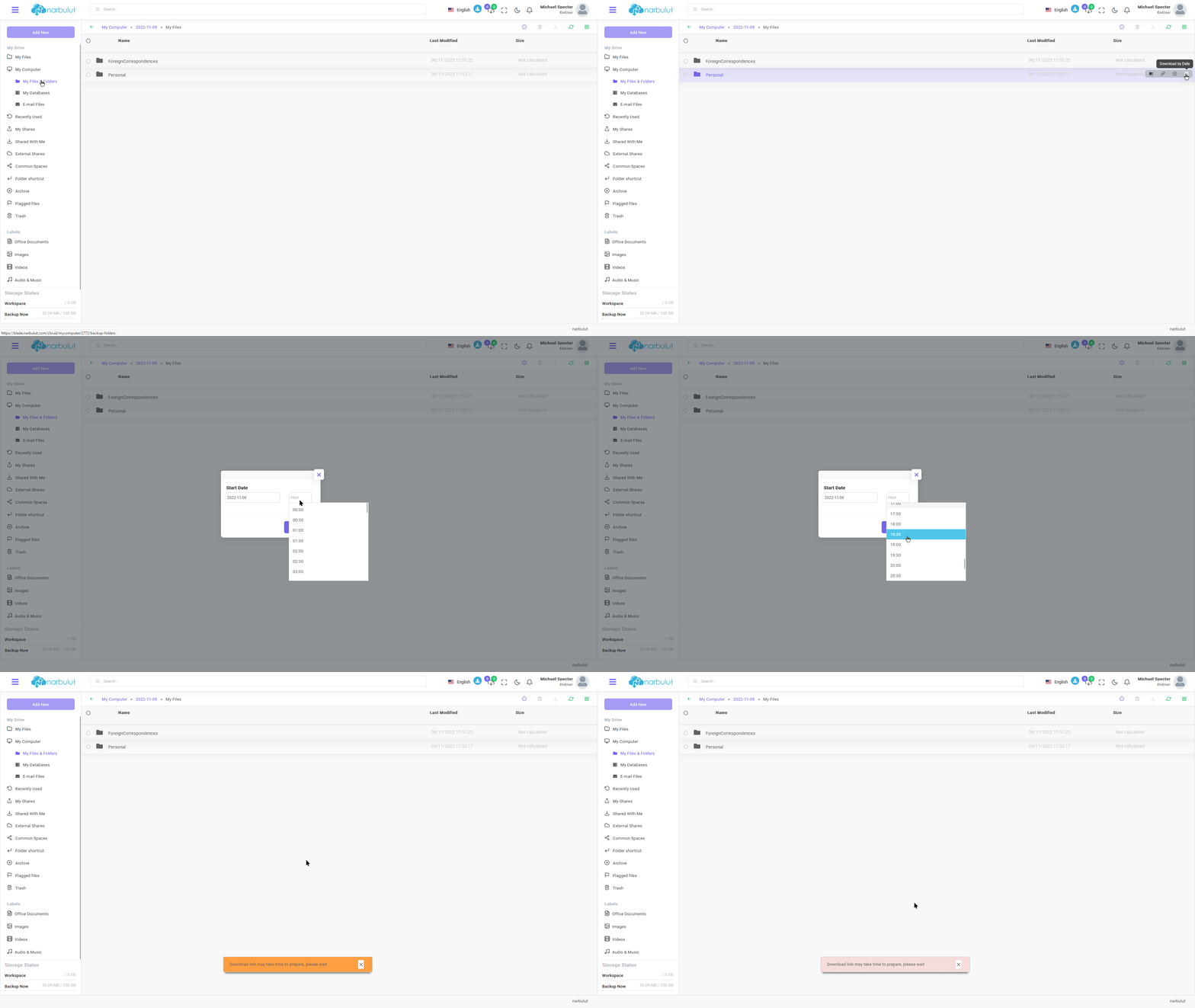
You can download the version on a specific date by downloading based on date.
login.narbulut.com
To download a single file, you can go into the folder and click the download button next to the file.
login.narbulut.com
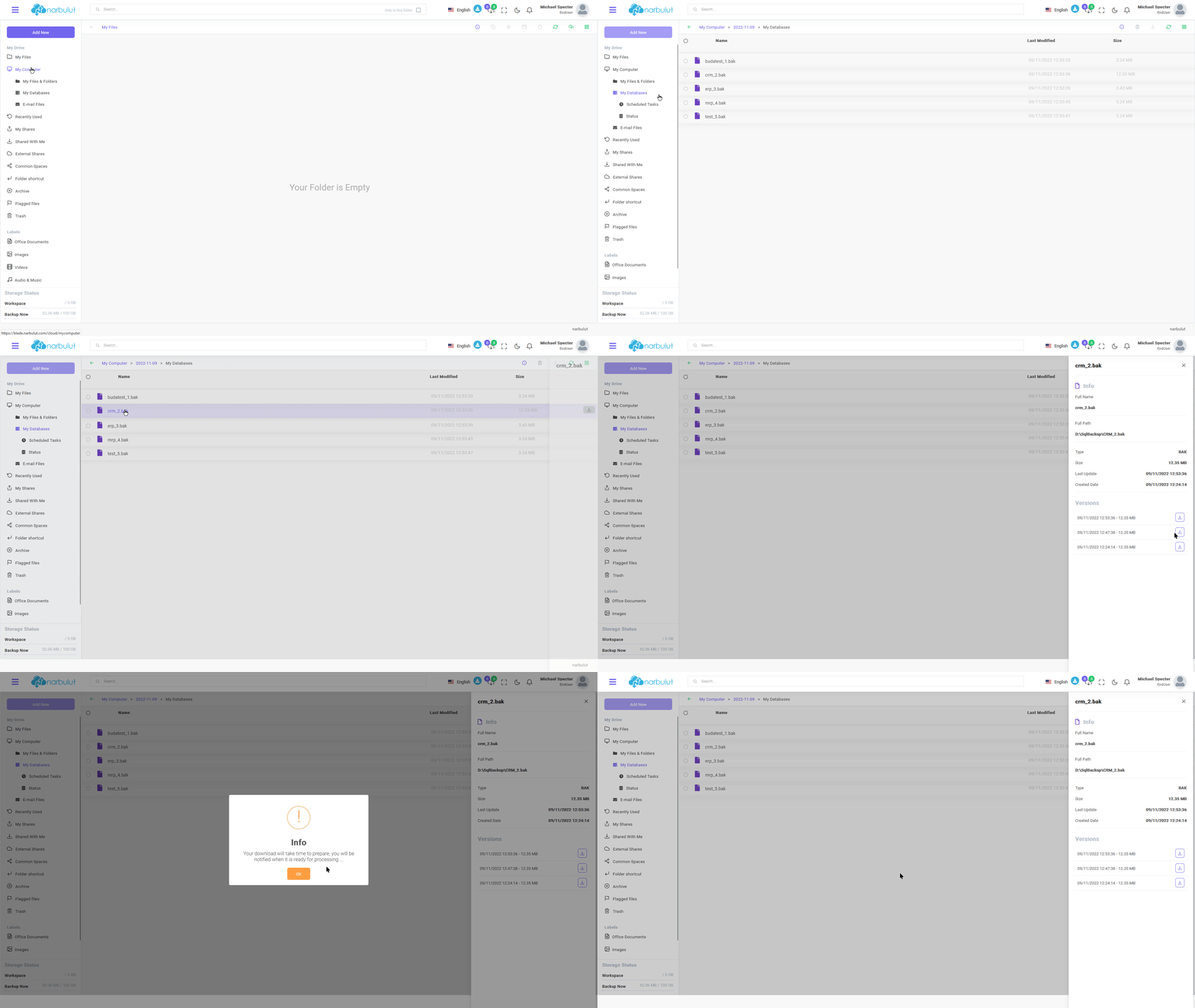
B. My Databases — In this menu, you can find the SQL databases you have backed up.
You can click on the databases to see their versions and download the one you want by clicking the download button.
login.narbulut.com
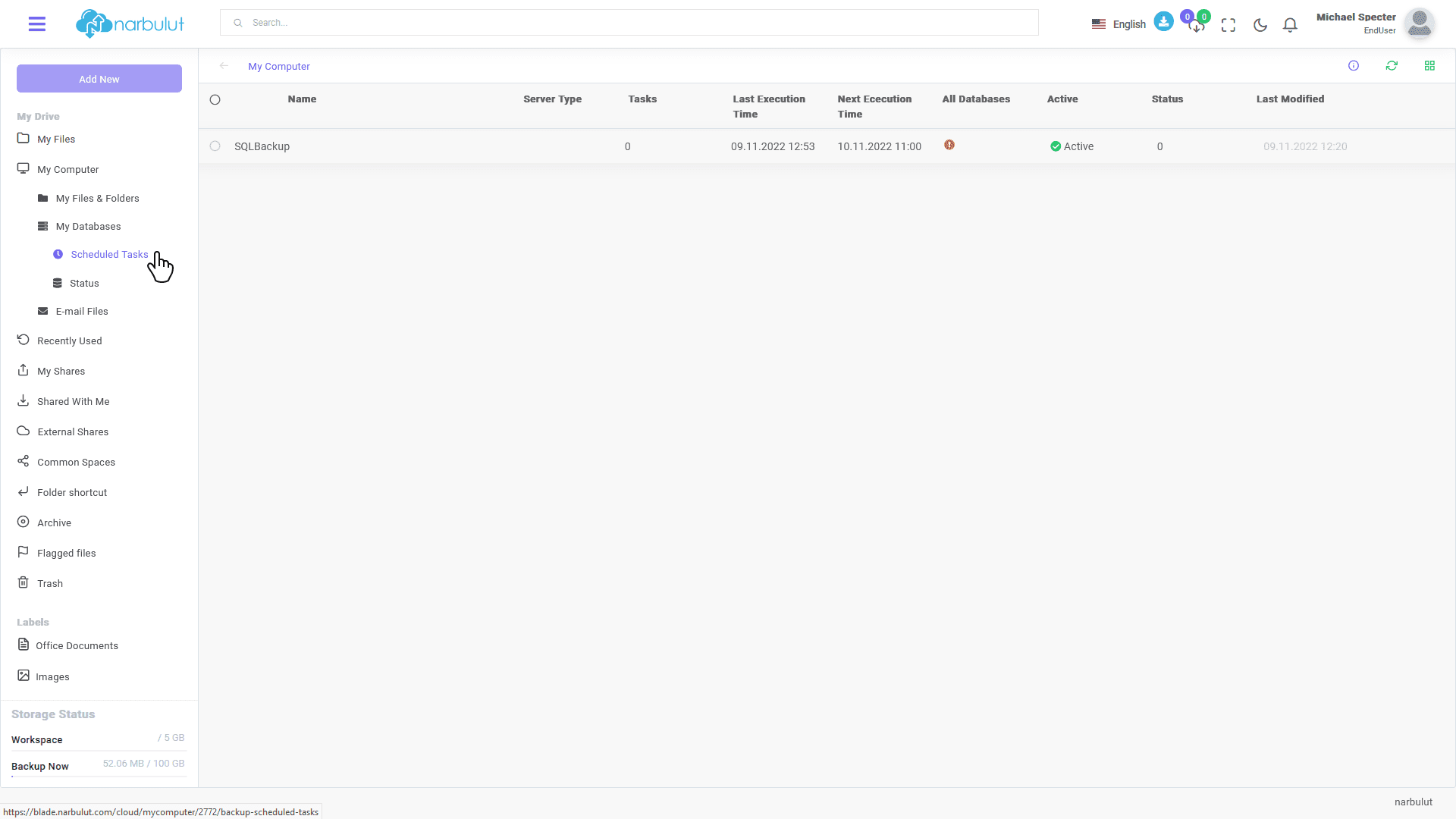
Quests
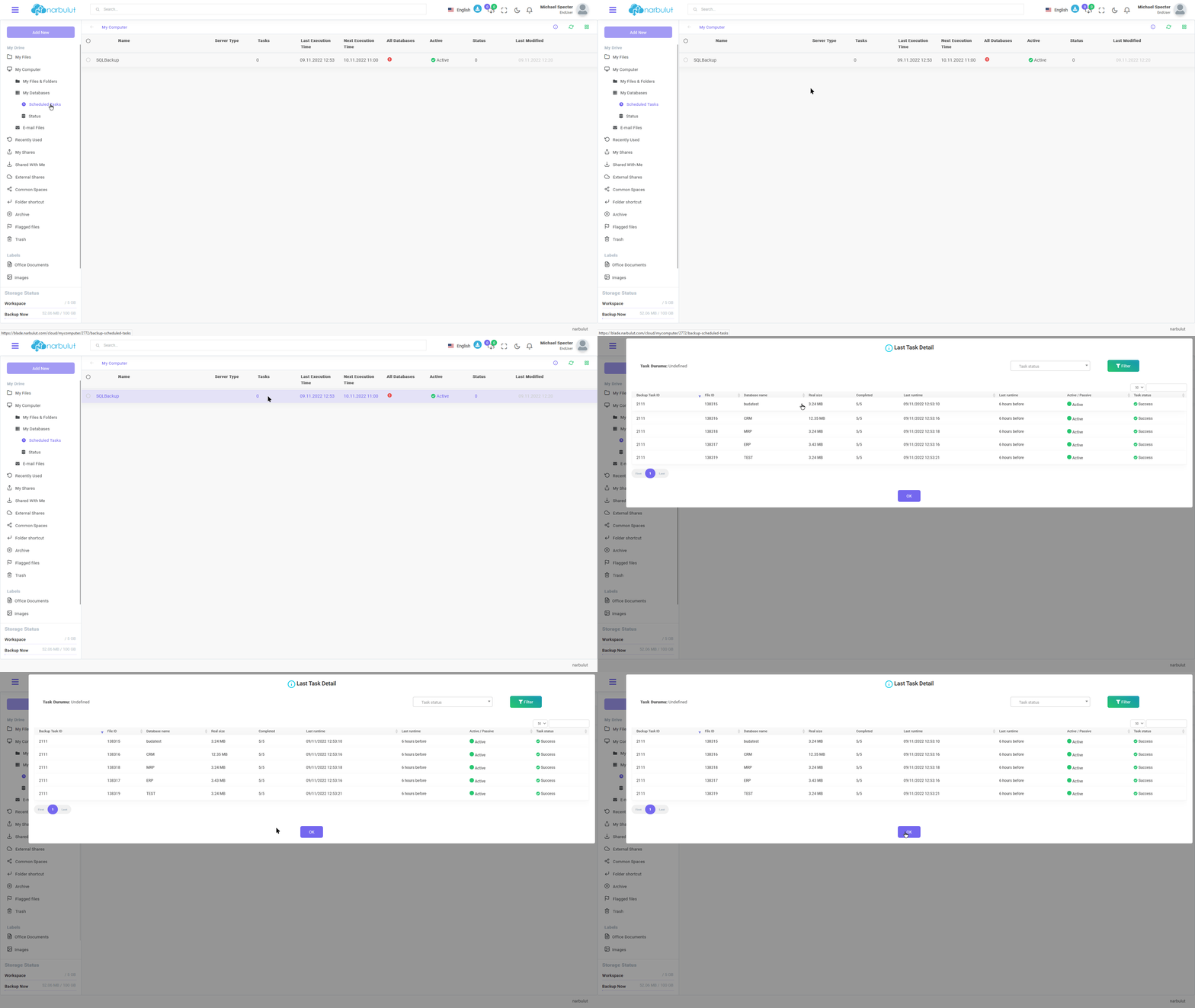
In this menu, you can find your scheduled SQL backup tasks.
login.narbulut.com
login.narbulut.com
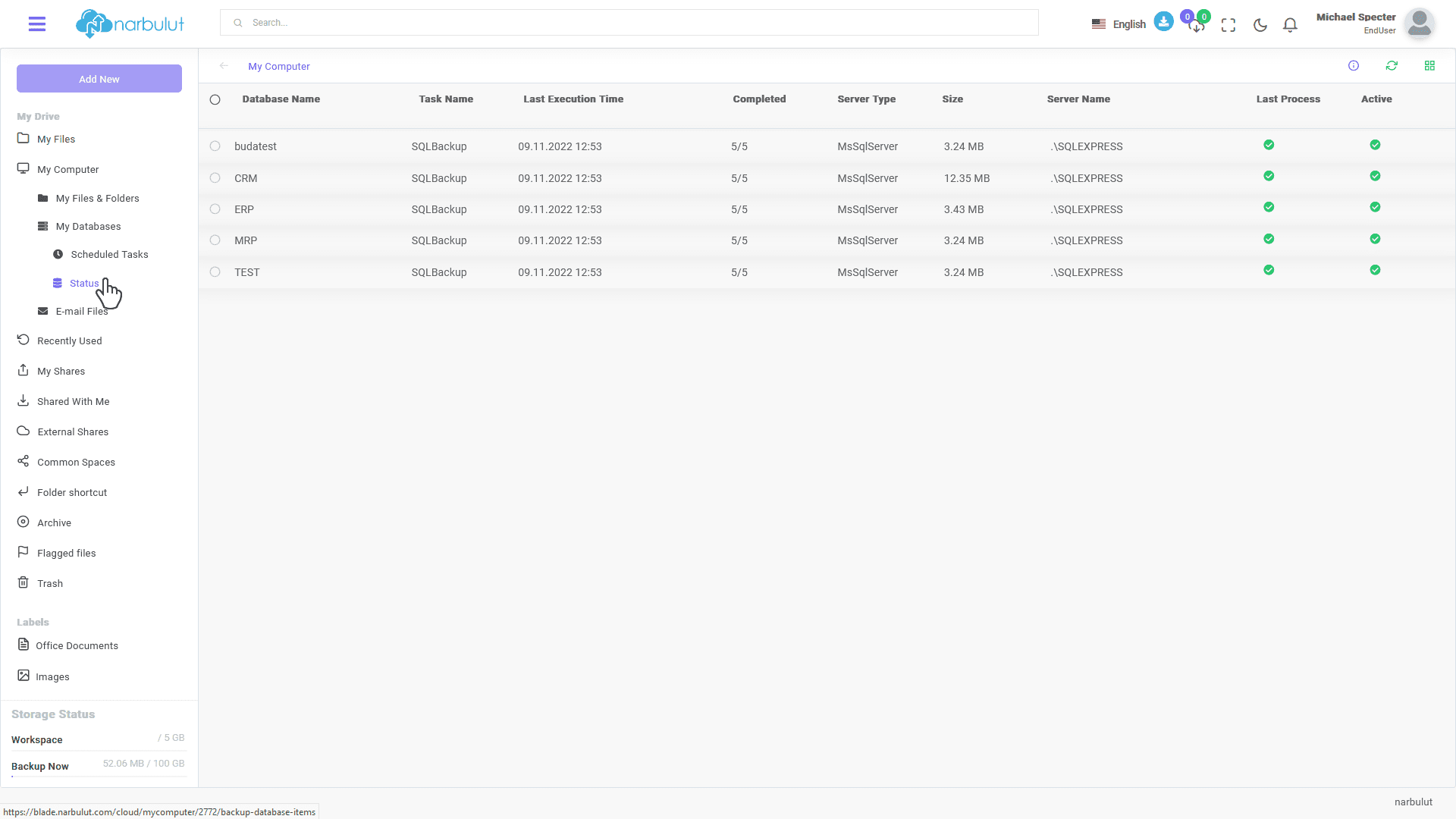
Durum Bilgisi
In this menu, you can view the status of your backed up databases.
login.narbulut.com
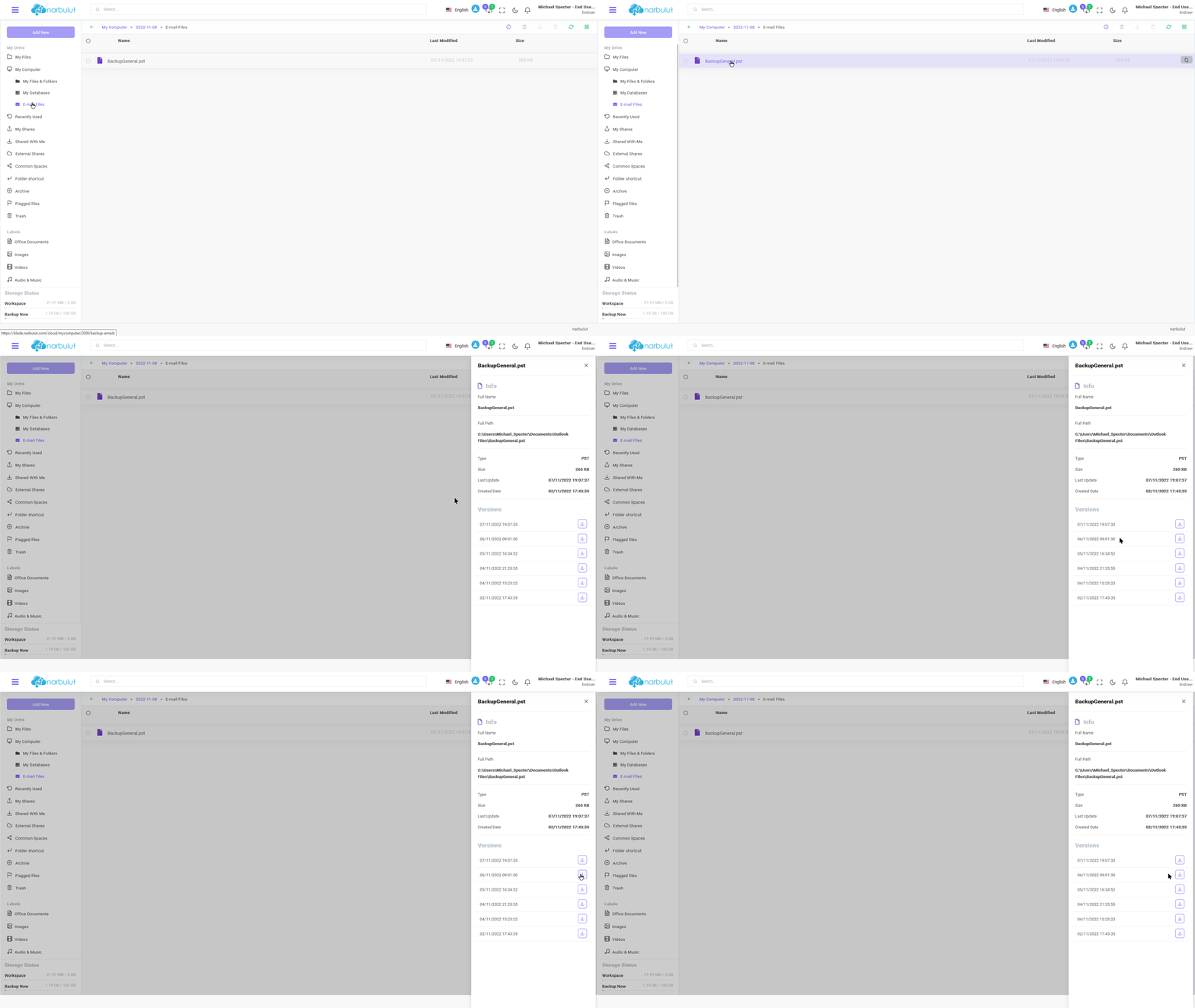
C. My Outlook Files — In this menu, you can view and download the versions of the Outlook files you have backed up.
login.narbulut.com
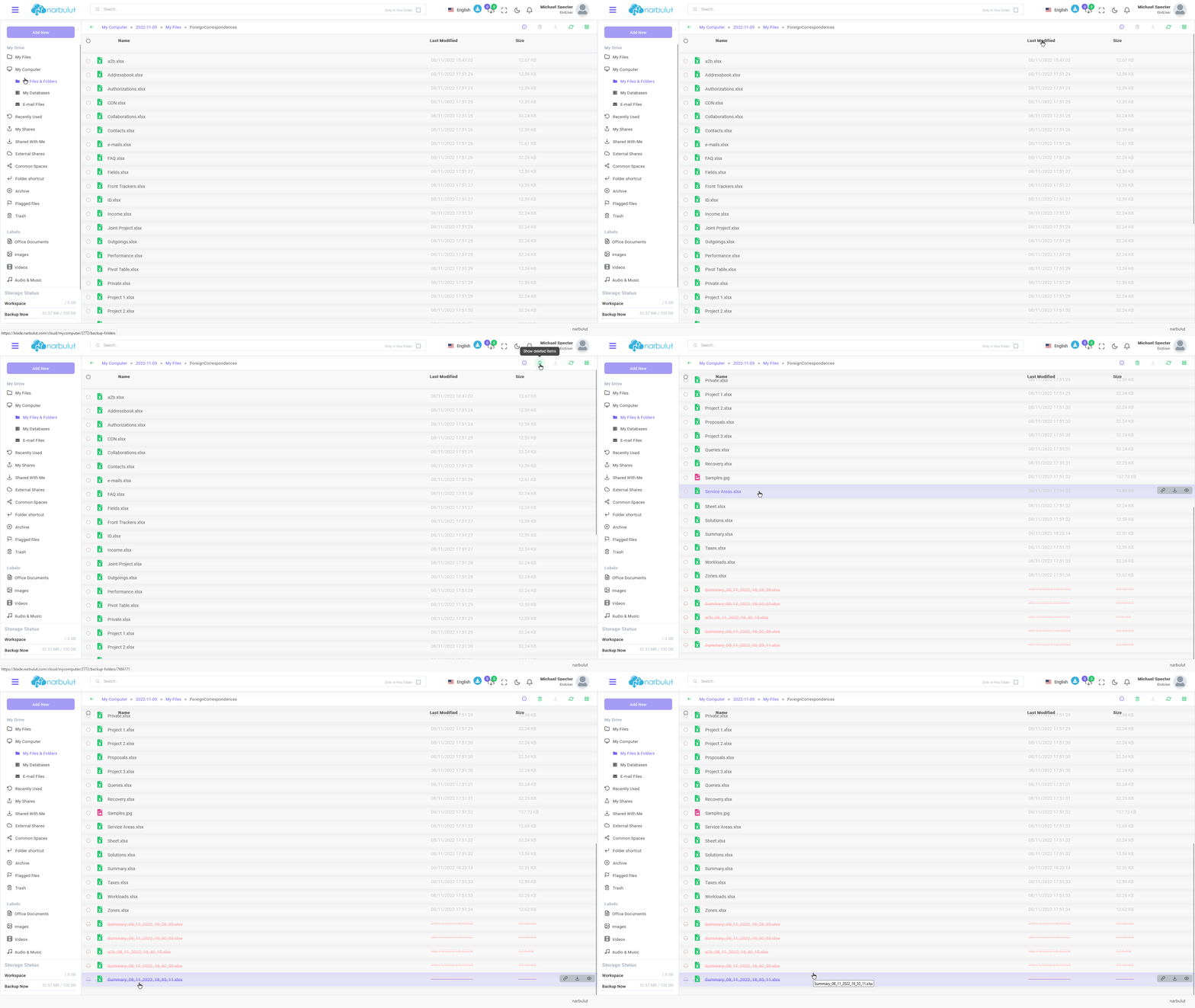
D. Deleted Items — On any of the pages, you can click the "Show Deleted" button to see deleted files or folders.
login.narbulut.com
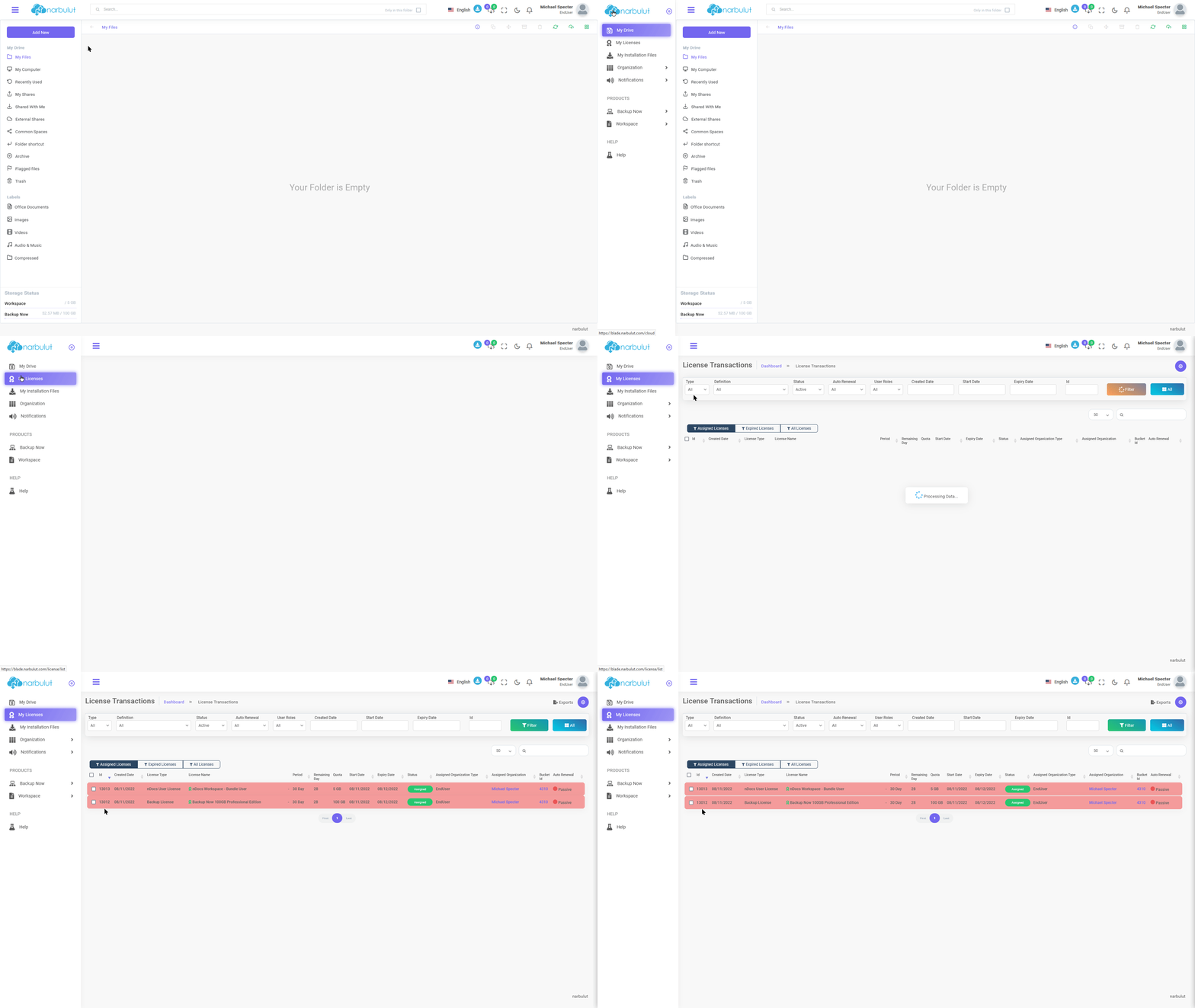
My licenses
In this menu, you can view the licenses you have.
login.narbulut.com
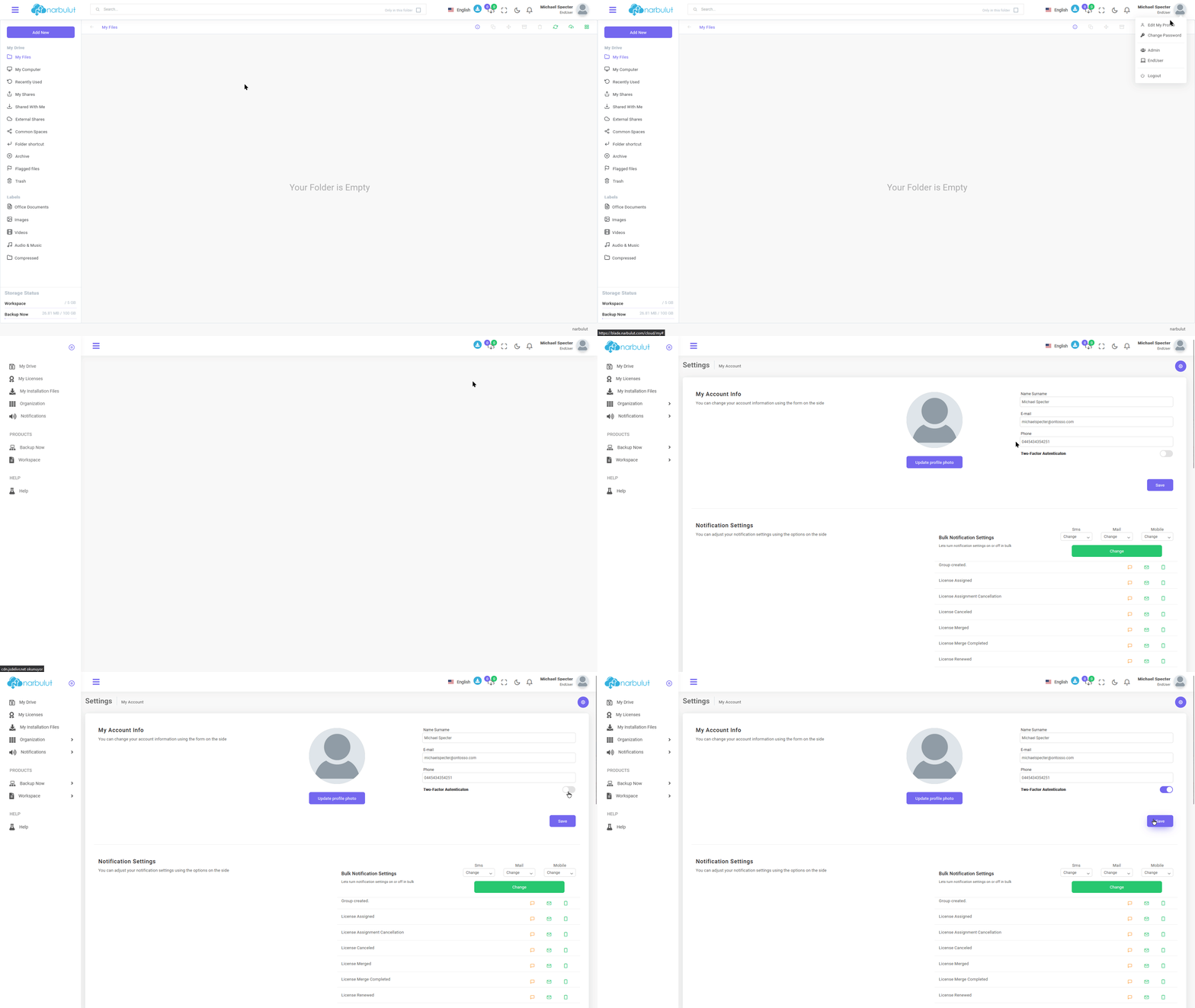
Two-Factor Authentication (2FA)
If you want to use two-step verification (2FA), click on your account name in the top right and then click “Edit My Account.” You will see the two-step verification feature, you can activate two-step verification by scanning the QR code with the one-time password creation application.
login.narbulut.com
Narbulut Product Analysis
Step 1/12
What area of technological improvement are you planning for your company?
Data Security & BackupRansomware, deleted files and disaster recovery.
Cloud Server (IaaS)Website, ERP, CRM or application hosting.
Team CollaborationSecure file sharing and remote work.
Object Storage (S3)Object Storage for developers.
What industry does your company operate in?
Healthcare / MedicalPatient data (GDPR critical).
Finance / AccountingSensitive financial data.
Manufacturing / EngineeringCAD drawings and production plans.
Other / General ServicesOffice documents and general data.
What type of devices need to be protected?
Employee ComputersLaptop and desktop end-user devices.
Physical / Virtual ServersDatabase, Active Directory or File Server.
What should your backup strategy be?
File & Folder BasedOnly important business files (XLS, PDF, SQL) should be backed up.
Full Disk ImageBack up "Everything" including the operating system.
What is your upload speed for cloud backup?
Fiber / High SpeedI can send large data quickly.
Standard / ADSLMy speed is limited, compression is important.
Is ransomware a threat?
Yes, Very CriticalWe have experienced it before or are at risk.
Standard Protection is SufficientBasic backup measures are enough.
How long would you like to keep versions?
30 - 90 DaysTo fix recent errors.
1 Year and AboveLegal requirements or archiving.
What will be the primary purpose of the server?
E-Commerce / WebsiteHigh uptime and speed required.
ERP / Accounting SoftwareDatabase performance is important.
Software DevelopmentFlexible resource management.
What infrastructure do you need?
Windows ServerASP.NET, MSSQL, RDP.
Linux (Ubuntu/CentOS)PHP, Python, MySQL, Docker.
What is the estimated user traffic?
Low / MediumEntry level or new project.
High TrafficHeavy campaigns or many users.
Who will manage the server?
I Will Manage ItI have a technical team, root access is enough.
I Need SupportManaged Services required.
How many people will work in the shared workspace?