
- Company
-
Products
Products
New ProductCloud Server
Fully managed virtual server infrastructure. Setup in minutes, hourly billing and expert support so you can focus on your business.
Try Now -
Solutions
Backup & Security
Data SecurityRansomware & encryptionSilent Ransom: TDEProtection against TDE abuseCloud BackupSecure backup to data centersImage BackupFull disk image + fast recoveryOff-Site BackupOff-site disaster recoveryMobile BackupiOS & Android photos/contactsRansomware ProtectionAgainst ransomware attacksTwo-Factor Auth2FA account security - Plans
- Resources
- Partners
- Blog
How to Perform Folder/File Based Restore with Narbulut Easy Image Backup?
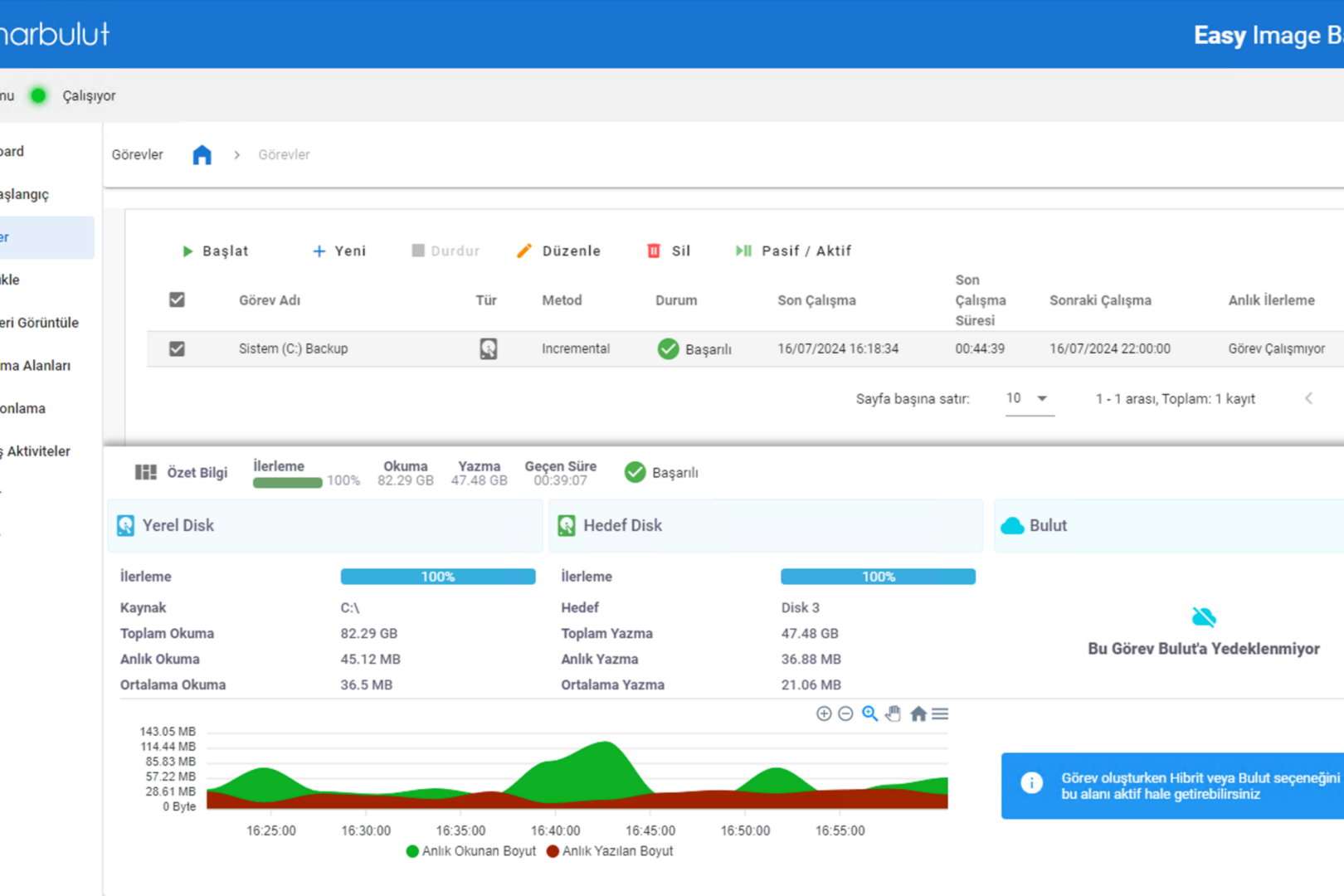
How to Perform Folder/File Based Restore with Narbulut Easy Image Backup?
What is Image Backup?
An image backup is a type of backup that creates an exact copy of a hard drive or partition. This includes the operating system, installed applications and all the user’s data. Image backups are often used to protect against catastrophic data loss events such as hardware failure or malware attack.
What is Narbulut Easy Image Backup?
Narbulut Easy Image Backup is a 100% local and national backup application that makes your image backup operations easier. Narbulut Easy Image Backup; It automatically performs your image backup operations at the time intervals you specify, through scheduled tasks.
Folder/File Based Restore with Narbulut Easy Image Backup
Narbulut Easy Image Backup; It allows users to download the files/folders they select from the image backups they have taken, via the Narbulut web panel, and to restore them to the desired directory via the application.
Folder/File Based Via Narbulut Easy Image Backup Application
Restore
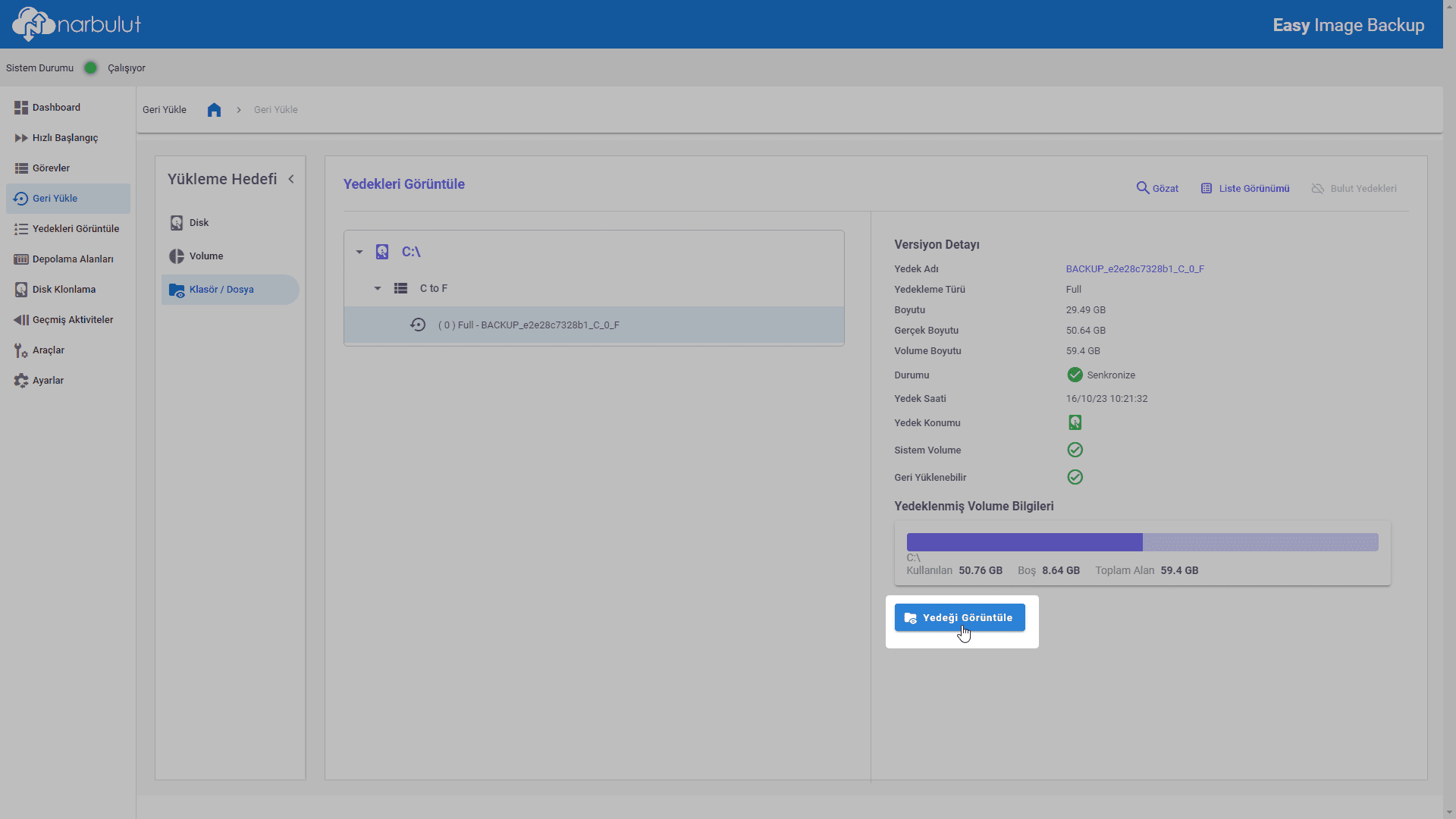
- To perform folder/file based restore Narbulut Easy Image Backup in the application Restore Go to menu. Installation destination selection Folder/File Do it as. Select an image backup to access the data inside and View Backup Click the button.
2. Select the folders and files you want to restore. To navigate within folders, double-click on them. After completing the selection process Restore Click the button.
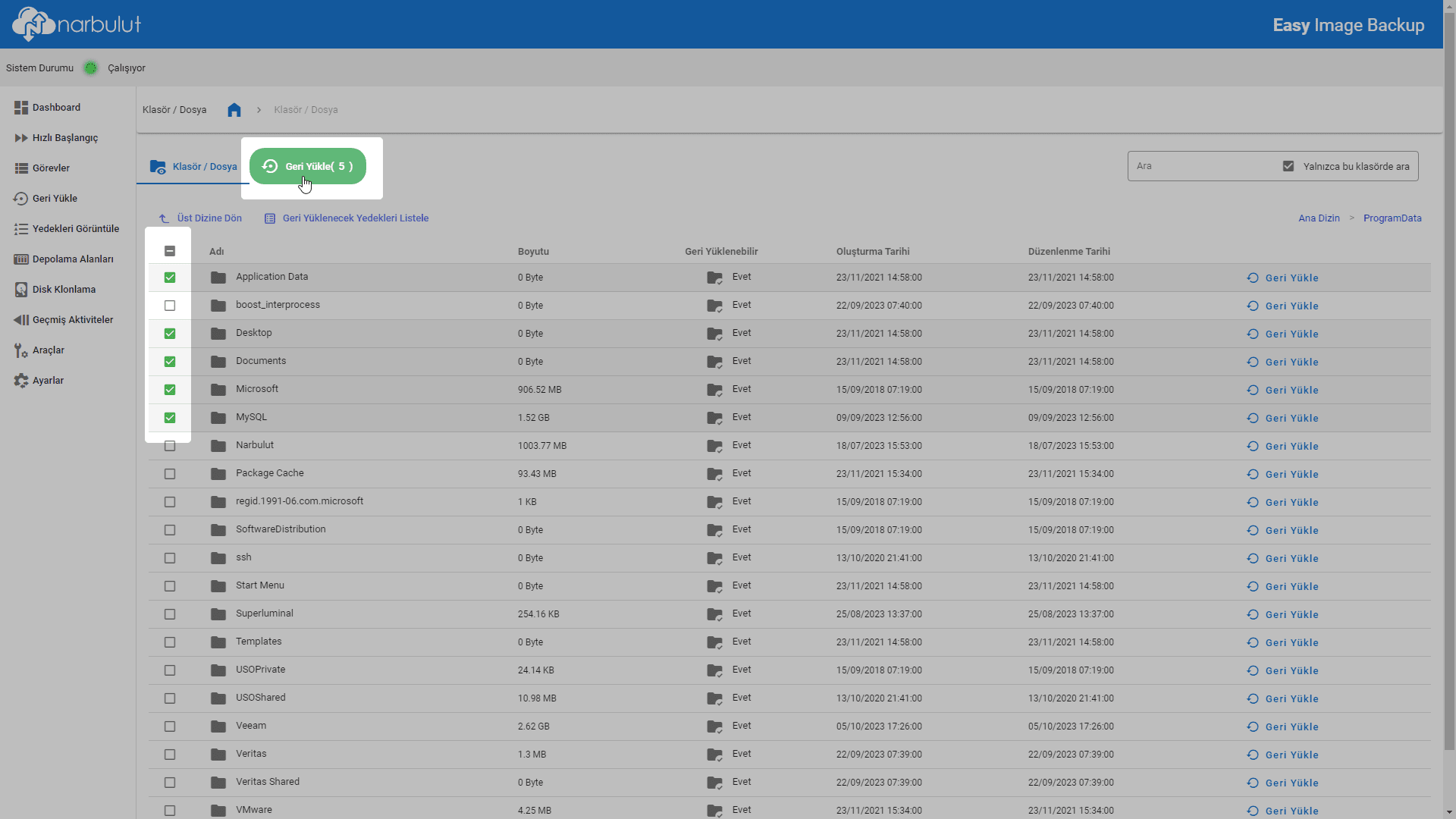
To restore a single item, just restore that item. Restore You can click the button.
3. Browse Select the target directory to restore using the button. Decide whether to overwrite if files with the same name are encountered in the target directory. start Start the restore process with the button.

4. Wait until your restore is complete. You can follow the progress of the process from the progress bar.

After the process is completed, you can find the files and folders you selected in the restore target directory.
Folder/File Based Restore via Narbulut Web Panel
1. Log in to Narbulut web panel (login.narbulut.com). Go to Products > Easy Image Backup > View Backups.
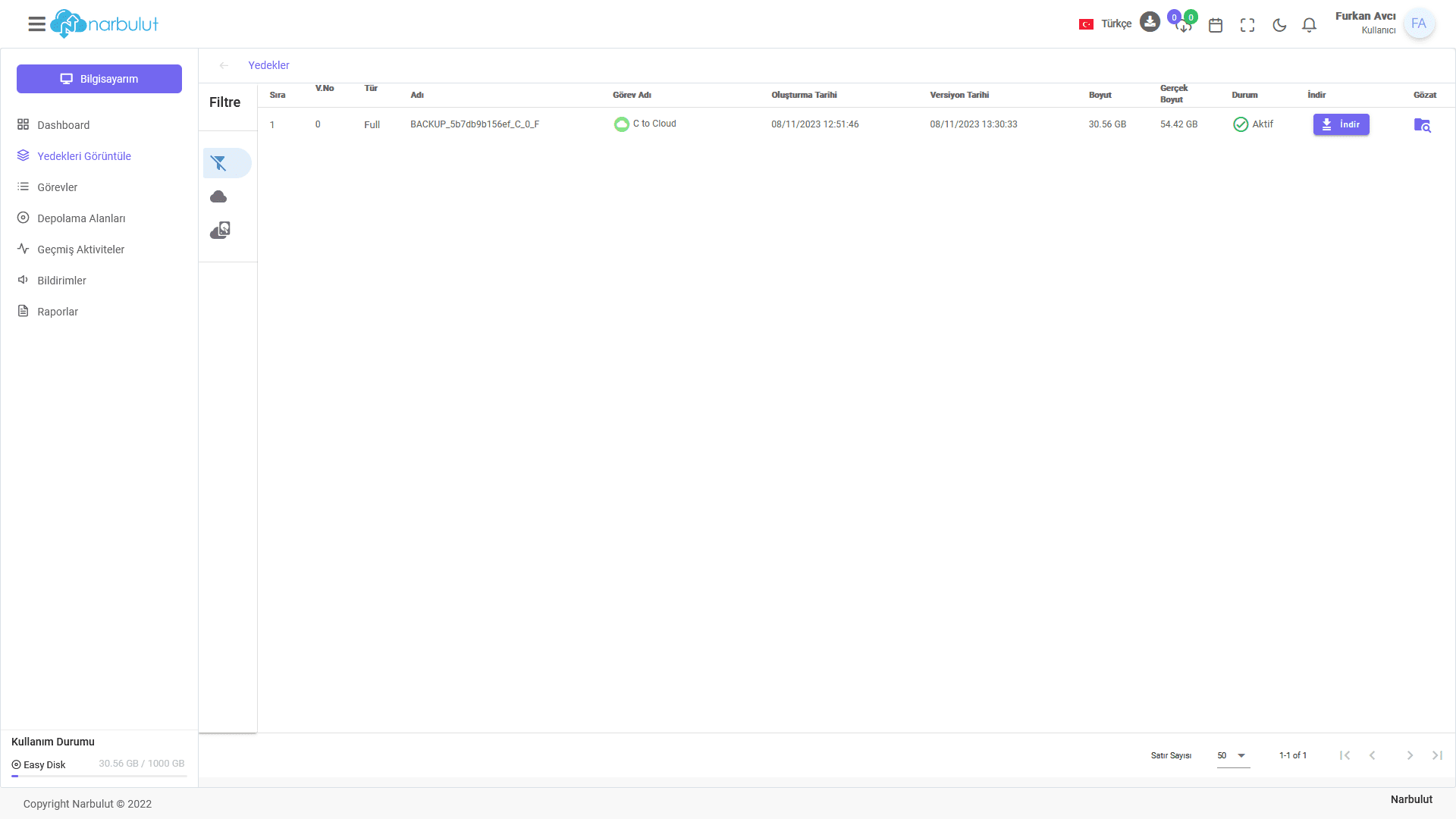
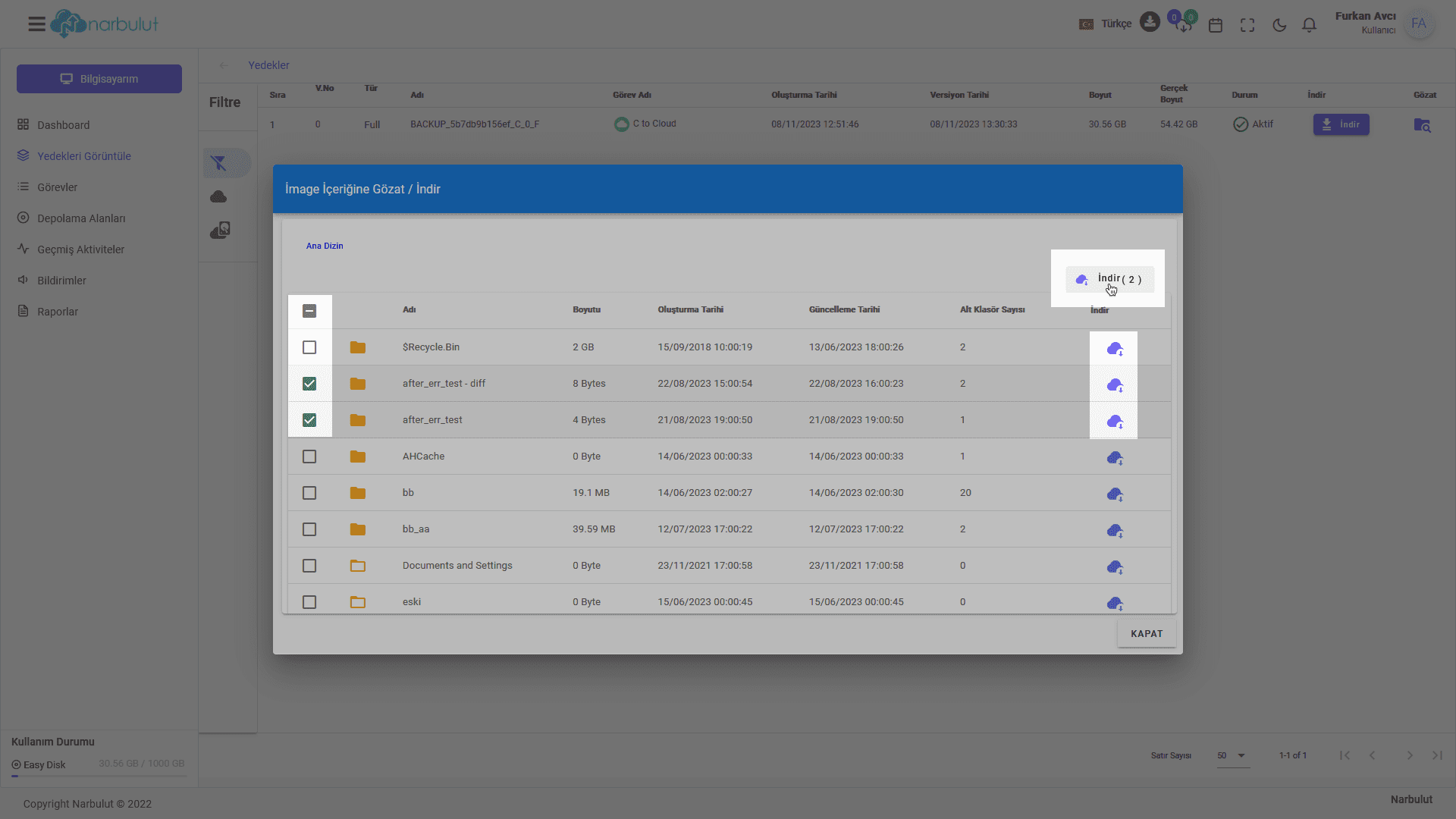
2. Click the Browse option of the image backup from which you want to download the file/folder. (The backups displayed in this menu will be cloud/hybrid type image backups.)

3. Select the files/folders you want to download and start the downloading process. To download a single item, you can simply click the button next to that item.
Sign Up for a Free Demo!
To benefit from all the features of Narbulut Easy Image Backup application free of charge for 30 days, download the application. indirip Sign up.
Have the Best Experience
Narbulut offers simple installation, effortless operation and extensive backup solutions. The most important feature that distinguishes Narbulut from its competitors is the care it shows to its customers and business partners.

