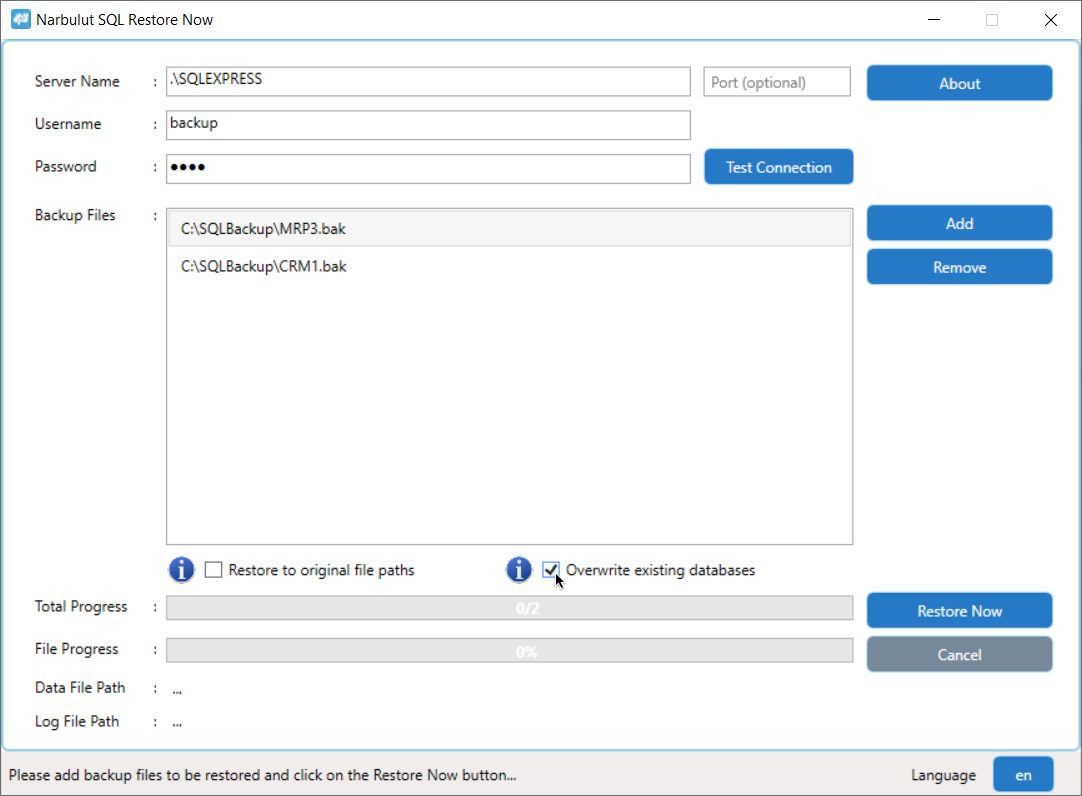
Narbulut SQL Restore Now application is a tool that allows you to easily and with a single click restore one or more Microsoft SQL backups that you want to add to your Microsoft SQL server.
Supported SQL Versions: SQL Server 2005, 2008, 2008 R2, 2012, 2014, 2016, 2017, 2019 Supported Operating Systems: Windows 7 SP1+, Windows 10 (1607+), Windows 11 (22000+), Windows Server 1809+
Database Restore Process
A. Connecting to the Server
You must provide server information so that Narbulut SQL Restore Now application can restore your backed up databases to your Microsoft SQL server.
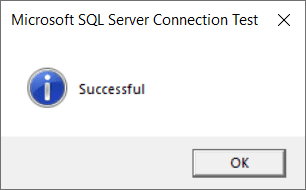
After entering the server information, check the connection with the “Try Connecting” option.
Not: For your security, Narbulut recommends that the operations be carried out with a minimum of authorized users.
B. Adding Your Database Backups
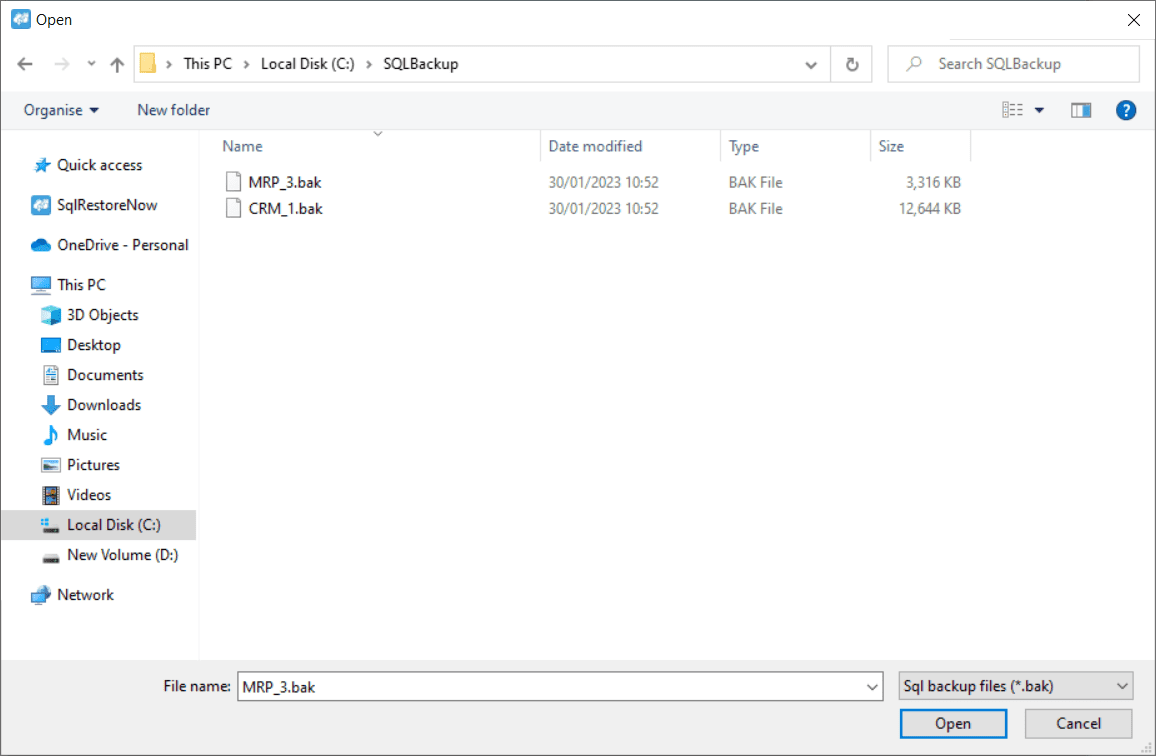
You can bulk add the Microsoft SQL database backup files you want to restore and restore all your databases at once.
Not: To select your Microsoft SQL backup files without .bak extension, mark the file type as "All files (*.*)".
C. Extracting Backup Files
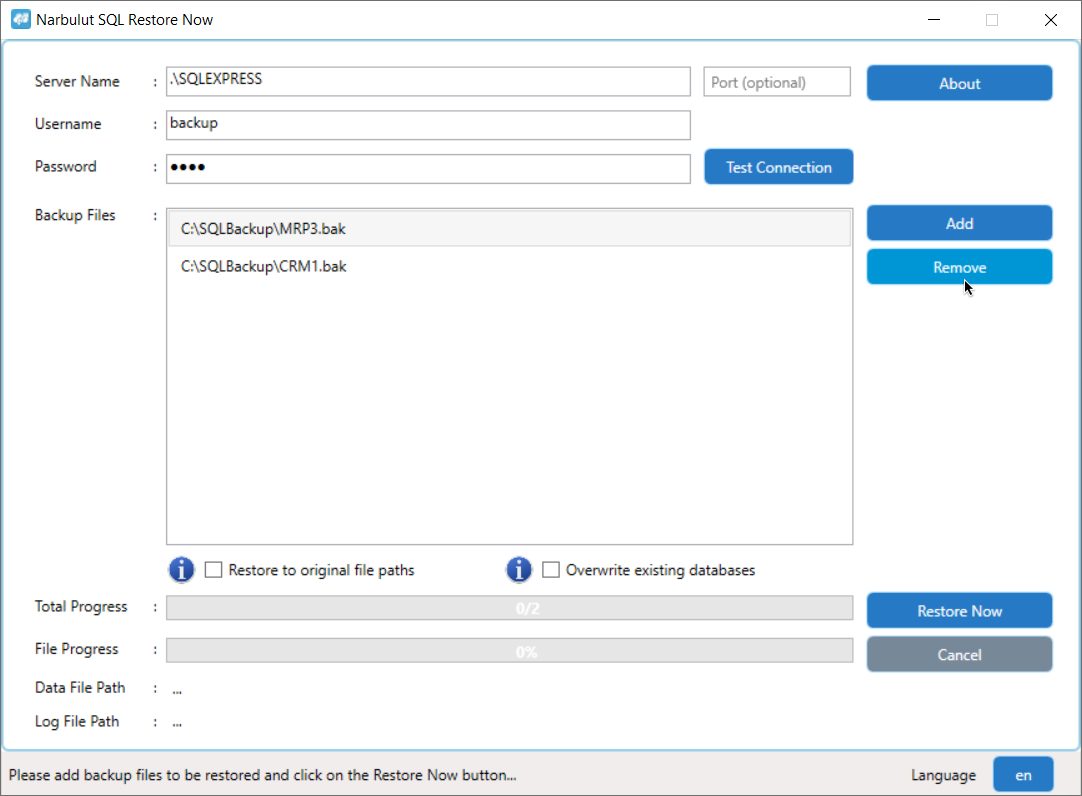
You can remove some of your Microsoft SQL database backup files that you added in bulk by selecting them from the list.
D. Restoring to Original File Path
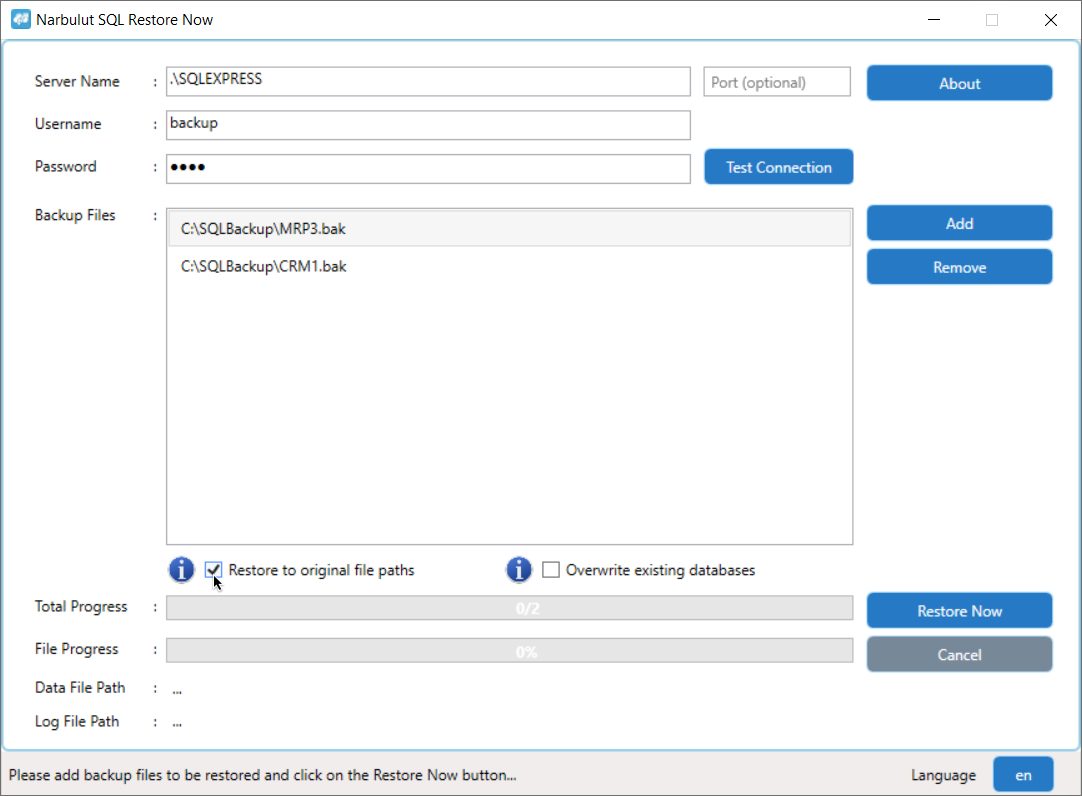
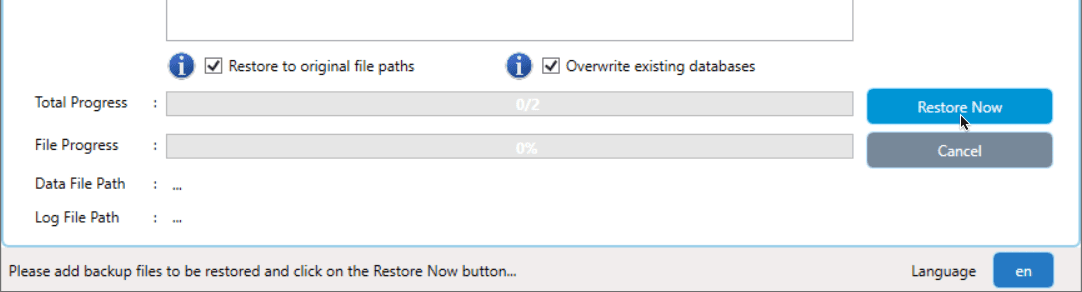
You can restore the Microsoft SQL database physical files (.mdf, .ldf) you backed up to the original data folder or the default data folder of the Microsoft SQL server.
Not: If the "Restore to original file paths" option is not checked, the upload is made to the default data folder of the Microsoft SQL server.
E. Overwriting Existing Database
You can bulk restore your Microsoft SQL database backup files.
F. Starting the Restore Process
Not: Click "Stop Restore" to stop the restore process.
Progress Bar and Information Line
You can follow the restoration status from the progress bar and warning messages from the information line.
Language Options
You can change the language of the Narbulut SQL Restore Now interface by using the “Language” button at the bottom right of the application.
Errors You May Encounter and Their Solutions
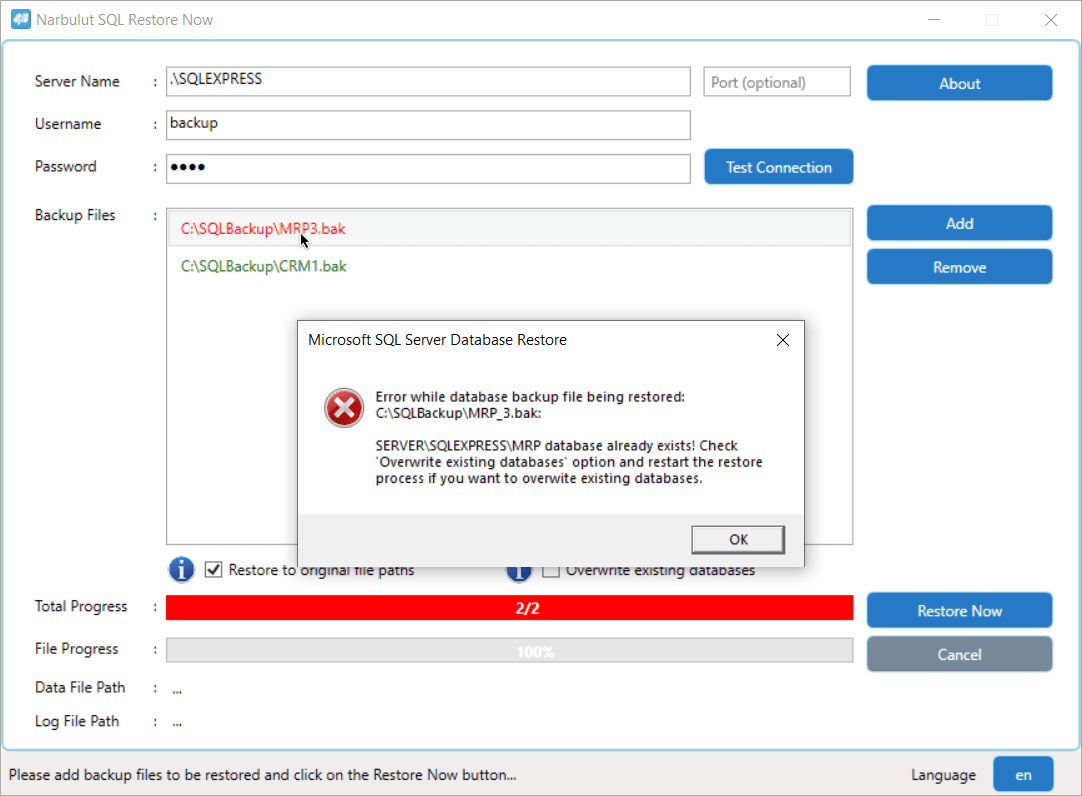
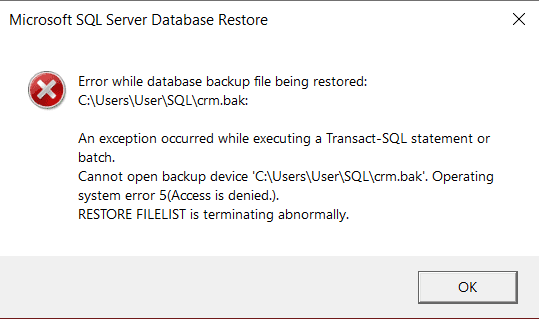
When you receive an error in the restore process, the progress bar and database backup files that cannot be restored will be red. You can see error messages by double-clicking on erroneous transactions.
Operating system error 5 (Access Denied) The reason for this error is that the Microsoft SQL server does not have permission to access the files you selected. Make sure that the folders containing the files are under SQL's jurisdiction.
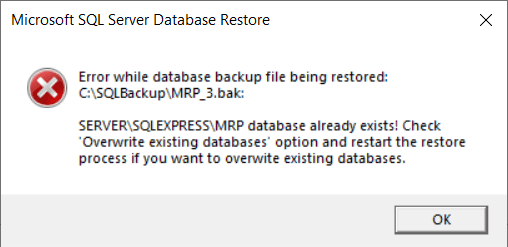
Database already exists If the "Overwrite existing databases" option is not checked and the database already exists on the Microsoft SQL server, you will receive this error.
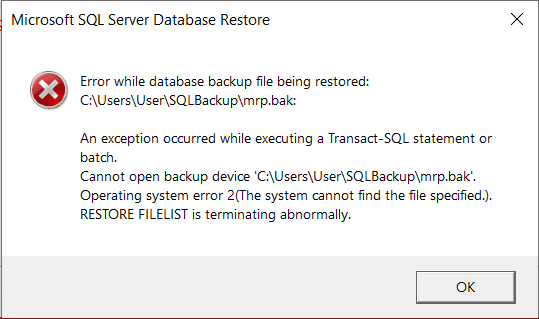
Operating system error 2 (File Not Found) If the Microsoft SQL server cannot find the backup files you added in the file path you added, you will receive this error.
Narbulut Product Analysis
Step 1/12
What area of technological improvement are you planning for your company?
Data Security & BackupRansomware, deleted files and disaster recovery.
Cloud Server (IaaS)Website, ERP, CRM or application hosting.
Team CollaborationSecure file sharing and remote work.
Object Storage (S3)Object Storage for developers.
What industry does your company operate in?
Healthcare / MedicalPatient data (GDPR critical).
Finance / AccountingSensitive financial data.
Manufacturing / EngineeringCAD drawings and production plans.
Other / General ServicesOffice documents and general data.
What type of devices need to be protected?
Employee ComputersLaptop and desktop end-user devices.
Physical / Virtual ServersDatabase, Active Directory or File Server.
What should your backup strategy be?
File & Folder BasedOnly important business files (XLS, PDF, SQL) should be backed up.
Full Disk ImageBack up "Everything" including the operating system.
What is your upload speed for cloud backup?
Fiber / High SpeedI can send large data quickly.
Standard / ADSLMy speed is limited, compression is important.
Is ransomware a threat?
Yes, Very CriticalWe have experienced it before or are at risk.
Standard Protection is SufficientBasic backup measures are enough.
How long would you like to keep versions?
30 - 90 DaysTo fix recent errors.
1 Year and AboveLegal requirements or archiving.
What will be the primary purpose of the server?
E-Commerce / WebsiteHigh uptime and speed required.
ERP / Accounting SoftwareDatabase performance is important.
Software DevelopmentFlexible resource management.
What infrastructure do you need?
Windows ServerASP.NET, MSSQL, RDP.
Linux (Ubuntu/CentOS)PHP, Python, MySQL, Docker.
What is the estimated user traffic?
Low / MediumEntry level or new project.
High TrafficHeavy campaigns or many users.
Who will manage the server?
I Will Manage ItI have a technical team, root access is enough.
I Need SupportManaged Services required.
How many people will work in the shared workspace?