Narbulut allows you to create and edit documents, tables and presentation files, share them with your colleagues and work at the same time
Ortak Alan
Create shared workspaces with your colleagues and work together on the same files.

Secure Sharing
Securely share your critical files and folders with 2FA without username and password, and collaborate...

Online Ofis
Create or edit document, spreadsheet, and presentation files without needing an office application...
Use shared space to improve teamwork
Create a shared space with nDocs Workspace. Authorize your users. This way, you can create content at the same time with your team and collaborate more efficiently
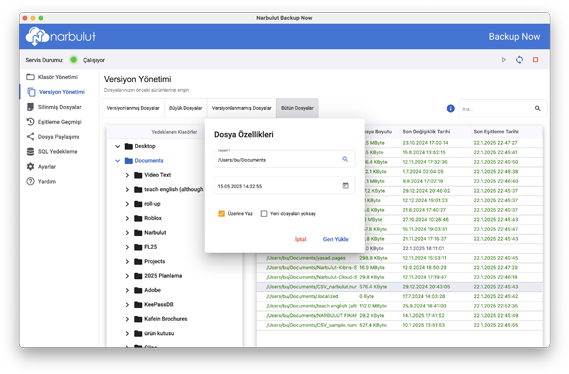
Track every change in your documents
With Narbulut's versioning feature, all your work is safe. You can easily access the versions of all the changes you have made
Delegate and Share
Narbulut offers individual workspaces for each user, apart from the common area. In this way, you can create your own content. You can also share these contents with internal and external users and create your own private workspace
Protect yourself from cyber attacks
With Narbulut security policies, you are protected from cyber attacks, malware and ransomware. You can access your files securely with nDocs Workspace
500+
The Company Trusts
50TB+
Data is being stored
%99.9
Uptime Garantisi
7/24
Technical Support
FREQUENTLY ASKED QUESTIONS
Do you have questions?
Do you have questions about Narbulut Workspace? Check out Frequently asked questions. Contact us for more information.
You can back up Microsoft SQL, MySQL, Firebird, PostgreSQL databases. You will soon be able to back up MongoDB and Oracle databases.
When creating a backup task, you can specify daily, weekly, hourly, etc. You determine the backup frequency according to your needs.
There is no service interruption during the backup process; While you continue your work, Backup Now works in the background to back up your data.
Backup Now application consumes minimum resources. You won't notice any slowdown on your computer.
Yes. When creating the backup task, you can choose to back up all databases at once. It also automatically backs up any database files you add later.
Narbulut Backup Now stores the database files you delete for 60 days. During this period, you can restore the databases you deleted along with their versions.
You can choose to restore any database file or the entire database file you want via the Backup Now application or web panel, or you can install it yourself after downloading it. If you want, you can restore your database backups quickly and easily with the free Narbulut SQL Restore Now tool.
Narbulut is 100% KVKK compliant. Your data is securely stored on Narbulut servers within Turkey's borders.
When your computer is infected with ransomware (ransomware virus), the Backup Now application detects it and instantly notifies you via SMS, e-mail, or mobile application. With the Backup Now app, you can restore your data to a time before the ransomware was infected.
Narbulut protects your backed up data with end-to-end encryption and stores it by fragmenting it on object-based storage servers. It provides services in data centers with international security standards such as ISO 27001, ISO 9001 and PCI-DSS.
It is very easy to install and configure Narbulut applications. Create an account. Download the Backup Now app. Installation takes place with a few clicks. Enter your username and password. Start backing up now.
One of the biggest features that distinguishes the Backup Now application from its competitors is its central management. No matter how many users you have, you can manage your backup operations easily and quickly with a single policy. If you want, you can define different backup policies for each group by grouping them.
Yes. You can license monthly and annually. Thanks to our flexible licensing model, you can determine the monthly or annual period such as 7 months, 3 years.
Starting from 20 GB, you can expand your storage space to unlimited scale.
Even if your Narbulut quota is full, it continues to back up up to 10% more. In this way, even if your quota is full, you will not lose data until you upgrade to a higher package.
Create a workspace for your team from the administration panel and invite your users
02
Upload Your Files
Upload your documents, spreadsheets and presentations to the secure area or create them directly
03
Collaborate with Confidence
Collaborate with your team in real time, track versions and manage permissions
NEXT STEPS
Discover other features of Narbulut Workspace.
Experience Narbulut products for free. You can safely protect all your business's data loads with Narbulut products and manage them from anywhere. Discover now!