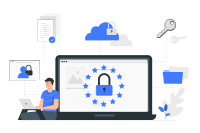
Secure your business data not only internally but also externally
Offsite Backup Solution
Protect Your Data with Offsite Backup
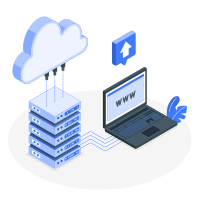
The most effective solution against internal data loss. Narbulut backs up your data in the cloud in an encrypted and traceable manner, regardless of location
Your data is safely stored in the cloud, independent of internal organizational issues.
Disaster Recovery Preparedness
Provides full protection against situations such as fire, theft, or hardware failure.
Quick Restore
You can recover your data within minutes of losing it.
Be Prepared for Malfunctions
The majority of data loss is caused by internal factors such as device corruption, employee errors, power outages, or local server crashes. In such cases, keeping data only in the local system poses serious risks. Keep your data always accessible with an offsite backup solution
Narbulut performs backup operations in the background, thus requiring no user intervention. Even if there is a problem with your system, your backed up data can be accessed remotely and restored instantly. This way, you can continue working without having to reinstall your systems
One of the most recommended methods to prevent data loss is the 3-2-1 backup rule. According to this rule, keep your data in 3 copies in 2 different environments and keep at least 1 of these copies outside the workplace. Thanks to this strategy, your data is safe against risks such as cyber attack, system failure or natural disaster. Increase your data security by easily establishing this structure with cloud backup, image backup and mobile backup solutions
Keep Your Data Safe Offsite
Always keep a copy of your data at a different location to protect against natural disasters, theft, or hardware failure. Start your free trial and discover the secure offsite backup solution that Narbulut offers
In order to ensure data security in environments where physical risks are intense, backing up your data to a remote location, that is, to the cloud environment, is a great advantage.
You can back up all your files, documents, media and application data.
Yes. Desktops, laptops, servers and mobile devices are supported.
Backed up data can only be accessed by authorized users. Specific encryption and access permissions are defined for each user.
Yes. Backups are isolated against ransomware. Even if the system is hacked, backup files will not be damaged.
No. Thanks to the incremental backup system, only changed data is backed up, so system performance is not affected.
Once connected, it automatically continues where it left off. There is no data loss.
Narbulut Product Analysis
Step 1/12
What area of technological improvement are you planning for your company?
Data Security & BackupRansomware, deleted files and disaster recovery.
Cloud Server (IaaS)Website, ERP, CRM or application hosting.
Team CollaborationSecure file sharing and remote work.
Object Storage (S3)Object Storage for developers.
What industry does your company operate in?
Healthcare / MedicalPatient data (GDPR critical).
Finance / AccountingSensitive financial data.
Manufacturing / EngineeringCAD drawings and production plans.
Other / General ServicesOffice documents and general data.
What type of devices need to be protected?
Employee ComputersLaptop and desktop end-user devices.
Physical / Virtual ServersDatabase, Active Directory or File Server.
What should your backup strategy be?
File & Folder BasedOnly important business files (XLS, PDF, SQL) should be backed up.
Full Disk ImageBack up "Everything" including the operating system.
What is your upload speed for cloud backup?
Fiber / High SpeedI can send large data quickly.
Standard / ADSLMy speed is limited, compression is important.
Is ransomware a threat?
Yes, Very CriticalWe have experienced it before or are at risk.
Standard Protection is SufficientBasic backup measures are enough.
How long would you like to keep versions?
30 - 90 DaysTo fix recent errors.
1 Year and AboveLegal requirements or archiving.
What will be the primary purpose of the server?
E-Commerce / WebsiteHigh uptime and speed required.
ERP / Accounting SoftwareDatabase performance is important.
Software DevelopmentFlexible resource management.
What infrastructure do you need?
Windows ServerASP.NET, MSSQL, RDP.
Linux (Ubuntu/CentOS)PHP, Python, MySQL, Docker.
What is the estimated user traffic?
Low / MediumEntry level or new project.
High TrafficHeavy campaigns or many users.
Who will manage the server?
I Will Manage ItI have a technical team, root access is enough.
I Need SupportManaged Services required.
How many people will work in the shared workspace?