
- Company
-
Products
Products
New ProductCloud Server
Fully managed virtual server infrastructure. Setup in minutes, hourly billing and expert support so you can focus on your business.
Try Now -
Solutions
Backup & Security
Data SecurityRansomware & encryptionSilent Ransom: TDEProtection against TDE abuseCloud BackupSecure backup to data centersImage BackupFull disk image + fast recoveryOff-Site BackupOff-site disaster recoveryMobile BackupiOS & Android photos/contactsRansomware ProtectionAgainst ransomware attacksTwo-Factor Auth2FA account security - Plans
- Resources
- Partners
- Blog
What Is Narbulut Drive? How to Use It?
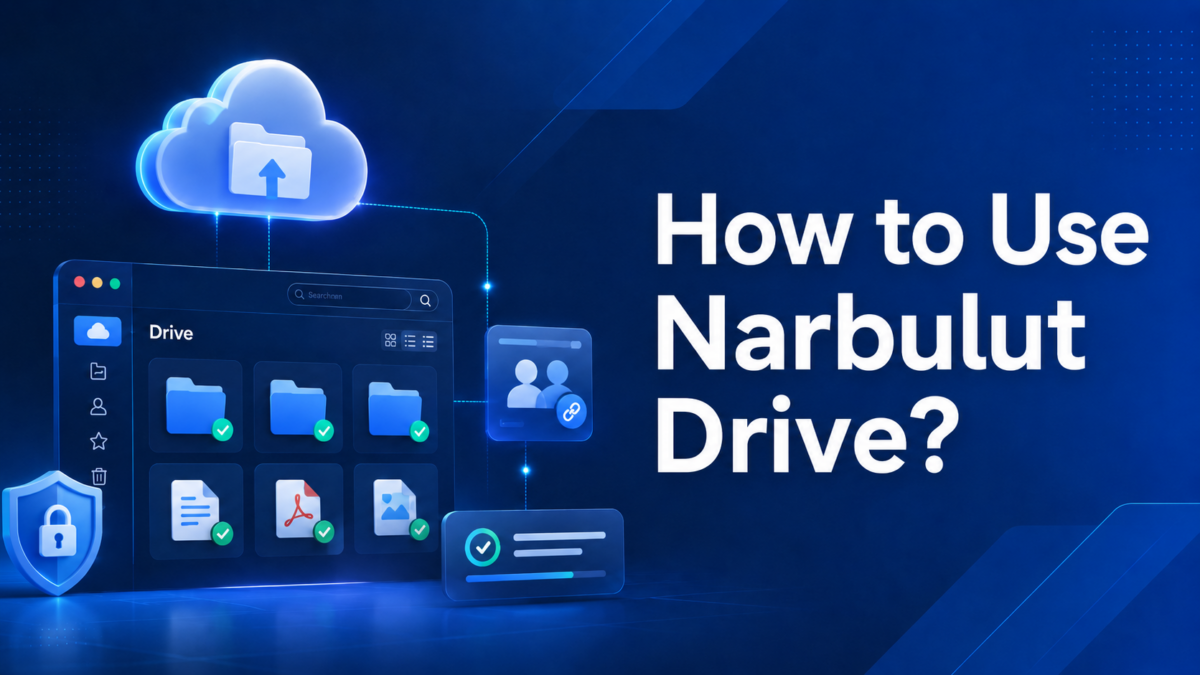
Our files are no longer tied to a single computer; we want to pick up a task we started on the office desktop from our laptop at home, reach the most up-to-date version of a file from any device, and be sure our data stays safe while doing so. Narbulut Drive is a desktop application that delivers exactly this, establishing two-way synchronization between your computer and the Narbulut cloud.
In this article we explain what Narbulut Drive is, how it works, why it is preferred, and how to use it — from installation all the way to daily use.
What Is Narbulut Drive?
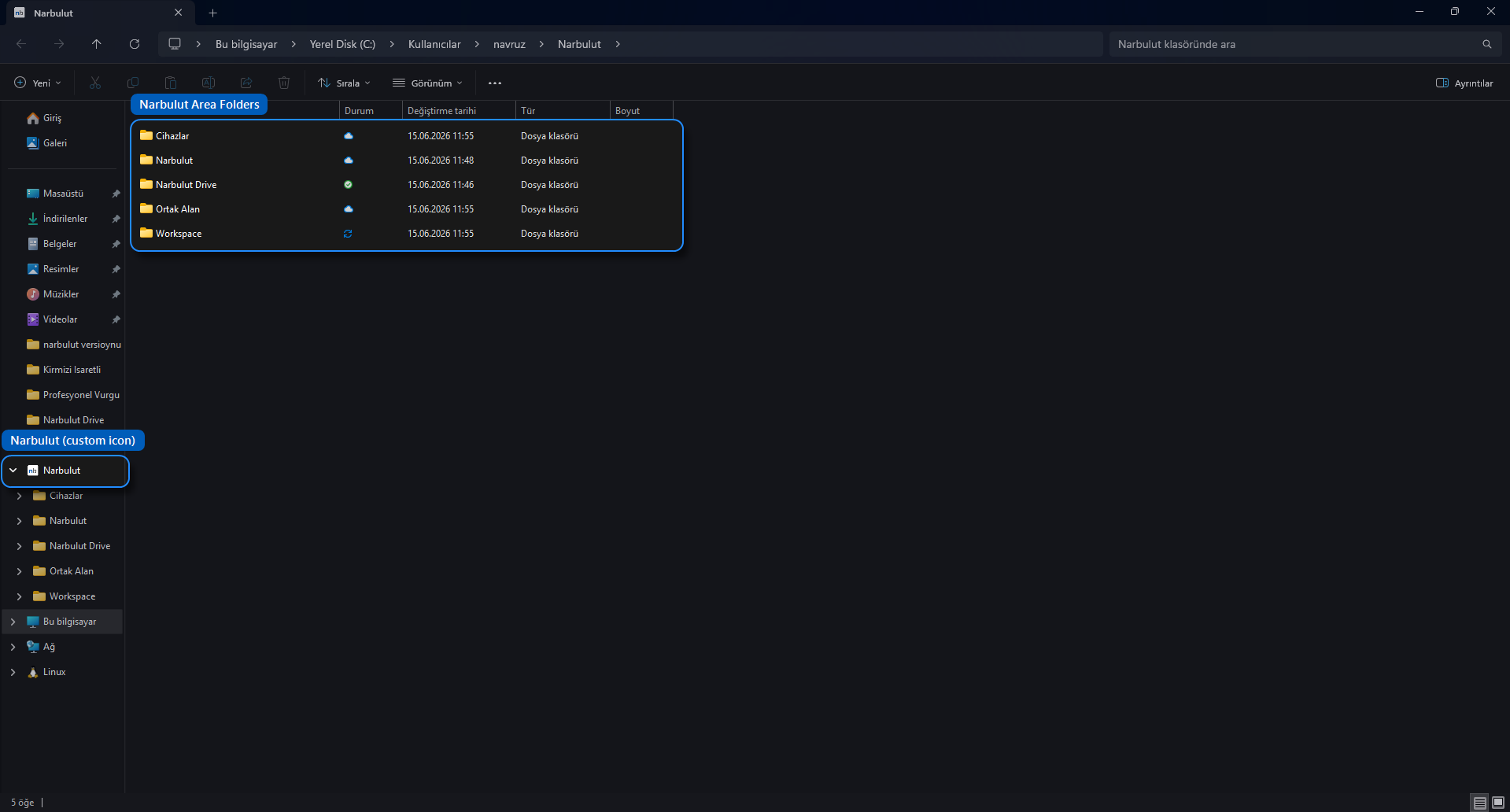
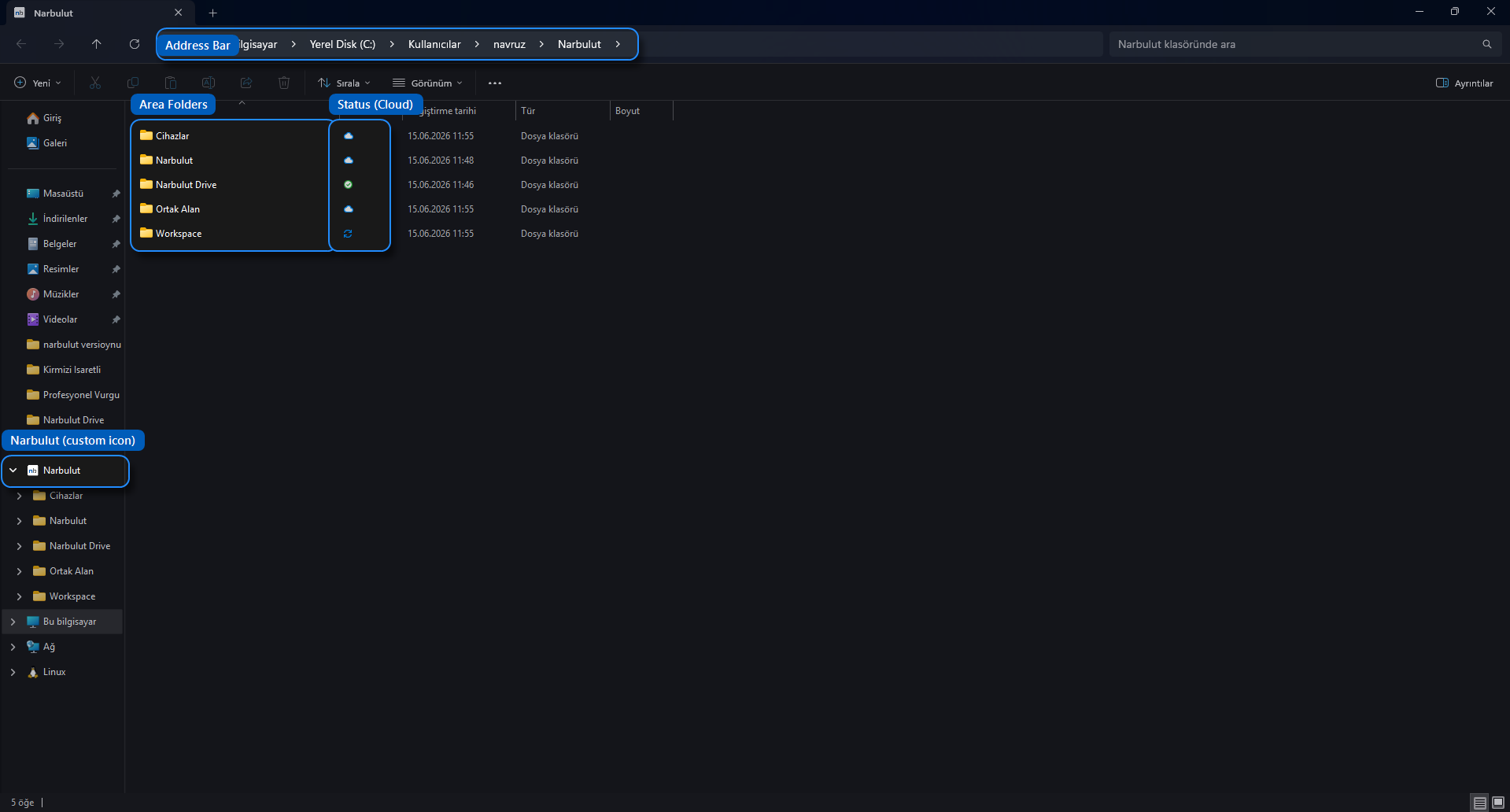
Narbulut Drive is a desktop application that synchronizes the files on your computer two-way with the cloud, and it works fully integrated with Windows File Explorer. After installation, a Narbulut folder is created under your user folder; this folder appears in File Explorer with its own icon.
The logic is simple:
- Changes you make on your computer are automatically uploaded to the cloud.
- Changes made in the cloud are automatically reflected on your computer.
This way, whichever device you look from, you always reach the most up-to-date version of your files. Your data is stored in a secure manner, in data centers within the borders of Türkiye.
Inside the Narbulut folder, you access your workspaces from a single place: “Narbulut Drive”, which holds your personal and synchronized files; “Shared Space”, shared with your team; “Workspace”, for online office and collaboration; and “Devices”, where you access your other devices.
Key Features
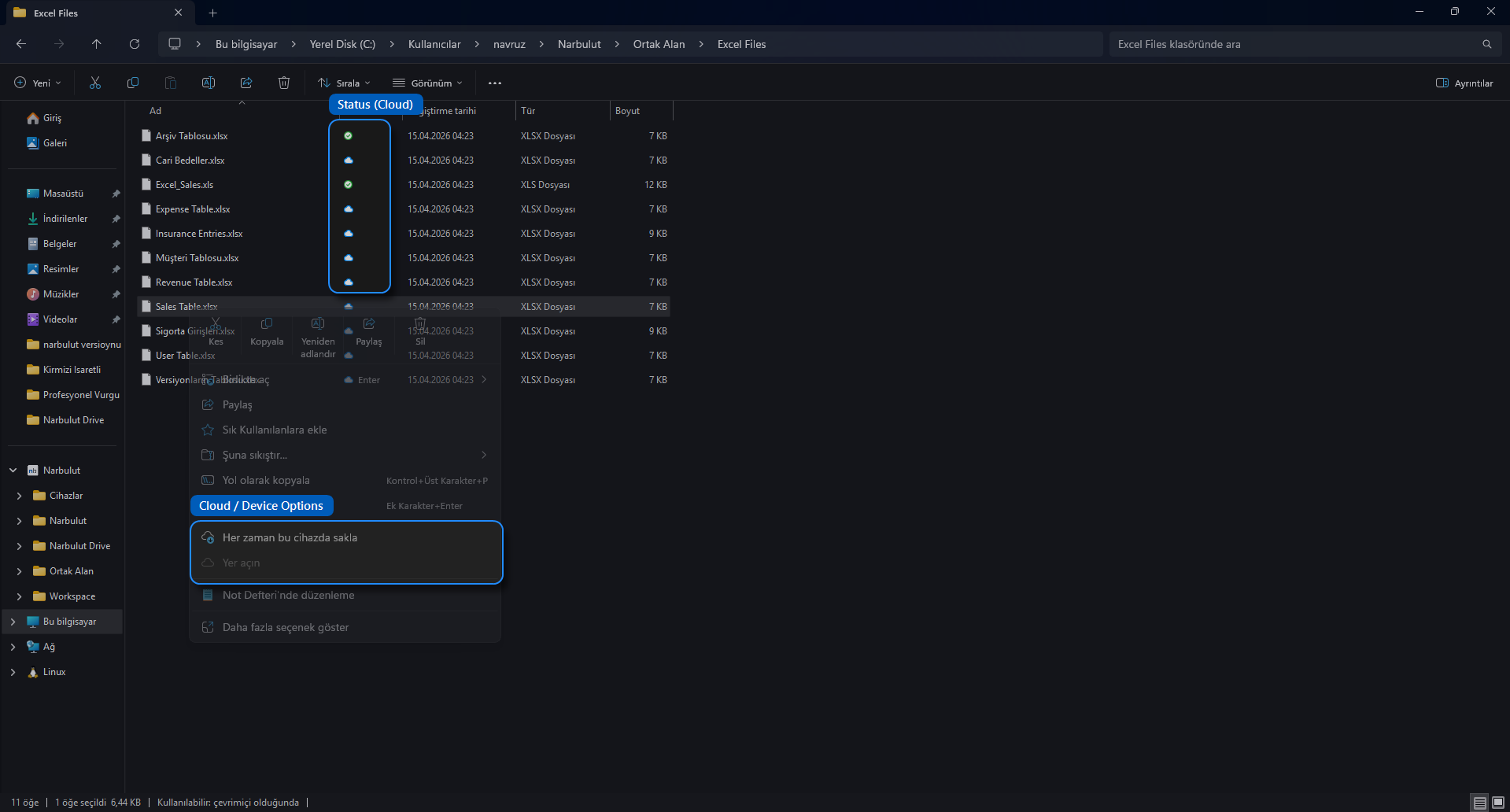
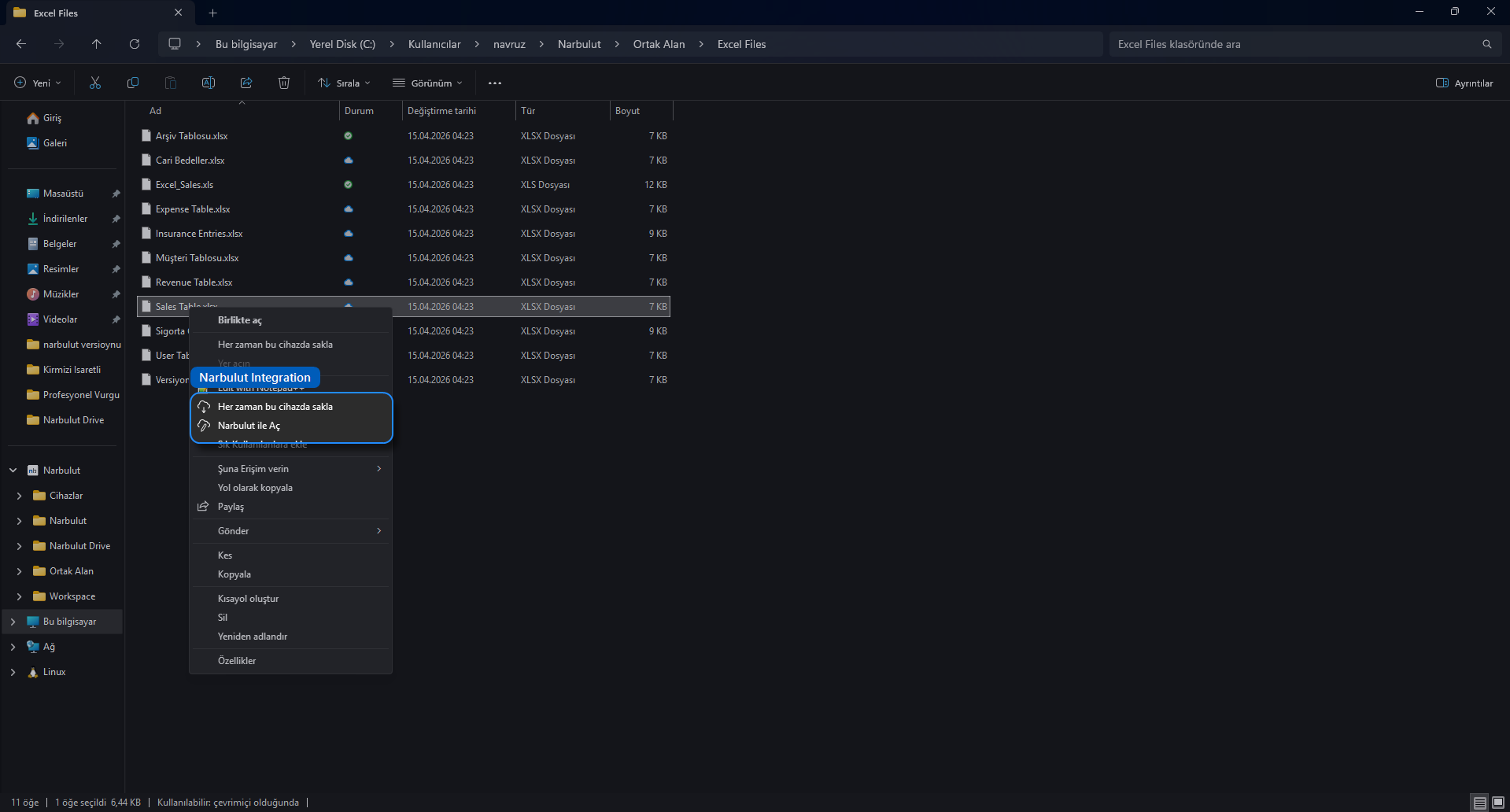
Smart file states (cloud / device). To save disk space, Narbulut Drive can show files as placeholders. A file either stays cloud-only and takes up no disk space, or it is downloaded as available on this device and can be opened offline as well. When you double-click a cloud-only file, it is automatically downloaded and opened.
Windows File Explorer right-click integration. When you right-click a file in the Narbulut folder, you reach directly the options “Always keep on this device”, which permanently downloads the file to your device, and “Free up space”, which removes the local copy and frees disk space. You can also manage files with the “Open with Narbulut” option.
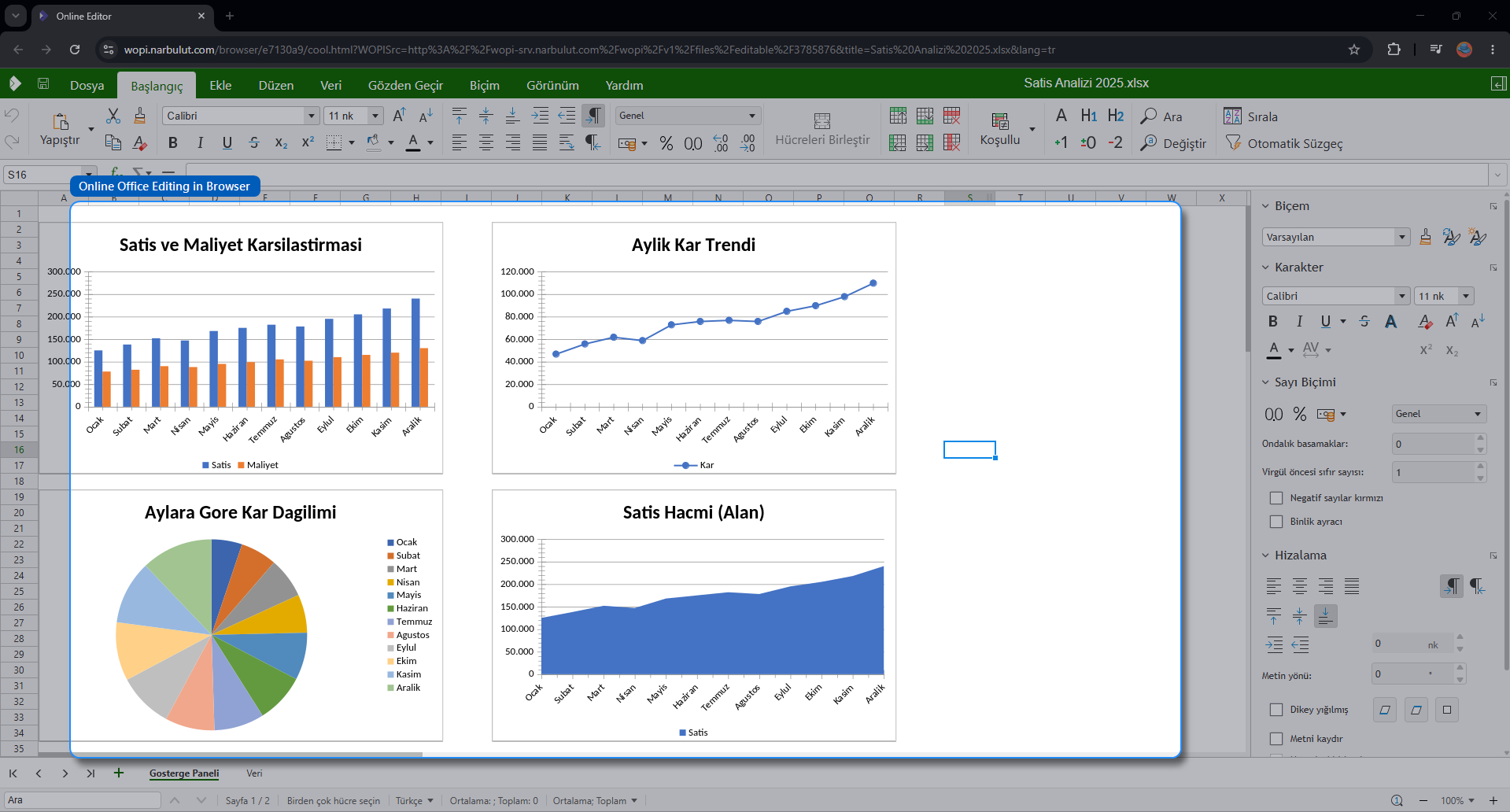
Online Office editing. You can edit your Word, Excel, and PowerPoint files through the browser, even if Office is not installed on your device. Your changes are saved automatically.
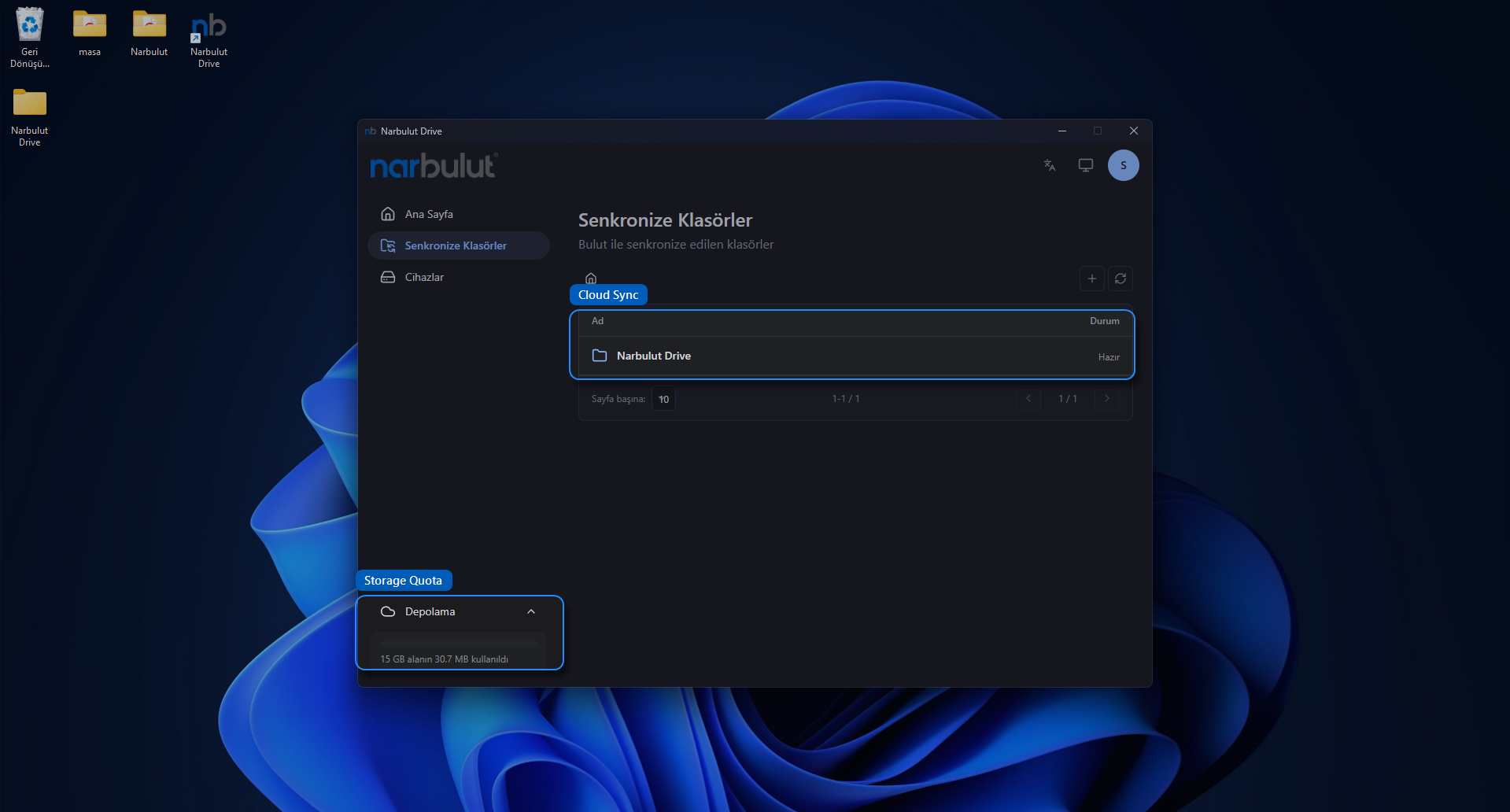
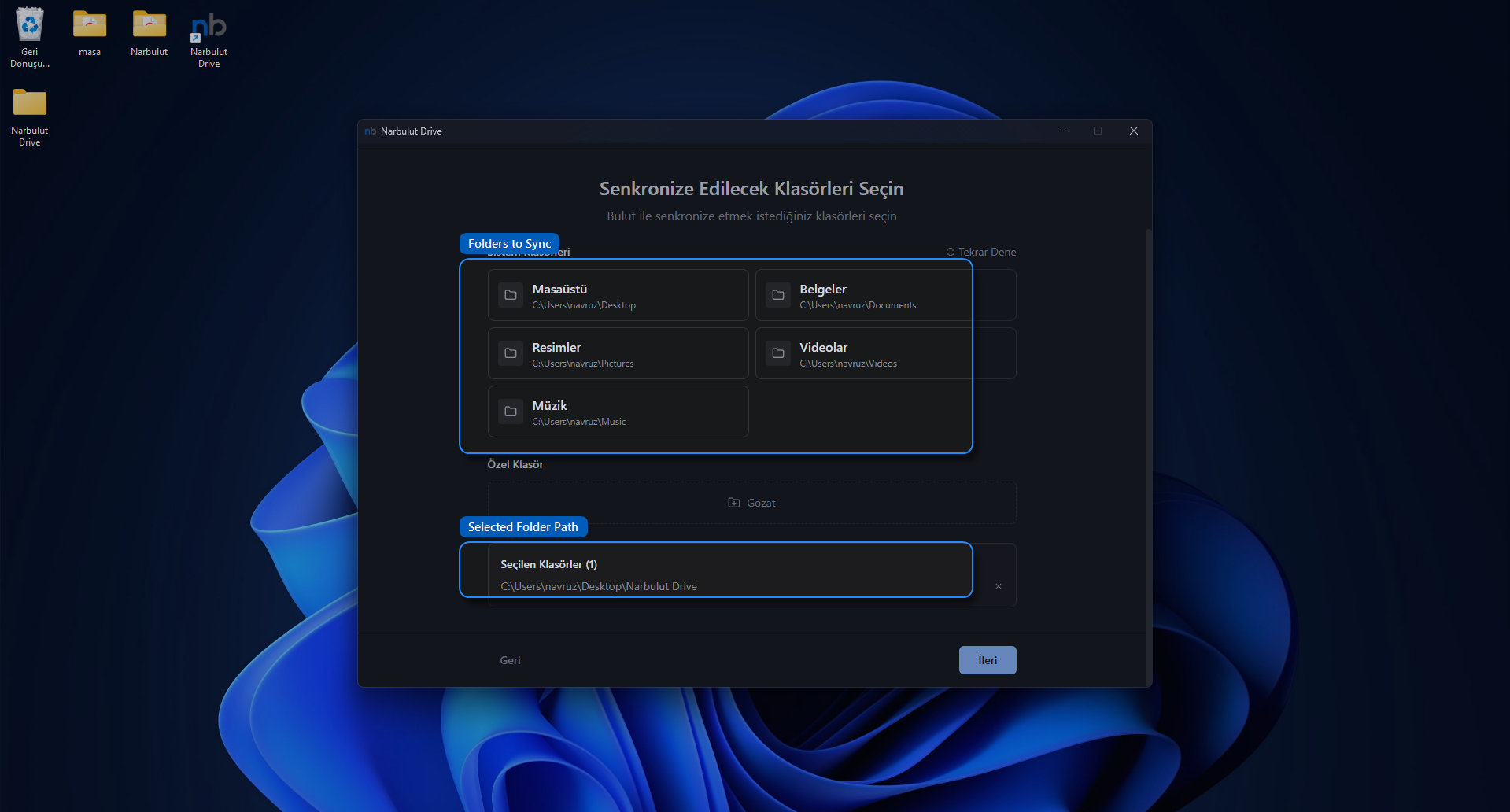
Selective synchronization. You can synchronize only the folders you want, not everything. You can include well-known Windows folders such as “Documents” and “Desktop”, or a custom folder of your choice, in synchronization.
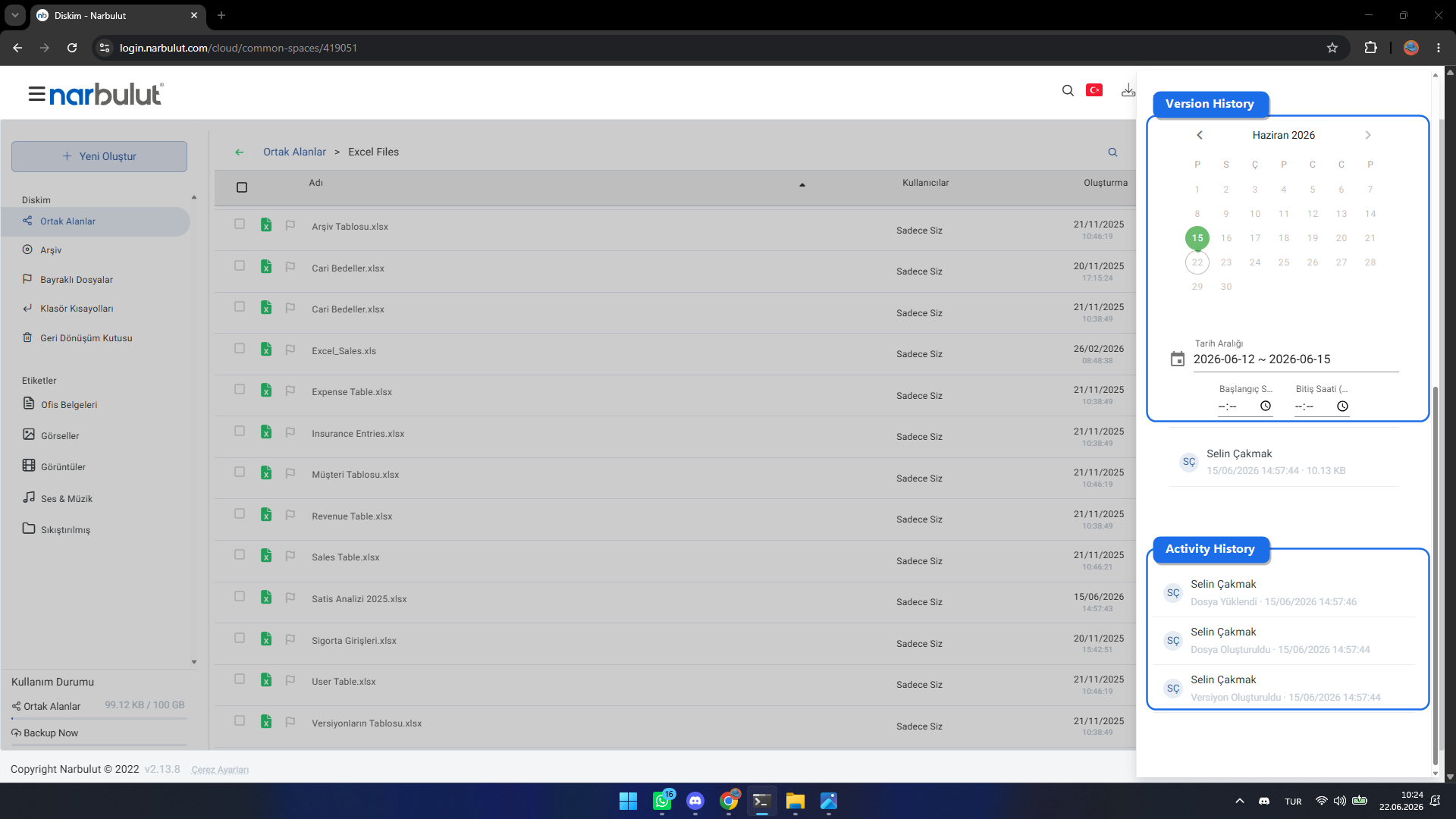
Version history. Previous versions of your files are kept; after a change made by mistake, you can easily revert the file to an earlier state.
Multi-device support. You can sign in to more than one computer with the same account and manage your devices from a single place.
Why Narbulut Drive?
Data sovereignty and security. Your data is stored in data centers in Türkiye. Especially for businesses working with personal data or sensitive corporate data, this is an important advantage in terms of legal compliance.
Disk space savings. Thanks to the cloud-only file state, you can access every file without having to keep your entire archive on disk. When you need it, the file downloads within seconds.
Offline access. You can reach the files you have downloaded to your device even without an internet connection.
Protection against data loss. Thanks to version history, an incorrect change or a wrong save does not leave you facing irreversible data loss.
Security. Two-factor authentication (2FA) is supported when signing in to your account; in addition, you can add an extra layer of protection by locking the application interface with a master password.
A single ecosystem, local support. Narbulut Drive runs on the same infrastructure as Narbulut’s other products; whenever you need it, local support is always by your side.
Installation
Installing Narbulut Drive is as easy as a standard Windows application:
- Run the Narbulut Drive installation file (.msi) provided to you by double-clicking it.
- Follow the steps in the setup wizard. By default, the application is installed to the C:\Program Files\Narbulut\Narbulut Drive folder.
- For file search and indexing features to work properly, the setup asks for the Windows Search service to be enabled. Confirm when administrator permission is requested.
- When the installation is complete, a shortcut is added to the desktop and the Start Menu; the Narbulut Drive Control Service, which keeps the application running, starts automatically in the background.
Note: Administrator privileges are required for installation.
On first launch, the application greets you and helps you set up your file synchronization in a few steps.
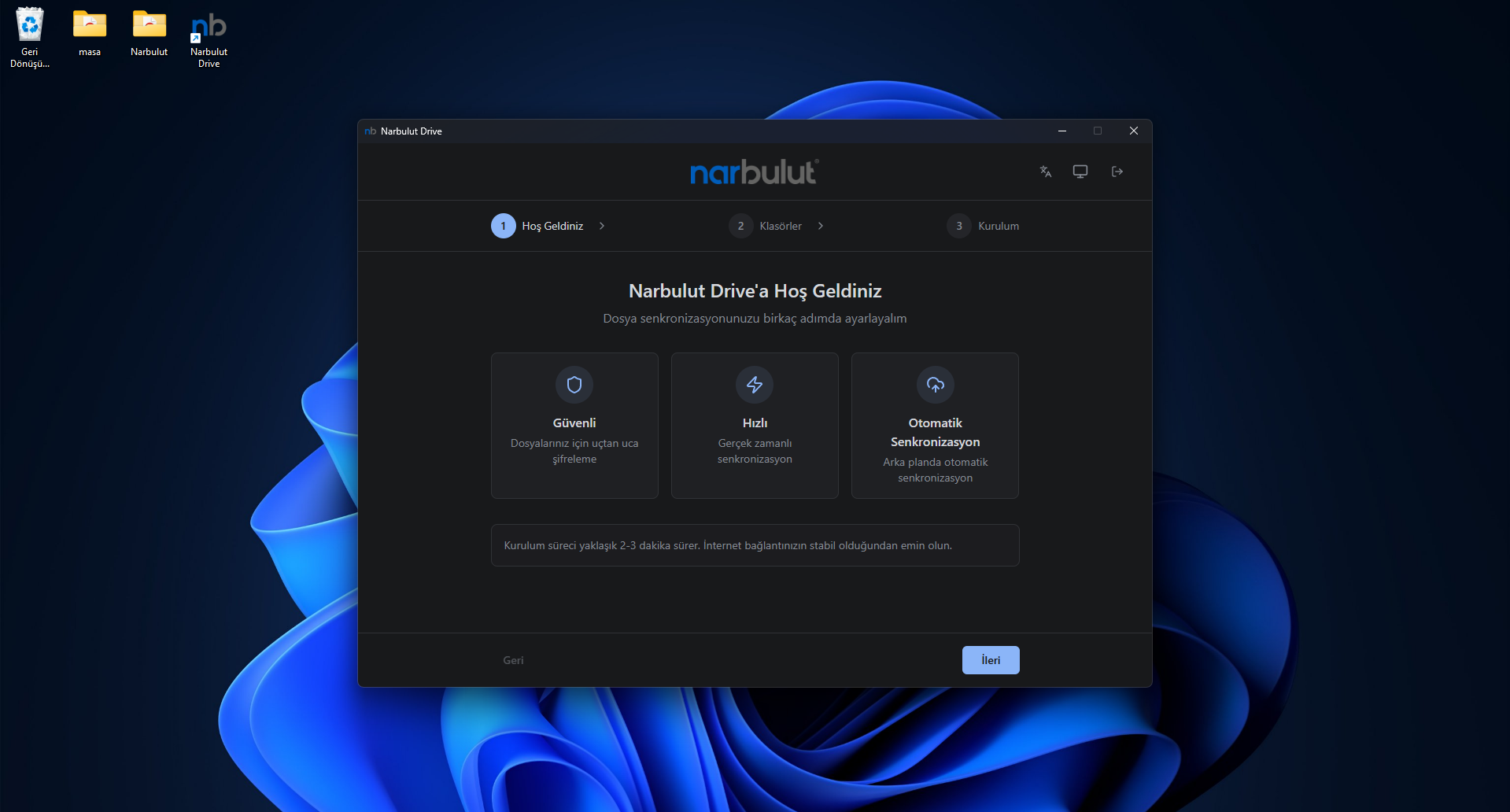
First Sign-In and the Synchronization Folder
When you first open the application, you are asked to enter the email and password of your Narbulut account. If two-factor authentication (2FA) is enabled on your account, an additional verification code (OTP) is requested.
After signing in, you select the folders you want to synchronize. You can check system folders such as “Documents”, “Desktop”, and “Pictures”, or add any folder from your computer with the “Custom Folder” option. The folders you select start being synchronized two-way with the cloud from that moment on.
Daily Use
Managing files. By right-clicking a file in the Narbulut folder, you can keep it permanently on your device or keep it cloud-only to free up space. When you open Office files with the online editing option, an editor opens in the browser and your changes are saved automatically. The application automatically recognizes the temporary files created by Office programs and does not upload them to the cloud; this way, synchronization works smoothly.
Accessing version history. You reach the previous versions of a file through the web panel: at login.narbulut.com, when you select the relevant file, the file details and the “Versions” section appear in the information panel on the right. From there, you can review and restore previous versions by date.
Settings and Synchronization Management
From the “Settings” section of the application interface, you can tailor your synchronization experience to your needs: you can define speed limits for download/upload and scheduled limits by time of day; choose the interface language as Turkish, English, or Portuguese; manage error, warning, and information notifications separately; and lock the interface with a master password.
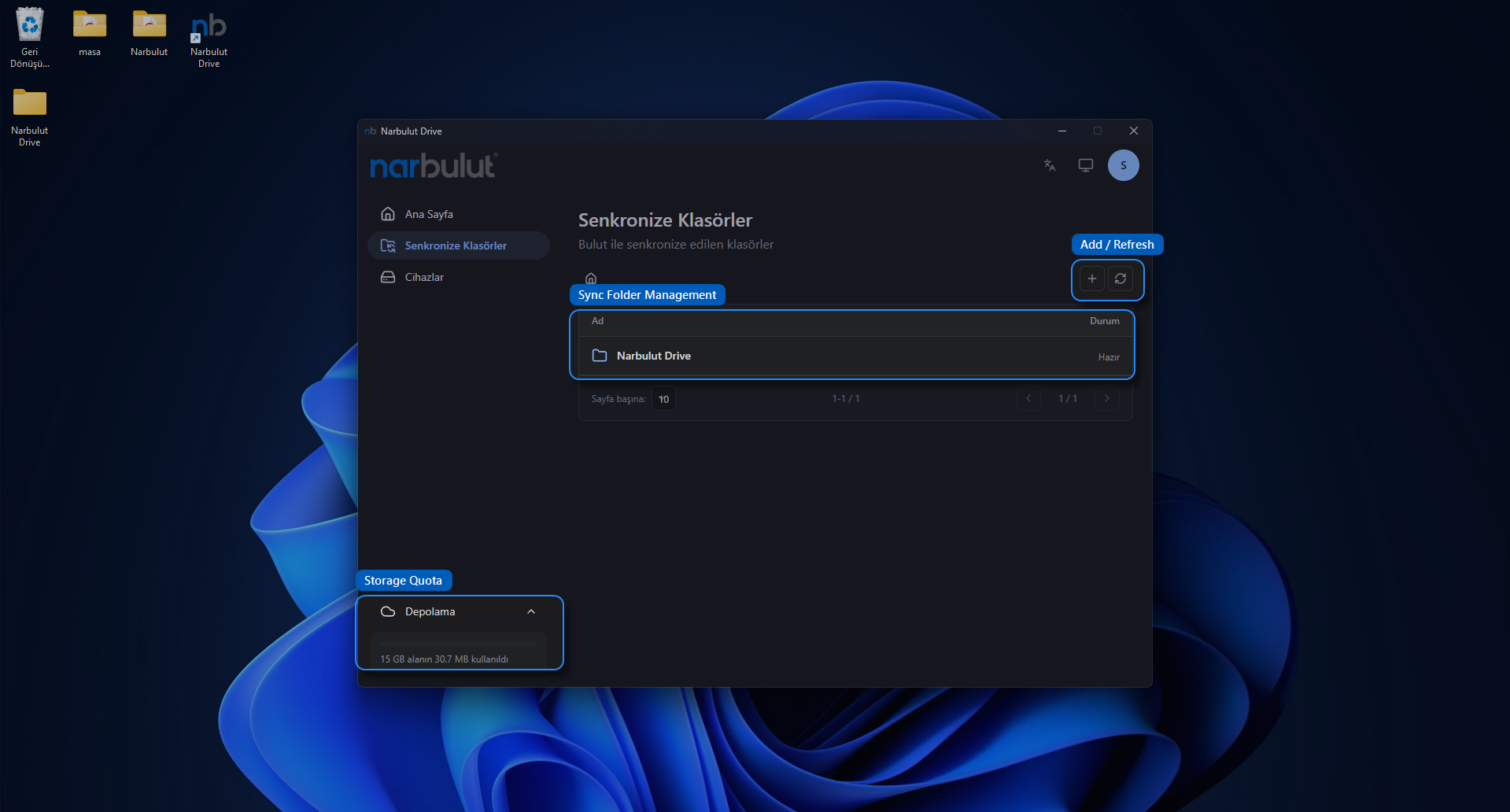
You can pause synchronization whenever you want, resume it, or manually sync with the cloud using full synchronization. The synchronization progress and your storage quota (total, used, and remaining space) are displayed in real time in the interface.
Put Your Data Under Narbulut’s Assurance
With Narbulut Drive, your files stay up to date across all your devices, you save disk space, you can keep working even while offline, and your data stays safe in secure data centers in Türkiye. For organizations that want to combine the flexibility of working in the cloud with the peace of mind of a local and secure infrastructure, Narbulut Drive is the right address.
Start discovering Narbulut Drive and the other Narbulut solutions today. To determine the most suitable plan for your business, you can get in touch with your nearest Narbulut solution partner or our sales team.
Meet Narbulut Drive, which brings all these features together under a local and secure roof:
Narbulut Drive (nDocs Workspace)
A local, secure cloud workspace. File storage, synchronization, version history, team sharing, and authorization on a single platform.

