
- Company
-
Products
Products
New ProductCloud Server
Fully managed virtual server infrastructure. Setup in minutes, hourly billing and expert support so you can focus on your business.
Try Now -
Solutions
Backup & Security
Data SecurityRansomware & encryptionSilent Ransom: TDEProtection against TDE abuseCloud BackupSecure backup to data centersImage BackupFull disk image + fast recoveryOff-Site BackupOff-site disaster recoveryMobile BackupiOS & Android photos/contactsRansomware ProtectionAgainst ransomware attacksTwo-Factor Auth2FA account security - Plans
- Resources
- Partners
- Blog
What Is Narbulut Real-Time Collaboration and How to Use It?
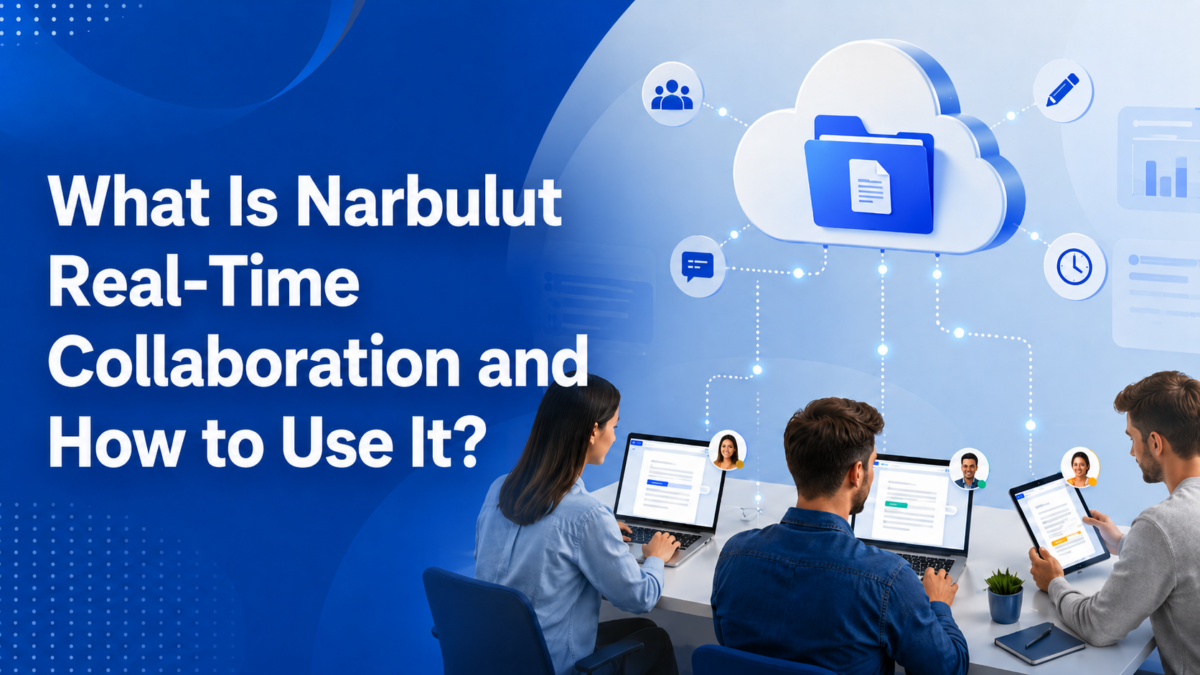
One of the biggest challenges of teamwork is everyone being able to move forward in sync on the same document. Questions like “Who has the latest version?”, “Where did my changes go?”, “Which file is current?” come up constantly in classic methods where files travel back and forth as email attachments. Narbulut nDocs offers a real-time work environment designed to solve these problems at the root.
With nDocs, several people on your team can open, edit, and see each other’s changes live — on Excel, Word, or PowerPoint documents, all through the browser at the same time. In this article we explore the real-time collaboration experience step by step.
A Full-Featured Editor in the Browser
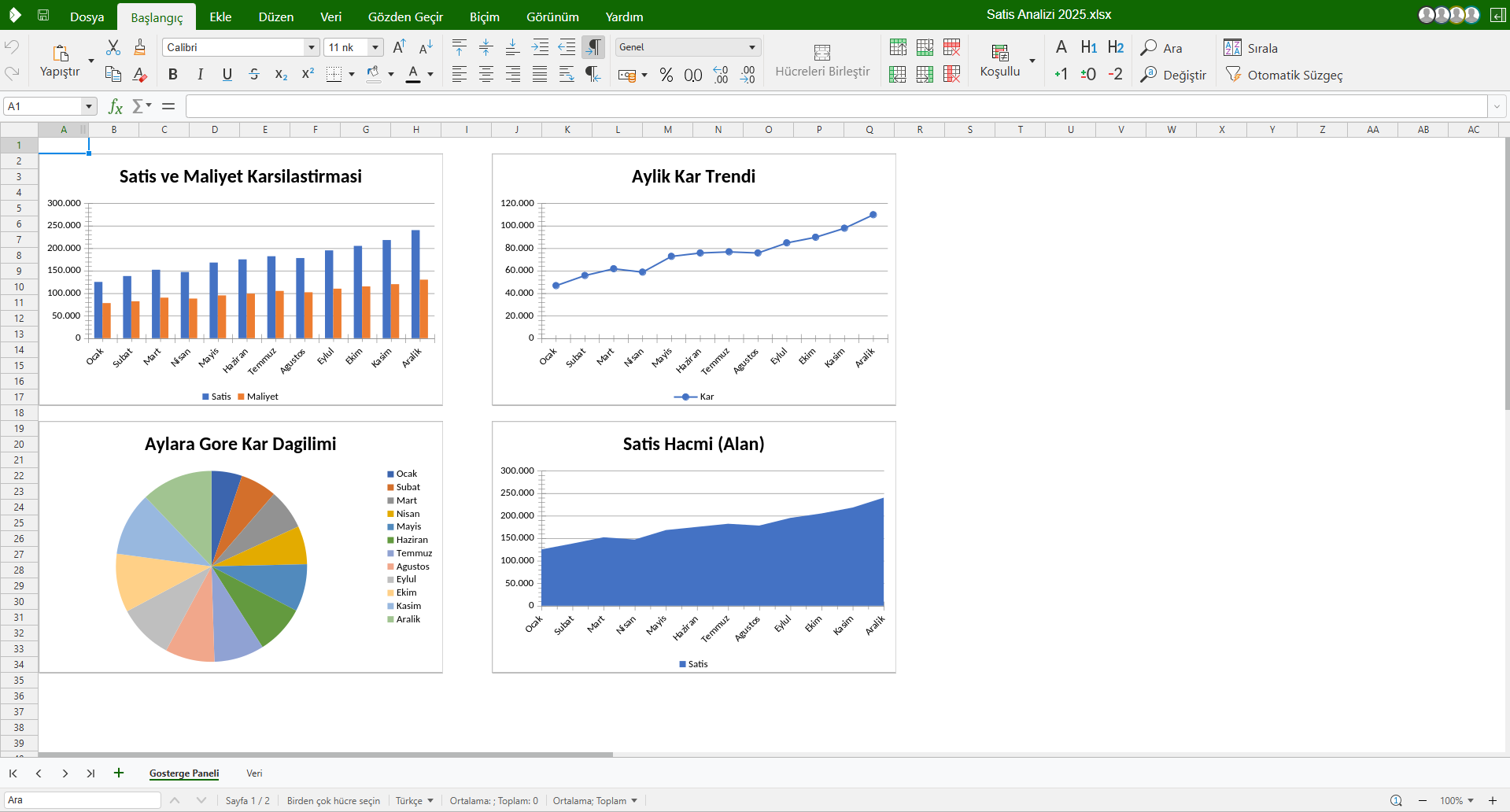
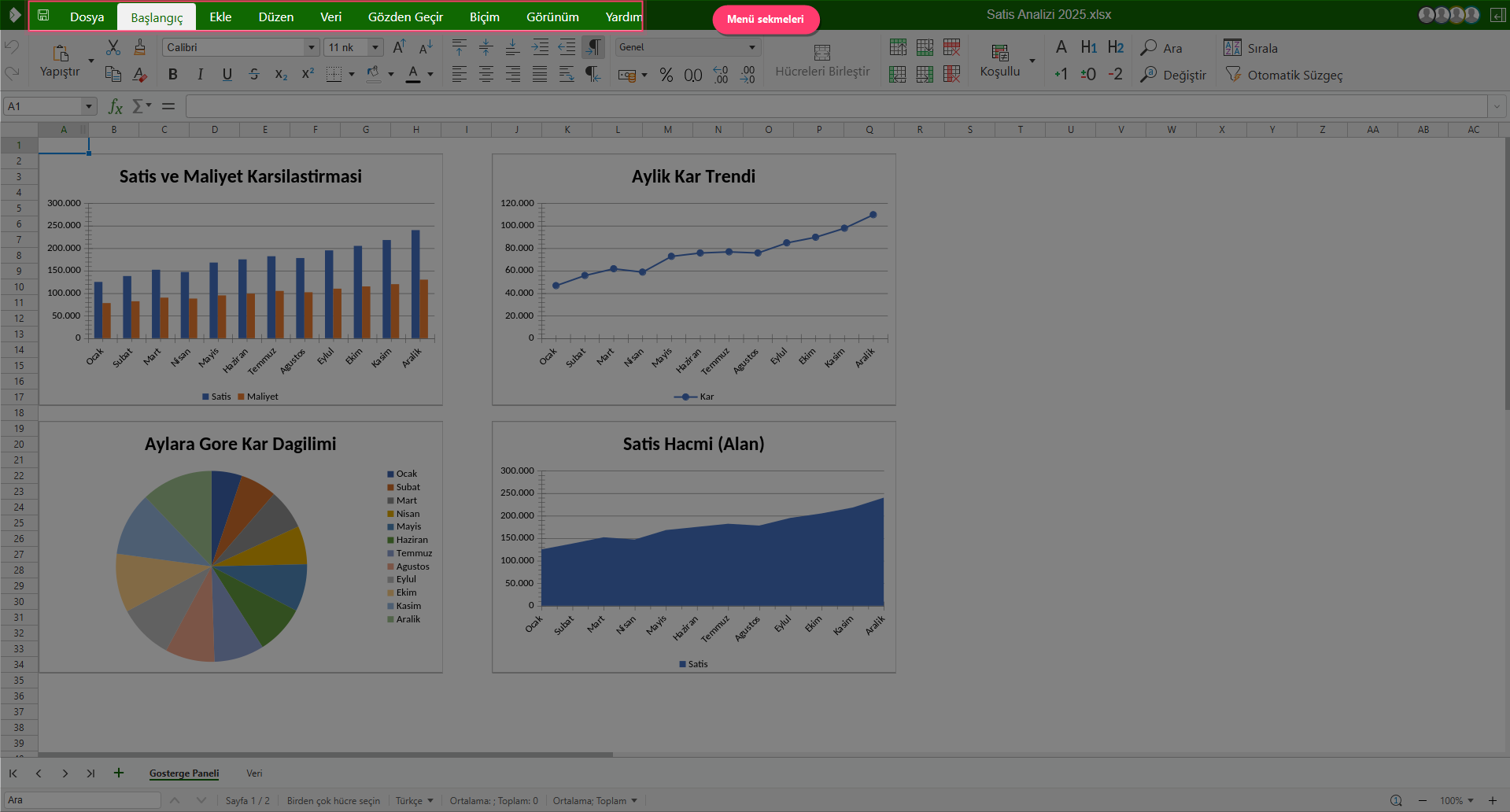
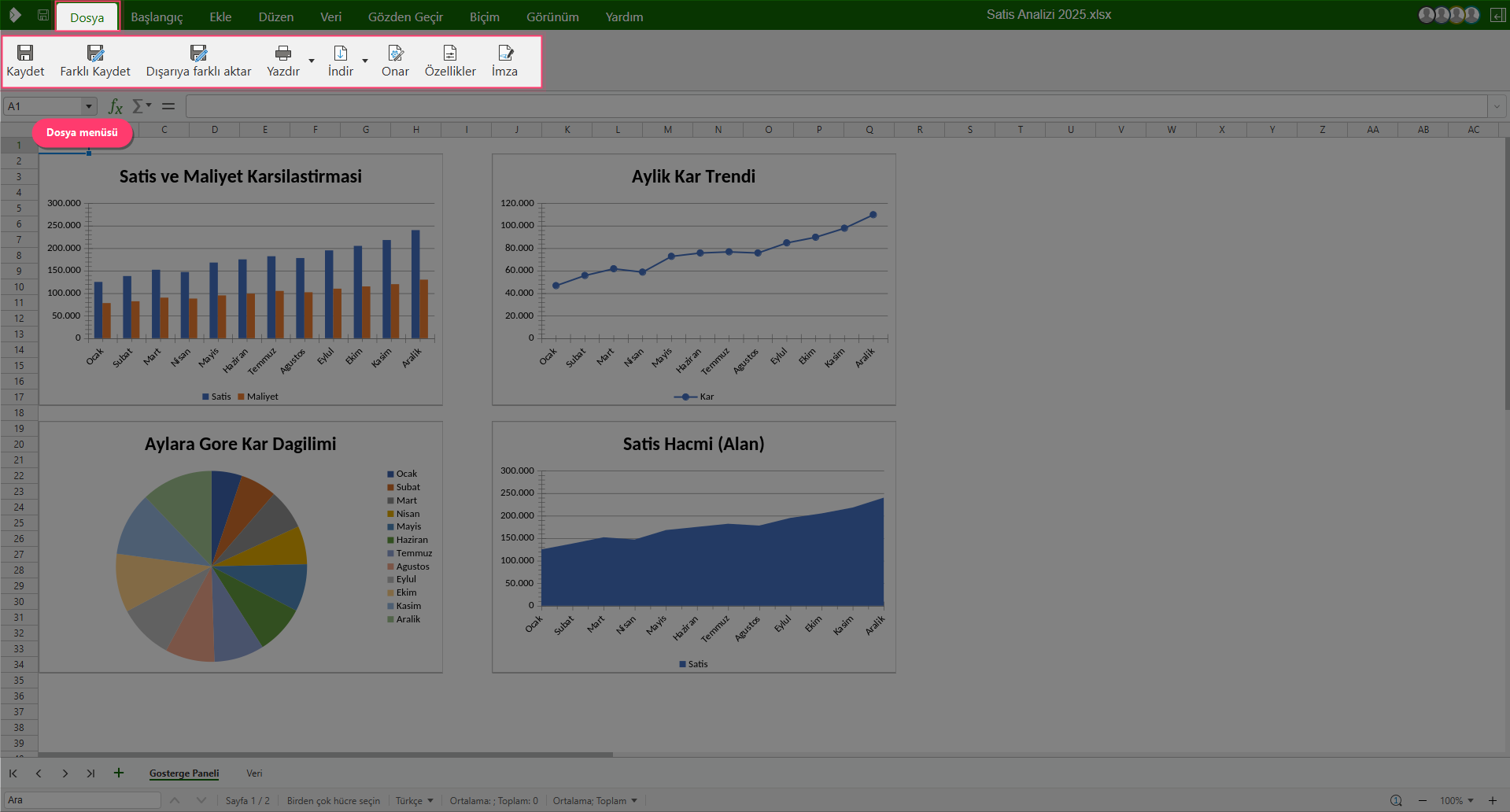
The nDocs real-time collaboration experience takes place on an online editor that requires no software installation. When you open a document, you meet a toolset on par with desktop applications, with “File”, “Home”, “Insert”, “Layout”, “Data”, “Review”, “Format”, “View”, and “Help” tabs. Because all of this happens in the browser, everyone on your team has the same experience no matter which device they use.
Multiple Users in the Same Document
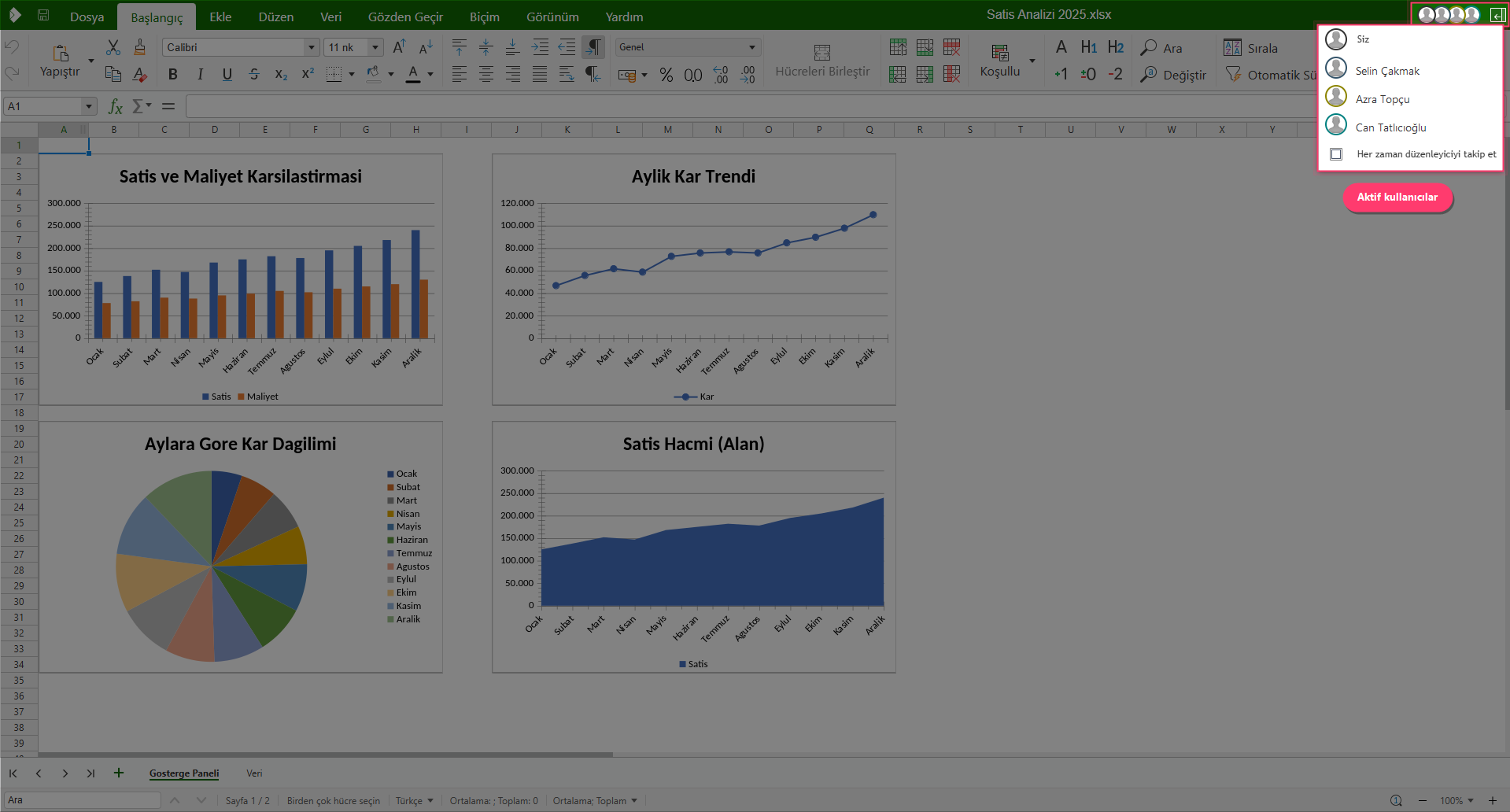
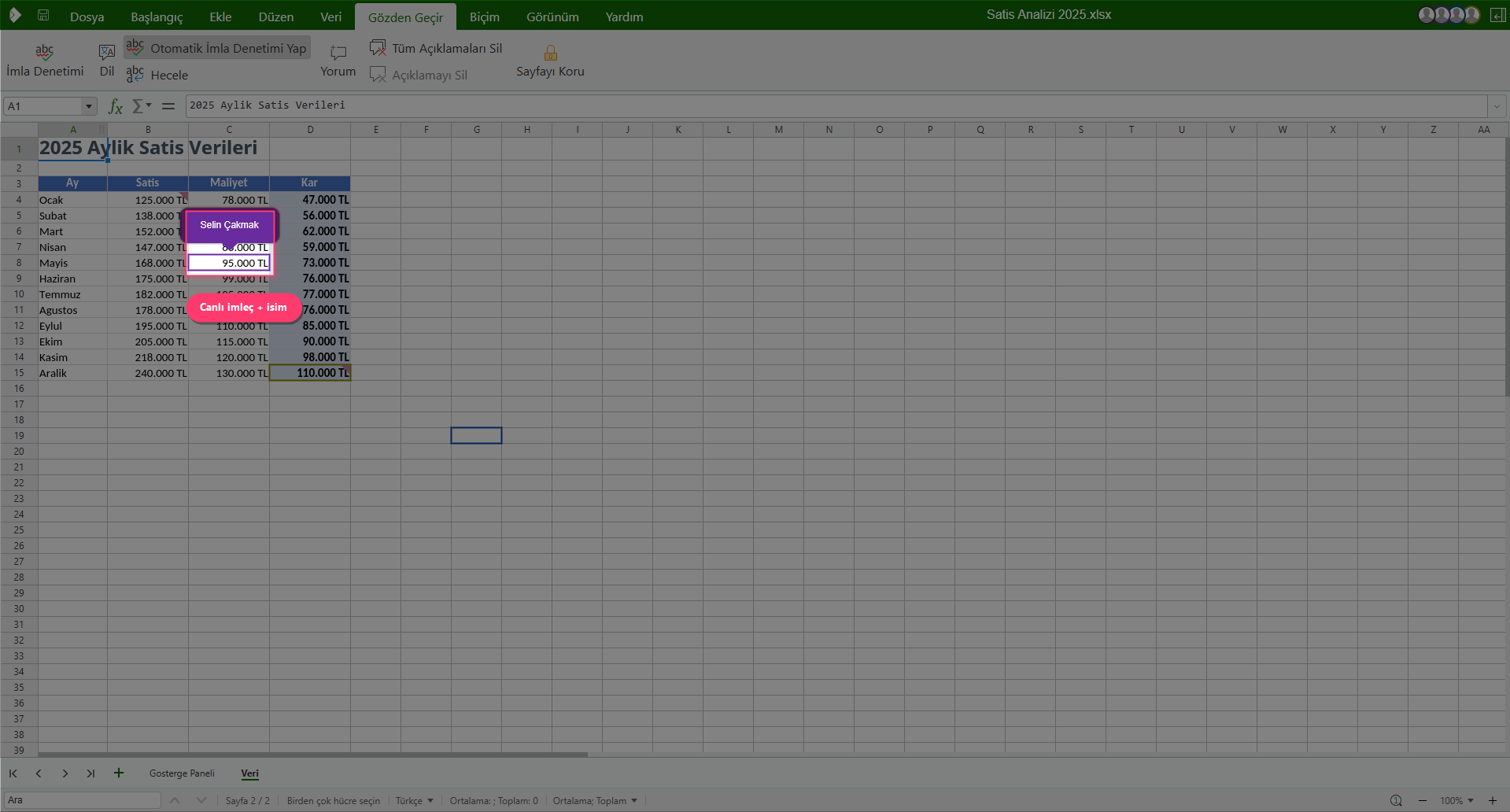
This is where the heart of real-time collaboration beats. When a document is opened by more than one person, the avatars of the active users appear in the top-right corner of the editor. Clicking the avatars shows you, at a glance, a list of everyone currently working on the document. This both eases coordination and removes the uncertainty of “who is touching this file right now?”
Live Cursor Tracking: Who Is Working Where?
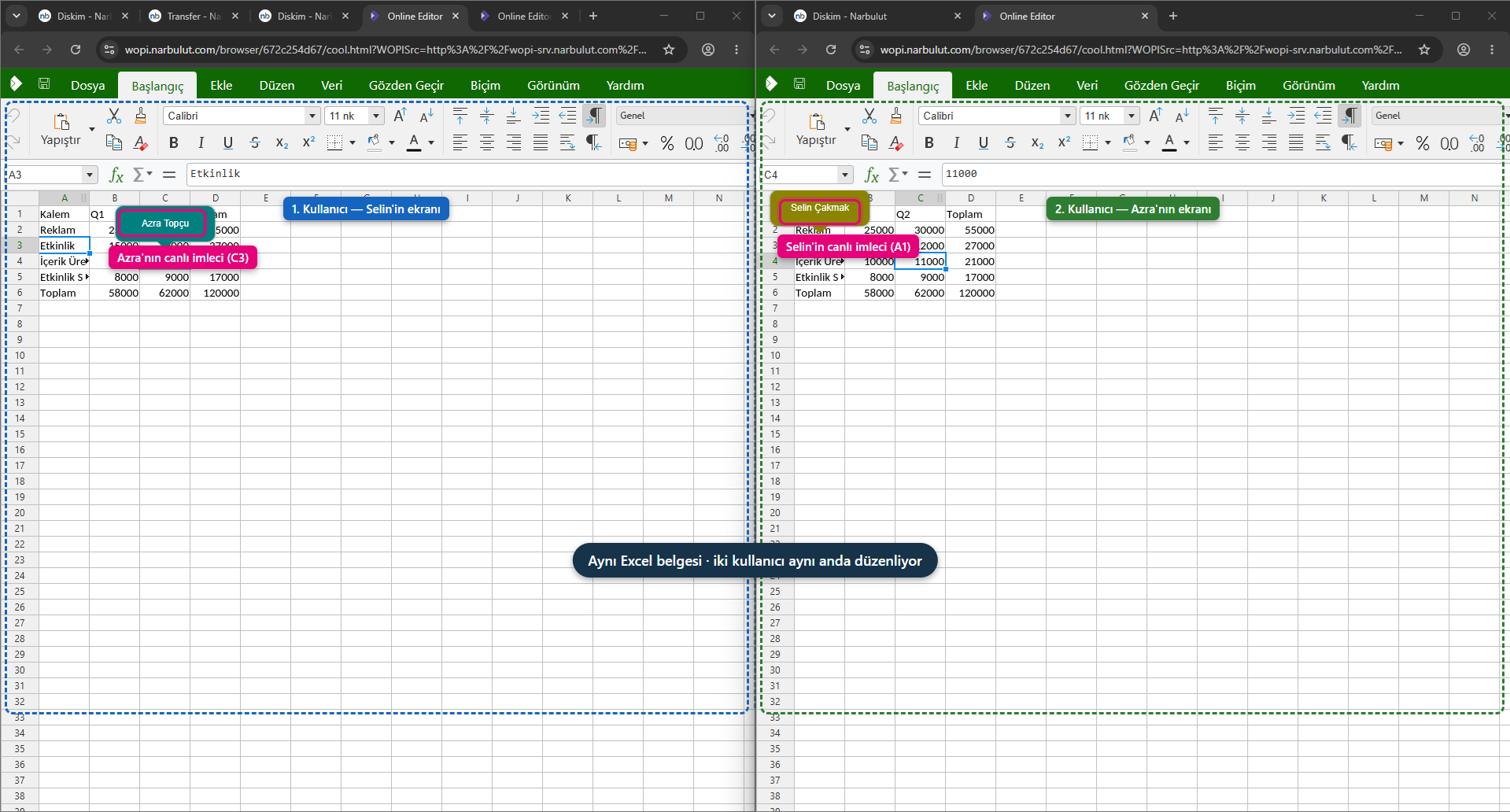
One of the most powerful features of nDocs is live cursor tracking. The cursors of other users working on the document appear in real time, with a name label above them. So you can instantly see which cell or which row a teammate is working on. This eliminates the risk of editing the same spot at the same time or undoing each other’s work.
Instant Synchronization: Changes Appear in Seconds
The most concrete benefit of real-time collaboration is that every change made appears instantly to other users. When a user enters data in a cell, this data appears within seconds in all other open sessions — without needing to press a save button. This way the team works on a single, up-to-date version; conflicting copies and file names like “v2-final-last” become a thing of the past.
Communication with Comments
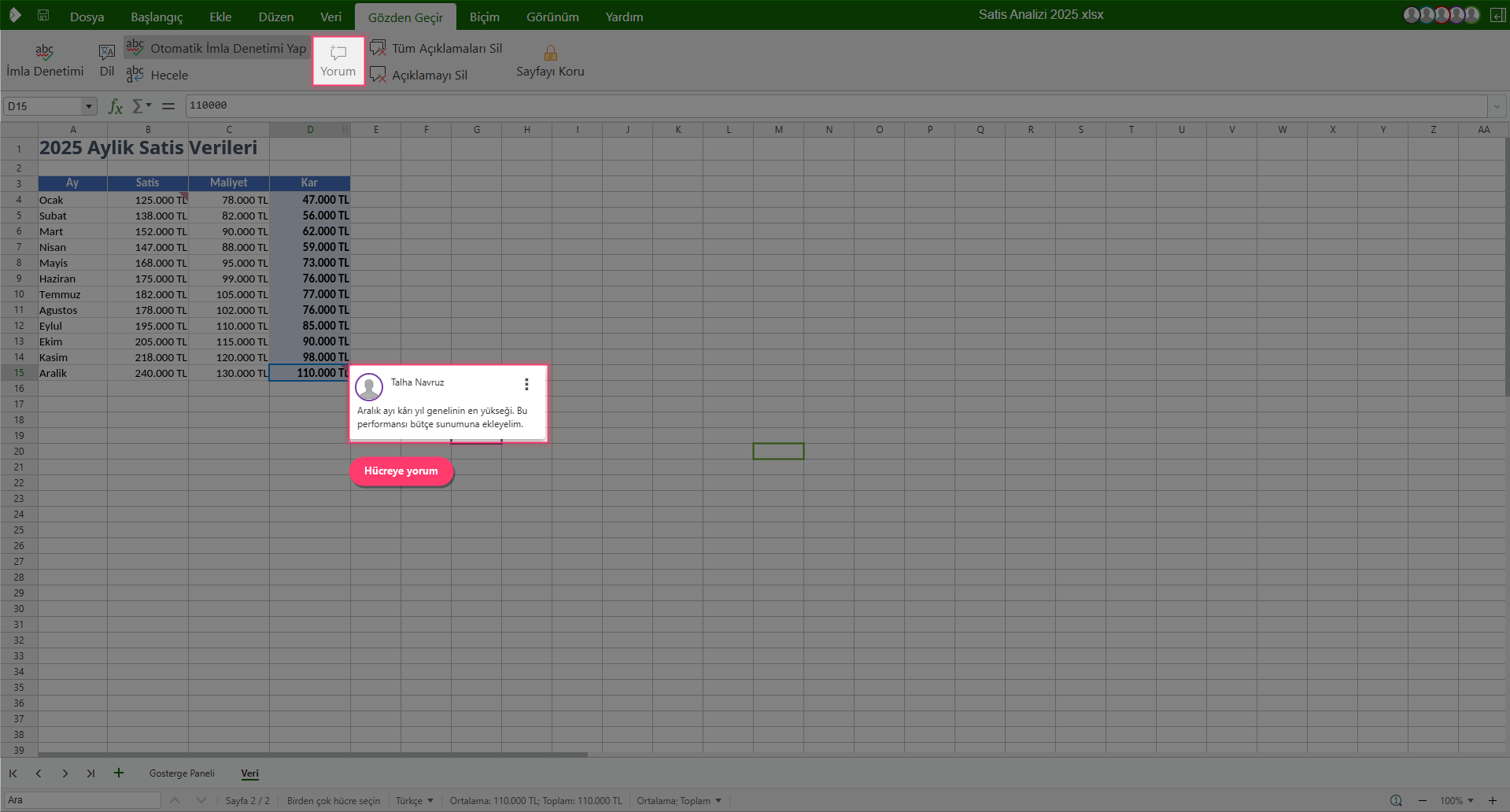
You don’t need to leave the environment to exchange ideas about the document. With the “Comment” tool in the “Review” tab, you can leave a note on any cell, ask your teammates a question, or explain the rationale for a change. Added comments are stored with the document and seen by other users; this way the entire discussion stays inside the document, together with its context.
Personalizing the View
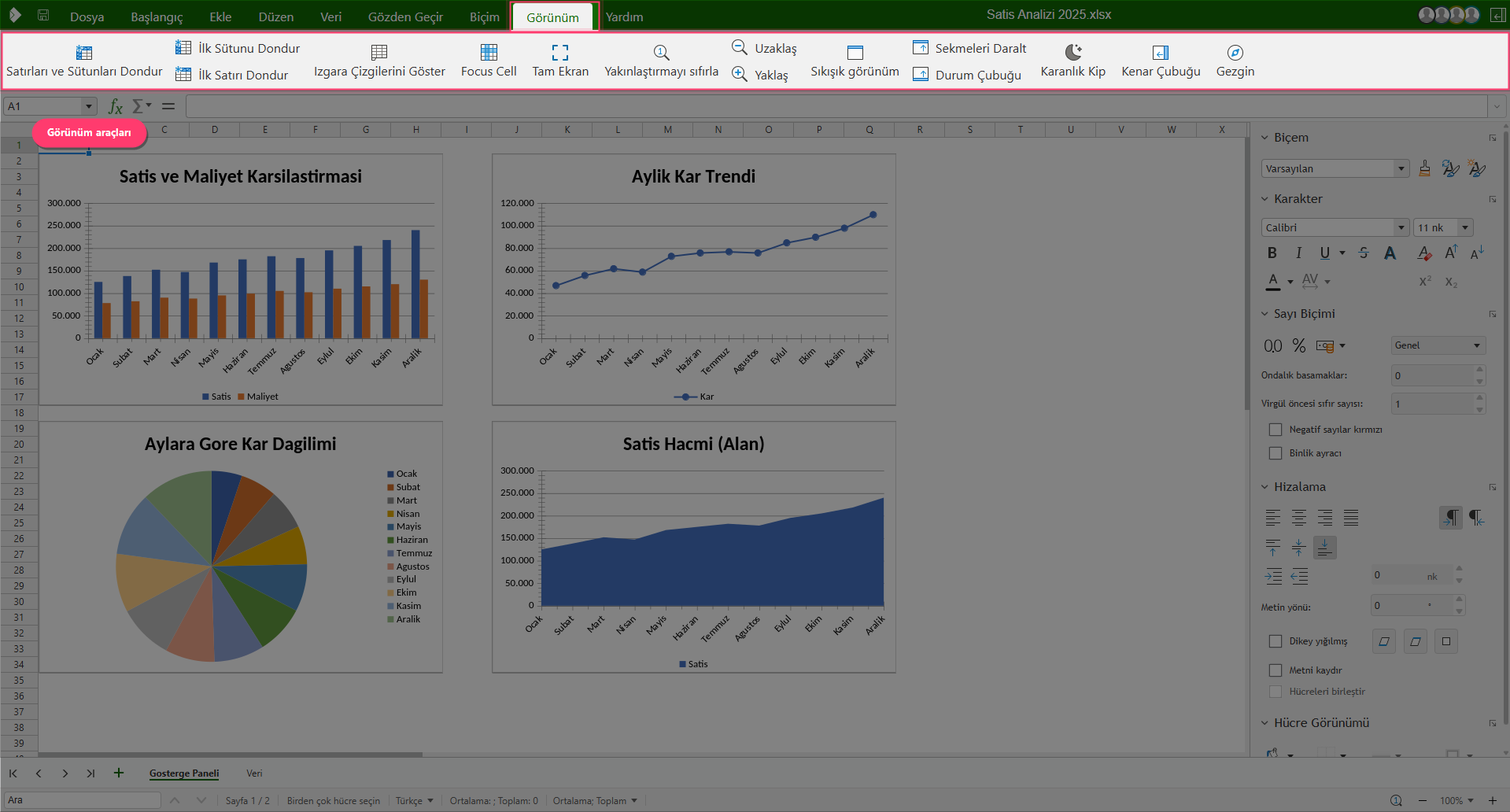
Even though you work in the same document, each user can adjust their own view to suit their needs. The “View” tab offers options such as freezing rows/columns, showing/hiding gridlines, focus cell (Focus Cell), dark mode, full screen, and zoom. These settings are personal; your preferences do not affect other users’ views.
Data Security with Auto-Save
Changes made during real-time collaboration are saved automatically and stored in the cloud. From the “File” menu, you can also perform manual save, save as, export, or download whenever you wish. This way you never worry about data loss at any stage of your work.
Meet Narbulut nDocs Workspace, which brings your team together on the same document, in real time and securely:
Narbulut nDocs Workspace
Local, secure cloud workspace. Real-time online office, live cursors, comments, shared spaces and auto-save on a single platform.

