
- Company
-
Products
Products
New ProductCloud Server
Fully managed virtual server infrastructure. Setup in minutes, hourly billing and expert support so you can focus on your business.
Try Now -
Solutions
Backup & Security
Data SecurityRansomware & encryptionSilent Ransom: TDEProtection against TDE abuseCloud BackupSecure backup to data centersImage BackupFull disk image + fast recoveryOff-Site BackupOff-site disaster recoveryMobile BackupiOS & Android photos/contactsRansomware ProtectionAgainst ransomware attacksTwo-Factor Auth2FA account security - Plans
- Resources
- Partners
- Blog
Narbulut Shared Space: What Is It and How to Use It?
One of the biggest challenges for modern teams is files getting lost across different computers, email attachments, or scattered folders. The time wasted trying to figure out which file is the most up-to-date version lowers productivity and leads to errors. The Shared Spaces feature of Narbulut nDocs Workspace is designed precisely to eliminate this chaos: it gathers all the files your team will use together in a single central area, lets you decide who can access what, and keeps a record of every action.
In this guide, we will explore all the capabilities of Shared Spaces step by step.
What Is a Shared Space and Why Does It Matter?
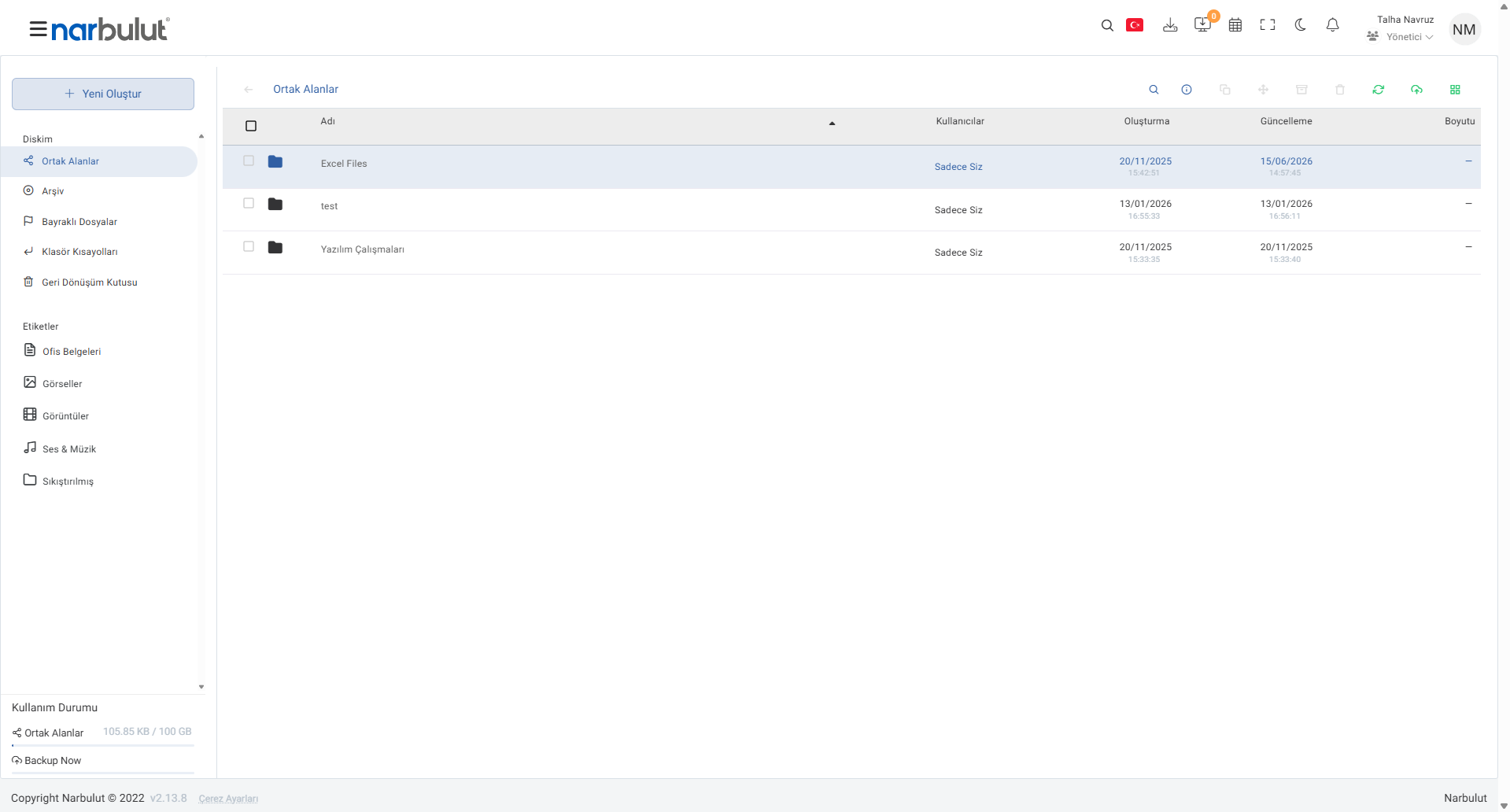
A Shared Space is a central workspace that holds the files and folders your team uses jointly. When you enter the Shared Spaces panel, you see all created workspaces in a single list. Each space’s creation and update dates, the users with access rights (the “Users” column), and size information are listed clearly. This way, you can track at a glance when a project was last updated and who can access it.
Creating and Uploading New Content
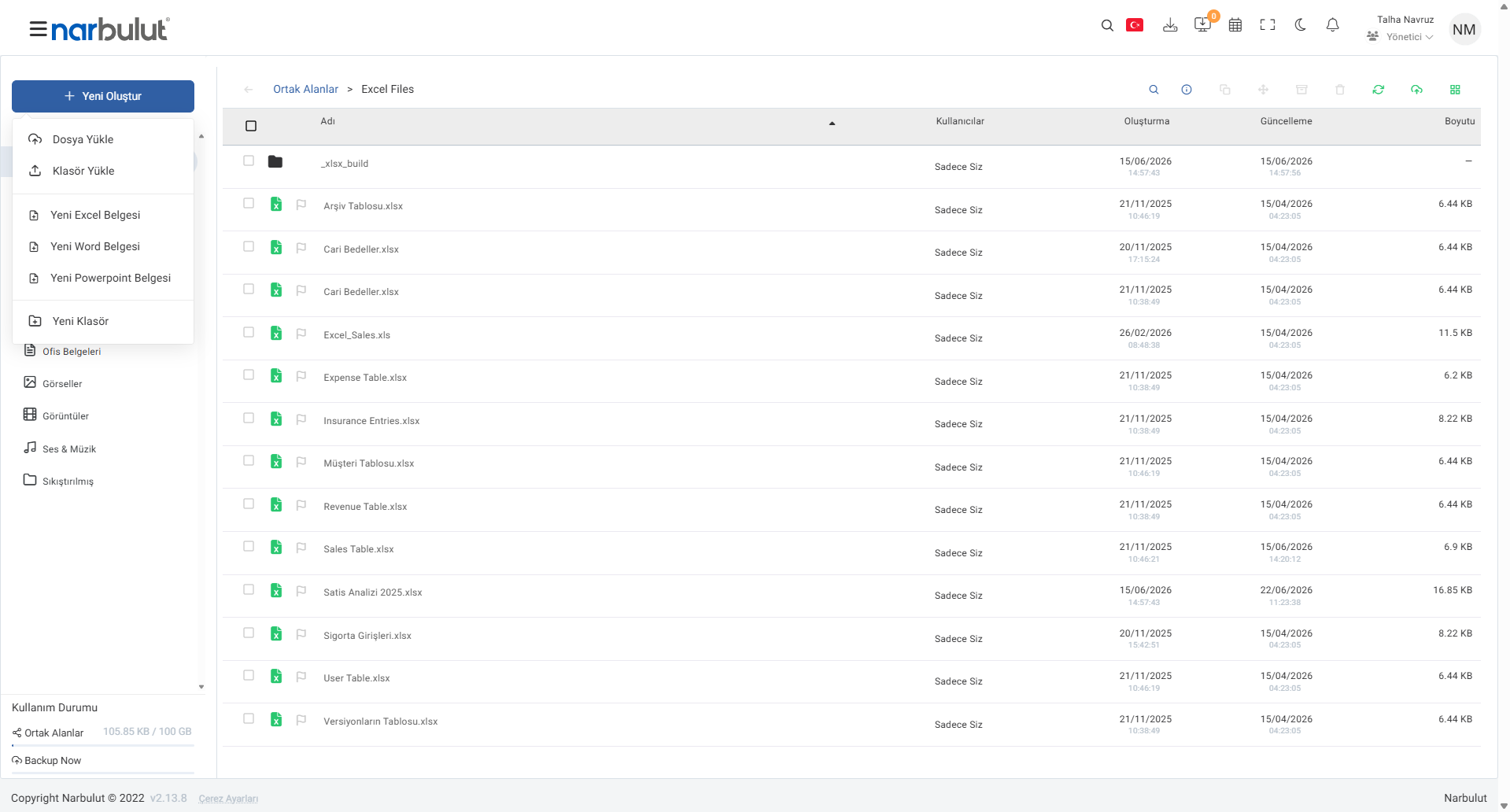
What makes a shared space efficient is how easily you can add content to it. The “+ Create New” button at the top left offers all the ways to add content in a single menu. You can upload files or folders from your computer; or, without opening any application, create a new Excel, Word, or PowerPoint document directly in the browser. To keep things organized, new folders are also added here.
Manage Your Files in One Place
When you enter a shared space, all of its files and folders appear in a tidy table. File types are distinguished by icons, and each row shows creation/update dates and file sizes. When you hover over a file, quick-action buttons such as move, share, download, view, edit, and delete appear; this way you complete your daily tasks without ever switching pages.
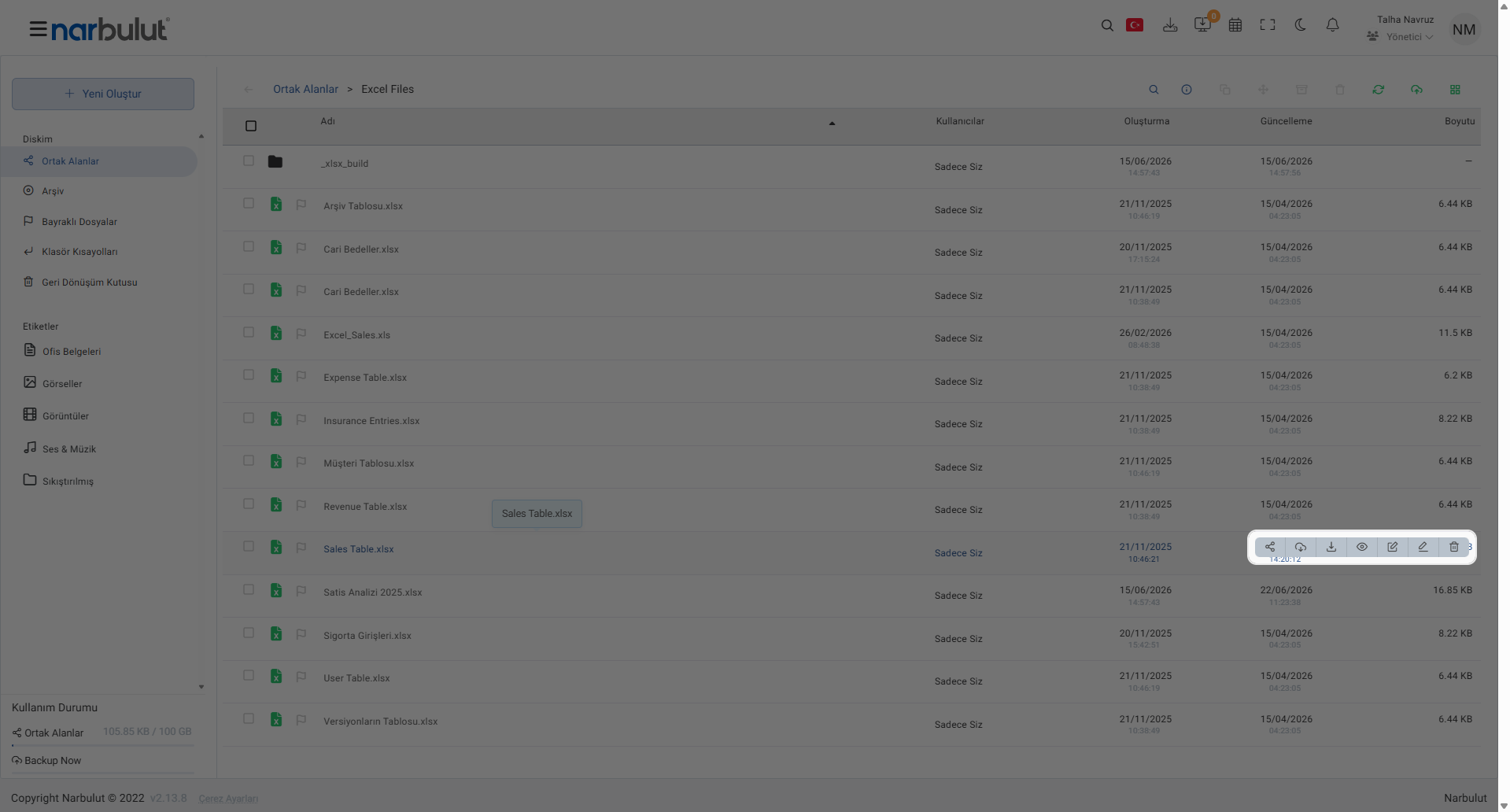
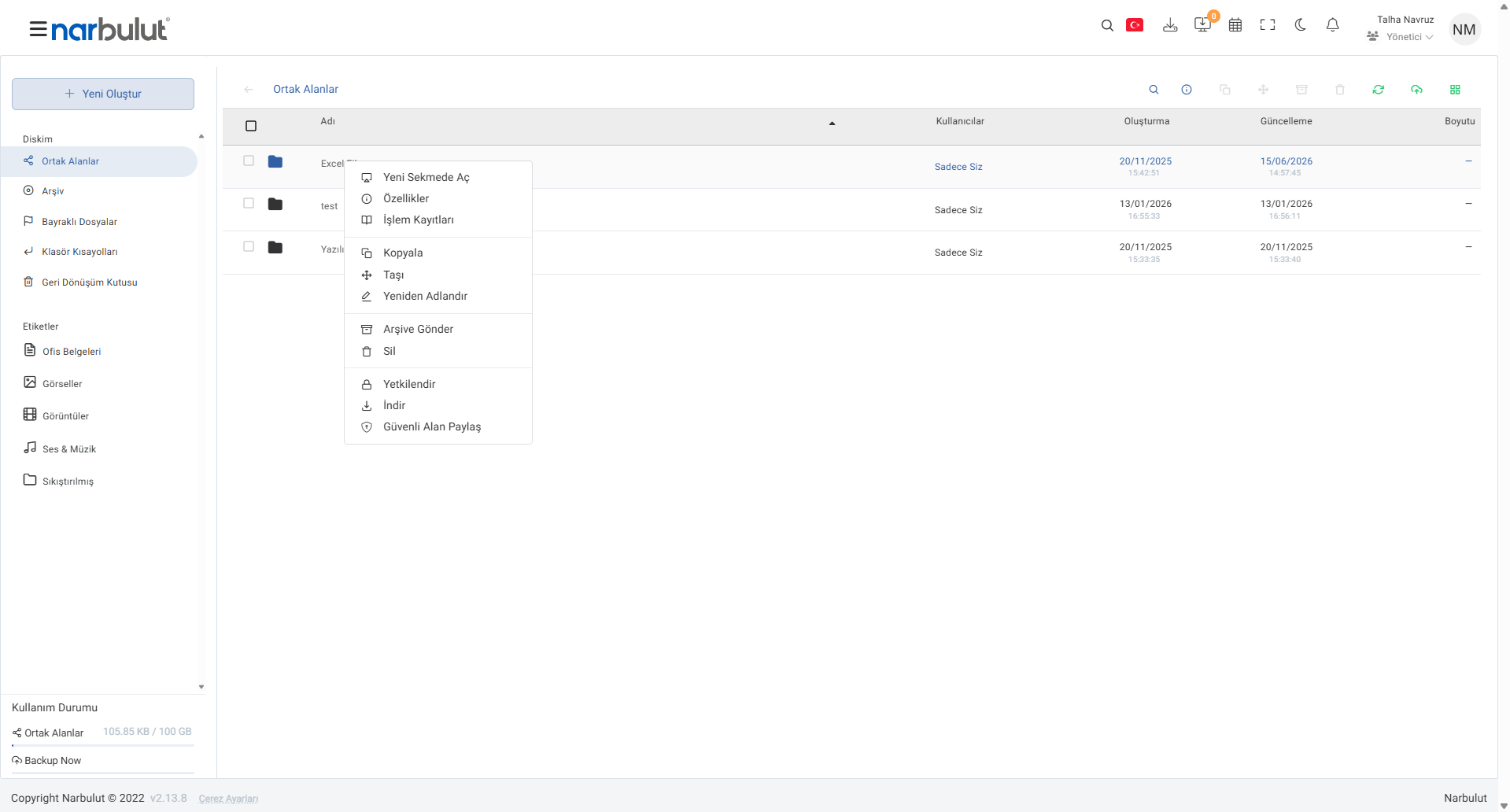
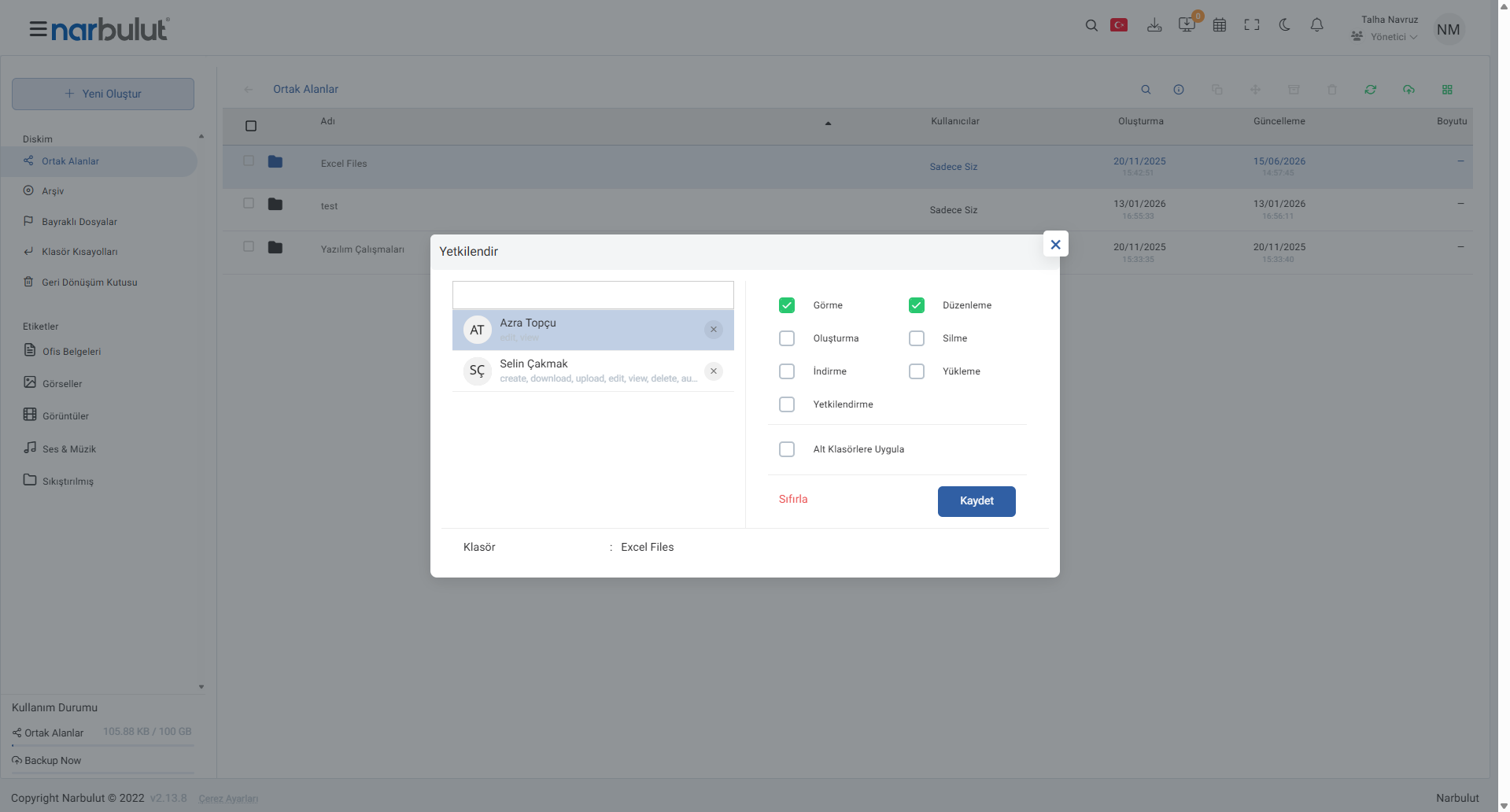
This way, for example, you can grant one user view-only permission while giving another full editing rights. Access control is entirely in your hands, and your sensitive data stays open only to the people you authorize.
Working Together on Documents
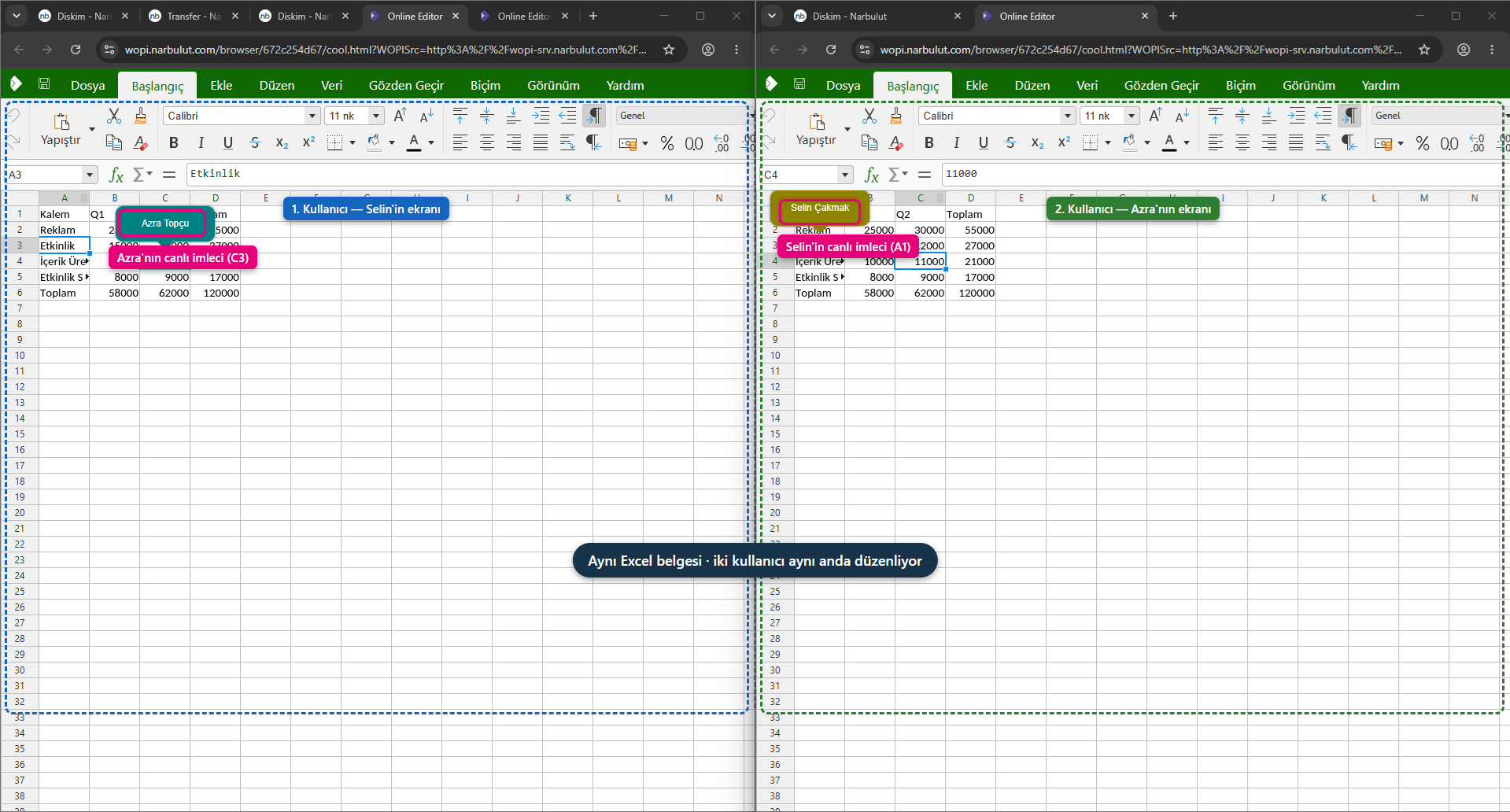
The users you authorize can work together on the documents in the shared space. You can open and edit an Excel, Word, or PowerPoint file directly in the browser, without installing a separate program. Because the team members you grant editing permission can access and change the same document, everyone always works on the most up-to-date version; version chaos and the hassle of sending files by email disappear.
Quick Access: Search and Tags
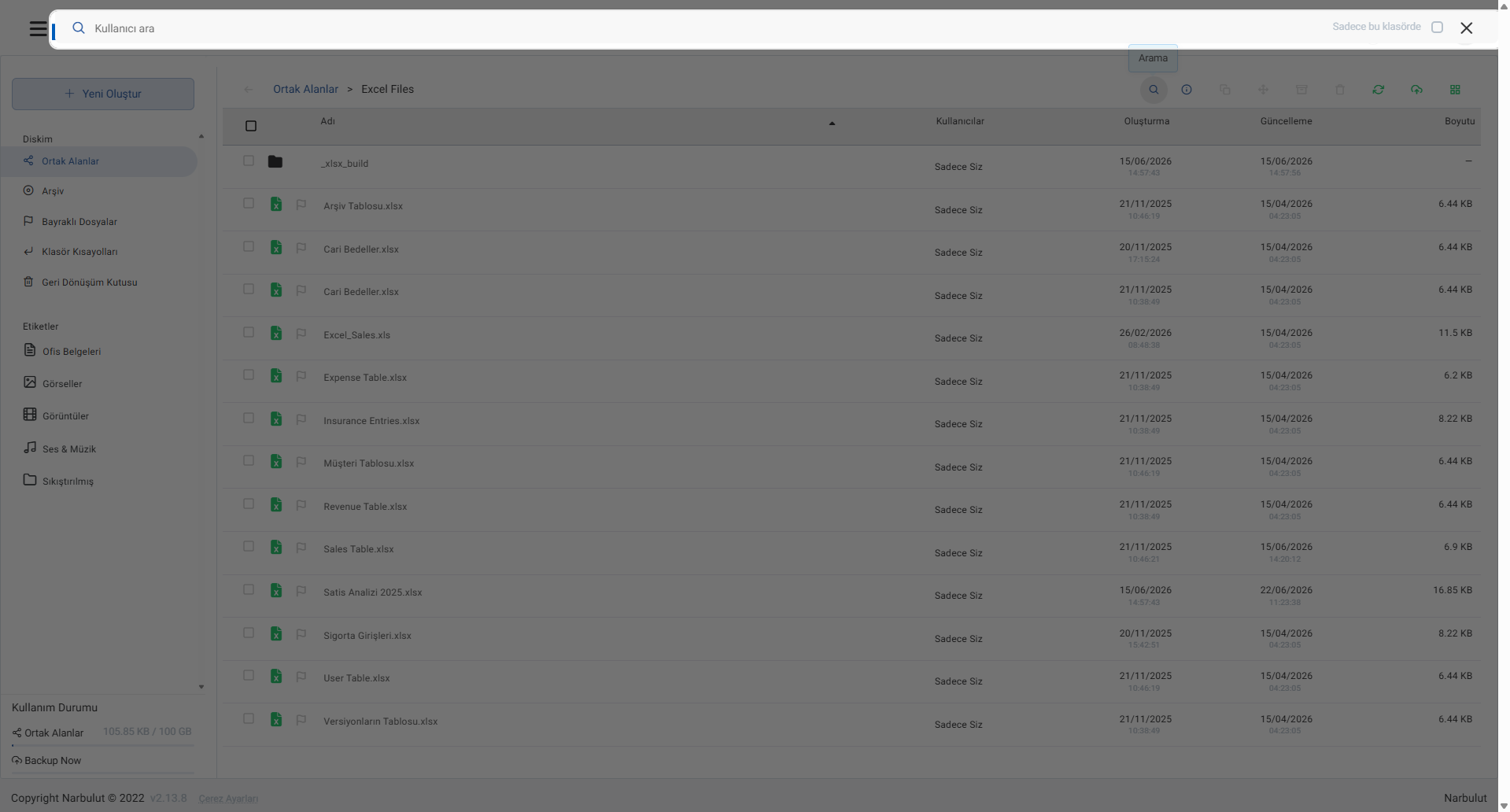
As content grows, reaching the right file quickly becomes important. With the search feature at the top you can find files by name, and narrow the search with the “Only in this folder” option. In addition, the “Tags” section in the left menu (“Office Documents”, “Images”, “Videos”, “Audio & Music”, “Compressed”) automatically groups your files by type; with a single click you can list only that type of file.
Transparency: Folder Information and Activity Logs
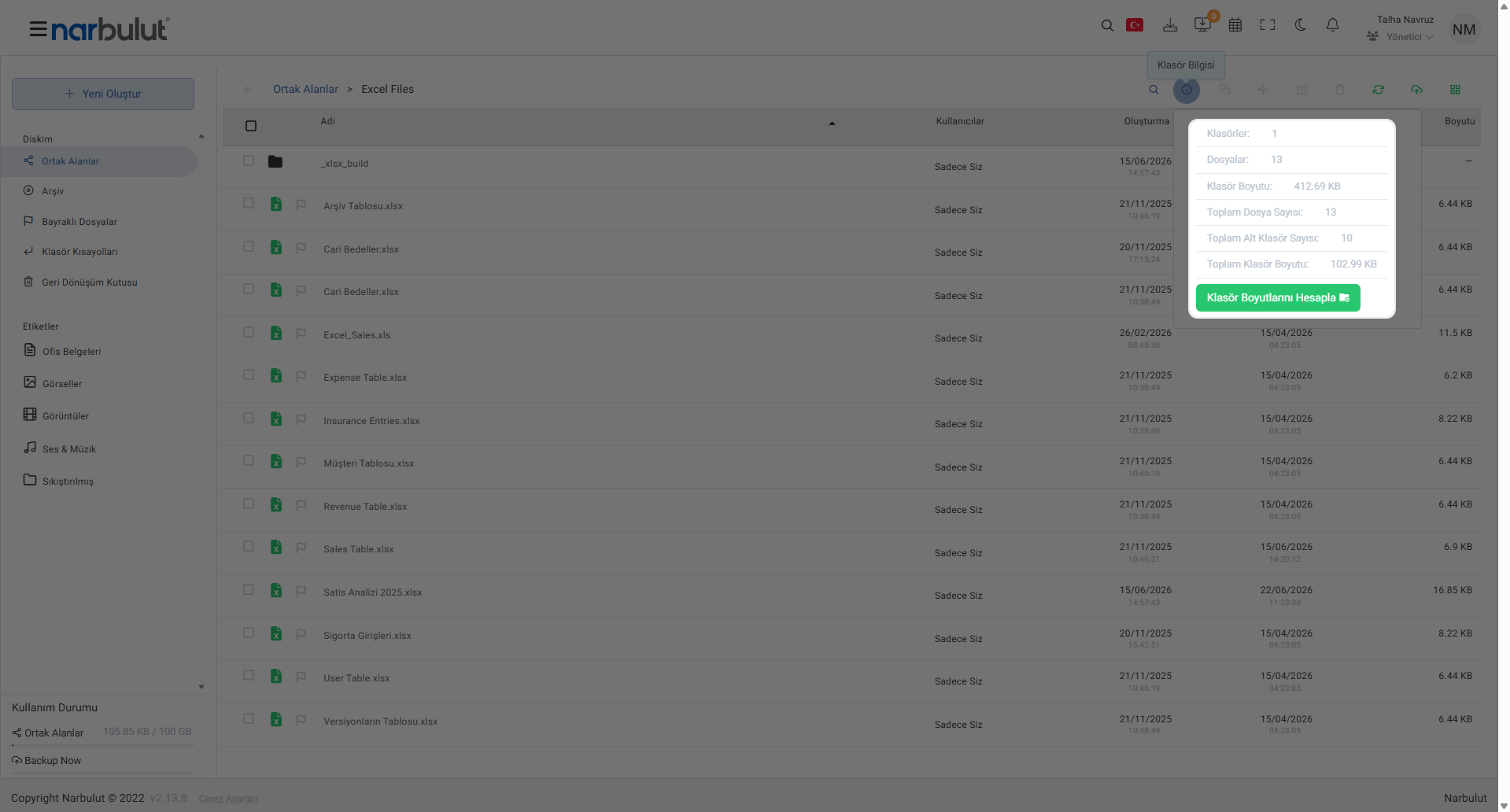
Shared Spaces are not only storage but also a transparent management tool. You can see the number of folders and files inside a folder, its total size, and subfolder statistics; with the “Calculate Folder Sizes” option you can get a detailed size analysis. With the usage quota indicator at the top, you also keep your total storage space under control at all times.
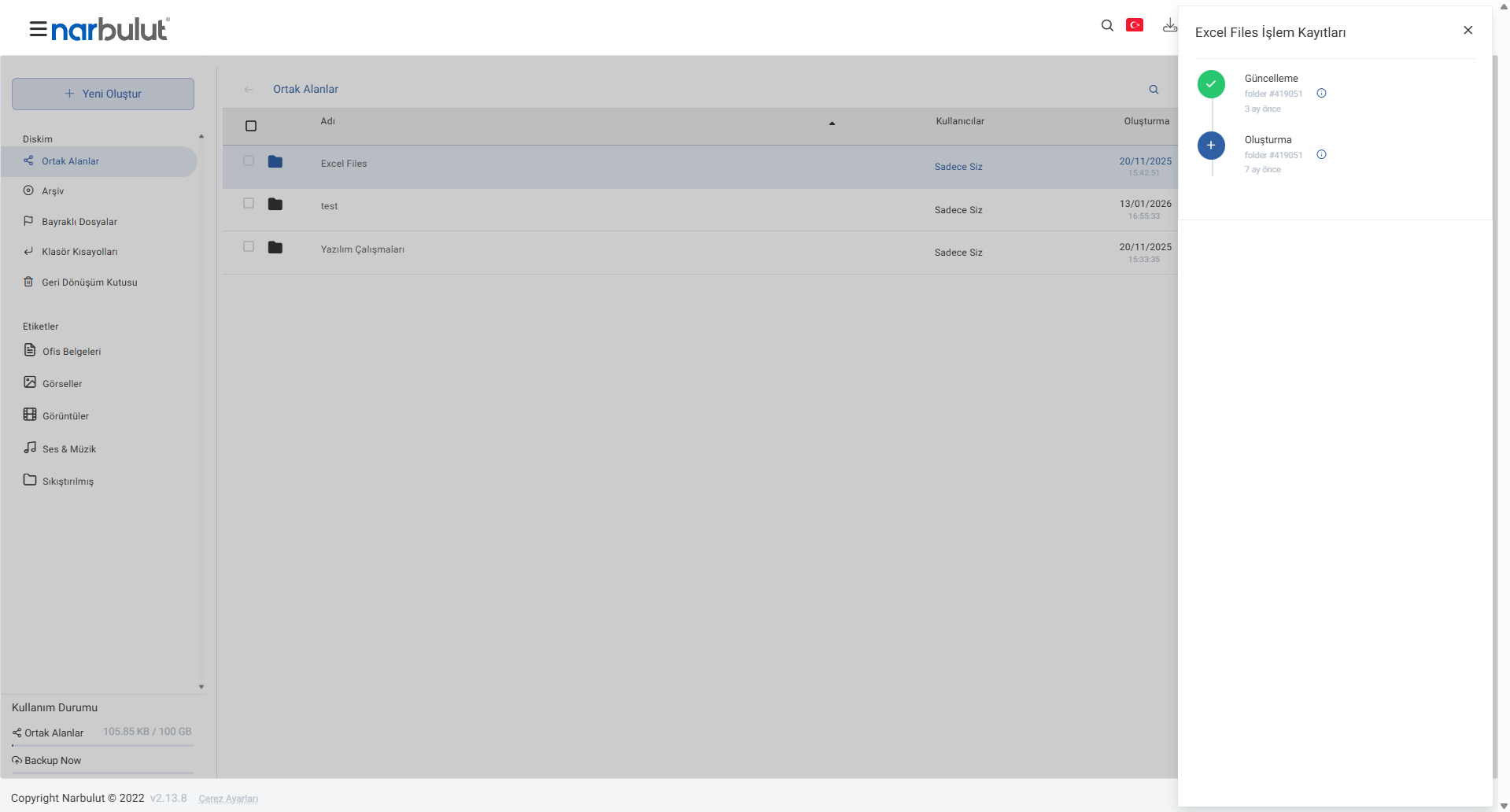
In addition, the “Activity Logs” option in the right-click menu provides an audit log showing who performed which action, and when, on a file or folder. This feature ensures accountability and traceability, especially in shared spaces where multiple people work.
Meet Narbulut nDocs Workspace, which brings all these features together under a local and secure roof:
Narbulut nDocs Workspace
Local, secure cloud workspace. Shared spaces, user-based permissions, online office, versioning and activity logs on a single platform.

