
- Company
-
Products
Products
New ProductCloud Server
Fully managed virtual server infrastructure. Setup in minutes, hourly billing and expert support so you can focus on your business.
Try Now -
Solutions
Backup & Security
Data SecurityRansomware & encryptionSilent Ransom: TDEProtection against TDE abuseCloud BackupSecure backup to data centersImage BackupFull disk image + fast recoveryOff-Site BackupOff-site disaster recoveryMobile BackupiOS & Android photos/contactsRansomware ProtectionAgainst ransomware attacksTwo-Factor Auth2FA account security - Plans
- Resources
- Partners
- Blog
Share large files easily with Narbulut!
Share large files easily with Narbulut!
The easiest way to share small size files with someone is to send them via email or instant messaging services such as WhatsApp. However, just like e-mail servers, file transfer sizes in messaging applications are variable and limited. Crossing these boundaries is complicated and takes time. Narbulut offers you simple, easy-to-use and manageable solutions that are far from all these complexities.
How to do it?
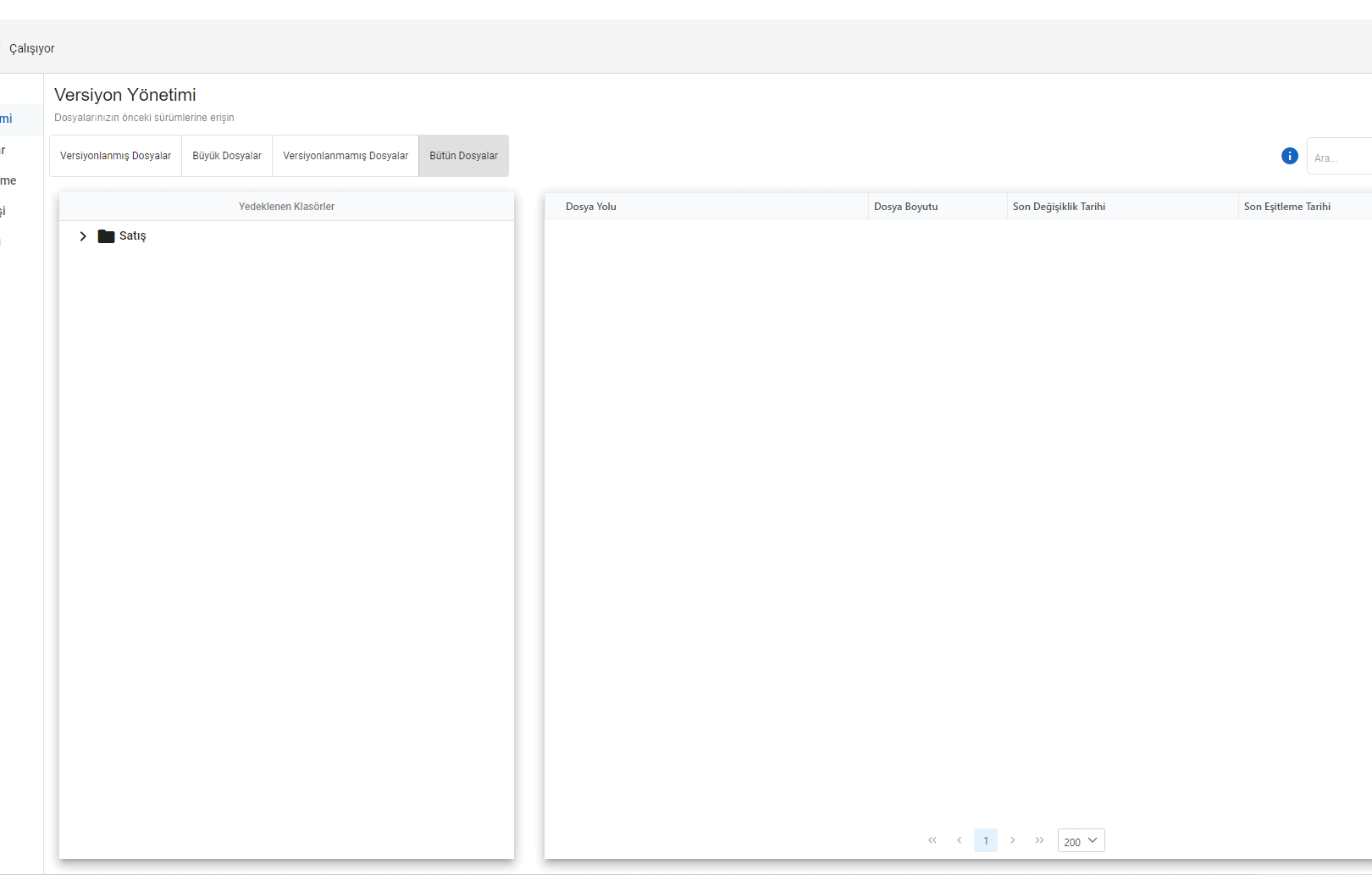
Right click on the file you want to share on the Narbulut Application.
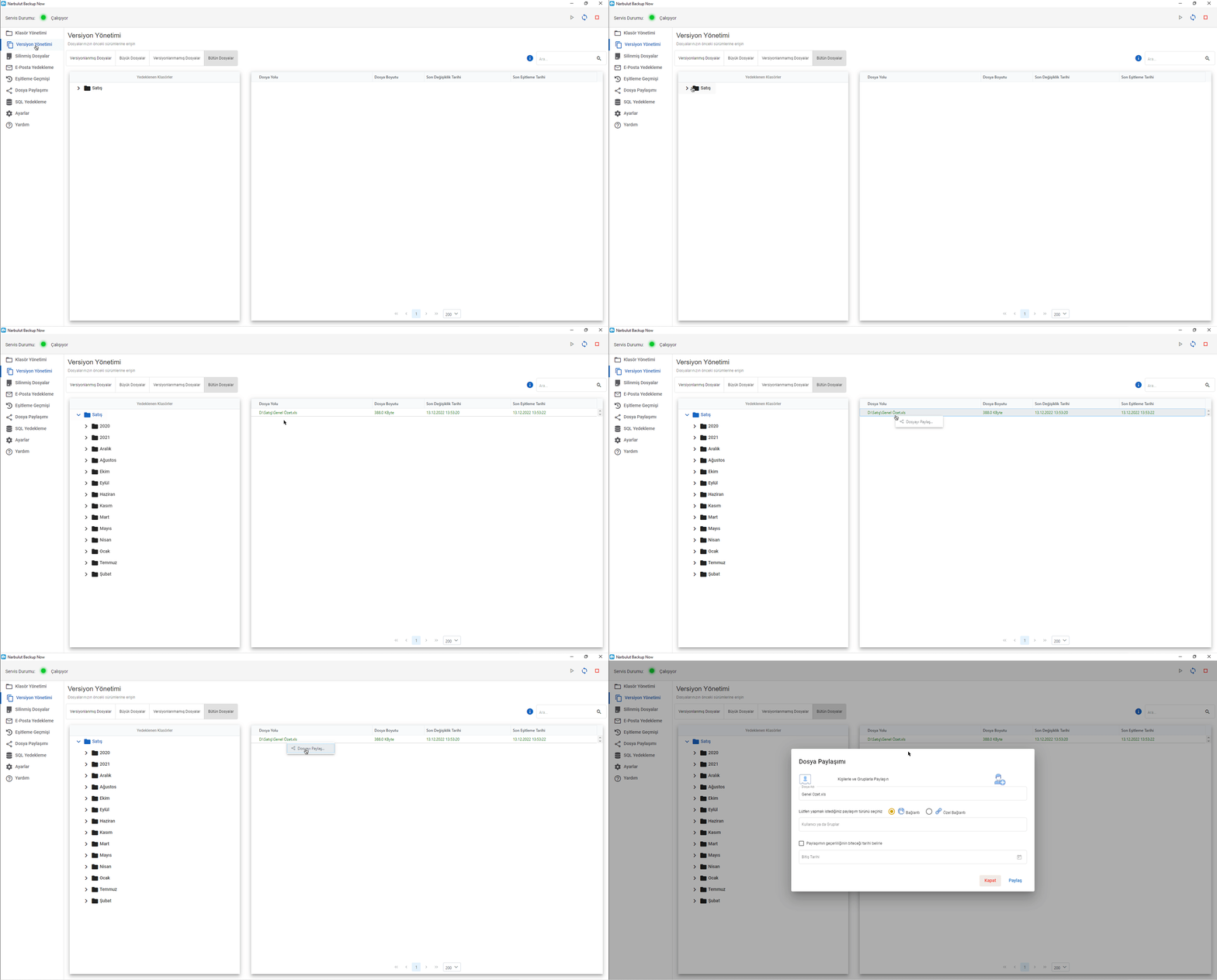
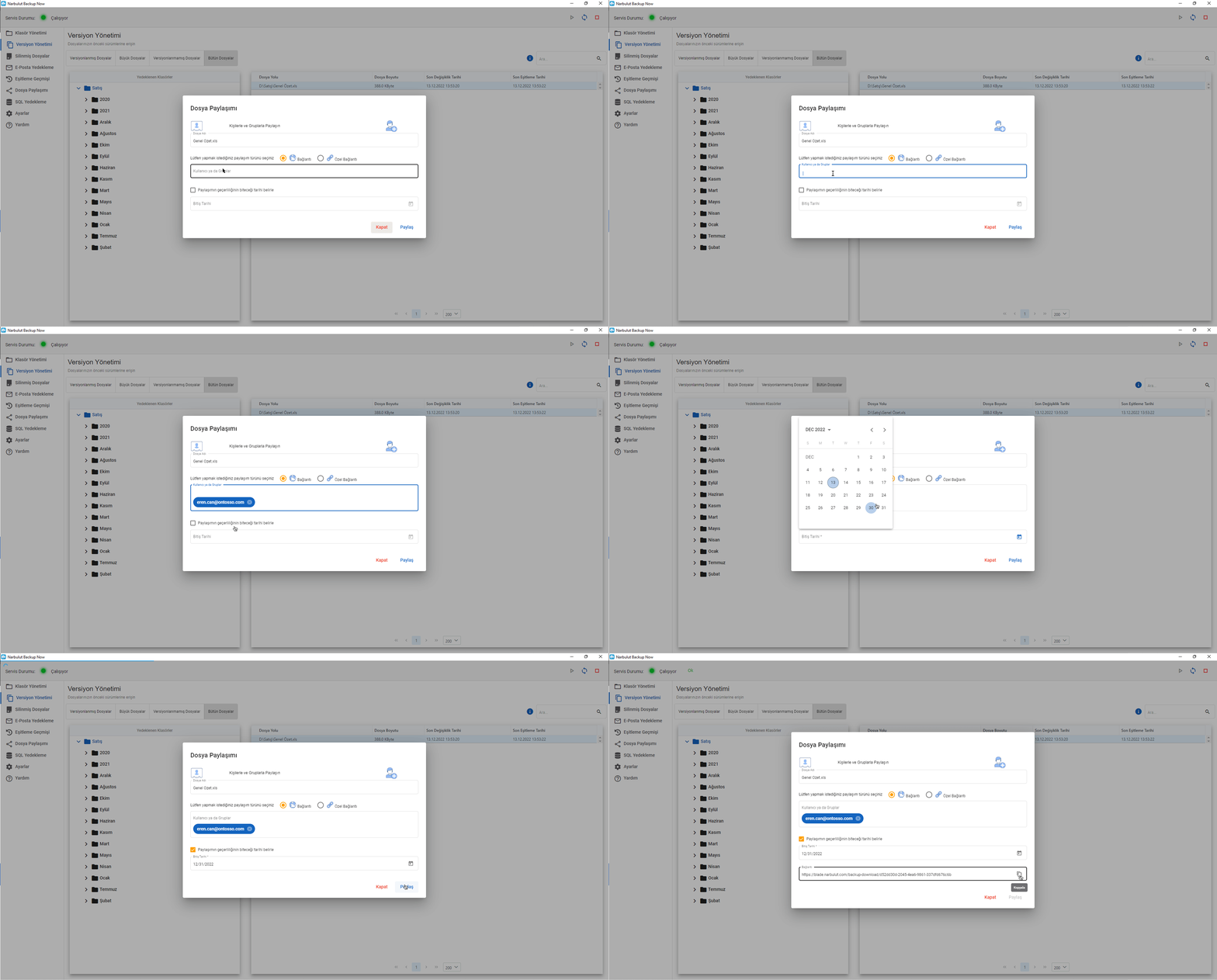
On the file sharing screen, you can add as many e-mails as you want using the link option to share your large files, or you can share with all Narbulut users in your company or specific users using the special link option.
Shares are valid for 3 days by default. If you want, you can change the share expiration date by clicking the “Set the share expiration date” checkbox.
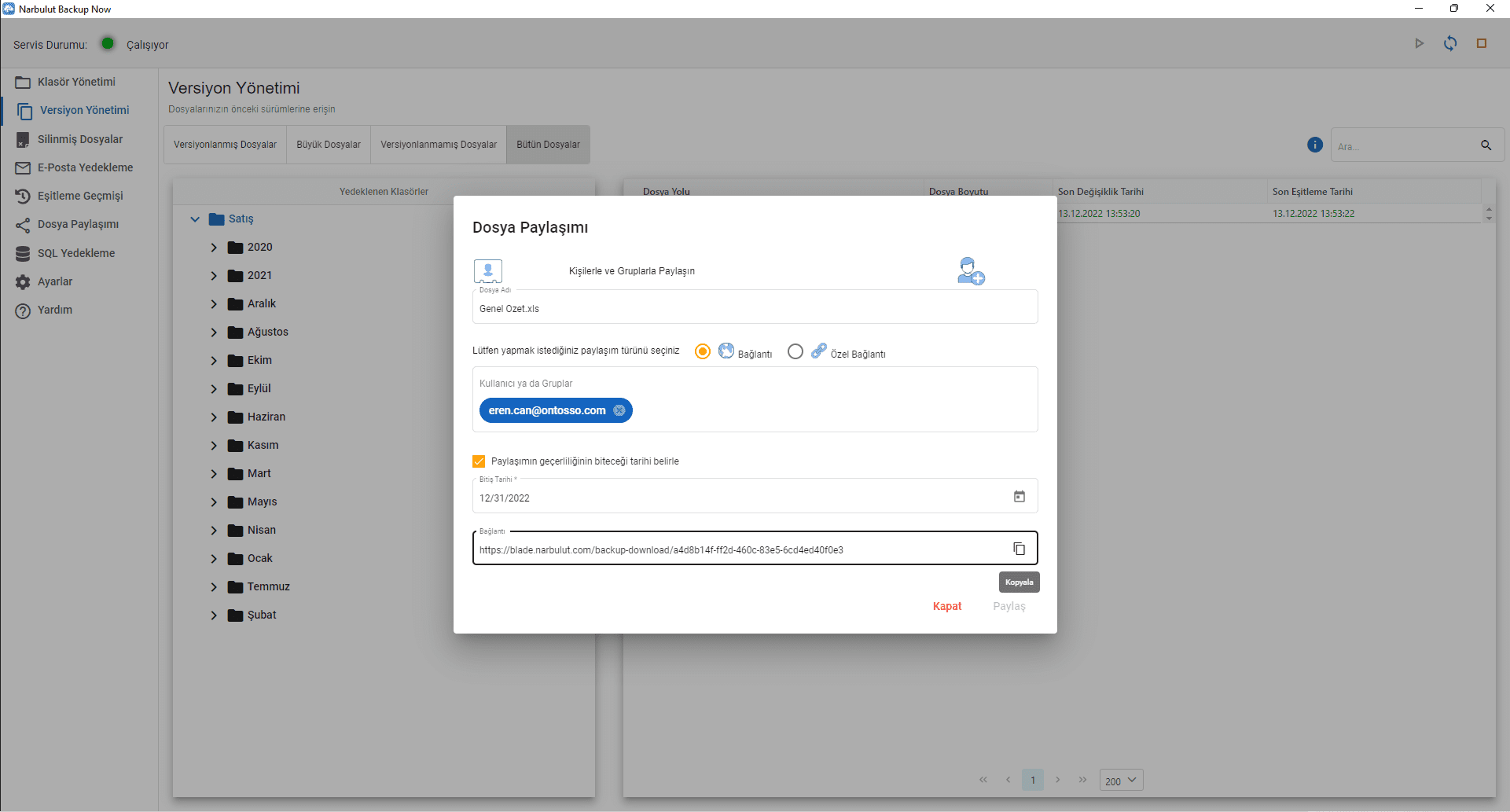
After this stage, all you have to do is click the share button. Narbulut will create a sharing link to distribute through various channels. When you click the “Share” button, the share link will be sent via email to all selected contacts.
You can cancel all shared files from the ‘File Sharing’ menu.
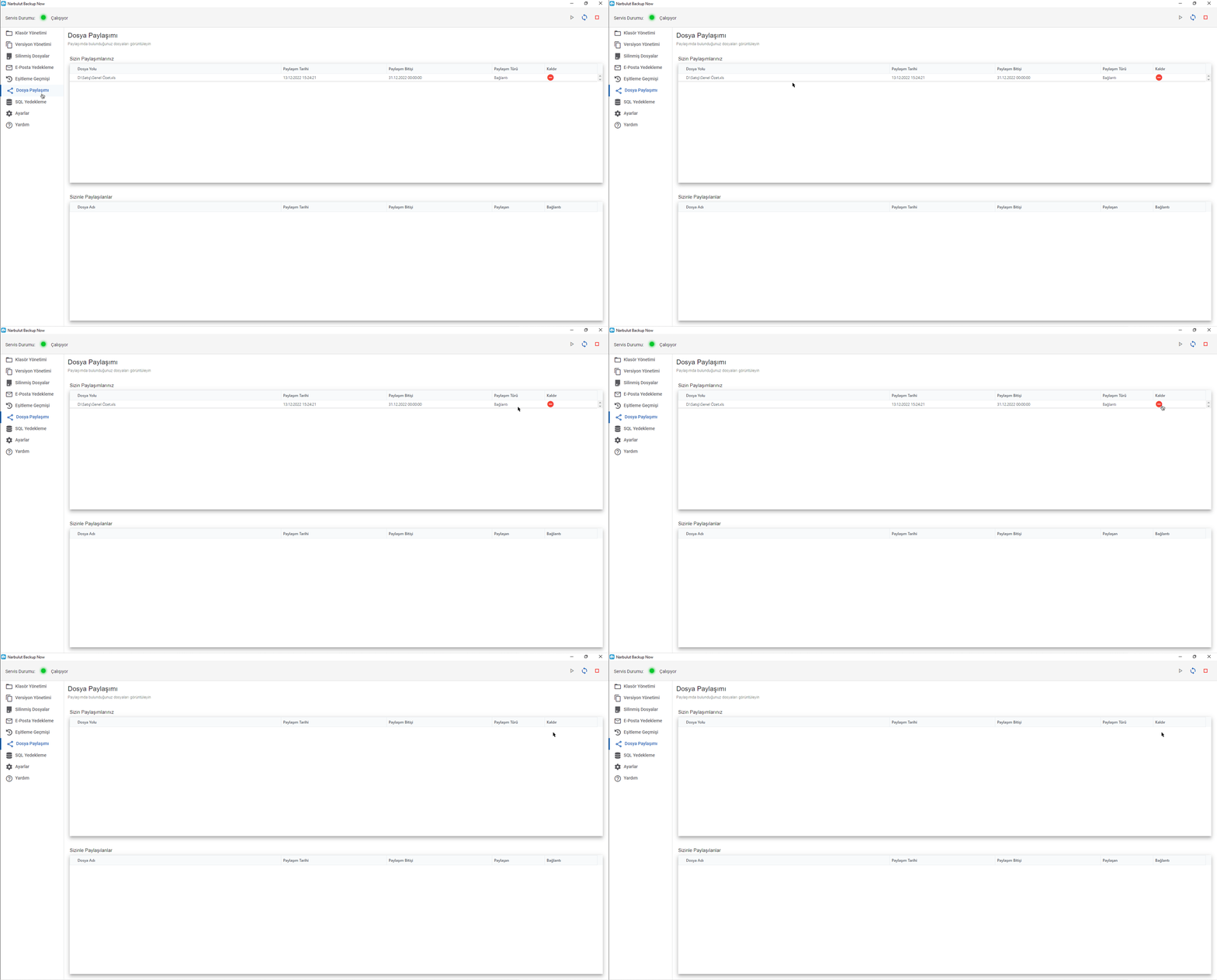
You can also perform all these operations via the web panel with your devices with internet access.
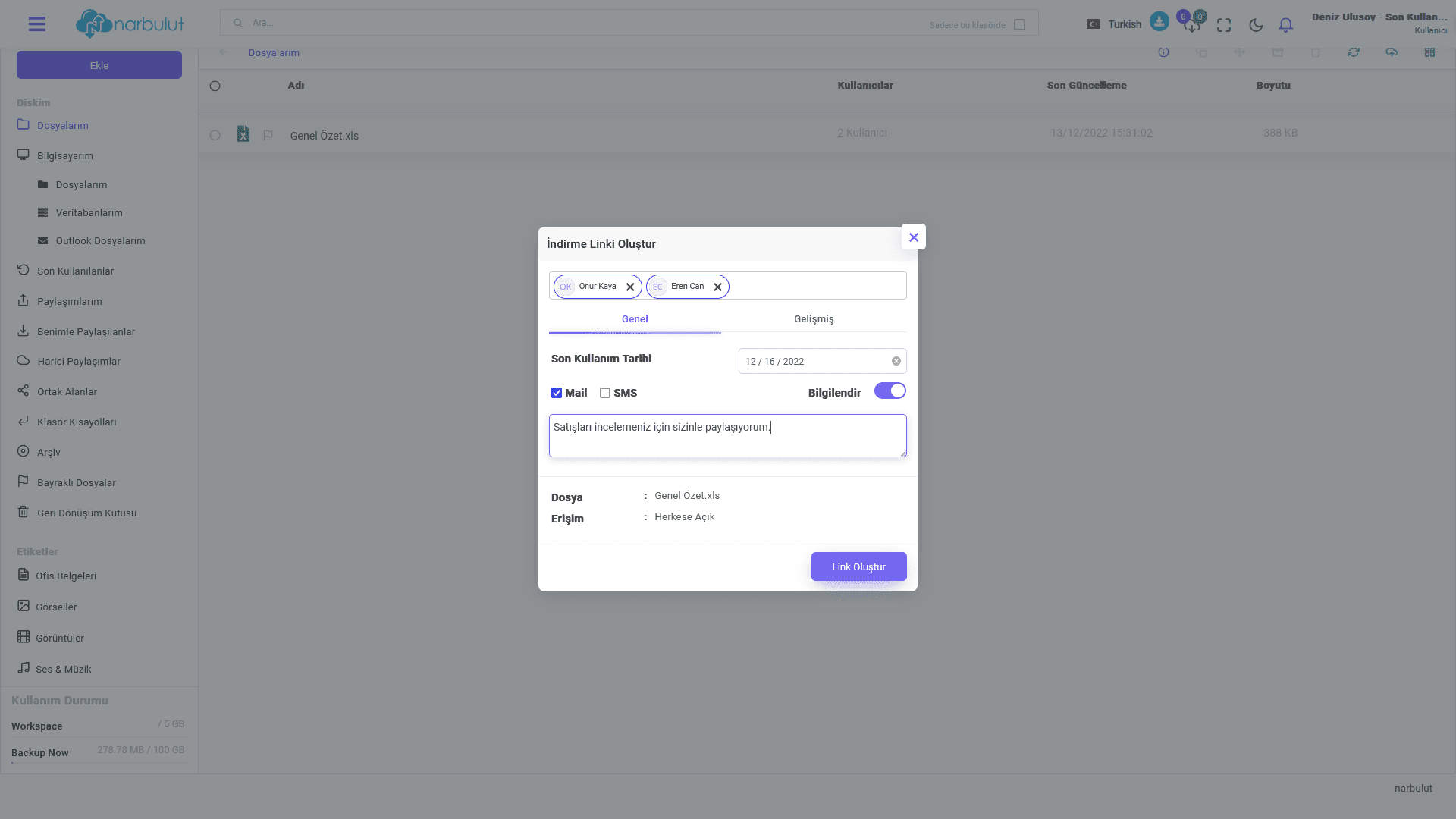
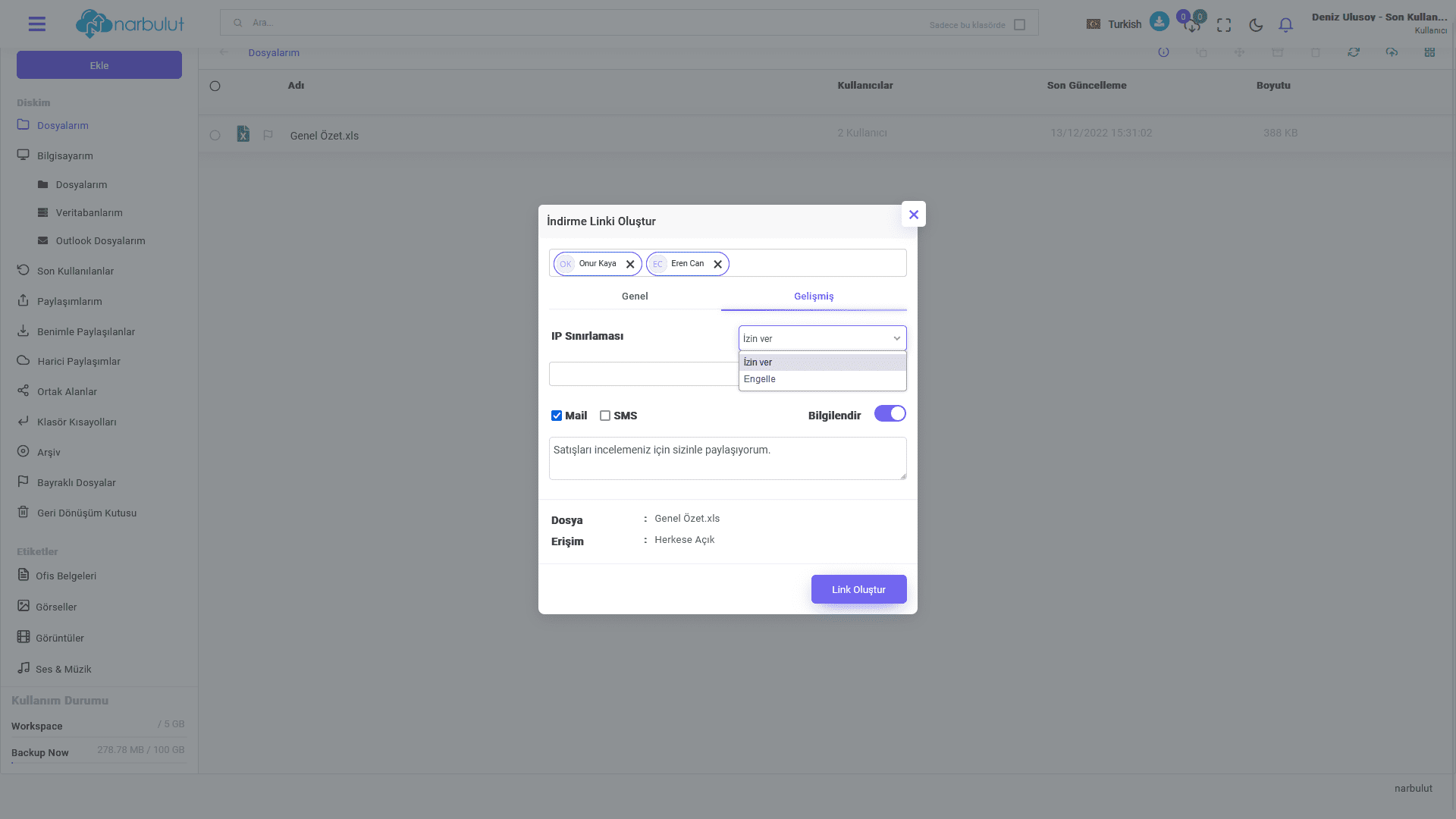
Right-click on the file you want to share and click ‘download link’; Type the mail addresses of the people you want to share your file with, then set the expiration date for the sharing link and access to your file, if necessary. If you want to restrict any IP address, you can use the advanced option to define a black or white list for IP addresses. When you click on the “Create link” option, a download link will be created and information about your share will be sent to the people selected for sharing.
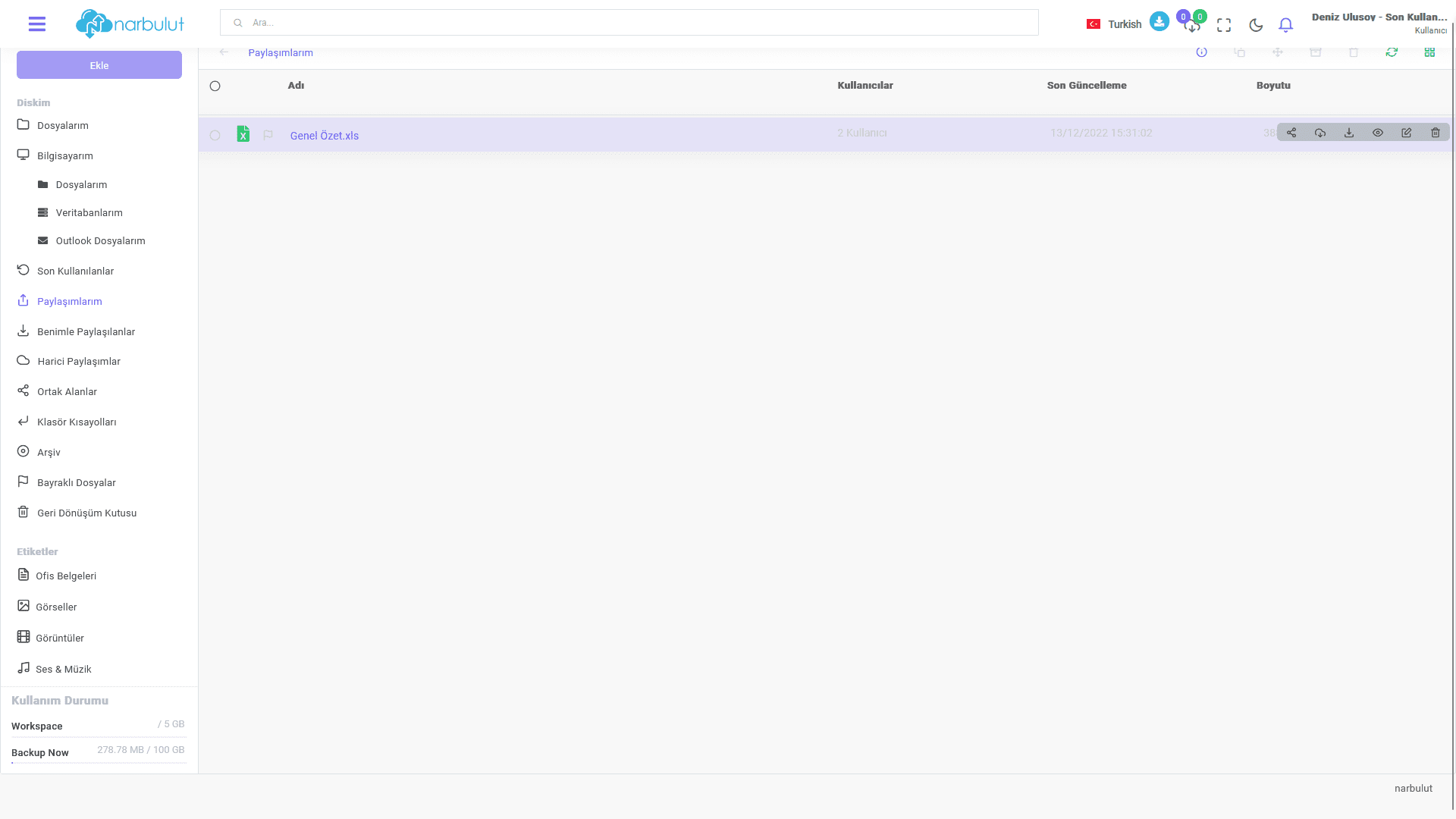
Just like in the Narbulut application, you can easily manage all your shared files, whether shared with you or not, through the web panel.
Have the Best Experience
Narbulut offers simple installation, effortless operation and extensive backup solutions. The most important feature that distinguishes Narbulut from its competitors is the care it shows to its customers and business partners.

