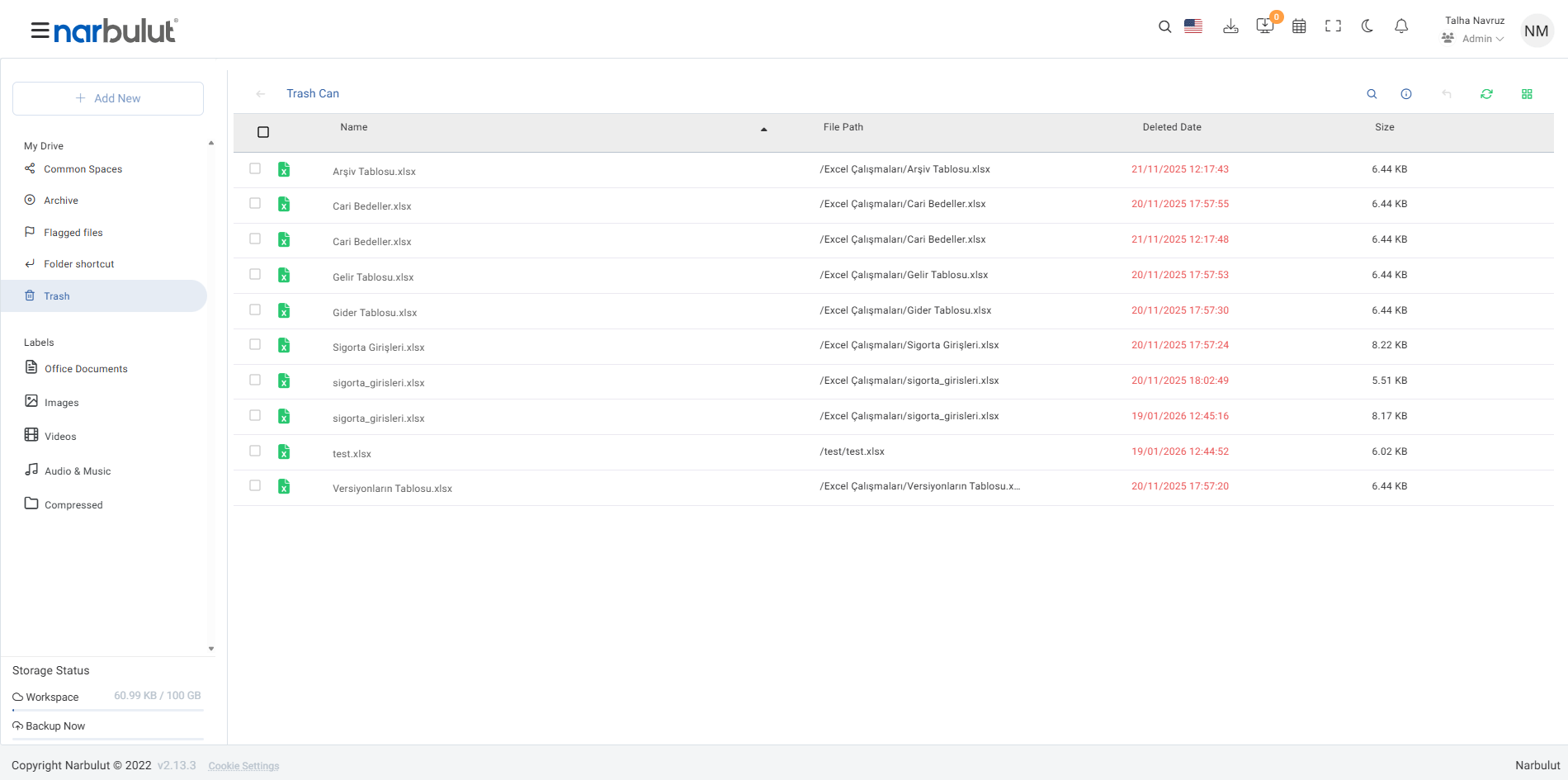
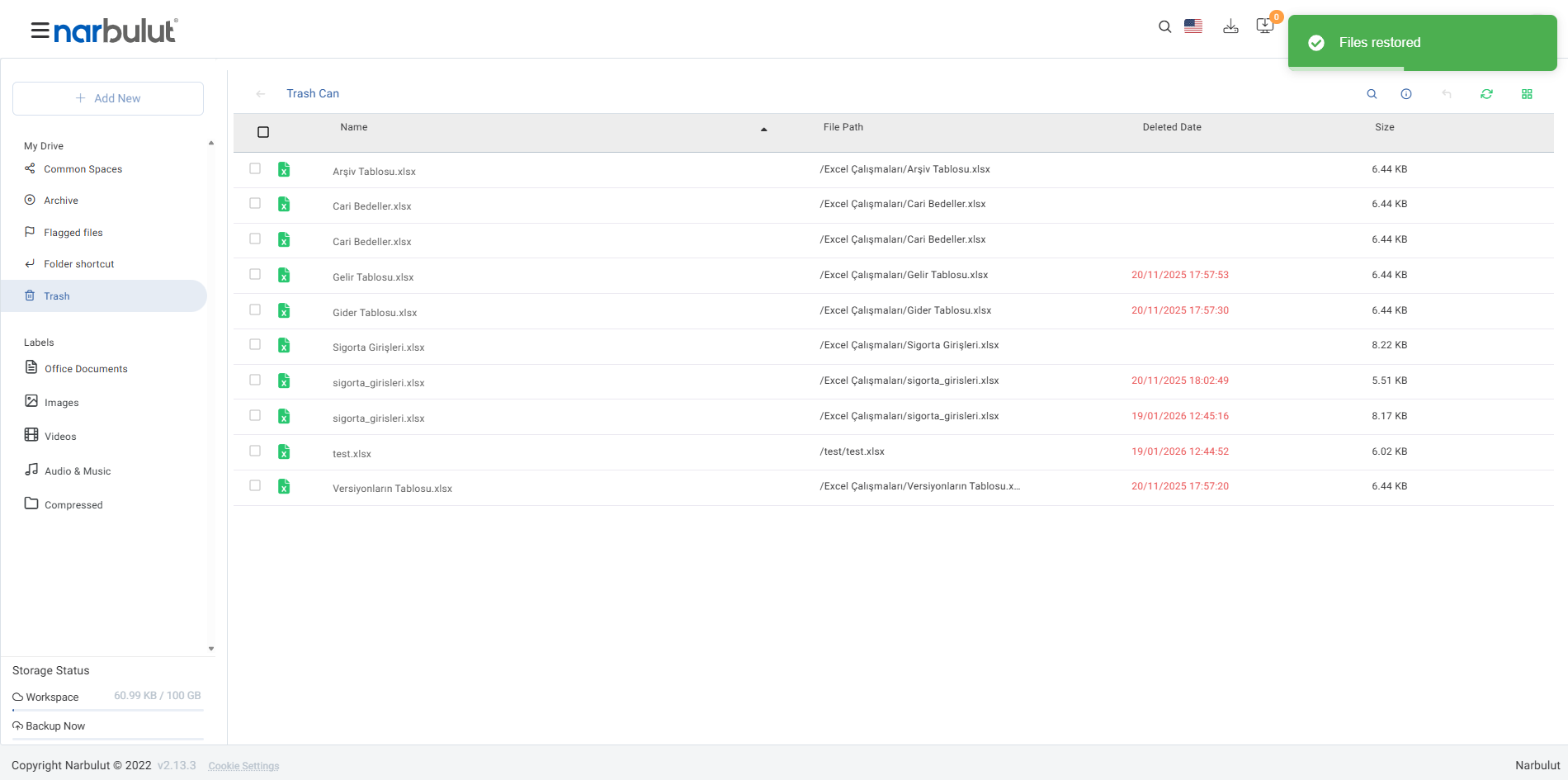
Easily restore files and folders you deleted using the Narbulut Deleted Files feature. All deleted data is safely stored in the trash for 60 days and does not affect your quota. Eliminate the risk of data loss by restoring your files and continue your business processes uninterrupted
60 Days Safe Storage
Provide the opportunity to restore your deleted files by keeping them safely with their versions for 60 days
It Does Not Affect Your Quota
Deleted files do not use your quota by default. Your storage space is always protected
Restore Easily
Continue your work where you left off by restoring your deleted files with a single click from the panel
View Your Deleted Files
Easily view your deleted files from the central panel. Identify the data you want to restore
Instantly check deleted files list.
See which file was deleted and when.
Use file filtering options for easy access.
Deleted files remain for 60 dayswith its versionsis stored.
Select the File You Want to Restore
Prevent data loss by choosing to restore by file or folder
Find and select the file you want to restore.
Identify your files first, then confirm.
Start the restore process with one click.
Continue your work where you left off.
OTHER FEATURES
Discover other features of nDocs Workspace.
Explore all features of nDocs Workspace to manage and protect your data most efficiently. Discover now!
It is a feature that allows you to restore your deleted files for 60 days.
Yes, all Narbulut users can use this feature.
All deleted files are safely stored in the trash.
No, deleted files will not affect your quota.
Files are stored for 60 days and you can restore them within this period.
Only the users and administrators who made the deletion can see the deleted files on the public area. Both parties can perform the restore operation.
Data security is provided in accordance with standards such as ISO 27001, ISO 9001 and PCI-DSS.
After 60 days, files are permanently deleted.
Yes, the restore process brings your files back in their original form.
Yes, easily restore your deleted large files too.
Yes, trash space holds unlimited data.
Yes, you can manage your deleted files from mobile devices.
Yes, always access your deleted files with the Narbulut mobile application.
Start the process with one click using the restore options from the Management panel.
Easily view the entire list from the “Deleted Files” tab in the panel.
No, in order to maximize data security on the Narbulut platform, permanent deletion is not possible via the panel. A period of 60 days must be waited for the files to be permanently deleted. If you do not want to wait this period for any reason, you can contact Narbulut support team.
Narbulut Product Analysis
Step 1/12
What area of technological improvement are you planning for your company?
Data Security & BackupRansomware, deleted files and disaster recovery.
Cloud Server (IaaS)Website, ERP, CRM or application hosting.
Team CollaborationSecure file sharing and remote work.
Object Storage (S3)Object Storage for developers.
What industry does your company operate in?
Healthcare / MedicalPatient data (GDPR critical).
Finance / AccountingSensitive financial data.
Manufacturing / EngineeringCAD drawings and production plans.
Other / General ServicesOffice documents and general data.
What type of devices need to be protected?
Employee ComputersLaptop and desktop end-user devices.
Physical / Virtual ServersDatabase, Active Directory or File Server.
What should your backup strategy be?
File & Folder BasedOnly important business files (XLS, PDF, SQL) should be backed up.
Full Disk ImageBack up "Everything" including the operating system.
What is your upload speed for cloud backup?
Fiber / High SpeedI can send large data quickly.
Standard / ADSLMy speed is limited, compression is important.
Is ransomware a threat?
Yes, Very CriticalWe have experienced it before or are at risk.
Standard Protection is SufficientBasic backup measures are enough.
How long would you like to keep versions?
30 - 90 DaysTo fix recent errors.
1 Year and AboveLegal requirements or archiving.
What will be the primary purpose of the server?
E-Commerce / WebsiteHigh uptime and speed required.
ERP / Accounting SoftwareDatabase performance is important.
Software DevelopmentFlexible resource management.
What infrastructure do you need?
Windows ServerASP.NET, MSSQL, RDP.
Linux (Ubuntu/CentOS)PHP, Python, MySQL, Docker.
What is the estimated user traffic?
Low / MediumEntry level or new project.
High TrafficHeavy campaigns or many users.
Who will manage the server?
I Will Manage ItI have a technical team, root access is enough.
I Need SupportManaged Services required.
How many people will work in the shared workspace?