
- Company
-
Products
Products
New ProductCloud Server
Fully managed virtual server infrastructure. Setup in minutes, hourly billing and expert support so you can focus on your business.
Try Now -
Solutions
Backup & Security
Data SecurityRansomware & encryptionSilent Ransom: TDEProtection against TDE abuseCloud BackupSecure backup to data centersImage BackupFull disk image + fast recoveryOff-Site BackupOff-site disaster recoveryMobile BackupiOS & Android photos/contactsRansomware ProtectionAgainst ransomware attacksTwo-Factor Auth2FA account security - Plans
- Resources
- Partners
- Blog
Send Your Large Files From Your Pocket With the NarTransfer Mobile App: Fast, Secure and Free
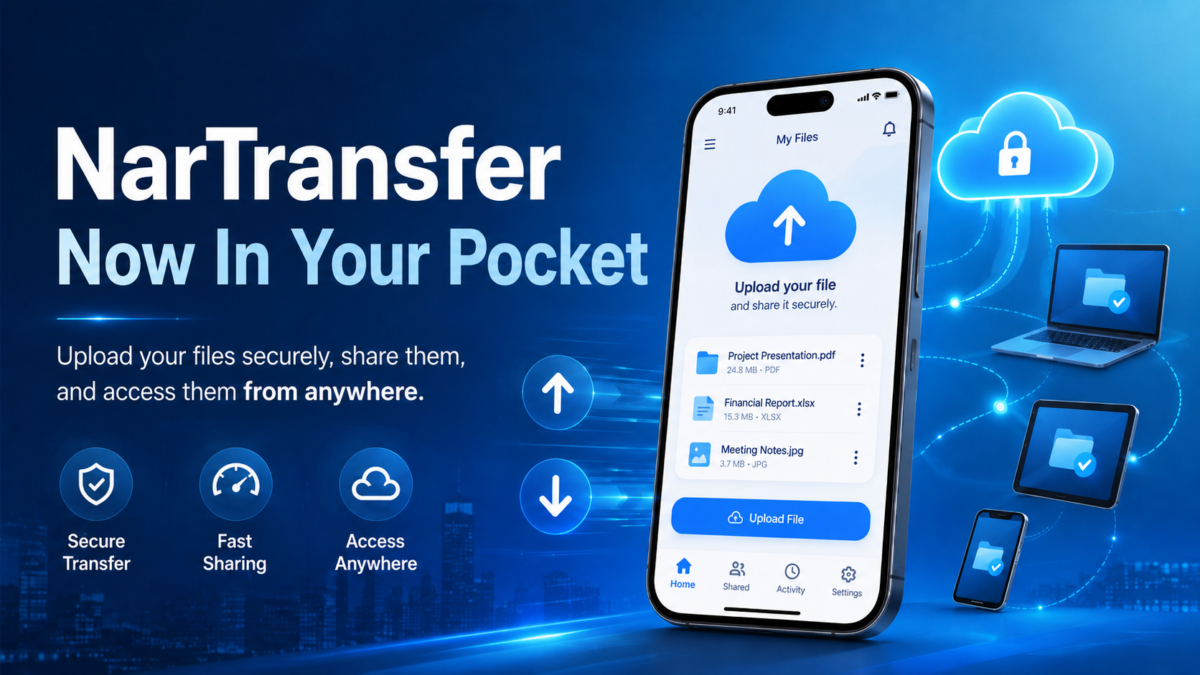
When you need to send someone a photo, a video or a huge folder made up of dozens of files, the story always starts the same way: the file won’t fit into an email, your cloud drive is out of space, the messaging app compresses the file and ruins its quality. In the end, minutes pass while you wonder “how on earth do I send this?”.
To eliminate exactly this problem, NarTransfer is now in your pocket. With the iOS mobile app of NarTransfer — Narbulut’s large-file sharing service — you can send files up to 20 GB with a single tap, end-to-end encrypted and completely free. And the recipient doesn’t need to install any app at all.
In this article we explain, step by step, how the app works, which security features it offers and how genuinely easy it is to send a file.
What is NarTransfer?
NarTransfer is a file transfer service that lets you send large files without running into the limits of email attachments and classic sharing methods. The logic is extremely simple:
- You select your files.
- The app uploads the files securely.
- A download link is sent to you and to the recipients.
- The recipient clicks the link and downloads the files without installing any app.
The experience long available on the web can now be used, through the mobile app, for the photos, videos and documents on your phone as well. So you can send the photos you take in the field, the video you record in a meeting or the documents you need to forward to your client straight from your phone, with no computer required.
Key features at a glance:
- Up to 20 GB of free transfer in a single go
- Unlimited number of files — combine as many files as you like in one transfer
- Privacy with end-to-end encryption
- Password-protected links
- Sending to multiple recipients at once
- QR code and one-tap sharing
- No app required on the recipient’s side
Step by step: how do you send a file?
The app’s greatest strength is that it lets you send files without touching any complicated settings. Let’s go through the process from start to finish together.
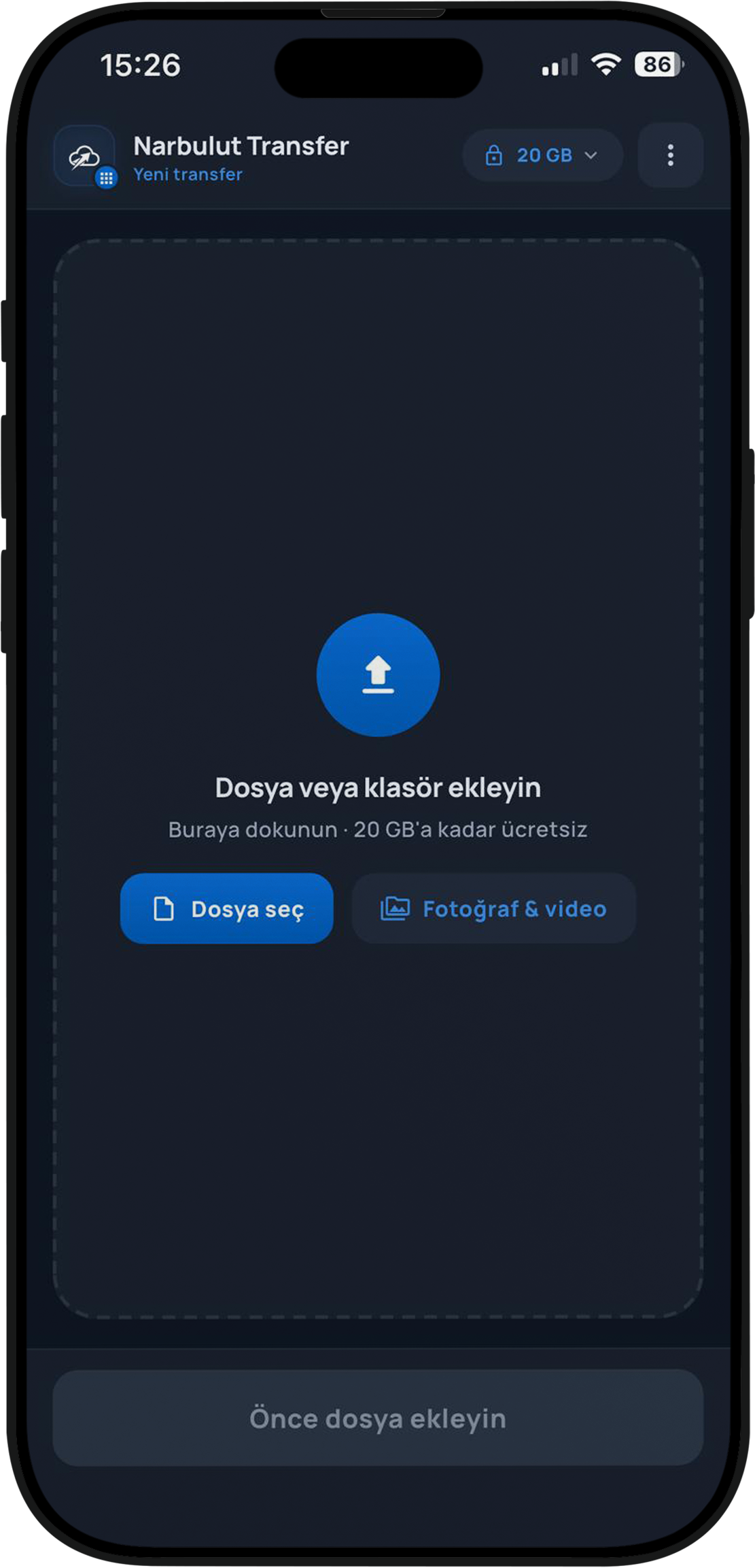
Step 1: Add a file or folder
When you open the app, a clean screen greets you: “Add a file or folder”. By tapping here you can select a file from your device or add one directly from your “Photos & Video” gallery. Your daily 20 GB sending allowance is shown in the top corner of the screen.
Step 2: Review your files and set the recipient
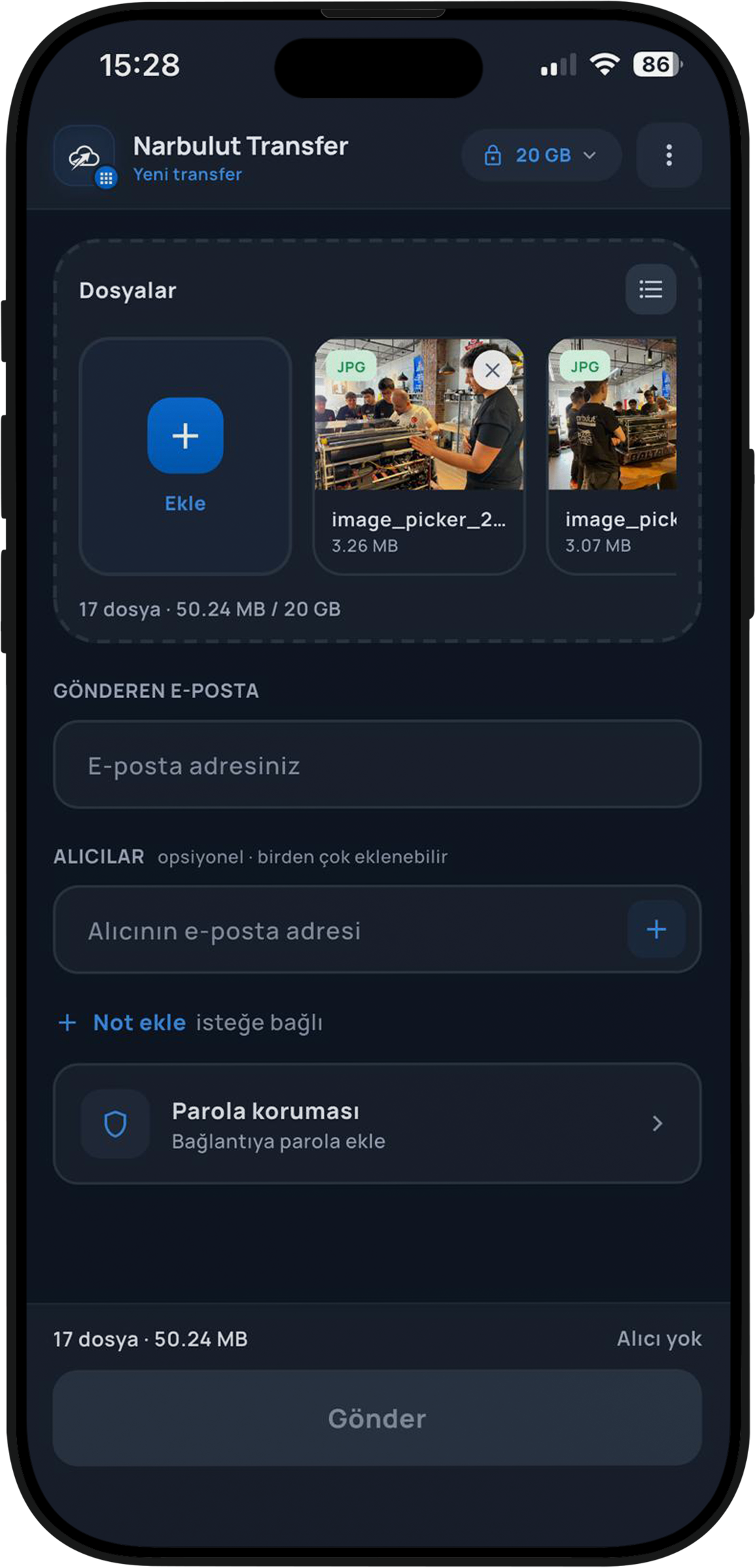
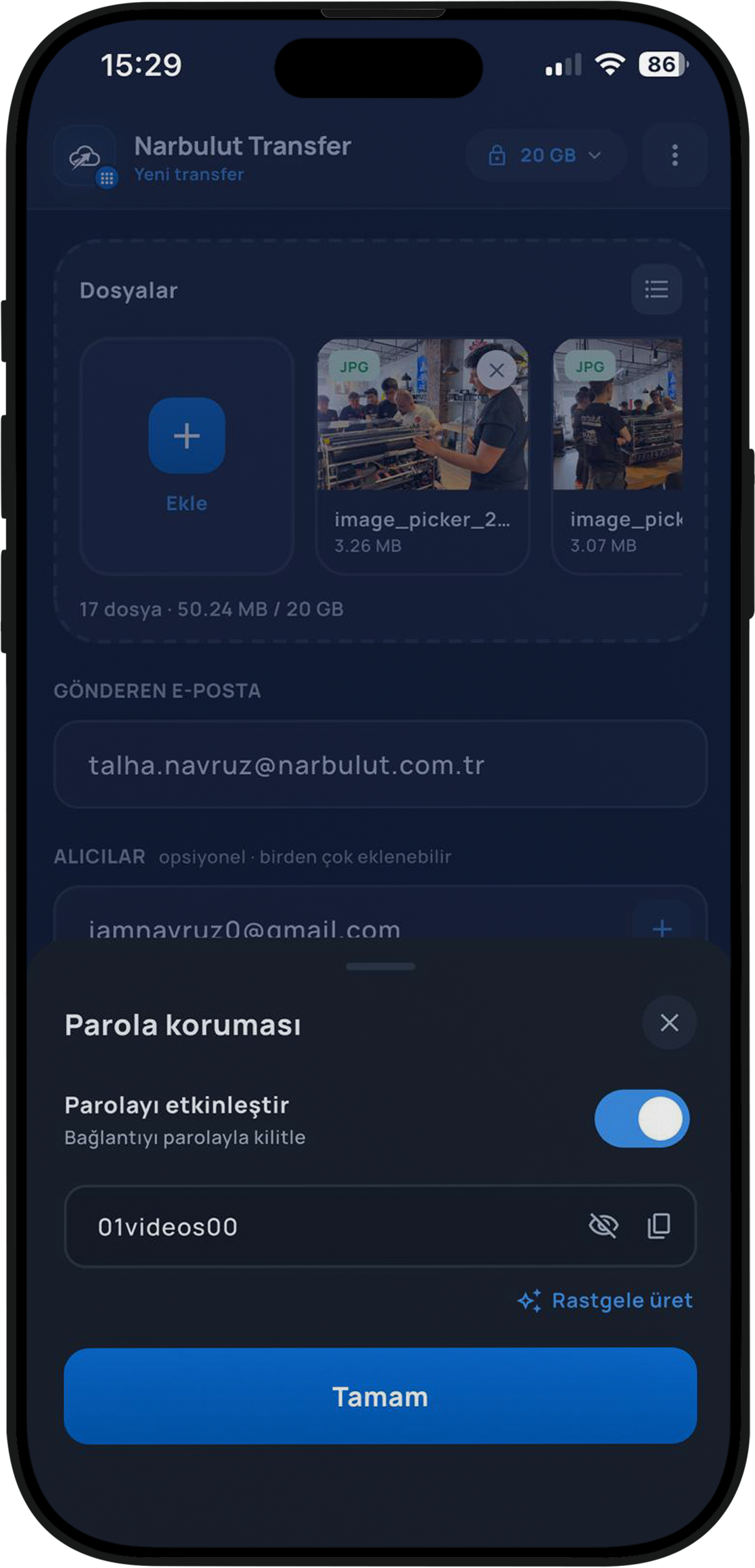
When you add files, they all appear in a neat list. In the screenshot, for example, 17 files totalling 50.24 MB are listed. Each file shows a small preview, its format (such as JPG) and its size. You can easily remove a file you don’t want, or add new ones with “Add”.
On the same screen you enter your sender email address and the recipients’ email addresses. The recipient field is optional and more than one person can be added — so you can deliver the same files to many people at once. If you wish, you can add a short message to your transfer with the “Add note” option.
Step 3: Protect the link with a password if you want
A nice option for those who care about privacy: you can lock the transfer link with a password. You can turn on “Enable password” and type your own, or create a strong password with a single tap using the app’s “Generate random” feature. This way, even if the link ends up in the wrong hands, only those who know the password can reach your files.
Step 4: Verify your email
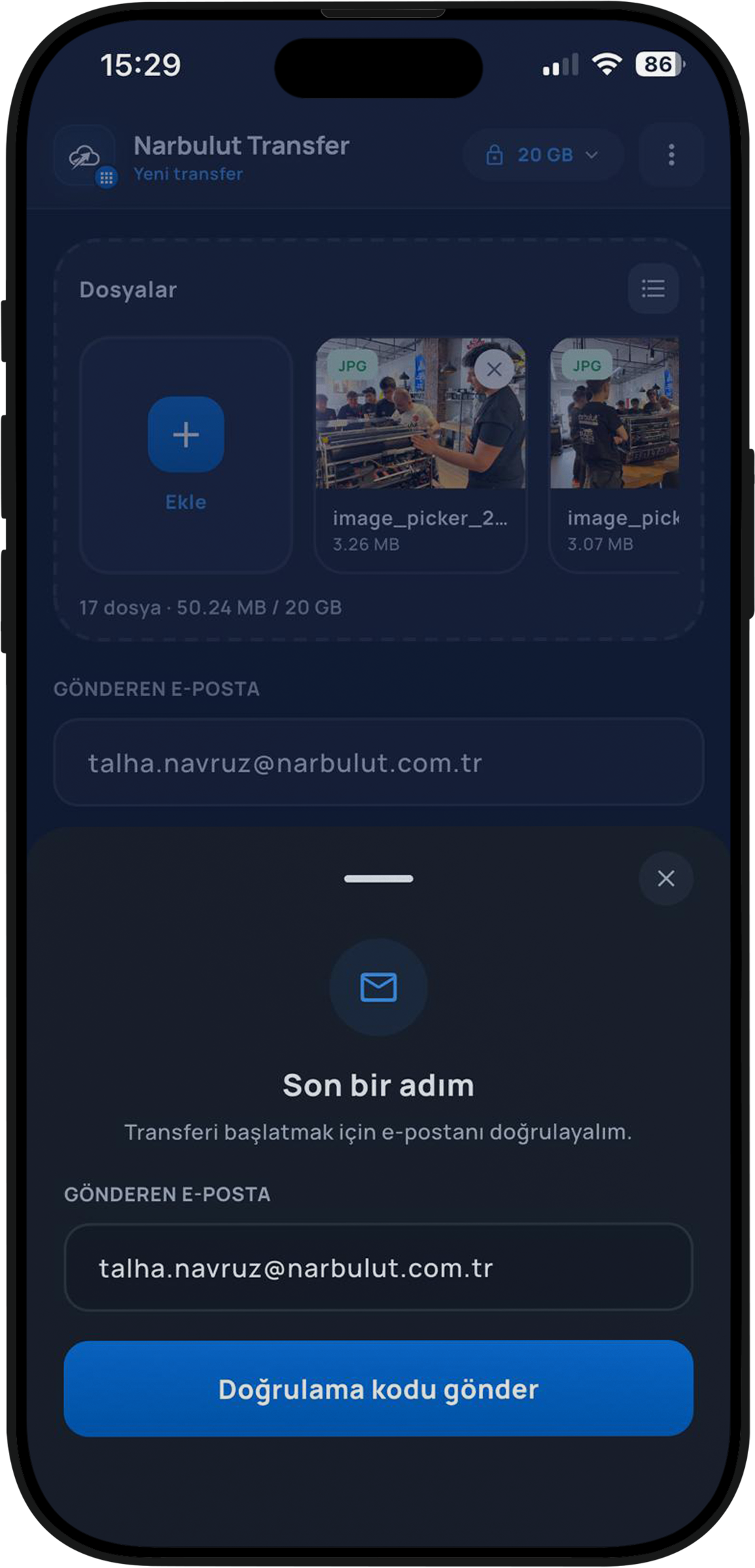
Taking security a step further, NarTransfer verifies your sender email before starting the transfer. On the “One last step” screen, a verification code is sent to your email address. This step prevents fake submissions and misuse, protecting both you and the recipient.
Step 5: Watch the transfer
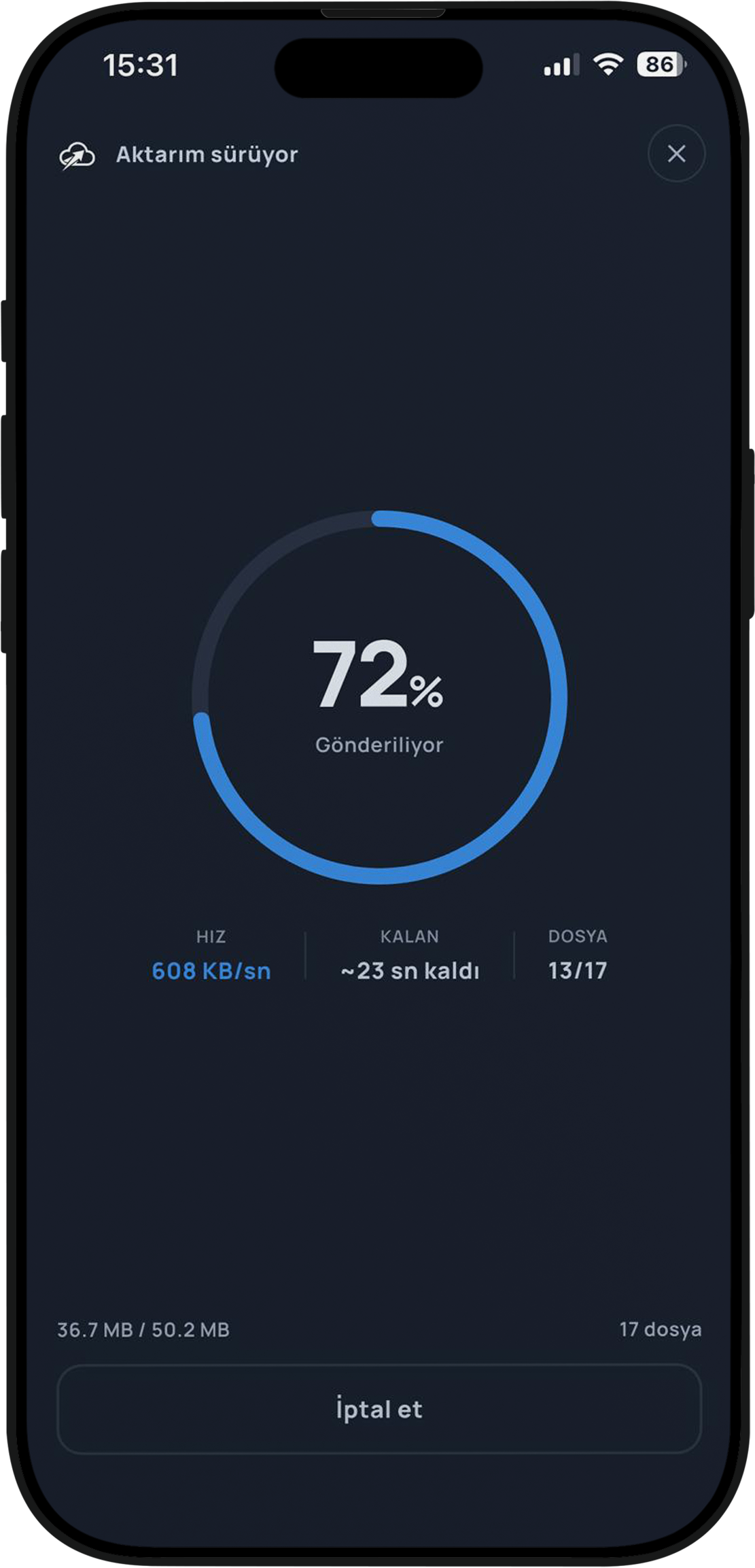
After you confirm, the upload begins and a sleek progress screen appears. Here you clearly see, in real time, the progress as a percentage, the transfer speed, the estimated time remaining and how many files have been uploaded. You can also cancel the transfer from this screen if you like.
Step 6: Your link is ready!
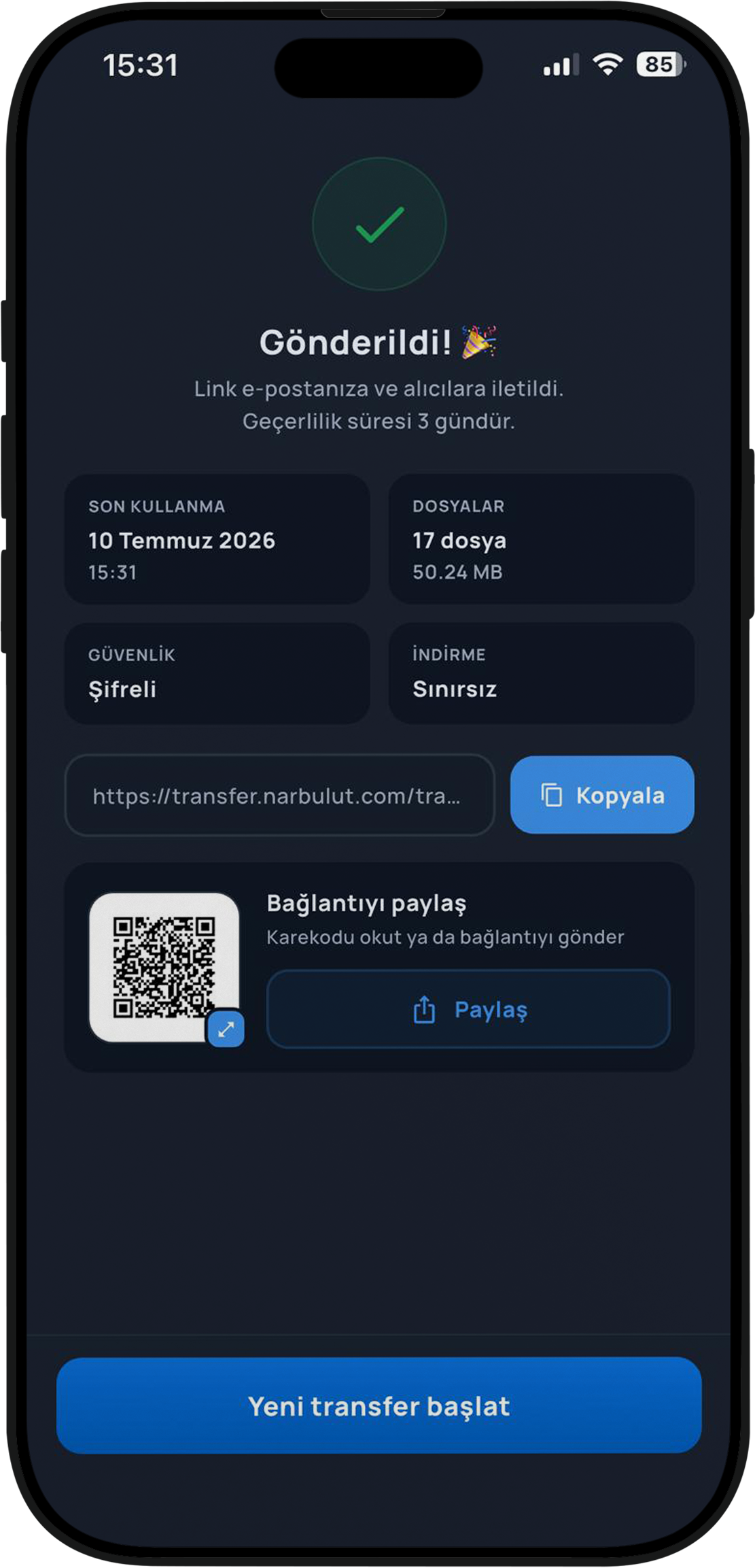
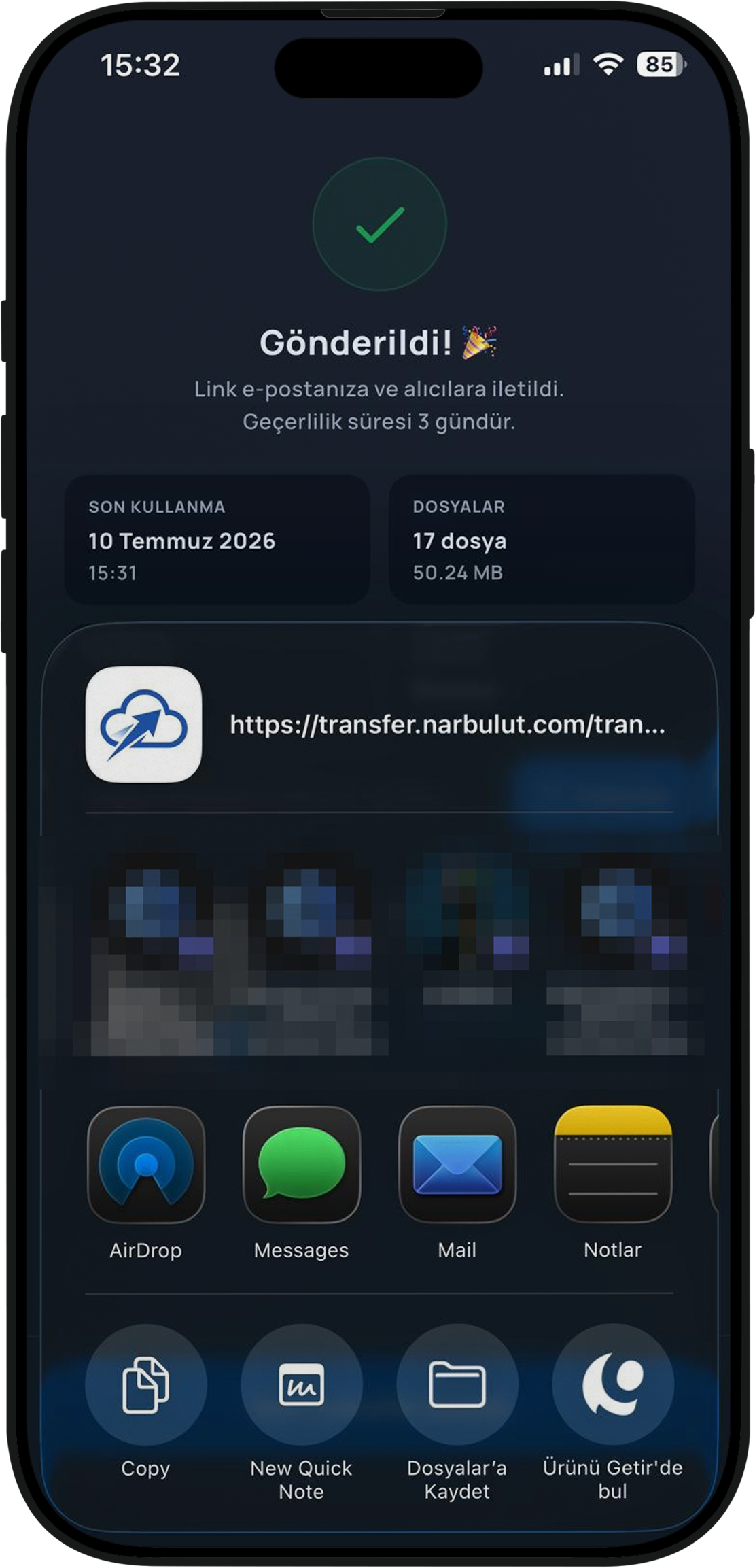
When the upload is complete, the “Sent!” screen welcomes you. This screen summarises everything about your transfer: the expiry date (the link is valid for 3 days), the number of files and total size, the security status (Encrypted) and the download allowance (Unlimited).
You can copy the generated download link with a single tap, let others scan the QR code, or forward it to any app with the “Share” button.
Step 7: Share it wherever you like
You can share the link you created via WhatsApp, email, message or any app you like. NarTransfer uses your device’s native share menu, so you can send the link with a single tap using the method you’re already used to.
What happens on the recipient’s side?
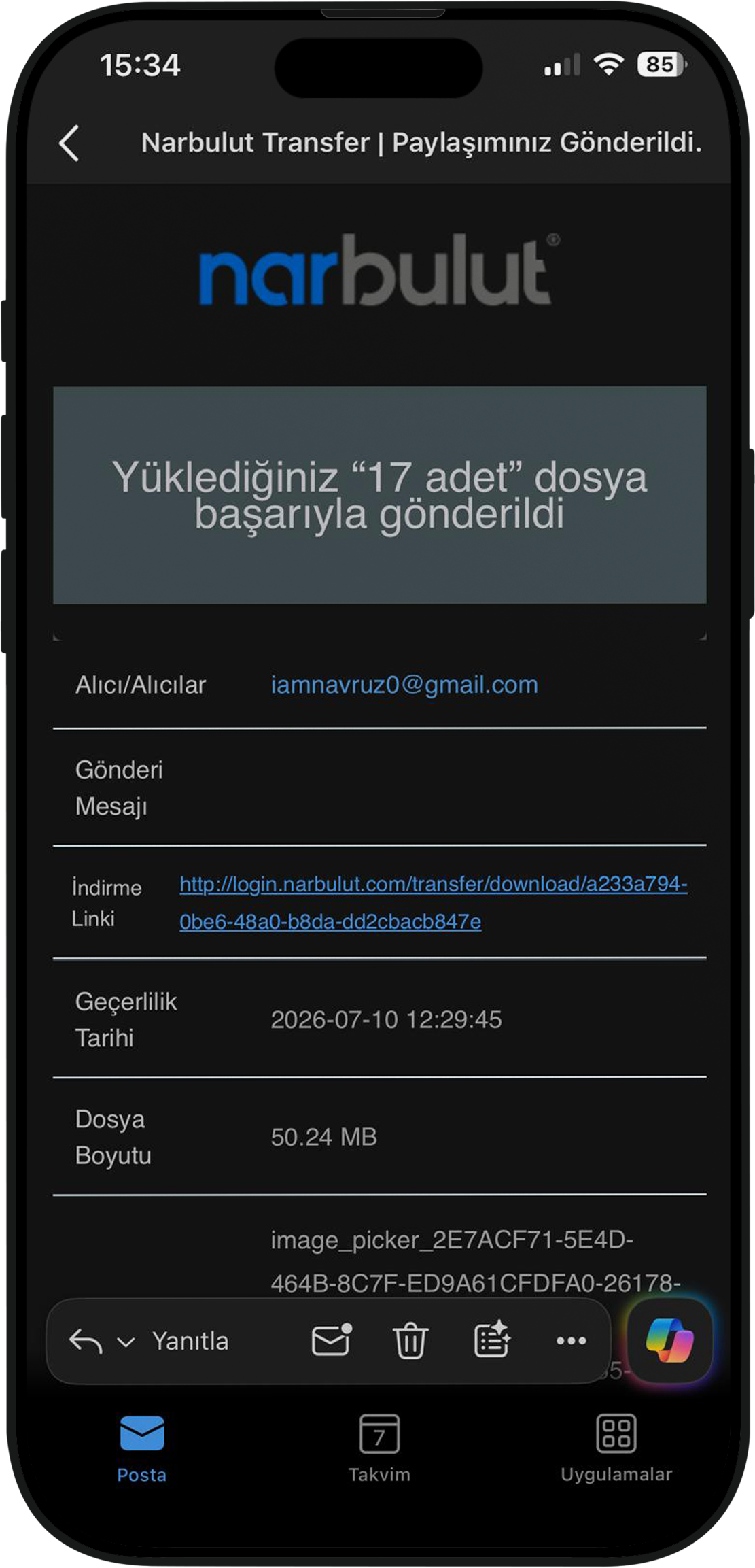
One of the most practical things about NarTransfer is exactly this: the recipient doesn’t need to install anything. When the transfer is complete, a neat, Narbulut-branded email reaches the recipient. This email includes how many files were sent (“17 files sent successfully”), the download link, the link’s validity date and the total file size. The recipient clicks the link and downloads the files directly from their browser. It’s that simple.
What can you do with the free plan?
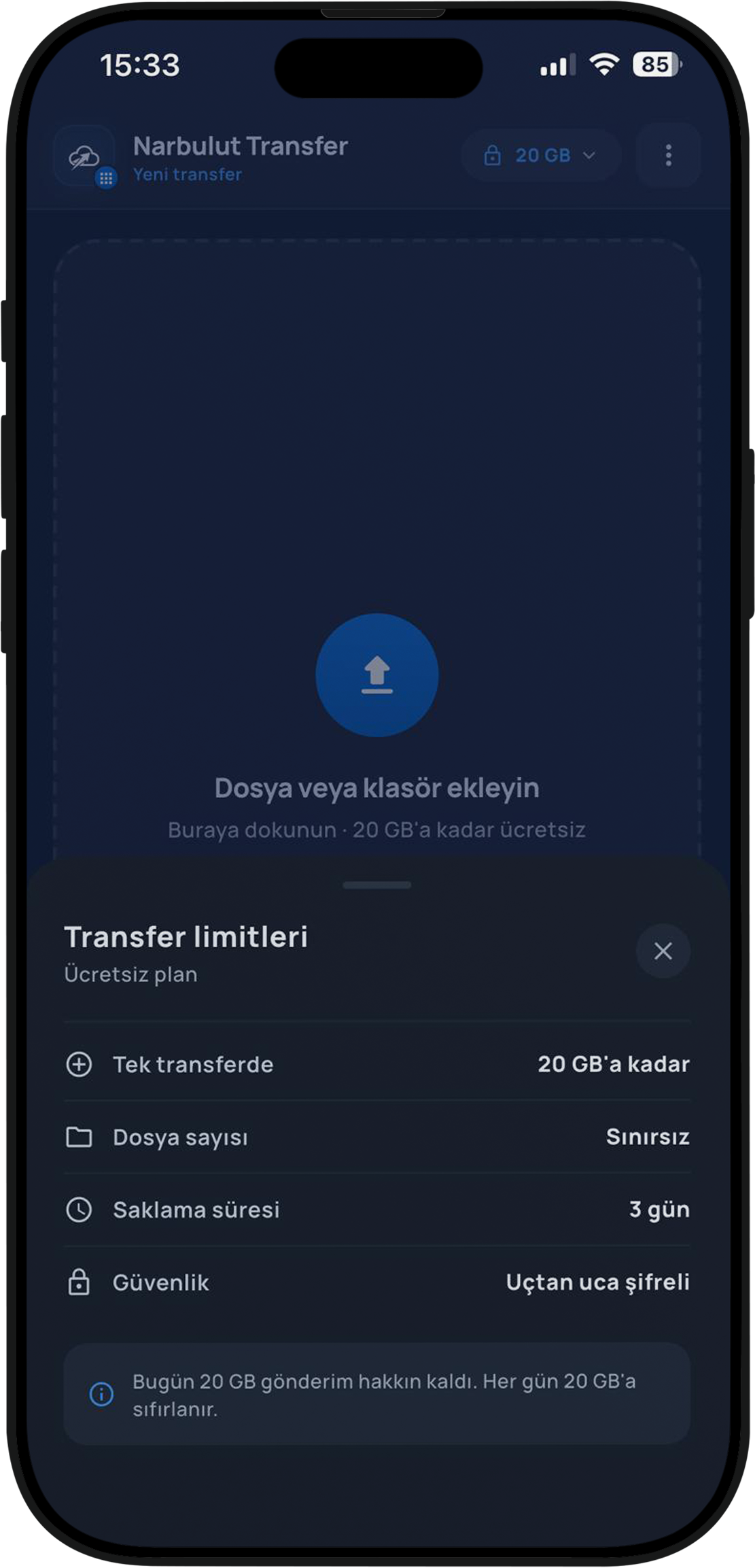
So that you can use NarTransfer with peace of mind in daily life, the free plan is quite generous:
| Feature | Free Plan |
|---|---|
| Per transfer | Up to 20 GB |
| Number of files | Unlimited |
| Storage time | 3 days |
| Security | End-to-end encrypted |
What’s more, this 20 GB sending allowance is renewed every day. So even if you reach your limit within a day, you can carry on making 20 GB transfers again the next day.
Security: your files stay under your control
In file sharing, the most overlooked yet most critical issue is security. On this front, NarTransfer is a step ahead of many free services:
- End-to-end encryption: Your files are encrypted throughout the transfer.
- Password protection: You can add an extra password layer to the link.
- Email verification: Identity verification before sending prevents misuse.
- Automatic time limit: Links expire after a certain period; your files don’t stay out in the open on the internet indefinitely.
Being part of the Narbulut family, which keeps your data on secure and reliable infrastructure, adds an extra layer of trust.
NarTransfer is part of the Narbulut ecosystem
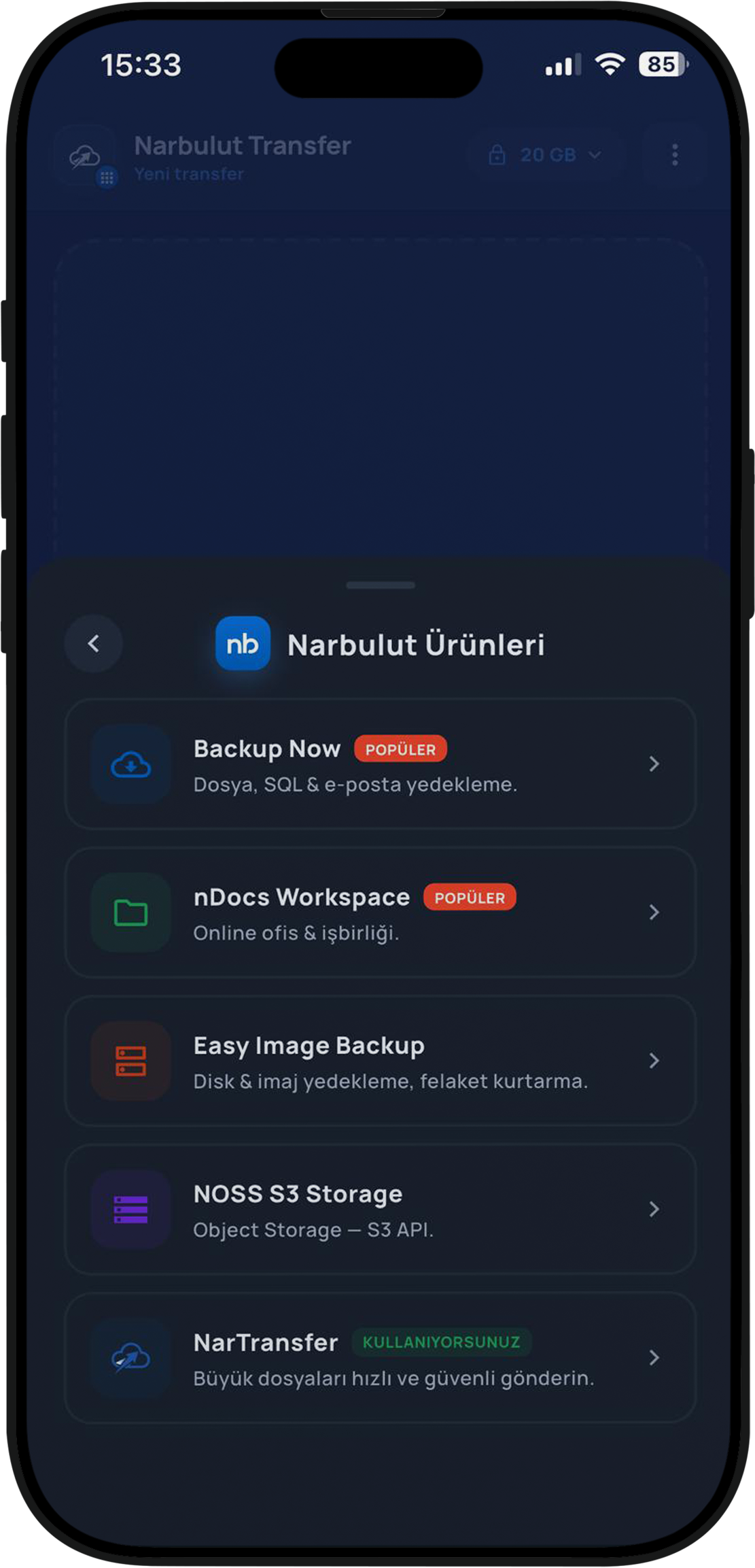
While NarTransfer is a powerful tool on its own, it is in fact a member of Narbulut’s much broader product family. When you look at the “Narbulut Products” menu inside the app, you’ll also see other solutions designed for different needs:
- Backup Now — File, SQL and email backup
- nDocs Workspace — Online office and collaboration
- Easy Image Backup — Disk and image backup
- NOSS S3 Storage — S3 API-compatible object storage
- NarTransfer — Send large files quickly and securely
So the Narbulut you meet through file sharing can also be by your side in areas such as backup, storage and collaboration as your needs grow.
Who is it ideal for?
The NarTransfer mobile app makes life easier especially in these situations:
- For people working in the field — Instantly sending the photos and videos you gather during an event, a shoot or a visit to headquarters or the client.
- For creative professionals — Sharing heavy video and design files without loss of quality.
- For businesses — Sending documents, quotes and file packages to clients over a secure link.
- For everyone — Quickly transferring large files that have piled up on your phone and won’t fit into an email.
Conclusion
Sending large files is no longer a hassle. With the NarTransfer mobile app, you can send the files on your phone in a few taps — up to 20 GB, free, end-to-end encrypted and password-protected. With no need for the recipient to install any app, just a single link.
To experience fast, secure and free file sharing right in your pocket, download NarTransfer now and send your first transfer today.
NarTransfer Mobile App
Send your large files straight from your pocket — up to 20 GB, free, end-to-end encrypted and password-protected. Download the app, pick your file, send.

