Narbulut group management tool is designed for you to manage user groups in your organization in detail. You can create user groups, use comprehensive authorization options, and control all your policies from a central point
Easy Profile Identification
Easily define user groups and choose your organizational structure
Flexible Policy Management
Quickly authorize by editing default policies
Advanced Authorization Module
Specify user rights precisely with detailed permissions
Determine Group Details
Make specific policy assignments for each user group; Flexibly manage backup scope, frequency and schedule
Name your group and create your description text.
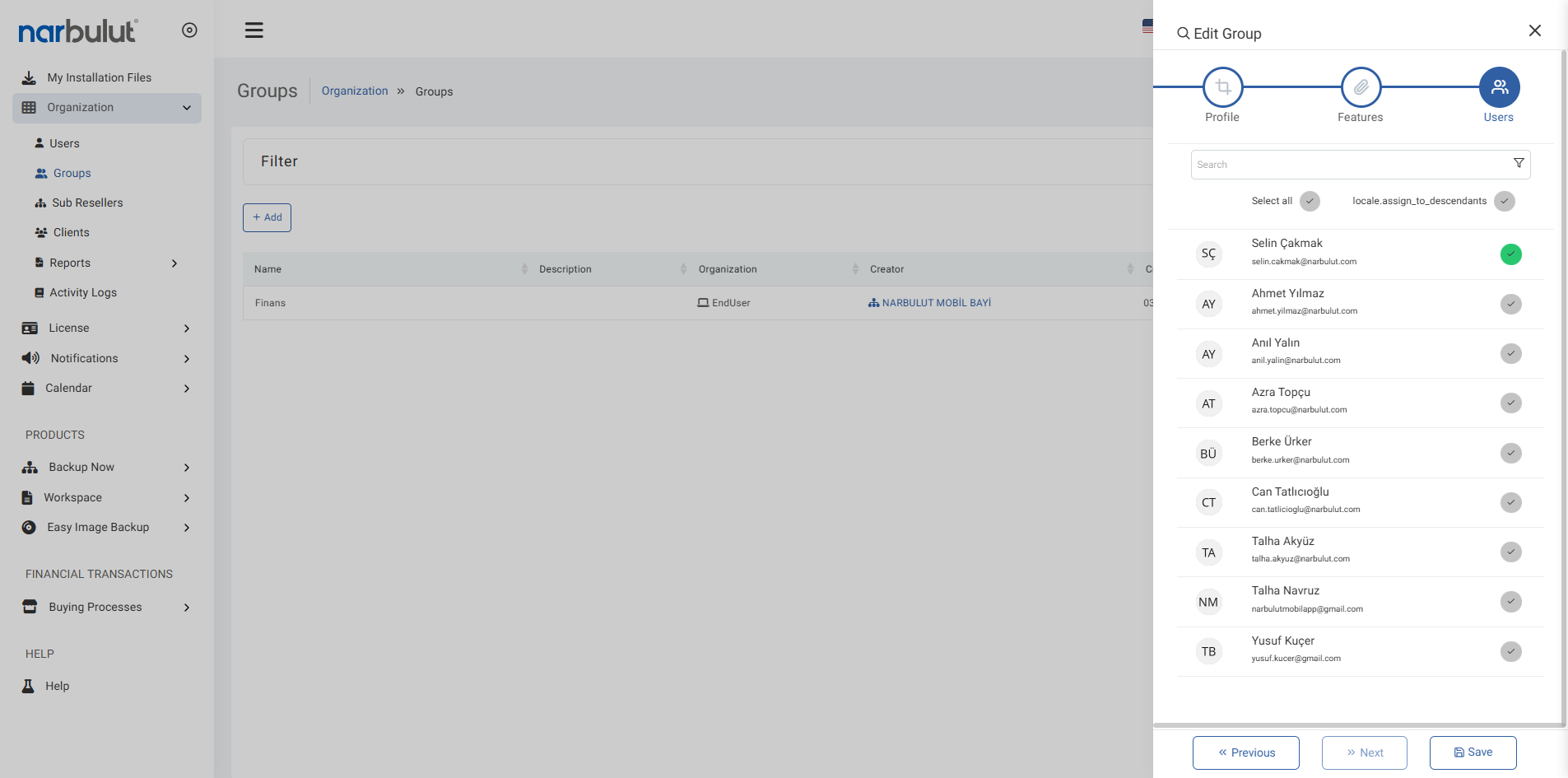
Add your users easily.
Take advantage of easy and fast profile creation.
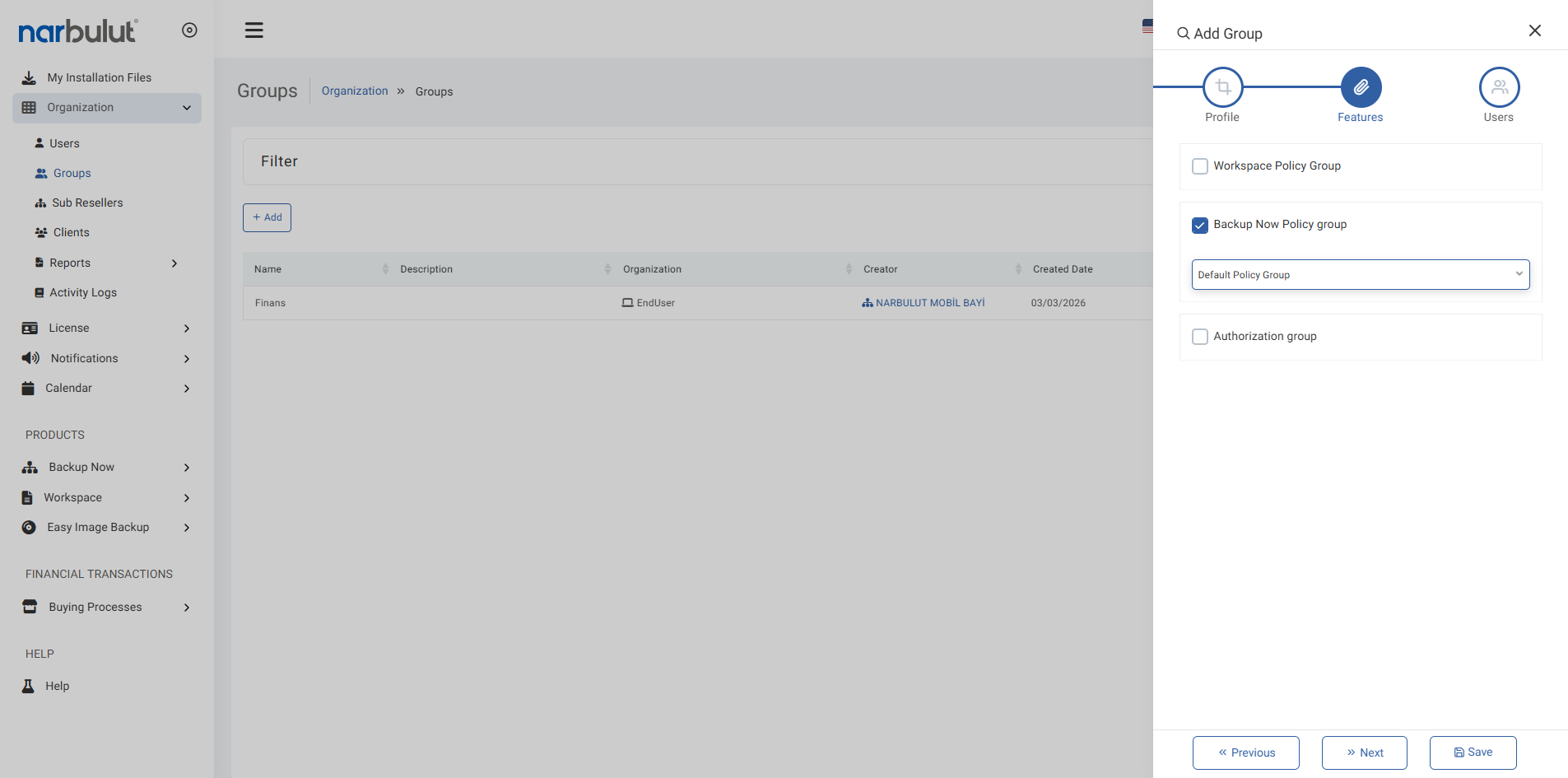
Group Policy Selection
Group users according to certain criteria, create specific backup rules for each group; Increase operational efficiency
It offers flexibility with multiple selection support.
Default policies are installed automatically.
Determine the file types allowed in the backup process by policies.
OTHER FEATURES
Discover other features of Backup Now.
Explore all features of Backup Now to manage and protect your data most efficiently. Discover now!
Group management provides centralized management by bringing users together under certain authority and policy sets. In this way, access control and resource usage can be easily audited.
The group creation process consists of three steps: Defining profile information, selecting policy groups, and selecting users to join the group.
Yes, you can create multiple groups affiliated with the same organization and assign different policies and authorizations to each.
Yes, authorization or policy changes in the group instantly affect the authorizations of users connected to the group.
Yes. When you click the Edit button, you can update or disable previously set authorizations.
Deleting the group does not delete the users, but the rights and policies of these users defined through the group are disabled.
The detail screen displays the group's name, description, organization, and a list of all assigned authorization permissions.
Narbulut Product Analysis
Step 1/12
What area of technological improvement are you planning for your company?
Data Security & BackupRansomware, deleted files and disaster recovery.
Cloud Server (IaaS)Website, ERP, CRM or application hosting.
Team CollaborationSecure file sharing and remote work.
Object Storage (S3)Object Storage for developers.
What industry does your company operate in?
Healthcare / MedicalPatient data (GDPR critical).
Finance / AccountingSensitive financial data.
Manufacturing / EngineeringCAD drawings and production plans.
Other / General ServicesOffice documents and general data.
What type of devices need to be protected?
Employee ComputersLaptop and desktop end-user devices.
Physical / Virtual ServersDatabase, Active Directory or File Server.
What should your backup strategy be?
File & Folder BasedOnly important business files (XLS, PDF, SQL) should be backed up.
Full Disk ImageBack up "Everything" including the operating system.
What is your upload speed for cloud backup?
Fiber / High SpeedI can send large data quickly.
Standard / ADSLMy speed is limited, compression is important.
Is ransomware a threat?
Yes, Very CriticalWe have experienced it before or are at risk.
Standard Protection is SufficientBasic backup measures are enough.
How long would you like to keep versions?
30 - 90 DaysTo fix recent errors.
1 Year and AboveLegal requirements or archiving.
What will be the primary purpose of the server?
E-Commerce / WebsiteHigh uptime and speed required.
ERP / Accounting SoftwareDatabase performance is important.
Software DevelopmentFlexible resource management.
What infrastructure do you need?
Windows ServerASP.NET, MSSQL, RDP.
Linux (Ubuntu/CentOS)PHP, Python, MySQL, Docker.
What is the estimated user traffic?
Low / MediumEntry level or new project.
High TrafficHeavy campaigns or many users.
Who will manage the server?
I Will Manage ItI have a technical team, root access is enough.
I Need SupportManaged Services required.
How many people will work in the shared workspace?