With Narbulut's integrated notification and reporting system, you can instantly follow the developments in the system and easily access detailed reports on user activities. Possible problems and disruptions are quickly detected and reported. Moreover, this service is offered completely free of charge
Push Notifications
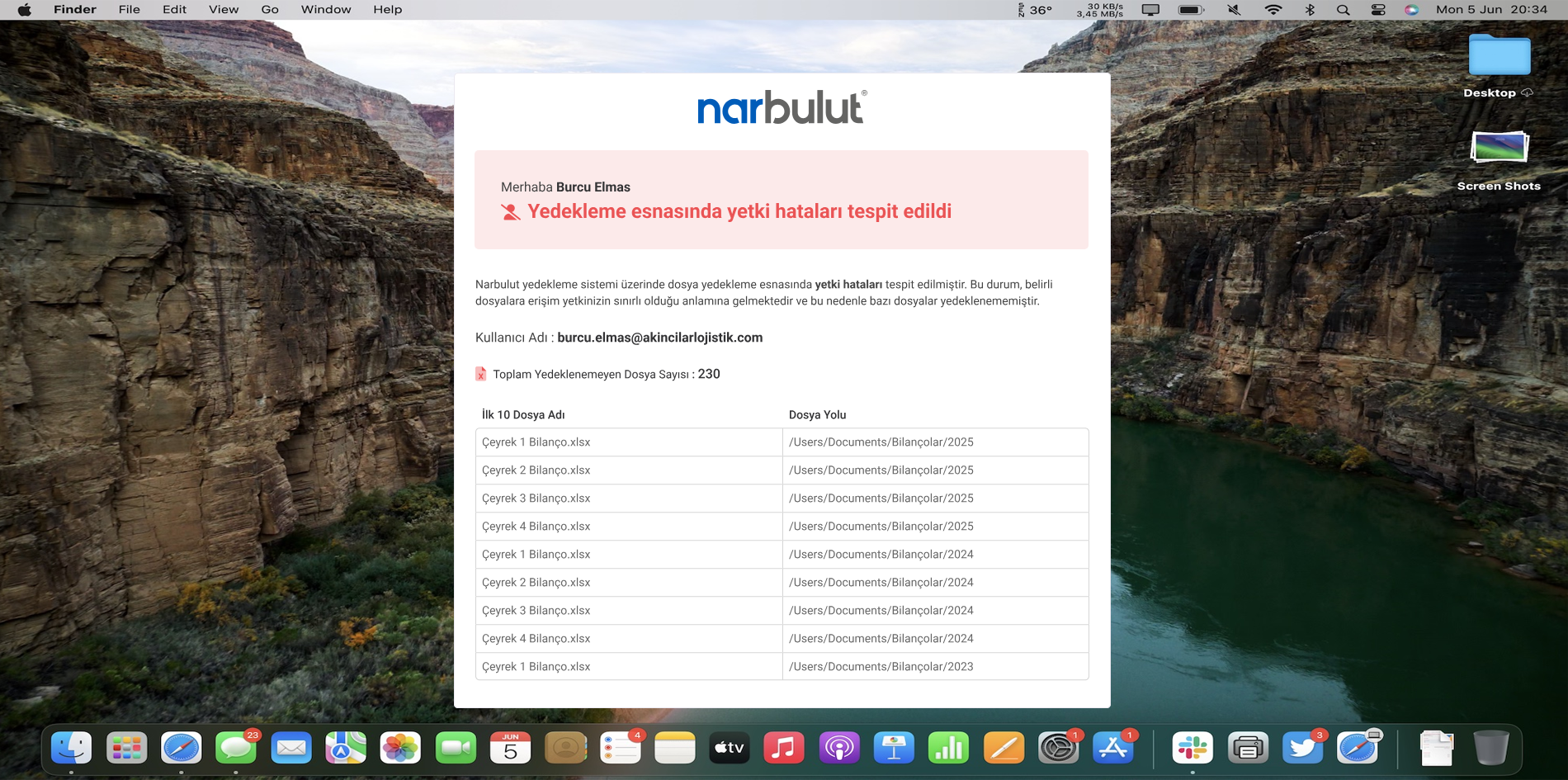
Problems or important developments in backup processes are immediately communicated to you via e-mail and mobile application notifications. This way, you won't miss situations that require intervention
Periodic Reporting
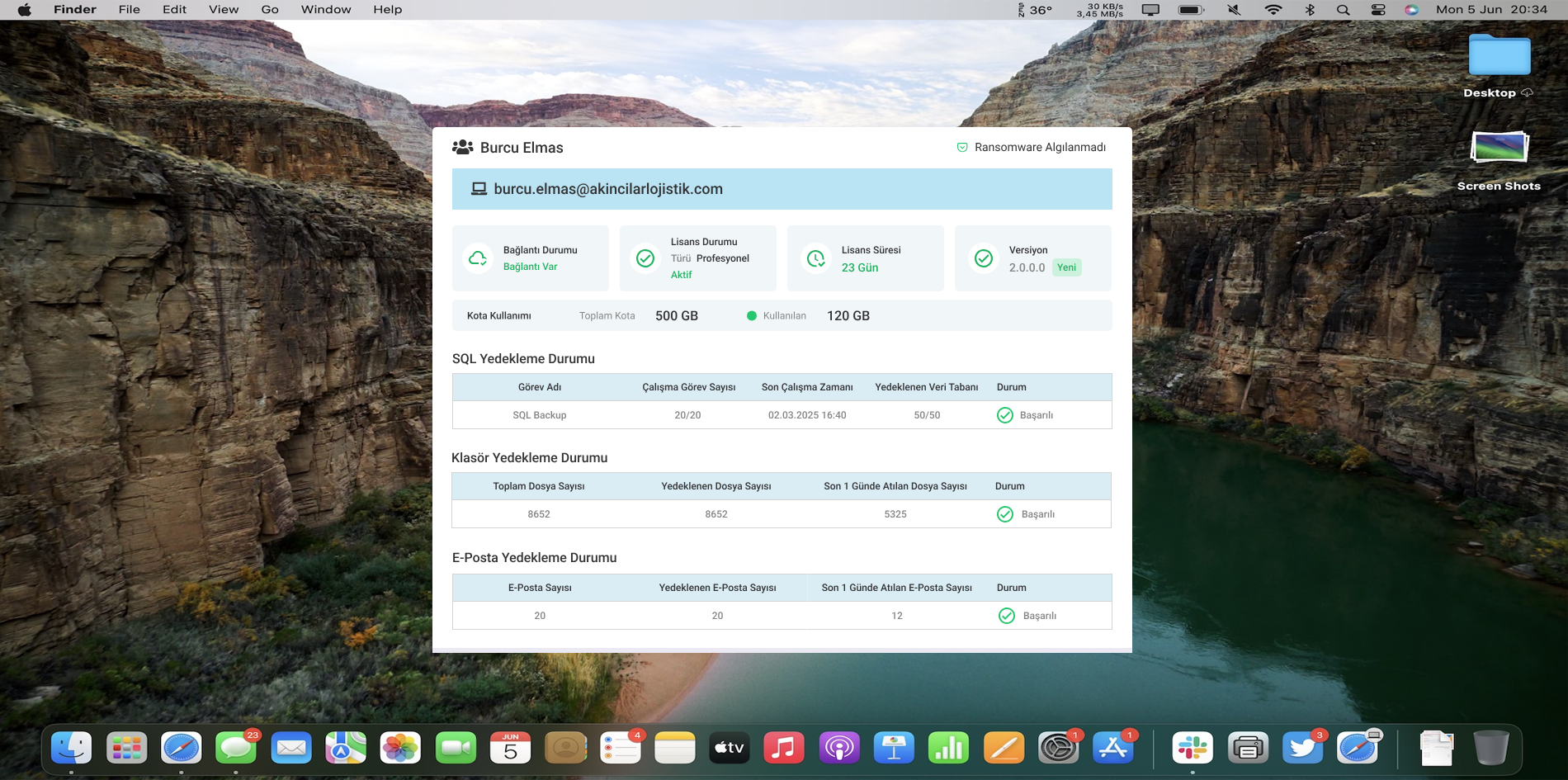
Backup Now offers a comprehensive reporting service regarding your backup activities. In this way, you are always aware of all critical information about your sub-organizations
Hazard Warning System
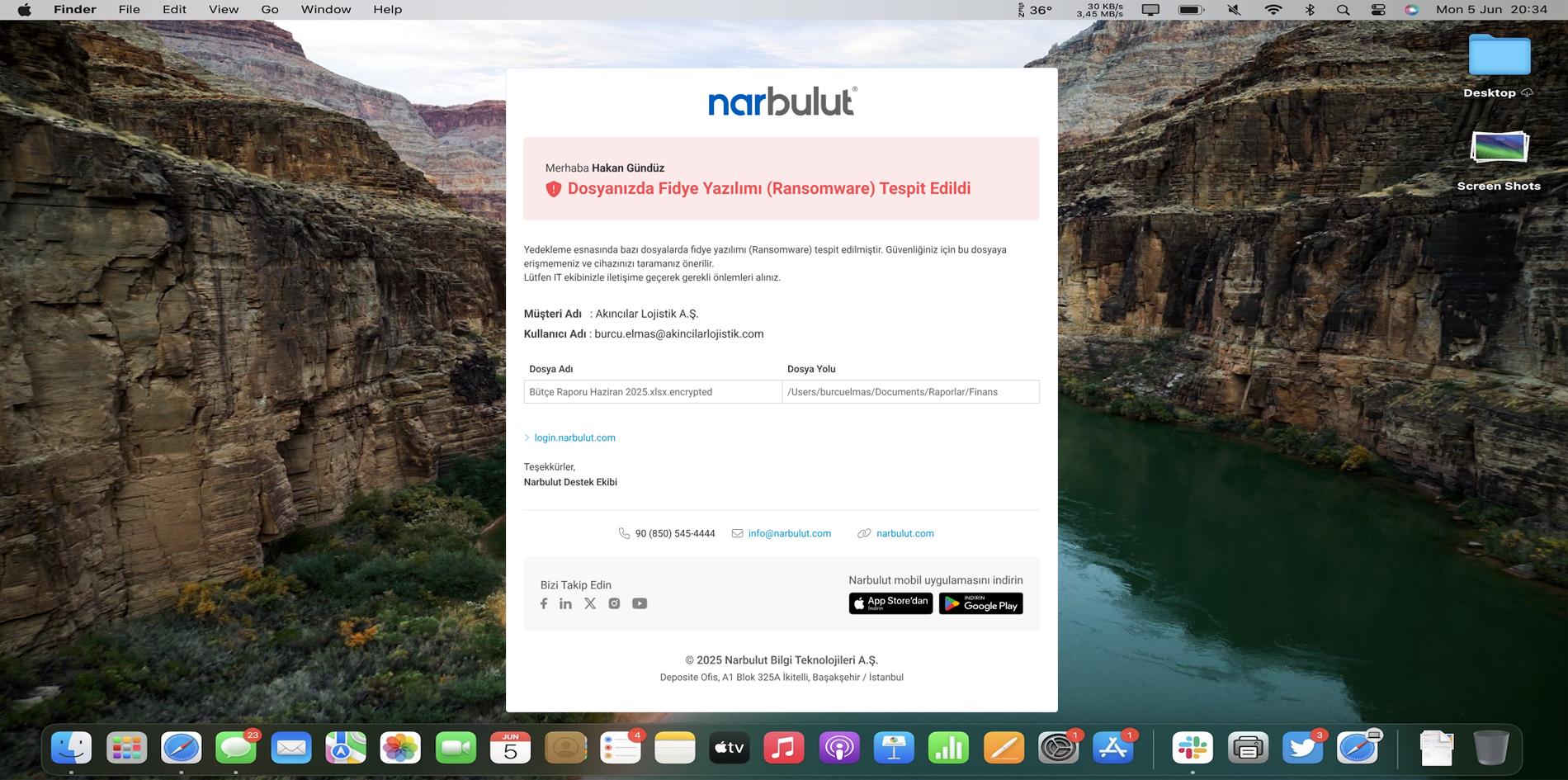
Be instantly informed of ransomware attacks via SMS, e-mail and mobile notifications
Instant System Information
Administrators receive system-generated alerts directly via e-mail and SMS. In this way, it becomes easier to take action
Keep your time in hand with notification of failed backup attempts.
Plan your storage with storage space alerts.
Easily resolve user errors with explanatory warnings.
Be instantly informed about ransomware attacks.
Direct Notification to User
Users are informed instantly via email, SMS and mobile application notification. Follow the developments in real time
Receive failed backup notification.
Check your work with an access error or stopped process alert.
Daily Reporting
Analyze your users' backups on the system daily. Be aware of which user is backing up and when, which has been inactive for a long time or is exhibiting unusual behavior
Track your users' backup operations on a daily basis.
Users who have not made a backup for a long time are automatically highlighted.
Analyze all user activities in detail.
OTHER FEATURES
Discover other features of Backup Now.
Explore all features of Backup Now to manage and protect your data most efficiently. Discover now!
It is Narbulut's alert and report infrastructure that helps monitor user and system activities.
You will receive notifications for critical events such as failed backups, long-term failure to send files, system errors, and license warnings.
No, all notification and reporting features are free.
Notifications are delivered in real time via e-mail, SMS and Narbulut mobile application.
All you have to do is download the Narbulut mobile application and log in.
Yes, email notifications can be disabled via the panel.
Organization managers define the users who will receive notifications in the system.
Yes, all users can receive notifications within authorization.
Reports are sent automatically on a daily and weekly basis.
It includes SQL backup task information, email backup information, file movements, backup times, user status and version information.
Yes, you can manually trigger the report notification you want via the panel.
You can respond to anomalies in the system in a timely manner without monitoring each user one by one.
You will receive notifications in cases such as failed backup, disk space full, authorization conflict, long-term inactivity, ransomware attack or connection failure.
Narbulut Product Analysis
Step 1/12
What area of technological improvement are you planning for your company?
Data Security & BackupRansomware, deleted files and disaster recovery.
Cloud Server (IaaS)Website, ERP, CRM or application hosting.
Team CollaborationSecure file sharing and remote work.
Object Storage (S3)Object Storage for developers.
What industry does your company operate in?
Healthcare / MedicalPatient data (GDPR critical).
Finance / AccountingSensitive financial data.
Manufacturing / EngineeringCAD drawings and production plans.
Other / General ServicesOffice documents and general data.
What type of devices need to be protected?
Employee ComputersLaptop and desktop end-user devices.
Physical / Virtual ServersDatabase, Active Directory or File Server.
What should your backup strategy be?
File & Folder BasedOnly important business files (XLS, PDF, SQL) should be backed up.
Full Disk ImageBack up "Everything" including the operating system.
What is your upload speed for cloud backup?
Fiber / High SpeedI can send large data quickly.
Standard / ADSLMy speed is limited, compression is important.
Is ransomware a threat?
Yes, Very CriticalWe have experienced it before or are at risk.
Standard Protection is SufficientBasic backup measures are enough.
How long would you like to keep versions?
30 - 90 DaysTo fix recent errors.
1 Year and AboveLegal requirements or archiving.
What will be the primary purpose of the server?
E-Commerce / WebsiteHigh uptime and speed required.
ERP / Accounting SoftwareDatabase performance is important.
Software DevelopmentFlexible resource management.
What infrastructure do you need?
Windows ServerASP.NET, MSSQL, RDP.
Linux (Ubuntu/CentOS)PHP, Python, MySQL, Docker.
What is the estimated user traffic?
Low / MediumEntry level or new project.
High TrafficHeavy campaigns or many users.
Who will manage the server?
I Will Manage ItI have a technical team, root access is enough.
I Need SupportManaged Services required.
How many people will work in the shared workspace?