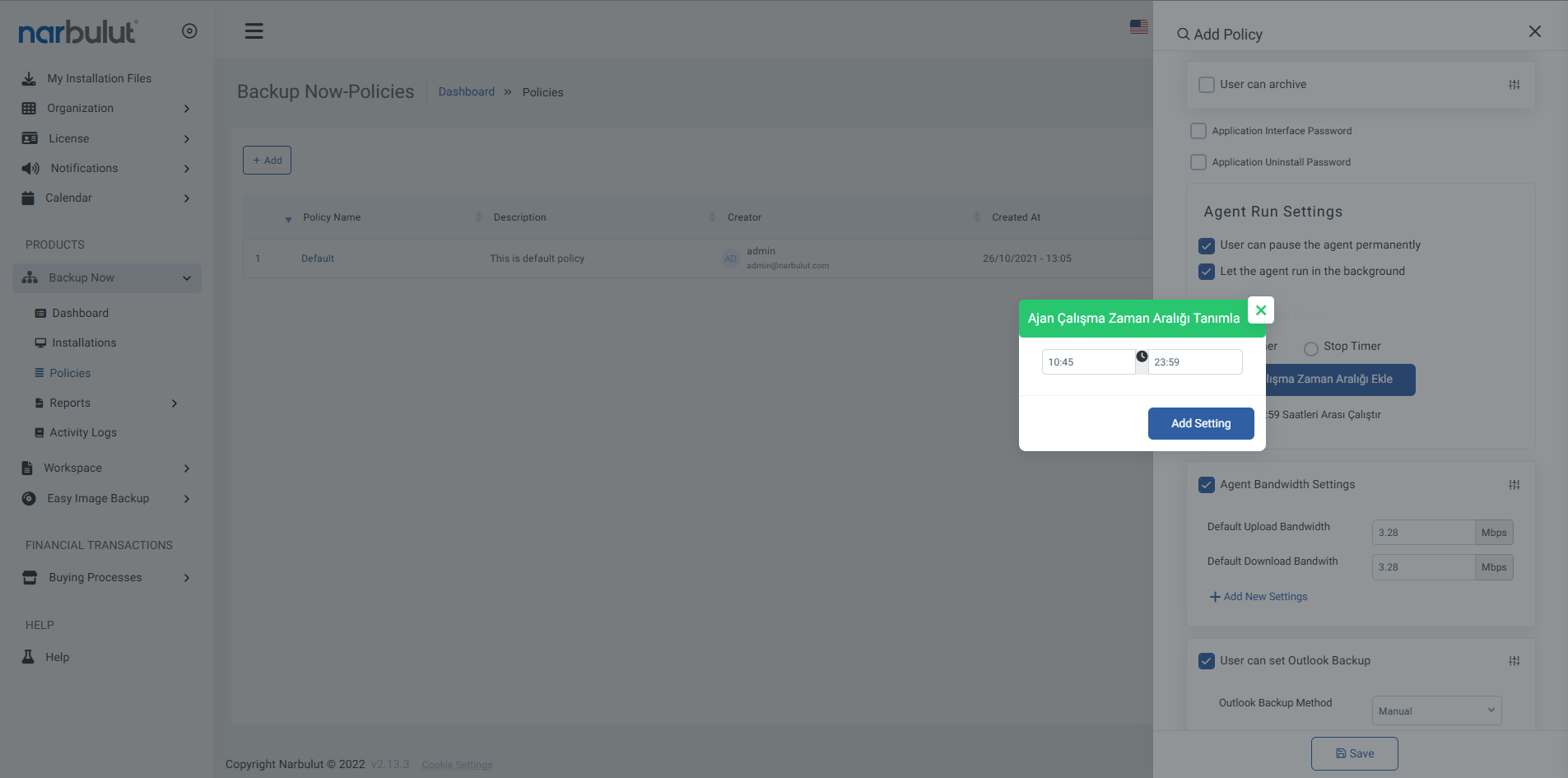
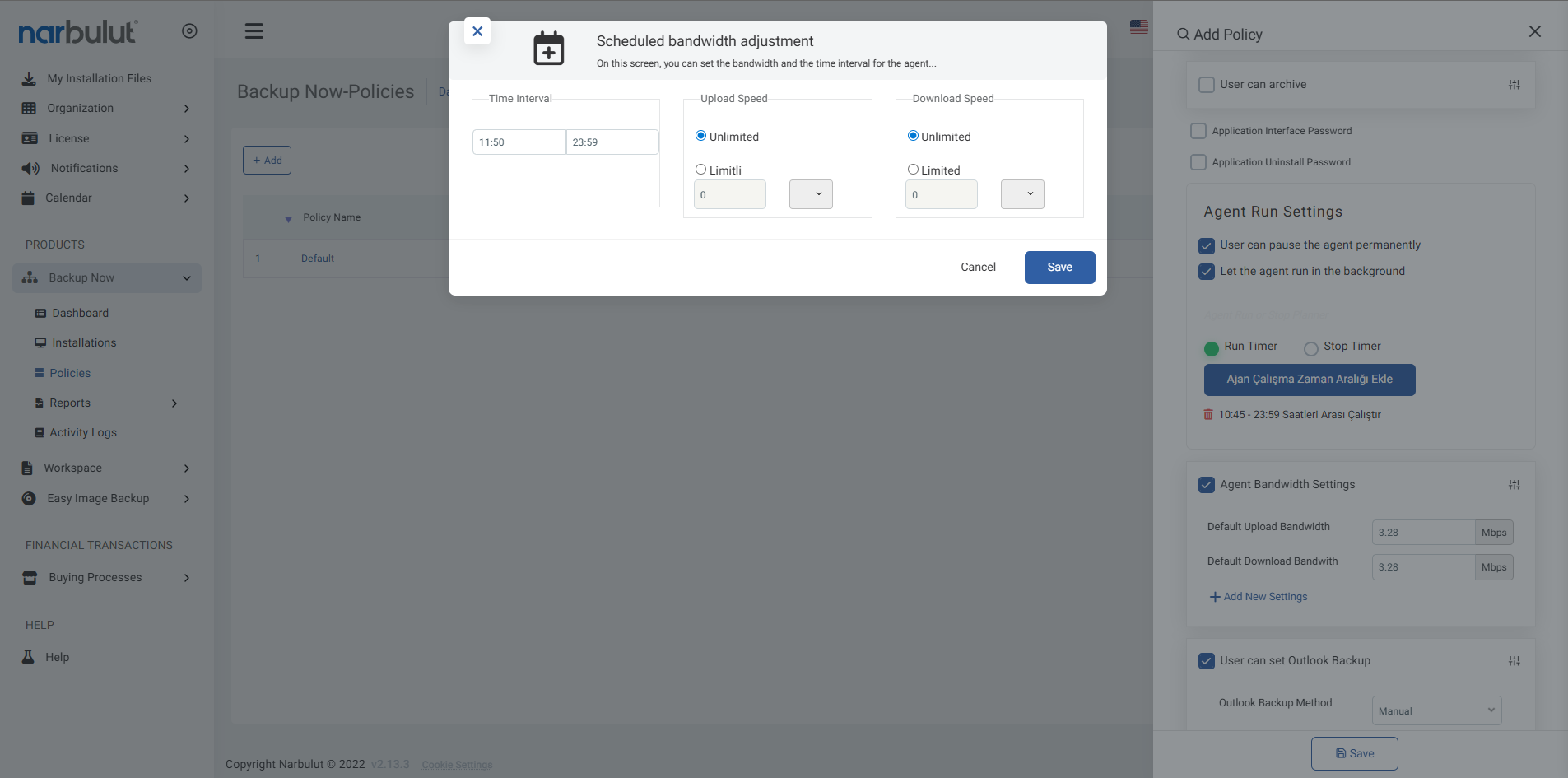
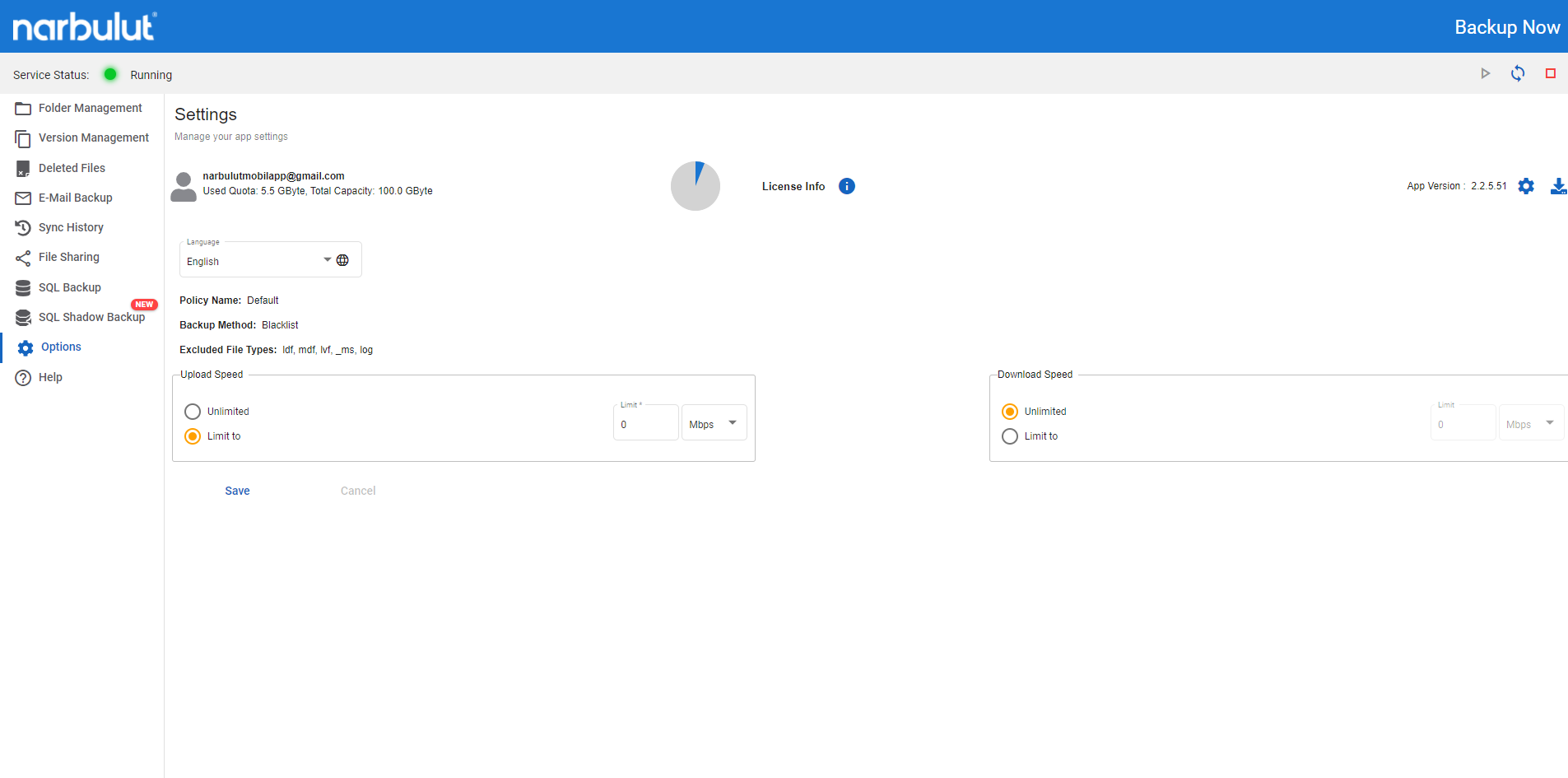
Take control of your internet usage by customizing your bandwidth settings. Ensure that backup operations occur at the most appropriate time without disrupting your work
Time Zone Selection
Choose when your backups will occur and set your bandwidth usage hours for optimal performance
Usage Limits
Adjust how much of your internet bandwidth you allocate to backup operations with ease
Performance Protection
Maintain your connection performance with bandwidth limiting and continue your daily work
Time Planning
Choose the time intervals for backups and manage your internet traffic accordingly
You can create daily and weekly time periods.
Optimize network usage during peak hours.
Bandwidth Control
Allocate a certain portion of your bandwidth for your backup operations and thus maintain the internet speed of your other operations
Maximum bandwidth limit can be set.
Network traffic is used balanced.
Performance Protection
Even if your connection speed is not high, determine the bandwidth you want to allocate for backup operations and continue your daily work
Determine the bandwidth you want to reserve for your backups.
Don't be affected by connection drops.
Continue your daily work.
OTHER FEATURES
Discover other features of Backup Now.
Explore all features of Backup Now to manage and protect your data most efficiently. Discover now!
You can easily determine the time period and usage rates by using the relevant menus on both the agent and the web panel.
Backup is done only at the hours you choose and without exceeding the speed limit you choose, thus protecting your internet performance.
Thanks to the limits you set, your internet speed remains sufficient for other transactions.
All settings defined by policies are managed centrally via the cloud and transferred to agents.
You can choose in your policy definition whether the backup can be stopped manually through the agent. If you wish, you can protect this and similar transactions with a password.
Narbulut Product Analysis
Step 1/12
What area of technological improvement are you planning for your company?
Data Security & BackupRansomware, deleted files and disaster recovery.
Cloud Server (IaaS)Website, ERP, CRM or application hosting.
Team CollaborationSecure file sharing and remote work.
Object Storage (S3)Object Storage for developers.
What industry does your company operate in?
Healthcare / MedicalPatient data (GDPR critical).
Finance / AccountingSensitive financial data.
Manufacturing / EngineeringCAD drawings and production plans.
Other / General ServicesOffice documents and general data.
What type of devices need to be protected?
Employee ComputersLaptop and desktop end-user devices.
Physical / Virtual ServersDatabase, Active Directory or File Server.
What should your backup strategy be?
File & Folder BasedOnly important business files (XLS, PDF, SQL) should be backed up.
Full Disk ImageBack up "Everything" including the operating system.
What is your upload speed for cloud backup?
Fiber / High SpeedI can send large data quickly.
Standard / ADSLMy speed is limited, compression is important.
Is ransomware a threat?
Yes, Very CriticalWe have experienced it before or are at risk.
Standard Protection is SufficientBasic backup measures are enough.
How long would you like to keep versions?
30 - 90 DaysTo fix recent errors.
1 Year and AboveLegal requirements or archiving.
What will be the primary purpose of the server?
E-Commerce / WebsiteHigh uptime and speed required.
ERP / Accounting SoftwareDatabase performance is important.
Software DevelopmentFlexible resource management.
What infrastructure do you need?
Windows ServerASP.NET, MSSQL, RDP.
Linux (Ubuntu/CentOS)PHP, Python, MySQL, Docker.
What is the estimated user traffic?
Low / MediumEntry level or new project.
High TrafficHeavy campaigns or many users.
Who will manage the server?
I Will Manage ItI have a technical team, root access is enough.
I Need SupportManaged Services required.
How many people will work in the shared workspace?