Narbulut Backup Now allows users to control all backup operations through a central management panel. By defining user groups and backup policies from a single point, you can easily monitor and manage your users' backup activities
Full Backup Control
Determine and manage the timing, scope and access rights of backup tasks for all users and devices from a single point at the corporate level
Observation and Reporting
Backup Now centrally monitors all users' processes, detects missing or incorrect transactions, and notifies administrators and relevant users by e-mail
Policy and Group Management
Easily create and modify user groups and backup policies as needed and apply them dynamically in the central system.
Full Authority in Management
Easily determine all users' data to be backed up from the central panel. Easily control backups of all users via the central panel
Set your policies and manage your users centrally.
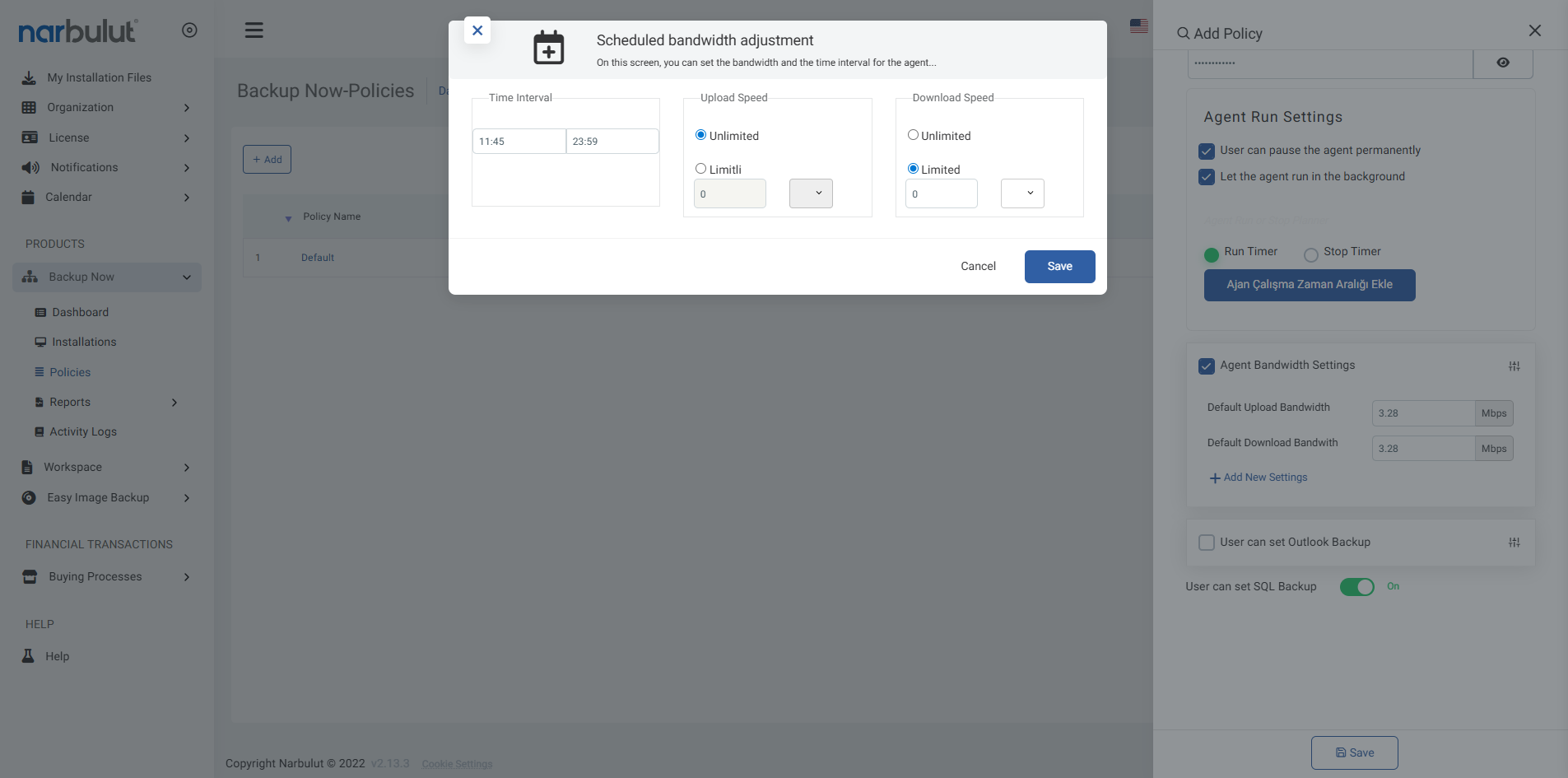
Manage the hours at which backups will run from the web panel.
Increase organizational security by editing access permissions.
Central Backup Control with Policies
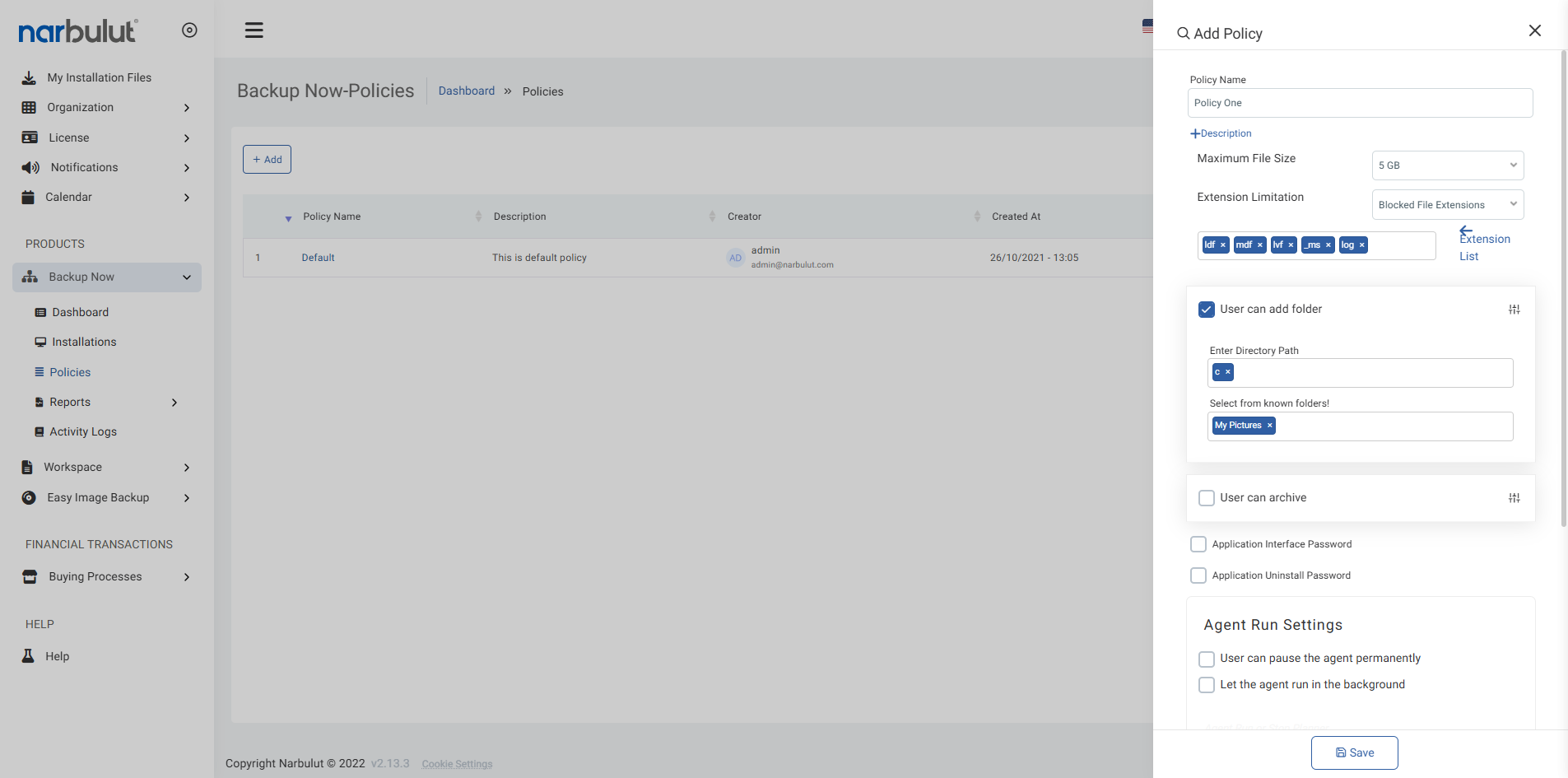
Administrators can collect user groups under a single policy and manage them within the framework of common rules. Control the folders to be backed up, agent working hours and backup processes effectively and centrally
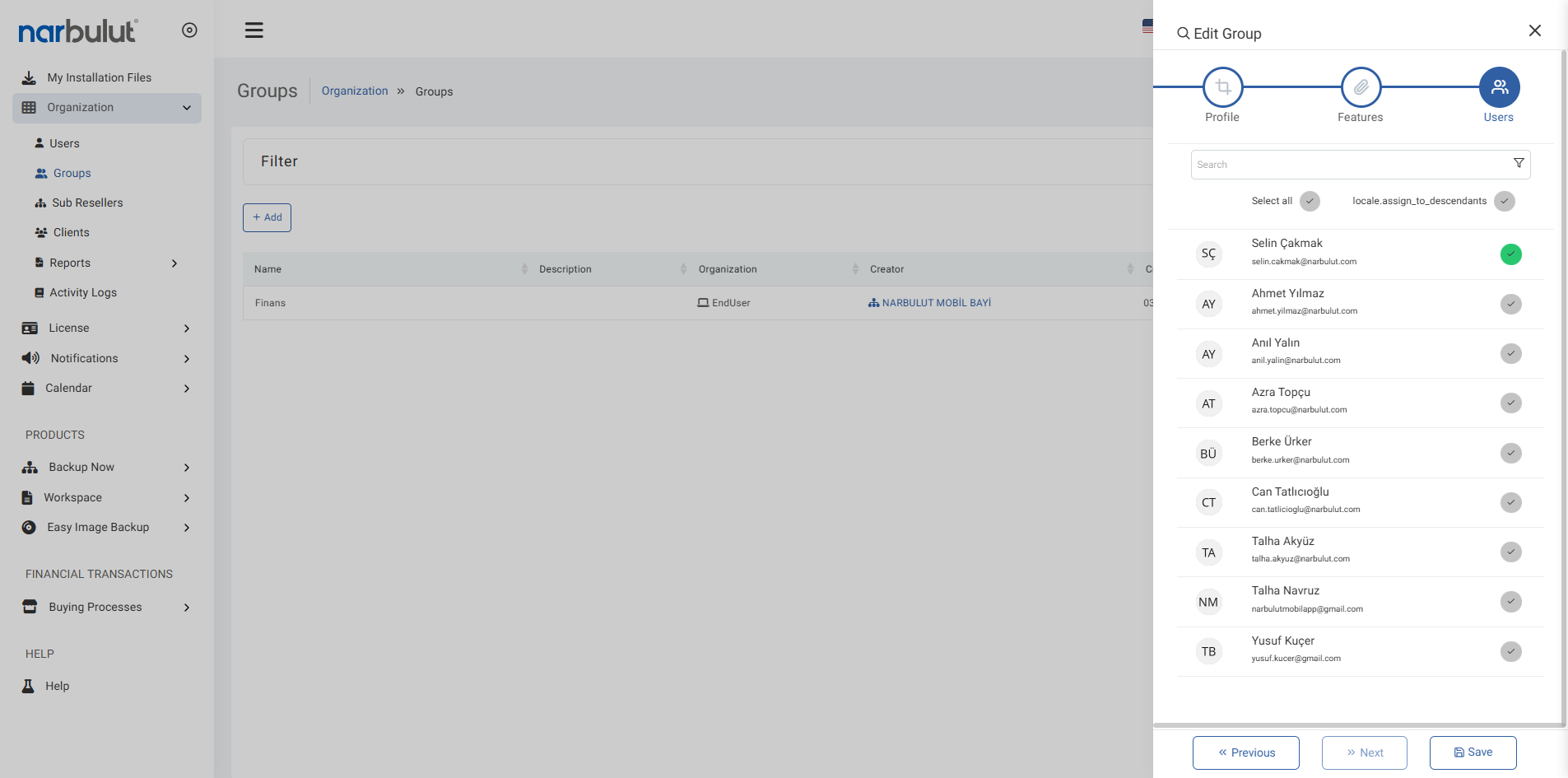
User groups according to certain rulesat oncemanage.
Centrally control the backup behavior of all users.
Determine the file types allowed in the backup process by policies.
Advanced Security and Access Controls
You can create a secure and controlled backup infrastructure by pre-defining network, user and access restrictions with policies. Minimize possible security vulnerabilities by ensuring that every movement on the system occurs within the framework of predetermined rules
Assign users only permissions that match their job descriptions.
Only allow access via authorized networks and devices.
Guarantee your business continuity.
OTHER FEATURES
Discover other features of Backup Now.
Explore all features of Backup Now to manage and protect your data most efficiently. Discover now!
Central management is an infrastructure that allows all system-wide users, groups, organizations and policy configurations to be managed from a single control panel. Thus, messy structures are prevented, workload is reduced, and the level of security and control is increased.
Group management, user authorizations, organization configurations, backup policies, license management and notification settings are controlled under central management.
No. Central management is an area that can only be accessed and managed by authorized administrators. Users can only take action in accordance with the authorizations assigned to them.
By default, the central management module is active during system installation. Once organizations, users and groups are defined, relevant policies and permissions can be assigned via the central panel.
Workspace and Backup Now default policies are automatically assigned to all groups under centralized management. These policies include basic settings such as access, sharing, and backup.
Authorizations are assigned on a group basis and detailed authorization options can be defined within each group. For example, one group can only view files, while the other can download and edit.
Operations such as creating/editing/deleting groups, assigning users, defining policies, editing authorization, organization filtering, reporting and exporting can be done from the central panel.
Yes. All changes made under central management (authority assignments, policy changes, group regulations, etc.) are applied instantly in the system.
Yes. All authorizations can be removed or reactivated at the same time with the bulk selection boxes under each policy or authorization section.
Only authorized users can access the central administration panel. Other users can only take action within the authorizations assigned to them.
All user and administrator actions are logged and can be monitored by the system. In this way, every change and access control is recorded.
Many metrics such as daily backed up/unbacked up files, successful/failed SQL backup tasks, long inactive users, group access intensity, authority distribution and backup status are reported via e-mail in Excel format.
Narbulut Product Analysis
Step 1/12
What area of technological improvement are you planning for your company?
Data Security & BackupRansomware, deleted files and disaster recovery.
Cloud Server (IaaS)Website, ERP, CRM or application hosting.
Team CollaborationSecure file sharing and remote work.
Object Storage (S3)Object Storage for developers.
What industry does your company operate in?
Healthcare / MedicalPatient data (GDPR critical).
Finance / AccountingSensitive financial data.
Manufacturing / EngineeringCAD drawings and production plans.
Other / General ServicesOffice documents and general data.
What type of devices need to be protected?
Employee ComputersLaptop and desktop end-user devices.
Physical / Virtual ServersDatabase, Active Directory or File Server.
What should your backup strategy be?
File & Folder BasedOnly important business files (XLS, PDF, SQL) should be backed up.
Full Disk ImageBack up "Everything" including the operating system.
What is your upload speed for cloud backup?
Fiber / High SpeedI can send large data quickly.
Standard / ADSLMy speed is limited, compression is important.
Is ransomware a threat?
Yes, Very CriticalWe have experienced it before or are at risk.
Standard Protection is SufficientBasic backup measures are enough.
How long would you like to keep versions?
30 - 90 DaysTo fix recent errors.
1 Year and AboveLegal requirements or archiving.
What will be the primary purpose of the server?
E-Commerce / WebsiteHigh uptime and speed required.
ERP / Accounting SoftwareDatabase performance is important.
Software DevelopmentFlexible resource management.
What infrastructure do you need?
Windows ServerASP.NET, MSSQL, RDP.
Linux (Ubuntu/CentOS)PHP, Python, MySQL, Docker.
What is the estimated user traffic?
Low / MediumEntry level or new project.
High TrafficHeavy campaigns or many users.
Who will manage the server?
I Will Manage ItI have a technical team, root access is enough.
I Need SupportManaged Services required.
How many people will work in the shared workspace?